

Enter a domain
Drop any domain into the mail settings lookup, like stripe.com. No login, no account, nothing to install. Paste a full email address instead and Verifox reduces it to the domain — all the lookup needs to start.
Email server settings
Enter any domain to find its IMAP, POP, and SMTP host and port, ready to paste into Outlook, Apple Mail, or Thunderbird. No signup.
Trusted by 500,000+ leading GTM teams of all sizes
No login, no install. Enter any domain to read the IMAP, POP3, and SMTP host names and ports your email client needs to connect.
Drop any domain into the mail settings lookup, like stripe.com. No login, no account, nothing to install. Paste a full email address instead and Verifox reduces it to the domain — all the lookup needs to start.
Verifox reads the domain's MX records, the same DNS resolution the verification engine runs first, and identifies which provider runs the mail. The provider is what decides every server setting that follows.
See the incoming (IMAP, POP) and outgoing (SMTP) host and port for the detected provider, ready to type into your email client. The encrypted ports come pre-selected, 993, 995, and 587.
No guesswork, no digging through help pages. The provider fixes every host and port, and a domain's DNS already says who runs its mail.
A mail settings lookup turns a domain into the exact configuration an email client asks for: the incoming mail server (IMAP or POP), the outgoing mail server(SMTP), and the host and port for each. It works backwards from the provider — Verifox reads the domain's MX records, names who runs the mail, and the provider is what fixes the standard servers: imap.gmail.com and smtp.gmail.com on Google Workspace, outlook.office365.com on Microsoft 365. Enter the domain once and it lays all of that out, encrypted ports pre-selected, with no provider help pages to dig through.
The same nine-check engine our paid email verification API runs. Every email, every verification, every time.
Every address runs a full RFC 5321 and RFC 5322 compliance pass before a single network call goes out. The engine catches what visual scanning misses, the double dot in alice@verifox..ai, the trailing period, the IDN homograph that looks valid but resolves to a different domain.
Bundled typo suggestions let your form offer “did you mean alice@gmail.com?” instead of rejecting silently.
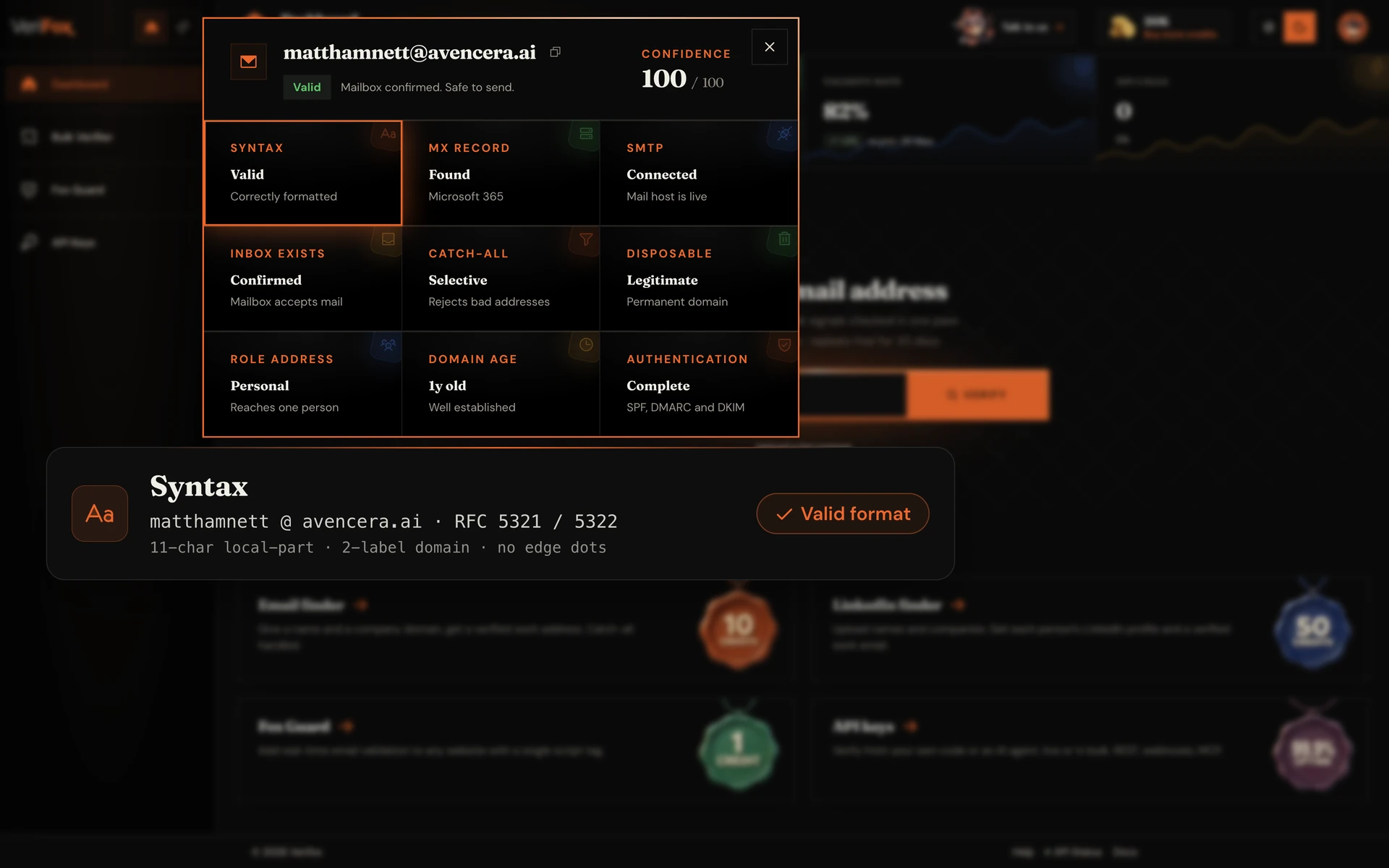
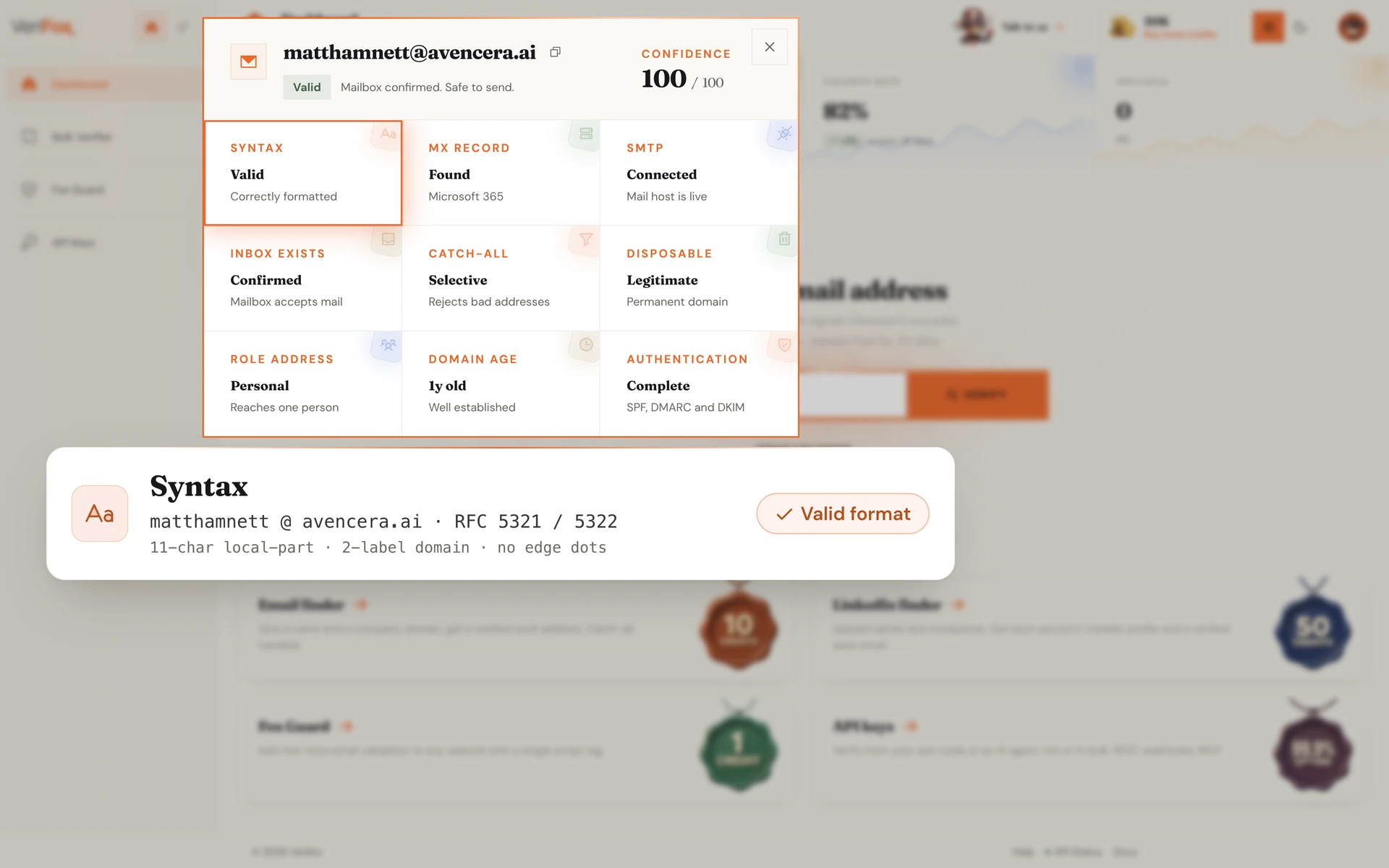
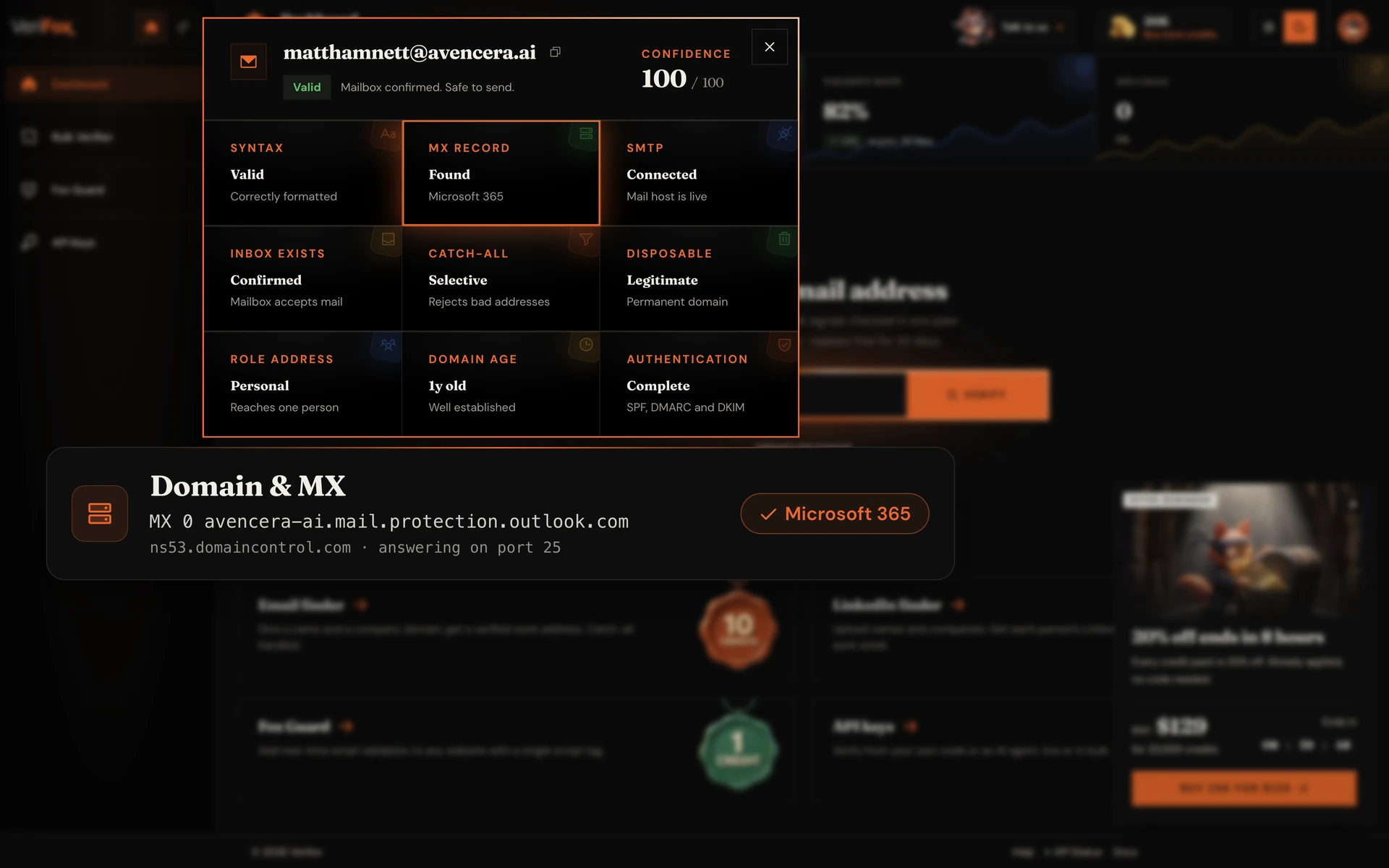
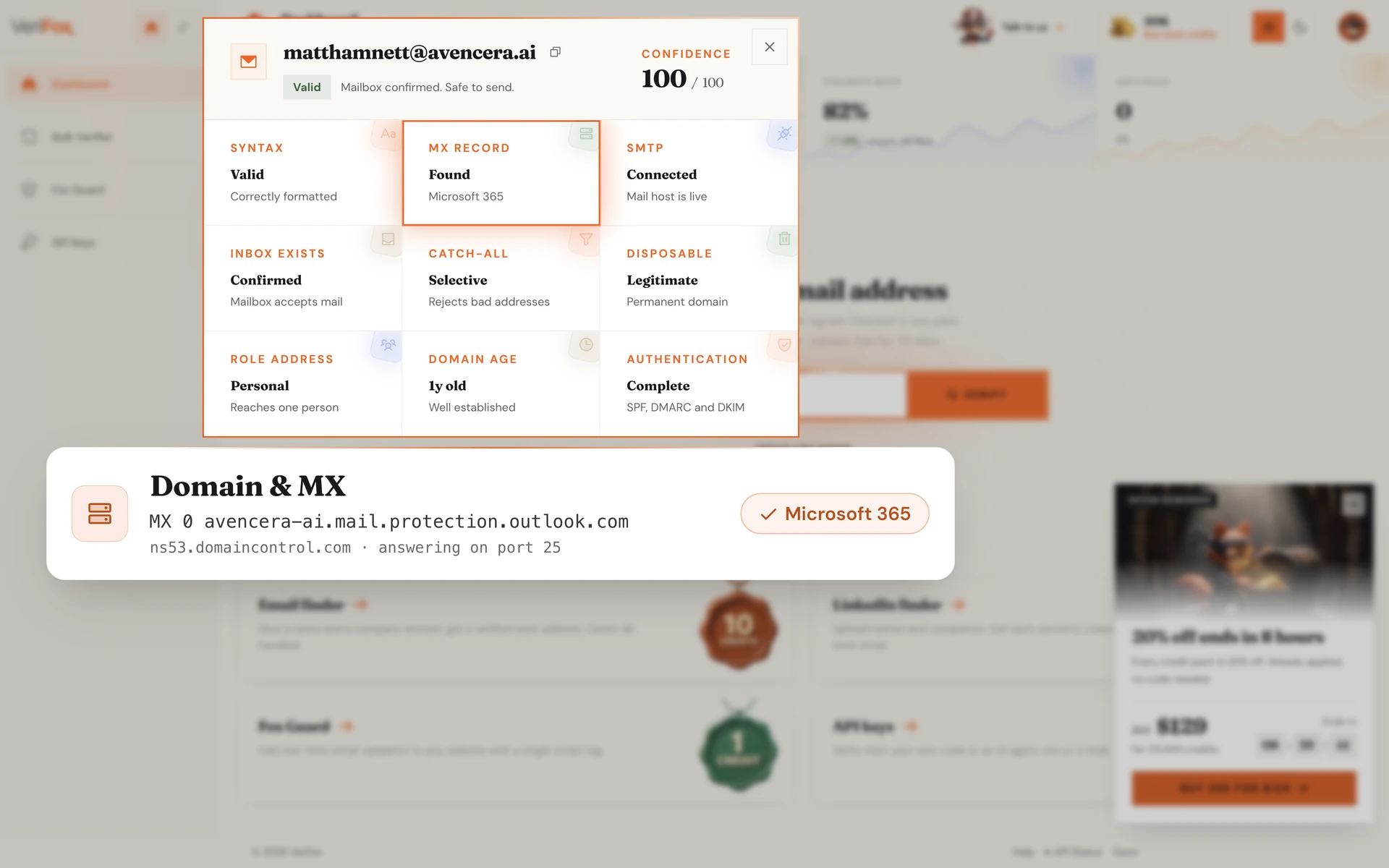
Once syntax passes, the engine resolves the domain. We confirm the DNS records exist, fetch the MX record priority list in order, and verify at least one mail-exchange server is actively accepting connections right now.
Misspelled domains like gmial.com, expired domains, and parked-for-sale domains all fail this gate before the engine wastes a single SMTP roundtrip.
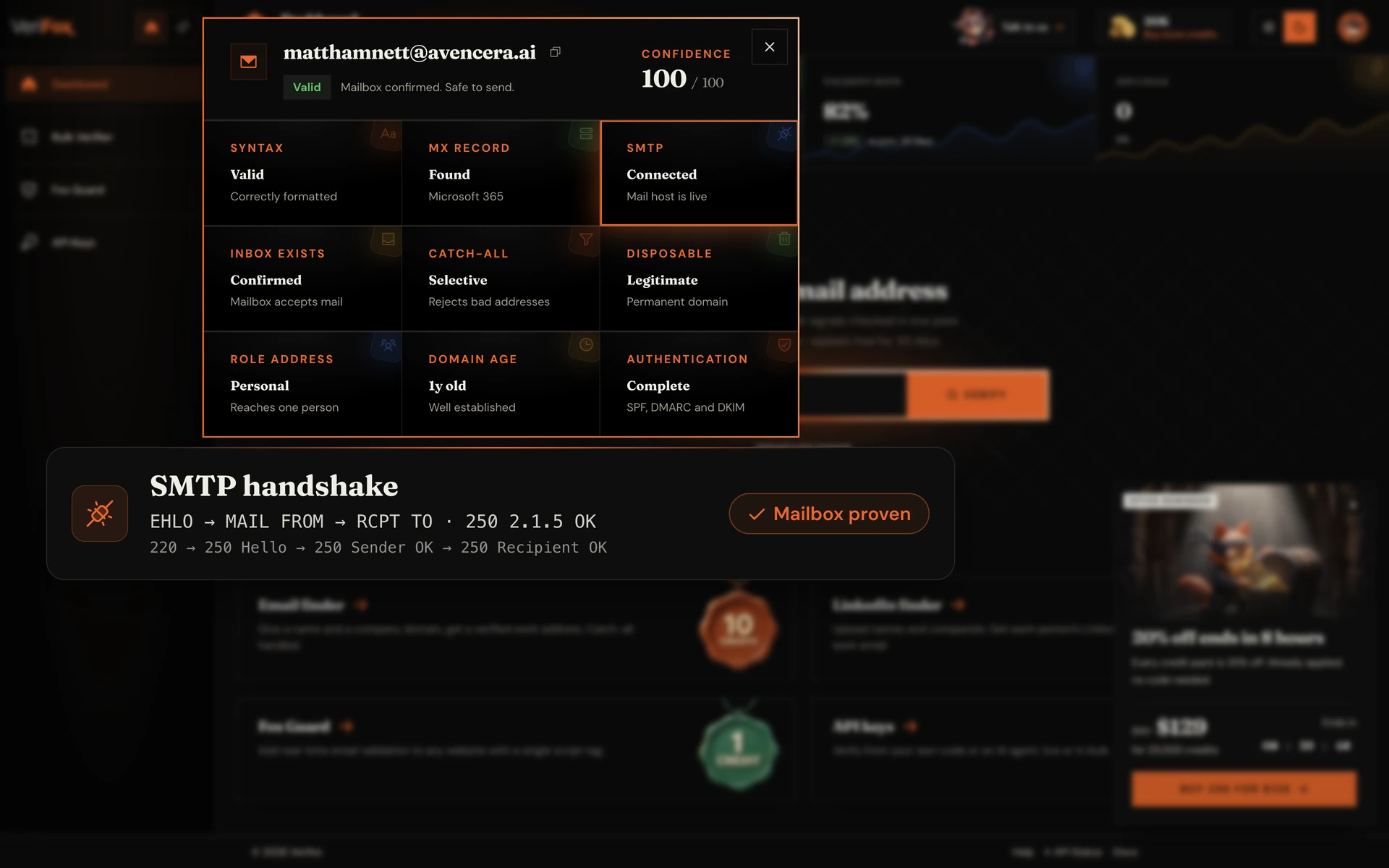
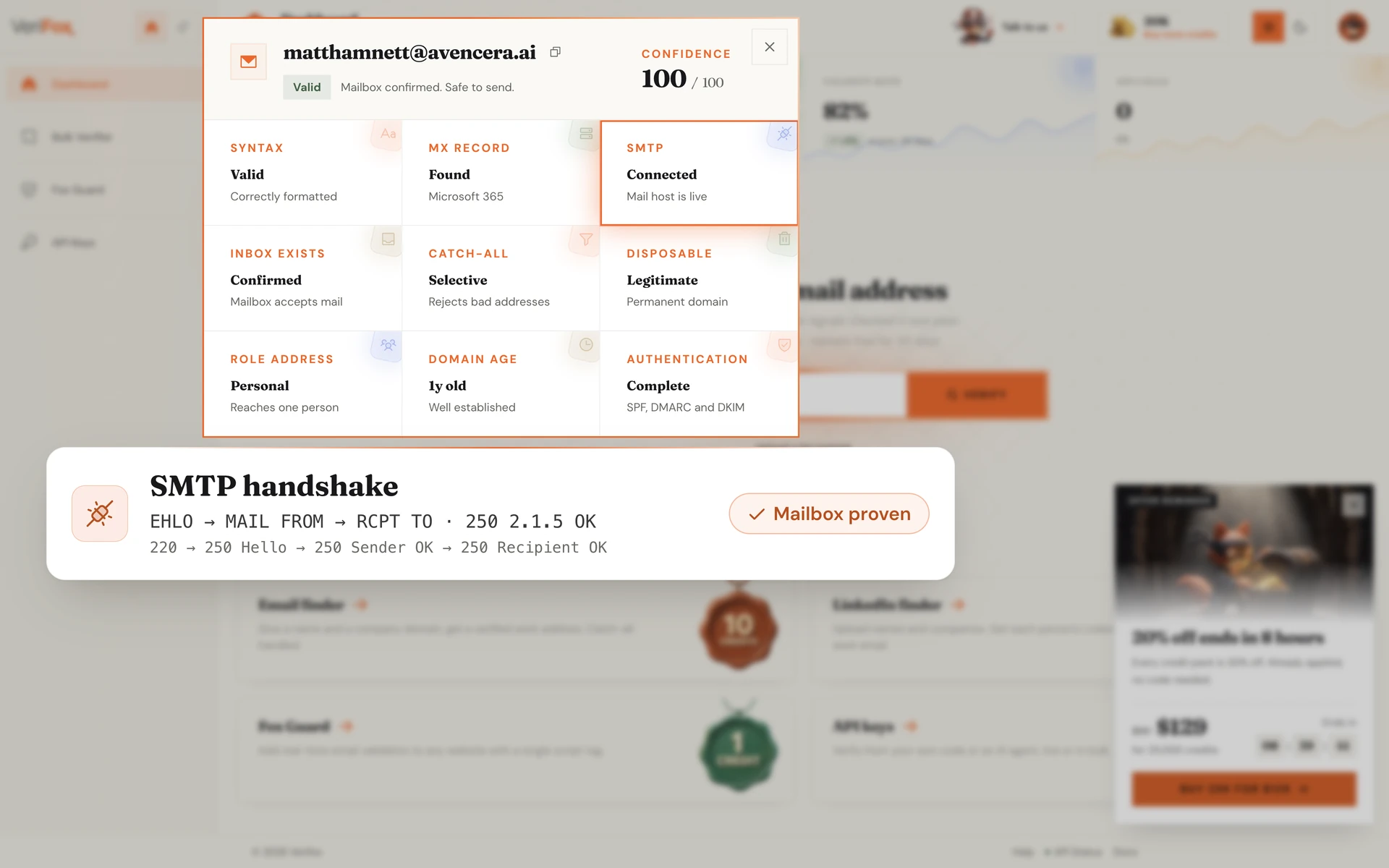
The engine opens a TCP connection on port 25, performs the EHLO handshake, then negotiates MAIL FROM and RCPT TO. Every server response code (220, 250, 550, 552) is parsed deterministically against the IANA enhanced-status registry.
This is the moment a mailbox proves it actually exists. No third-party guesses, no statistical heuristics, just the receiving server's own answer.
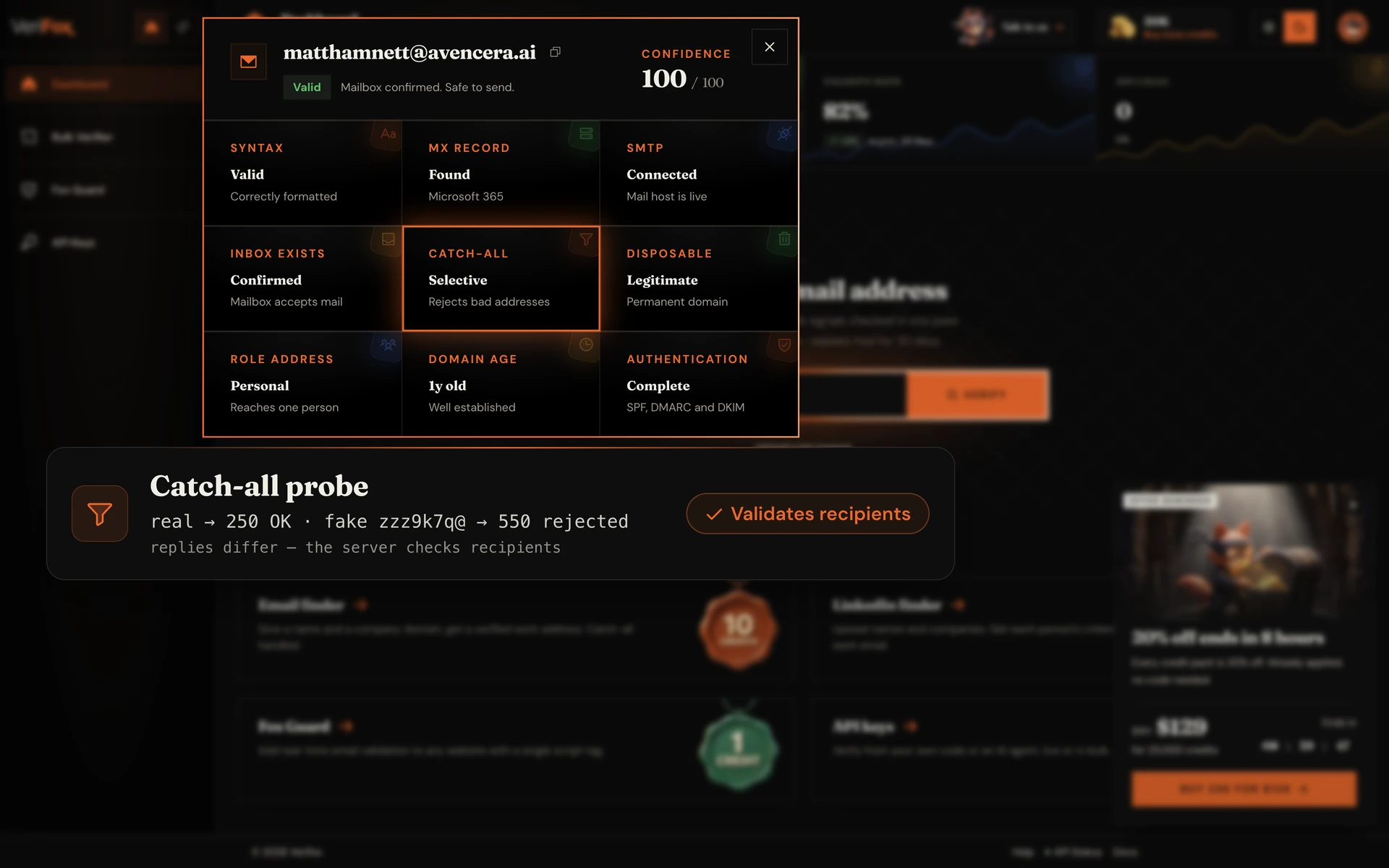
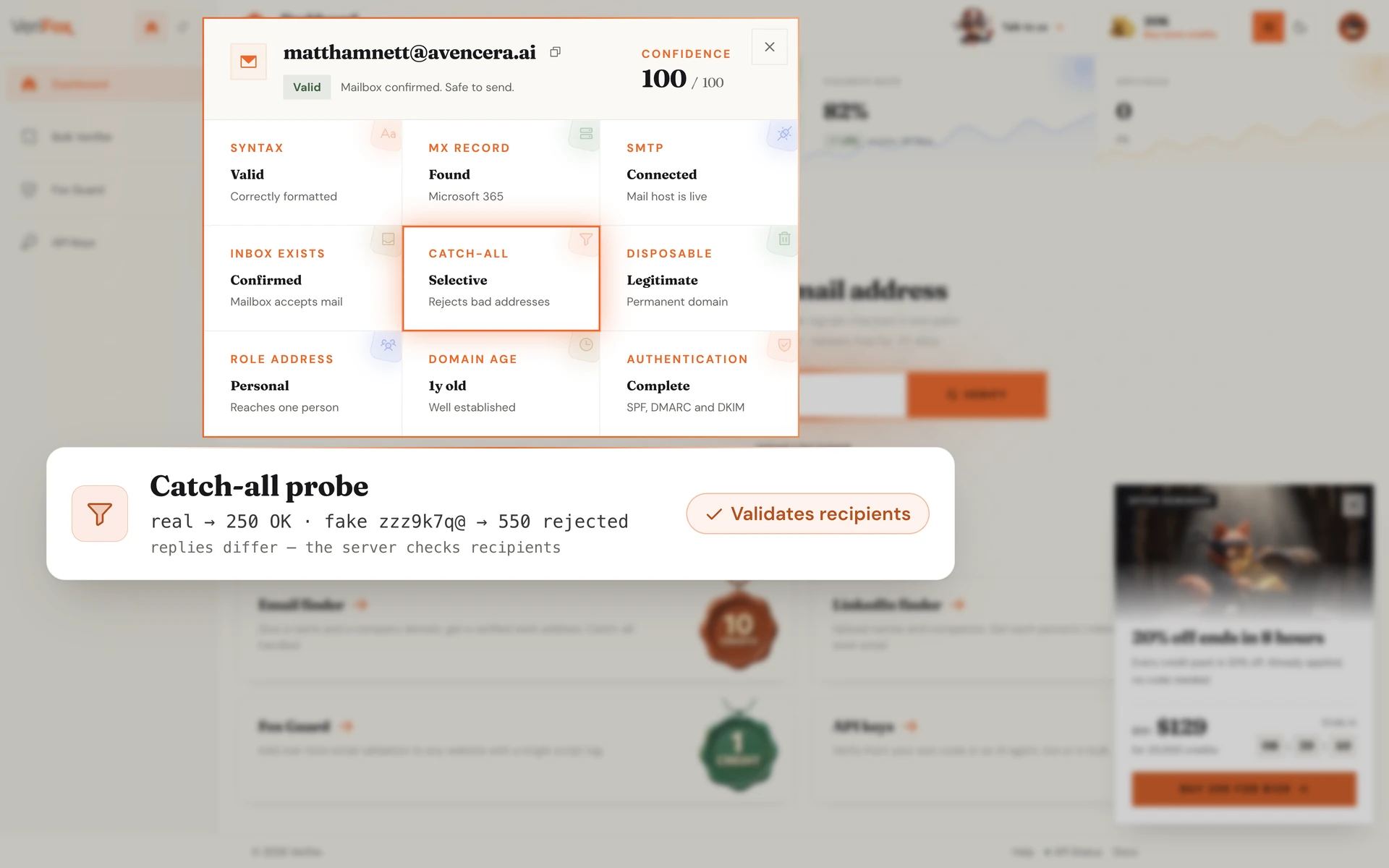
Some domains accept every email regardless of whether the mailbox exists, a setup known as a catch-all configuration. The engine sends a deterministic probe to a deliberately fake address (zzz9k7q@domain.com); if the server returns the same 250 OK it returned for the real address, the domain is catch-all.
The verdict isn't dropped, it's flagged RISKY so you know the deliverability signal is degraded.
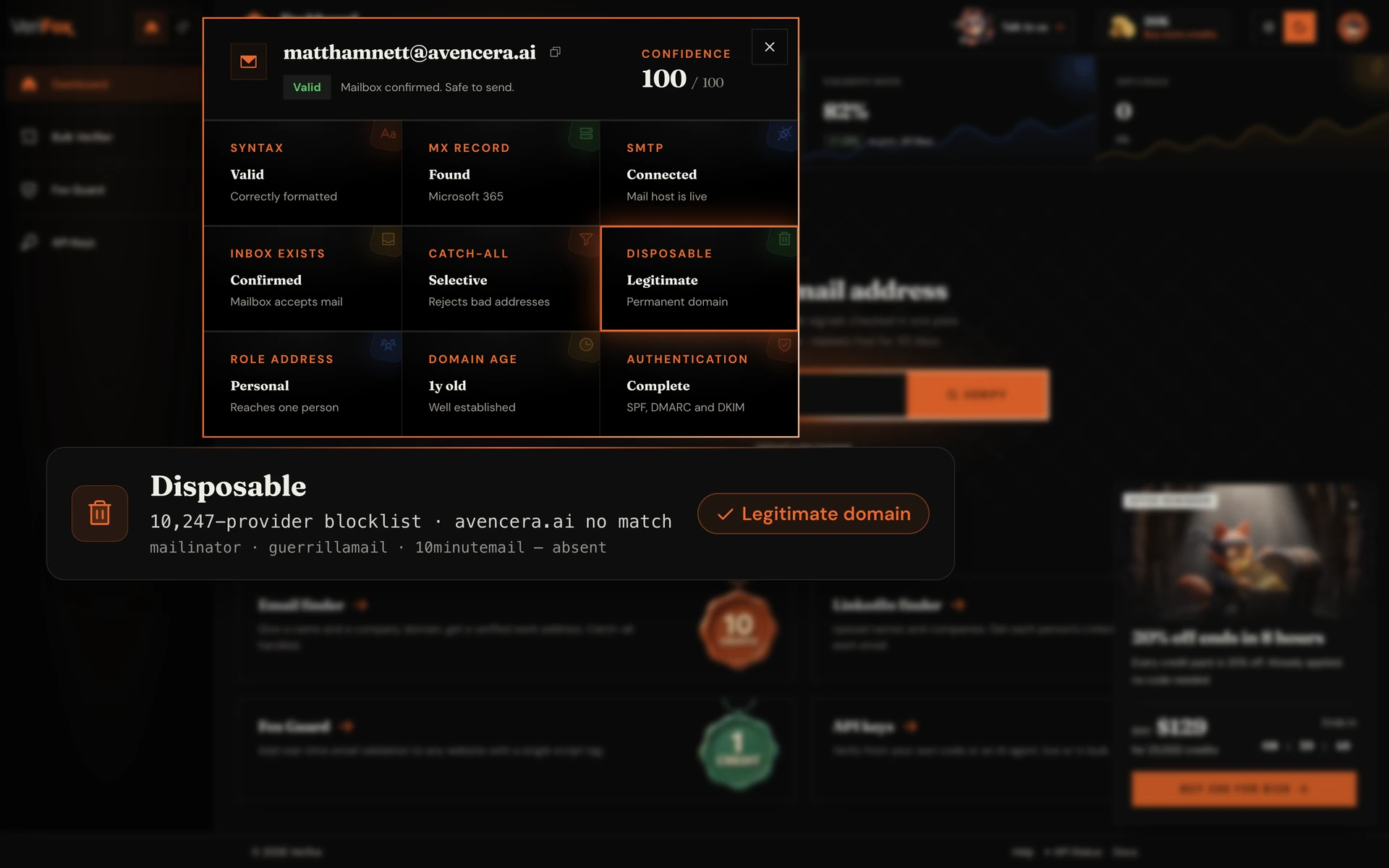
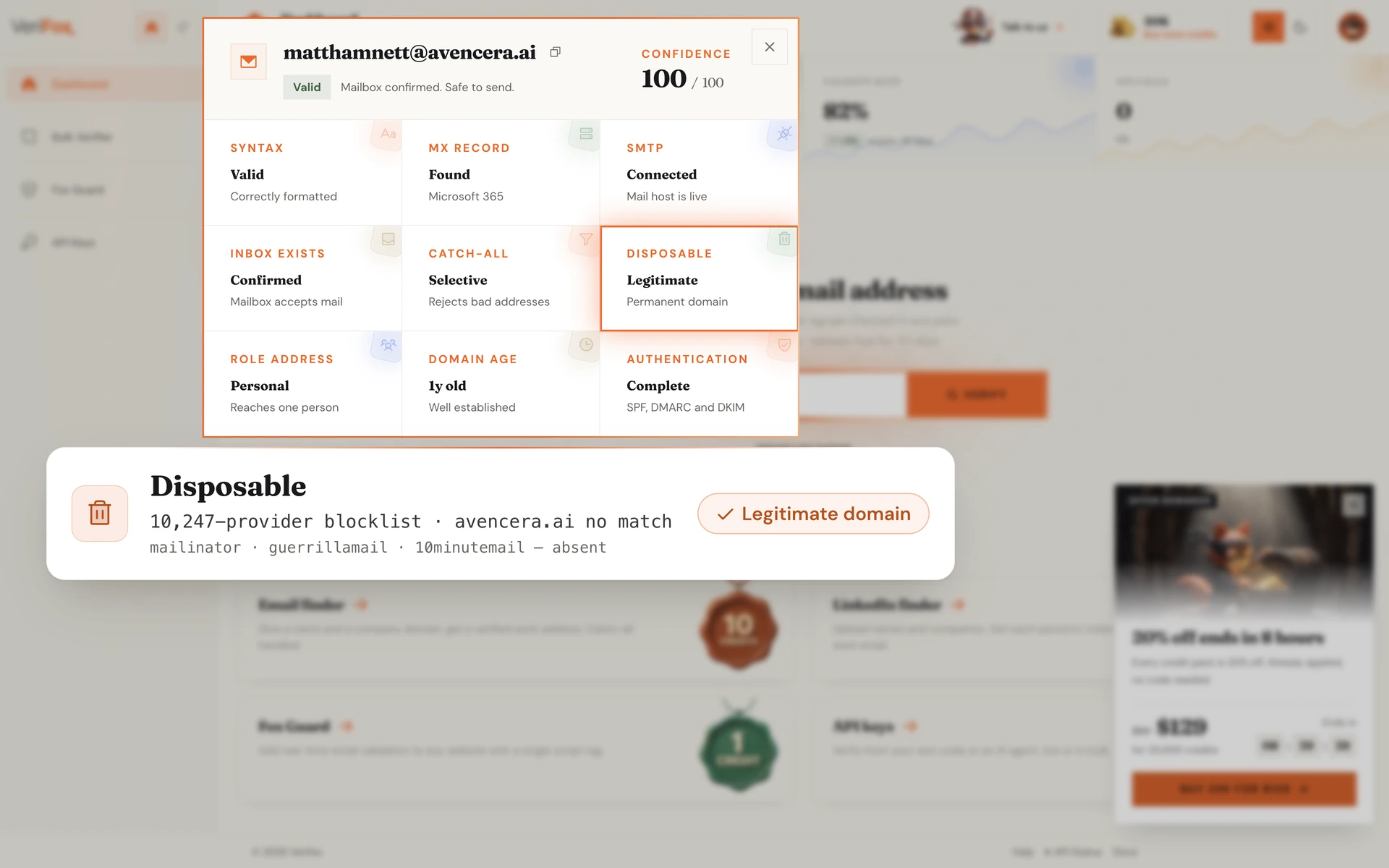
The engine maintains a curated registry of 10,247 disposable email providers, including Mailinator, Guerrilla Mail, 10MinuteMail, Tempmail, and the long tail of regional clones.
Any address matching the blocklist is flagged INVALID. Deliverability to a mailbox that exists for 10 minutes and is never checked is functionally zero, regardless of whether the SMTP handshake passes.
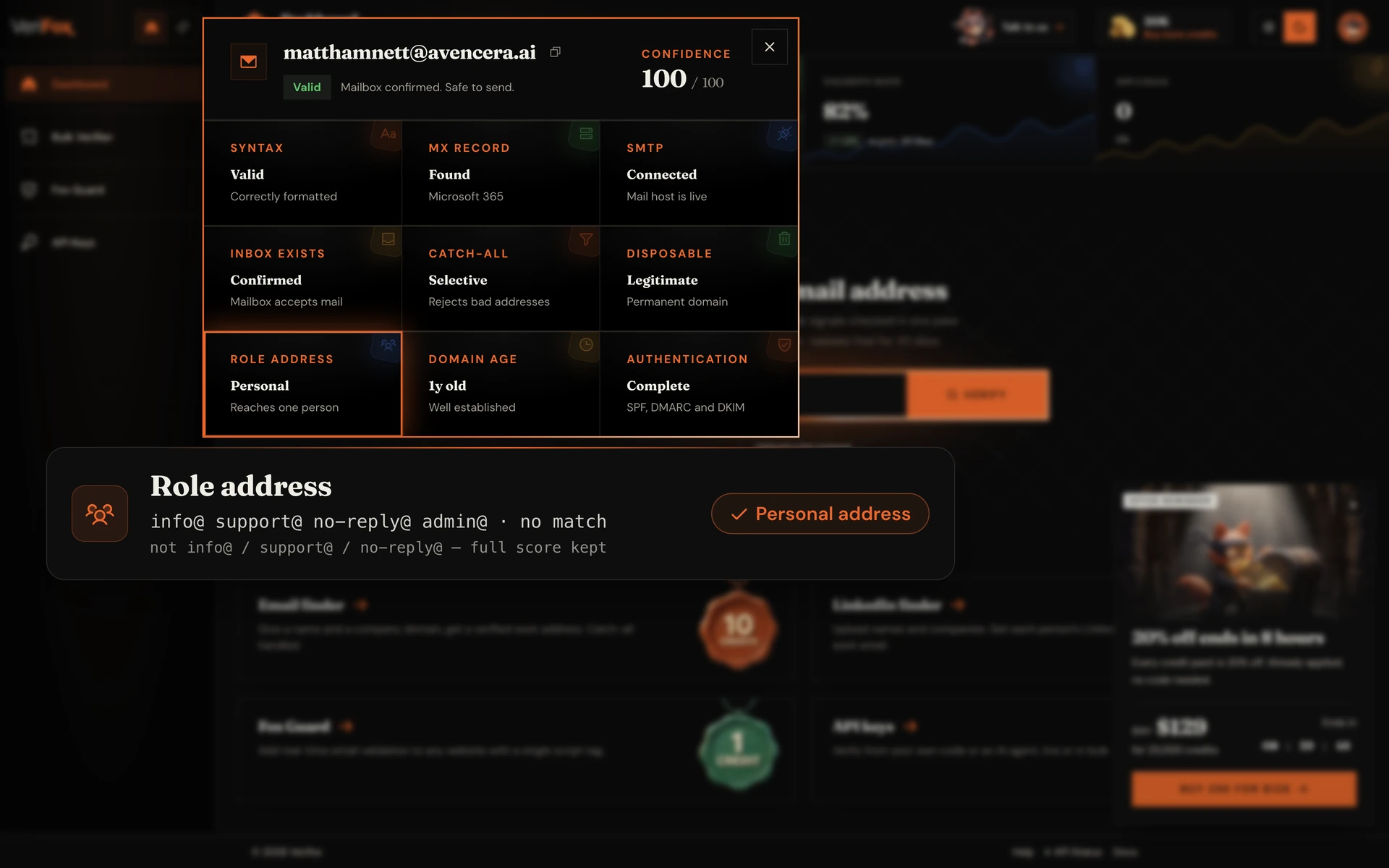
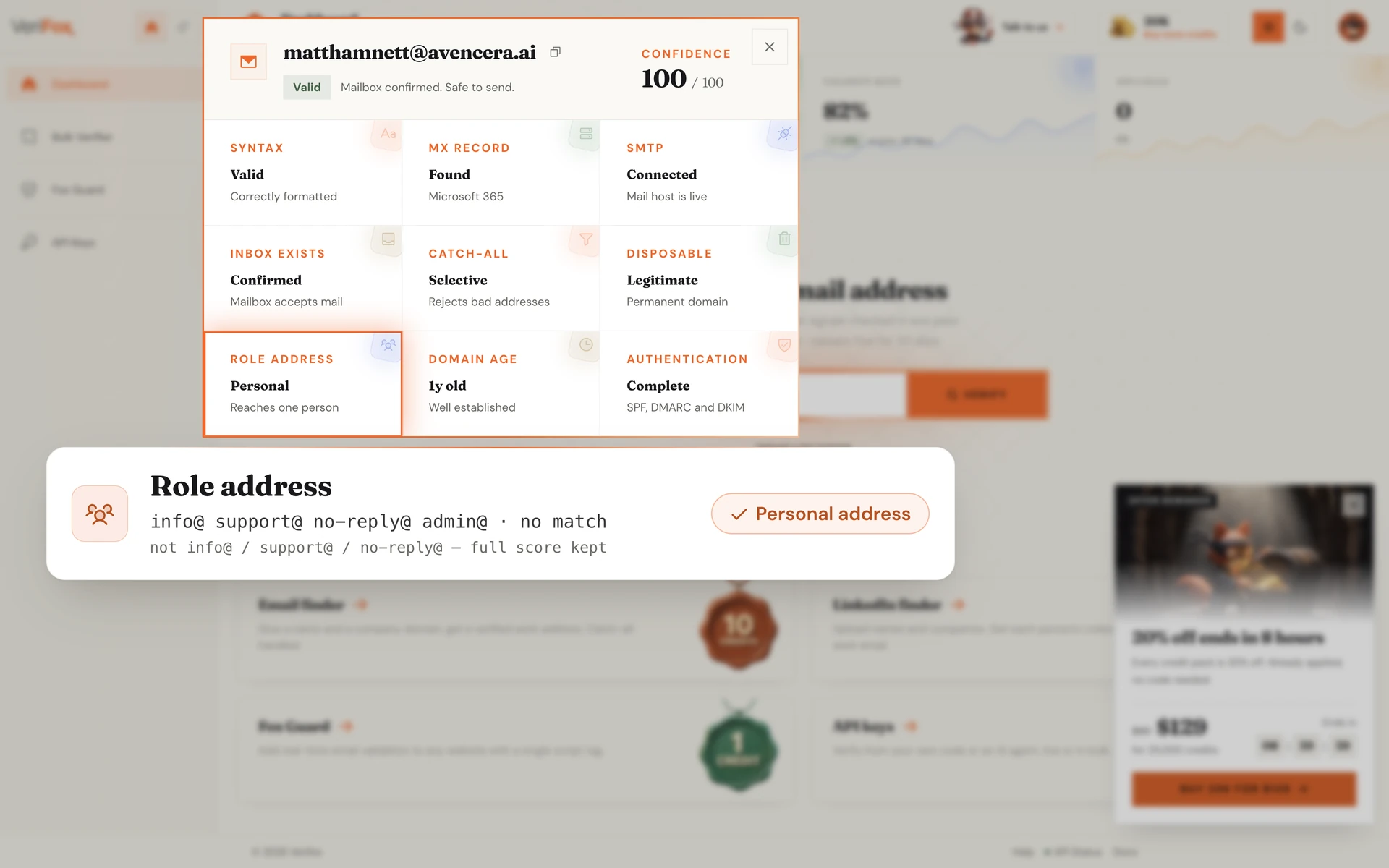
info@, support@, no-reply@, admin@, billing@. These are shared inboxes, not individuals.
The engine extracts the local-part of every address, matches it against the known role-prefix registry, and tags the result with a reduced engagement score.
You don't drop them automatically. The verdict flags them as roles so you can decide.
Fresh-spam domains registered hours ago are the single biggest source of inbound abuse. The engine queries WHOIS and RDAP for every unique domain, extracts the registration date, and flags anything under 30 days old with a “fresh” warning.
Domains aged 5+ years pick up a corresponding trust signal. The same heuristic spam filters have been using since the early 2000s, ported into the verdict.
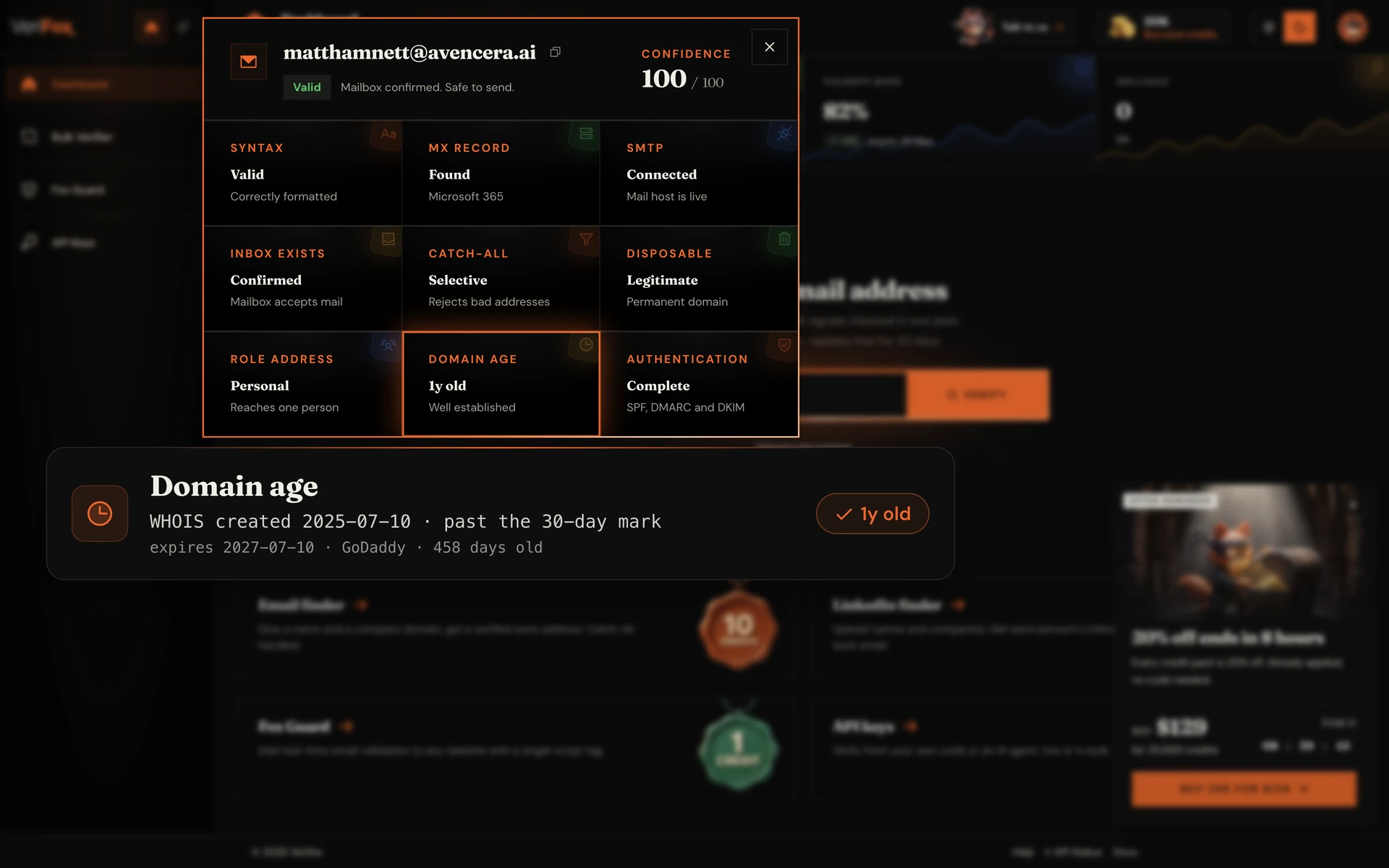
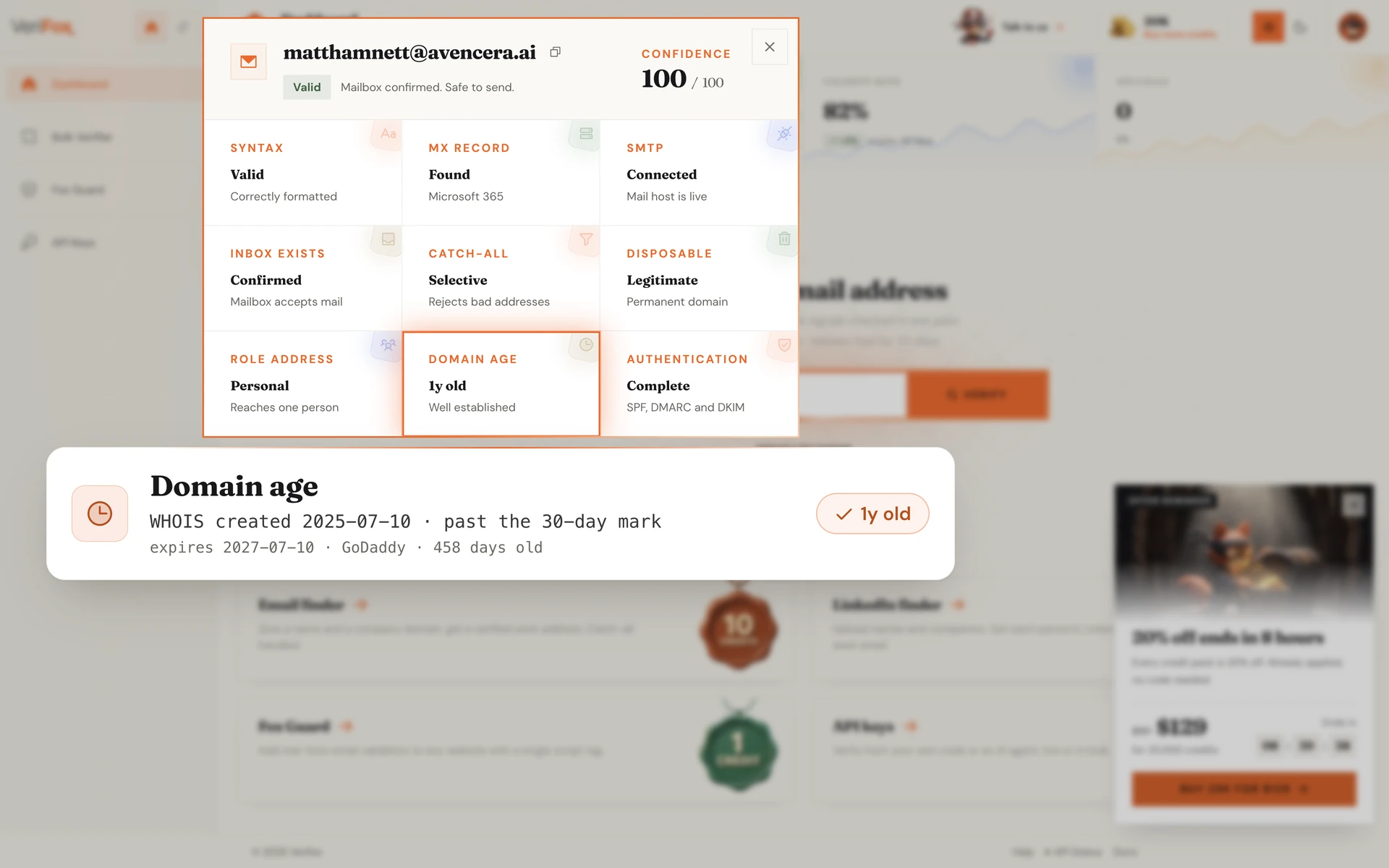
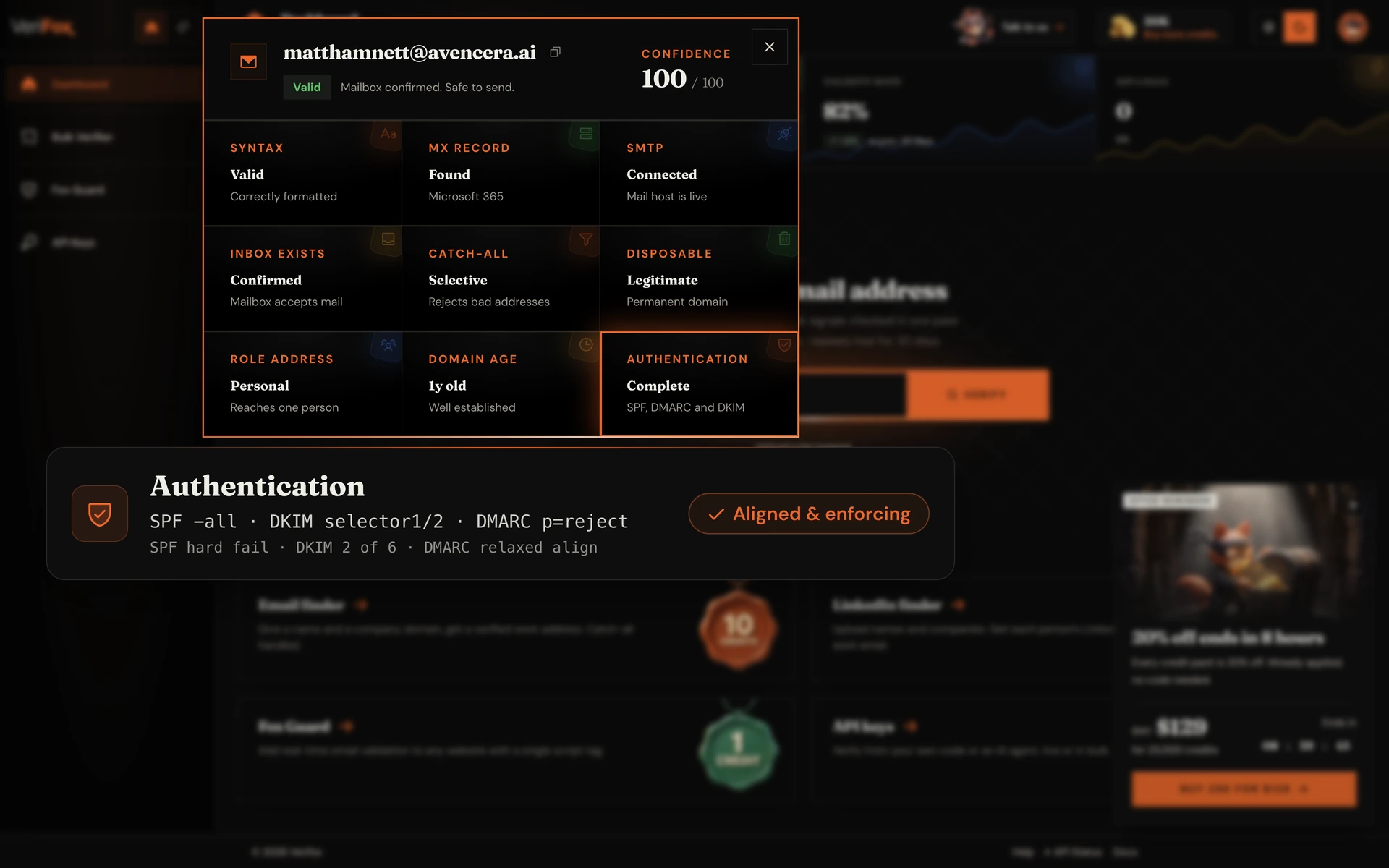
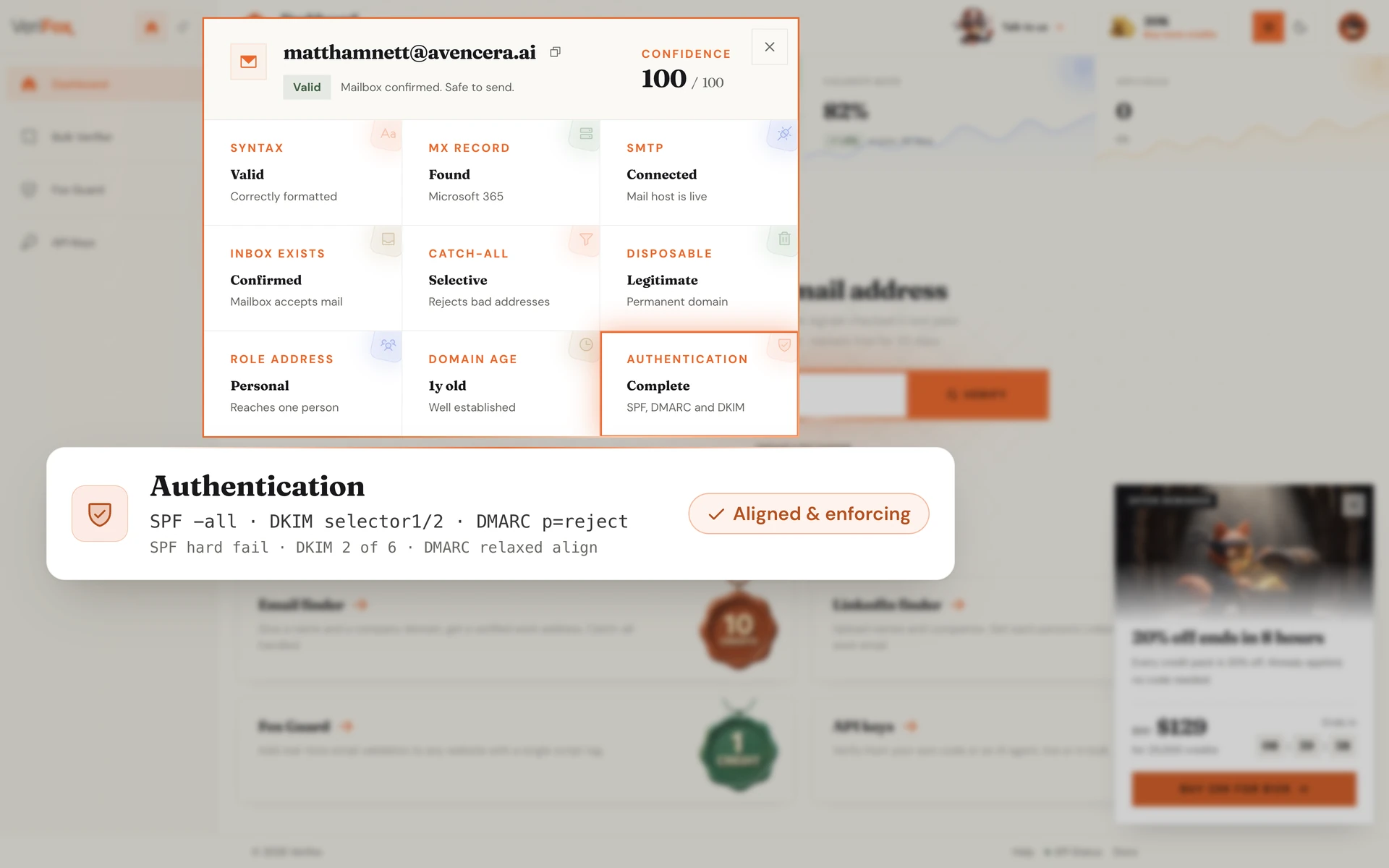
SPF, DKIM, and DMARC together prove the sender is authorised to send from that domain.
The engine reads each policy via DNS, validates SPF includes recursively, scans six common DKIM selectors, and confirms DMARC alignment with the From: header.
A failing DMARC policy means the sender can be spoofed, so the verdict warns you before you reply.
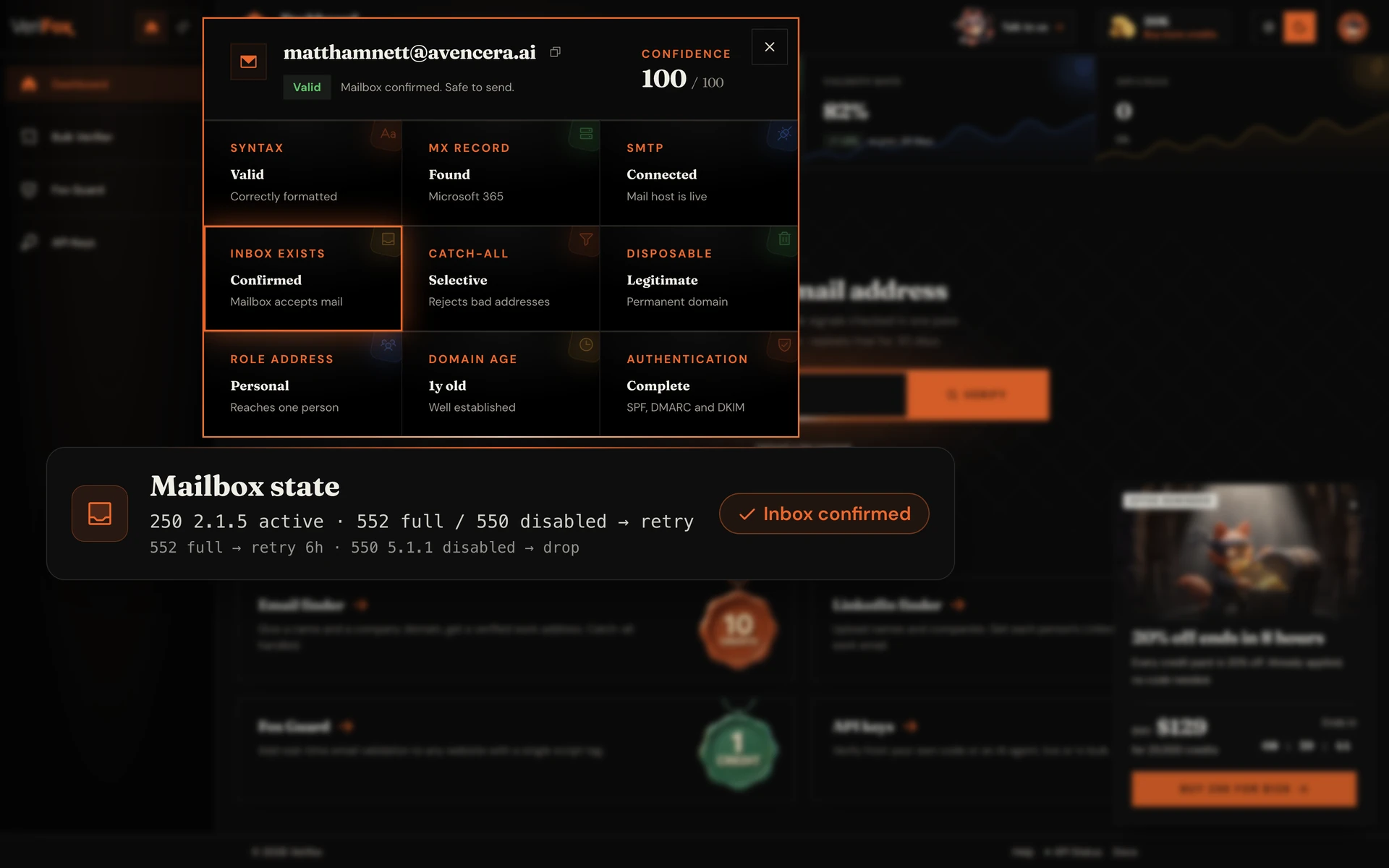
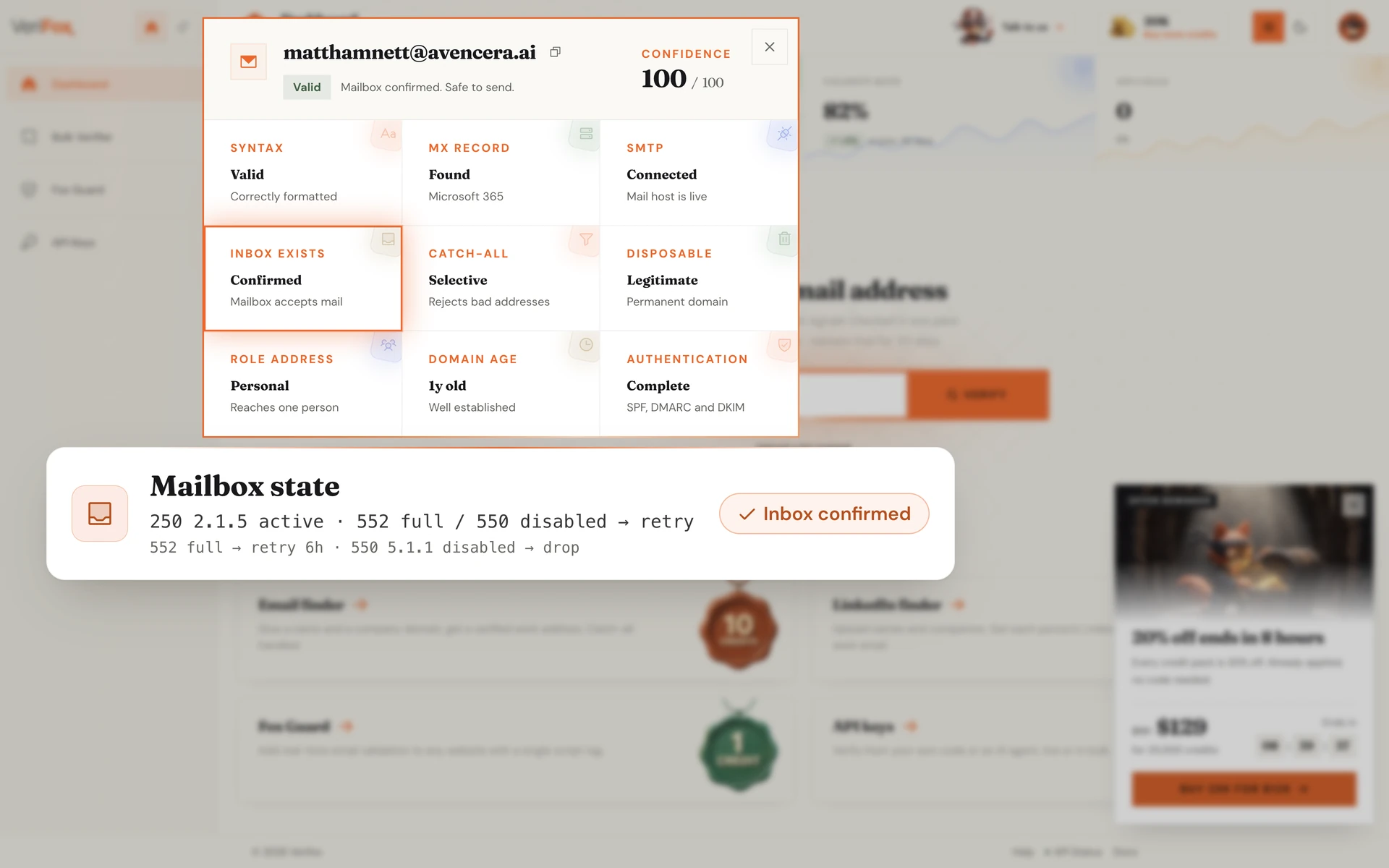
Beyond “exists vs doesn't exist”, the engine extracts the precise mailbox state from the SMTP server's response. Full inbox (552 / 522 quota), disabled mailbox (550 5.1.1), out-of-office autoresponder, frozen account.
Each state maps to a specific retry policy. Full inbox retries in 6 hours. Disabled drops permanently. The verdict tells you which bucket the bounce belongs in so your retry logic doesn't waste cycles.
An MX lookup is a read-only window into how a domain receives email. In one query you learn who runs the mail, how it routes, and whether it can receive at all.
The same DNS resolution the Verifox verification engine runs first on every address it checks.
The MX hosts name the provider — Google Workspace, Microsoft 365, Proofpoint, or a self-hosted server.
Records return lowest-number-first, so you read the primary server and its fallbacks straight away.
No MX record, or a broken one, means mail bounces before it is ever sent.
An MX lookup starts the story; verifying the address confirms the mailbox itself is real.
An MX lookup is only the first step. Verifying the address confirms the mailbox is real and deliverable.
The single most useful thing a mail exchanger lookup tells you — who to talk to about mail.
Other tools return raw MX hosts and stop. Verifox names the provider, derives the client settings, and verifies the mailbox too.
Most tools reset your balance every month. Verifox sells credits that sit in your account until you spend them.
forever
1,000credits on signup
No card required
2,500 with a work email
Free includes
one time
10,000credits
$0.0059 eachSAVE 34%
Everything in Free, plus
per month
15,000credits a month
$0.0053 each
Unused credits roll over
Everything in packs, plus
One credit verifies one address; a find costs 10. All prices in USD, checkout via Stripe.
Growth leads, marketers, and engineers running real campaigns on real lists, with a verified email on every byline.

We were paying ZeroBounce a four-figure monthly bill and still landing 3% bounces on cold campaigns. Switched the pipeline to Verifox, dropped to 0.4% bounces, and cut the bill by more than 90%.

Other tools flag 30% of our B2B list as 'risky catch-all' and leave the call to us. Verifox returns a real verdict on those addresses, with a confidence score. We send more, we send safer.

We had a Gmail spam-folder problem after a bad list import. Verifox cleaned the list and the warmup ran on the same engine. Back in primary inbox in six weeks. One vendor, half the cost.

Ran a 50,000-address outbound list through Verifox before our quarterly campaign. Bounces landed at 0.7%, sender reputation didn't move, replies were up 22% over last quarter.

Their MCP server let me wire email verification directly into our internal Claude agent in about ten minutes. Zero glue code. No other vendor in this space has thought about that workflow.

Tested Verifox at 10,000 verifications per minute on a Tuesday morning. Latency held under 400ms median, no soft failures, no rate-limit walls. The vendor we benched throttled at 2,000/min.

Our SDRs were enriching from three tools and 14% of the emails were invalid before they hit the sequencer. Verifox sits in the pipeline now and the team stopped seeing 'undeliverable' replies the next week.

Bulk upload, sorted CSV back in twenty minutes, plug into our growth stack. The half-day list-hygiene project per cohort turned into something the marketing intern runs on autopilot.

Verifox returns a 0-100 confidence score per address, not just a label. We thresholded at 75 for the cold sequencer, 60 for nurture, and our deliverability team finally has a knob they can tune.
We were paying ZeroBounce a four-figure monthly bill and still landing 3% bounces on cold campaigns. Switched the pipeline to Verifox, dropped to 0.4% bounces, and cut the bill by more than 90%.
We had a Gmail spam-folder problem after a bad list import. Verifox cleaned the list and the warmup ran on the same engine. Back in primary inbox in six weeks. One vendor, half the cost.
Their MCP server let me wire email verification directly into our internal Claude agent in about ten minutes. Zero glue code. No other vendor in this space has thought about that workflow.
Our SDRs were enriching from three tools and 14% of the emails were invalid before they hit the sequencer. Verifox sits in the pipeline now and the team stopped seeing 'undeliverable' replies the next week.
Verifox returns a 0-100 confidence score per address, not just a label. We thresholded at 75 for the cold sequencer, 60 for nurture, and our deliverability team finally has a knob they can tune.
Other tools flag 30% of our B2B list as 'risky catch-all' and leave the call to us. Verifox returns a real verdict on those addresses, with a confidence score. We send more, we send safer.
Ran a 50,000-address outbound list through Verifox before our quarterly campaign. Bounces landed at 0.7%, sender reputation didn't move, replies were up 22% over last quarter.
Tested Verifox at 10,000 verifications per minute on a Tuesday morning. Latency held under 400ms median, no soft failures, no rate-limit walls. The vendor we benched throttled at 2,000/min.
Bulk upload, sorted CSV back in twenty minutes, plug into our growth stack. The half-day list-hygiene project per cohort turned into something the marketing intern runs on autopilot.
We were paying ZeroBounce a four-figure monthly bill and still landing 3% bounces on cold campaigns. Switched the pipeline to Verifox, dropped to 0.4% bounces, and cut the bill by more than 90%.
Ran a 50,000-address outbound list through Verifox before our quarterly campaign. Bounces landed at 0.7%, sender reputation didn't move, replies were up 22% over last quarter.
Our SDRs were enriching from three tools and 14% of the emails were invalid before they hit the sequencer. Verifox sits in the pipeline now and the team stopped seeing 'undeliverable' replies the next week.
Other tools flag 30% of our B2B list as 'risky catch-all' and leave the call to us. Verifox returns a real verdict on those addresses, with a confidence score. We send more, we send safer.
Their MCP server let me wire email verification directly into our internal Claude agent in about ten minutes. Zero glue code. No other vendor in this space has thought about that workflow.
Bulk upload, sorted CSV back in twenty minutes, plug into our growth stack. The half-day list-hygiene project per cohort turned into something the marketing intern runs on autopilot.
We had a Gmail spam-folder problem after a bad list import. Verifox cleaned the list and the warmup ran on the same engine. Back in primary inbox in six weeks. One vendor, half the cost.
Tested Verifox at 10,000 verifications per minute on a Tuesday morning. Latency held under 400ms median, no soft failures, no rate-limit walls. The vendor we benched throttled at 2,000/min.
Verifox returns a 0-100 confidence score per address, not just a label. We thresholded at 75 for the cold sequencer, 60 for nurture, and our deliverability team finally has a knob they can tune.
Every layer of the stack carries a third-party attestation, so you can ship into regulated industries without rebuilding your compliance posture.

Independently audited to the SOC 2 Type II standard.

Built for the EU with full GDPR data-subject rights.

California opt-out, do-not-sell, plus DSAR handling.

Information security held to the ISO 27001 standard.

AI governance aligned to the new ISO 42001 standard.
An investigation into the money leaking out of your list - and the nine checks that decide whether your email is read, or never arrives at all.

57 pages, free PDF, no signup
Common questions
Common questions about mail client settings: what each server type does, which port to use for IMAP versus POP3, and when to use this lookup.
A mail settings lookup takes a domain and works out the mail server settings an email client needs to connect to it: the incoming server (IMAP or POP), the outgoing server (SMTP), and the host and port for each. Type a domain into the tool above and Verifox detects the provider and lays out those settings.
It works by reading the domain’s MX records, the same DNS resolution our verification engine runs first. The MX hosts reveal the provider, and the provider determines the standard IMAP, POP, and SMTP servers you plug into Outlook, Apple Mail, or Thunderbird.
The simplest way is to enter the domain into the lookup above and read the settings back. You get the incoming mail server (IMAP or POP) and the outgoing mail server (SMTP), each with its host and port, no account and nothing to install.
If your provider publishes its own help docs you can confirm there too, but those make you first work out who actually runs the mail. The Verifox mail settings lookup names the provider for you by reading the MX records, then shows the matching server settings in one place.
The incoming mail server delivers mail to your client. It speaks either IMAP, which keeps mail on the server and syncs every device, or POP, which downloads mail to one device. The outgoing mail server sends the mail you write and always speaks SMTP.
A working email client needs both: an incoming server so you can read mail and an outgoing SMTP server so you can send it. The lookup above lists each one with its host and port so you can fill in both halves of the account setup screen.
They are the three protocols an email client uses. IMAP and POP are both for receiving mail: IMAP keeps everything on the server and mirrors it across your phone, laptop, and webmail, while POP pulls mail down to a single device. SMTP is for sending.
For most people IMAP is the right incoming choice because it keeps every device in sync. The mail settings lookup gives you the host and port for all three so you can pick the incoming protocol you prefer and pair it with the SMTP server for sending.
The standard encrypted ports are 993 for IMAP, 995 for POP, and either 465 or 587 for SMTP. Always use the encrypted port (SSL/TLS or STARTTLS) rather than an unencrypted one so your password is never sent in the clear.
The lookup above shows the exact port for the detected provider next to each server, so you do not have to guess. If a port is blocked on your network, 587 for SMTP is the most widely allowed outgoing port.
Yes, the host names differ by provider even though the ports are mostly the same. A domain on Google Workspace uses imap.gmail.com and smtp.gmail.com; a domain on Microsoft 365 uses outlook.office365.com and smtp.office365.com.
That is why the lookup detects the provider first. Once it knows who runs the domain’s mail from the MX records, it shows the right host and port instead of a generic guess.
No. A mail settings lookup answers a configuration question: which servers does this domain use, so I can connect a client. Verifying an email answers a deliverability question: does jane@example.com actually exist and accept mail.
A domain can have good IMAP and SMTP settings while a given mailbox on it is closed. The settings lookup connects your client; the free email checker confirms a specific address is live. Verifox runs both on the same engine.
Yes. The lookup above is free and covers the one-domain case. For bulk provisioning across dozens or hundreds of domains, the REST API returns the detected provider per domain, which maps to each one’s IMAP, POP, and SMTP host and port, so a script can derive the settings for the whole list.
Bulk API calls draw on pay-as-you-go credits that never expire, with pricing localized to your region. One credit covers one domain.
No. The domain you enter is resolved in memory and discarded as soon as the result renders. The IMAP, POP, and SMTP settings are computed on the fly from the provider the MX records reveal, so there is no stored record of which domains you configured clients for.
Verifox is SOC 2 Type II compliant and GDPR ready, and the privacy policy spells out what the platform keeps.
Yes. The REST API returns the detected provider per domain, which your app maps to its IMAP, POP, and SMTP host and port — enough to pre-fill an account setup screen or onboarding wizard without the user hunting for settings.
AI agents get the same capability through the native MCP server: Claude, Cursor, or a custom LLM app can ask for a domain’s server settings as a tool call and hand them straight to whatever it is configuring. Live uptime and incident history are at status.verifox.ai.



