

Enter a domain and selector
Drop in any domain and, if you know it, the DKIM selector. Leave the selector blank and we try the common provider defaults. No login, no account, nothing to install.
DKIM record checker
Enter any domain and selector to look up its DKIM record, confirm the signing key is valid, and read its type and length in plain English. No signup.
Leave the selector blank and we'll try the common provider defaults. Free, no signup.
Trusted by 500,000+ leading GTM teams of all sizes
No login, no install. Enter a domain and selector, and Verifox fetches the DKIM record, confirms the key is valid, and shows the key type.
Drop in any domain and, if you know it, the DKIM selector. Leave the selector blank and we try the common provider defaults. No login, no account, nothing to install.
Verifox runs a live DNS query for the DKIM TXT record at selector._domainkey, the same authentication step our verification engine runs, resolved over encrypted DNS over HTTPS.
See the public key type and length, whether the signature is valid, and the published record in plain English. That is the inbox-placement signal a verification starts from.
One question of a domain's DNS: is the signing key published, and is it well formed enough to trust?
A DKIM test looks up the public key a domain publishes at selector._domainkey, the half that verifies mail signed with the matching private key. Because each sending service can use its own selector, a domain often publishes several keys at once, so the DKIM record checker above takes an optional selector to confirm the exact key a given sender signs with.
The same nine-check engine our paid email verification API runs. Every email, every verification, every time.
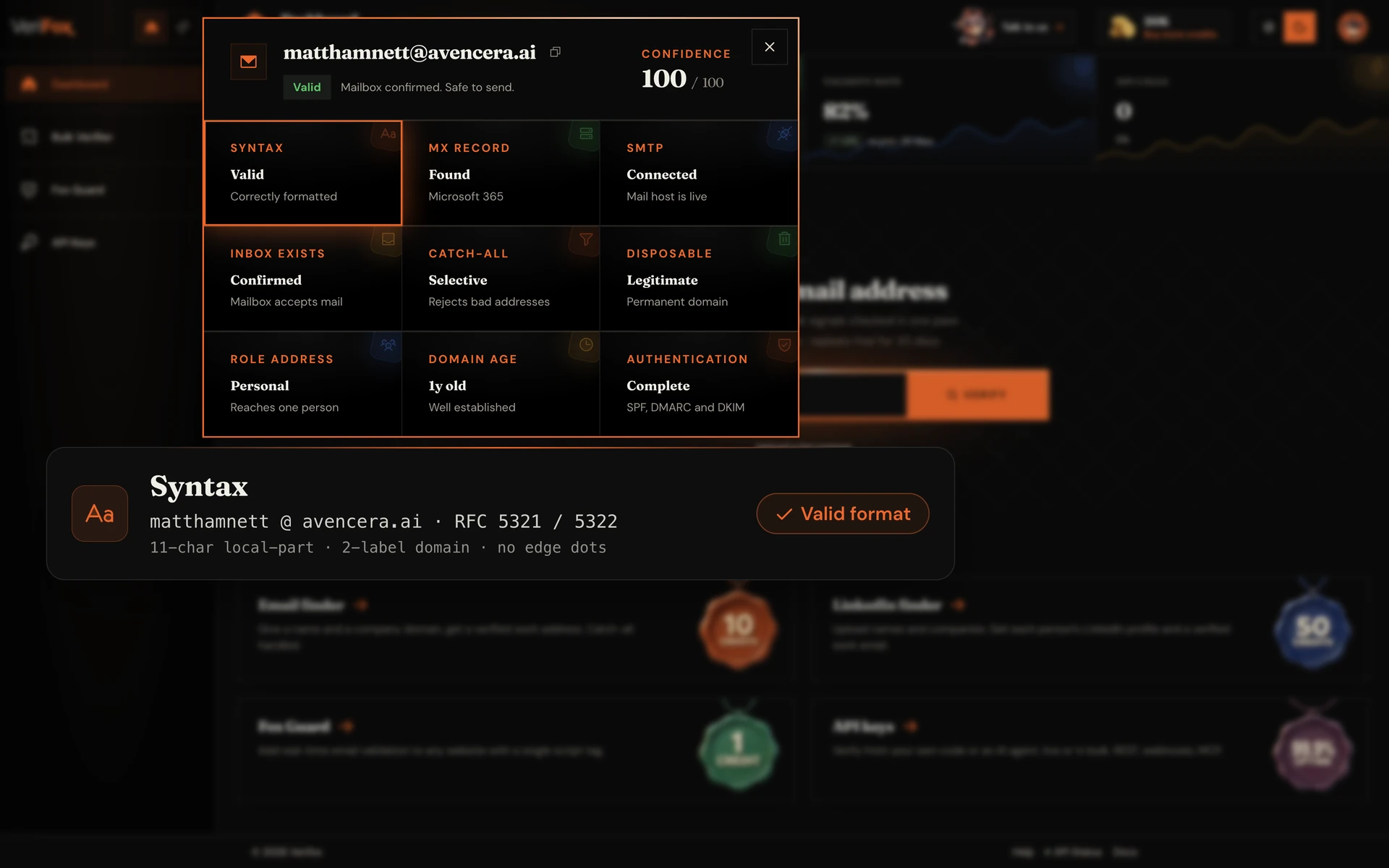
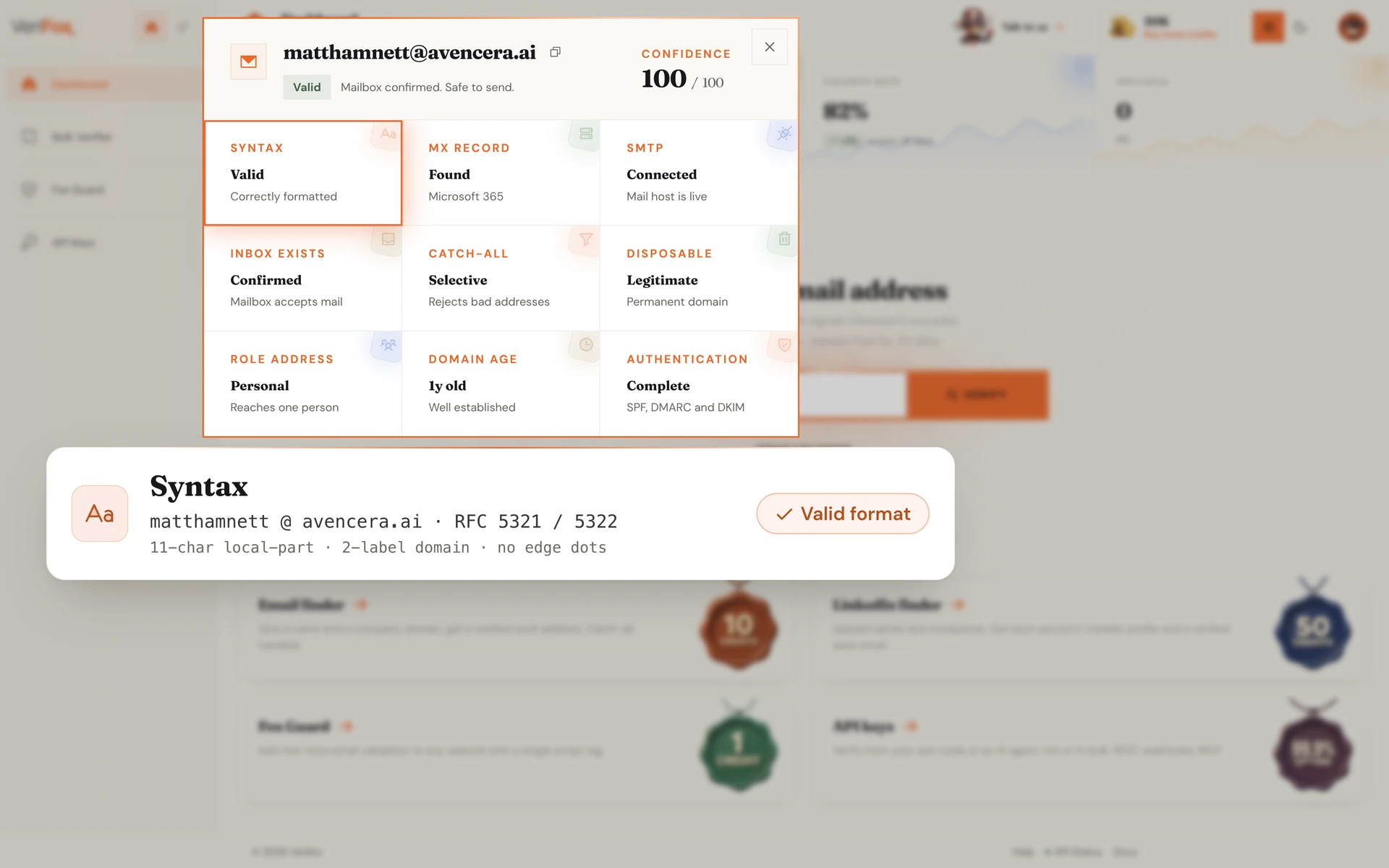
Every address runs a full RFC 5321 and RFC 5322 compliance pass before a single network call goes out. The engine catches what visual scanning misses, the double dot in alice@verifox..ai, the trailing period, the IDN homograph that looks valid but resolves to a different domain.
Bundled typo suggestions let your form offer “did you mean alice@gmail.com?” instead of rejecting silently.
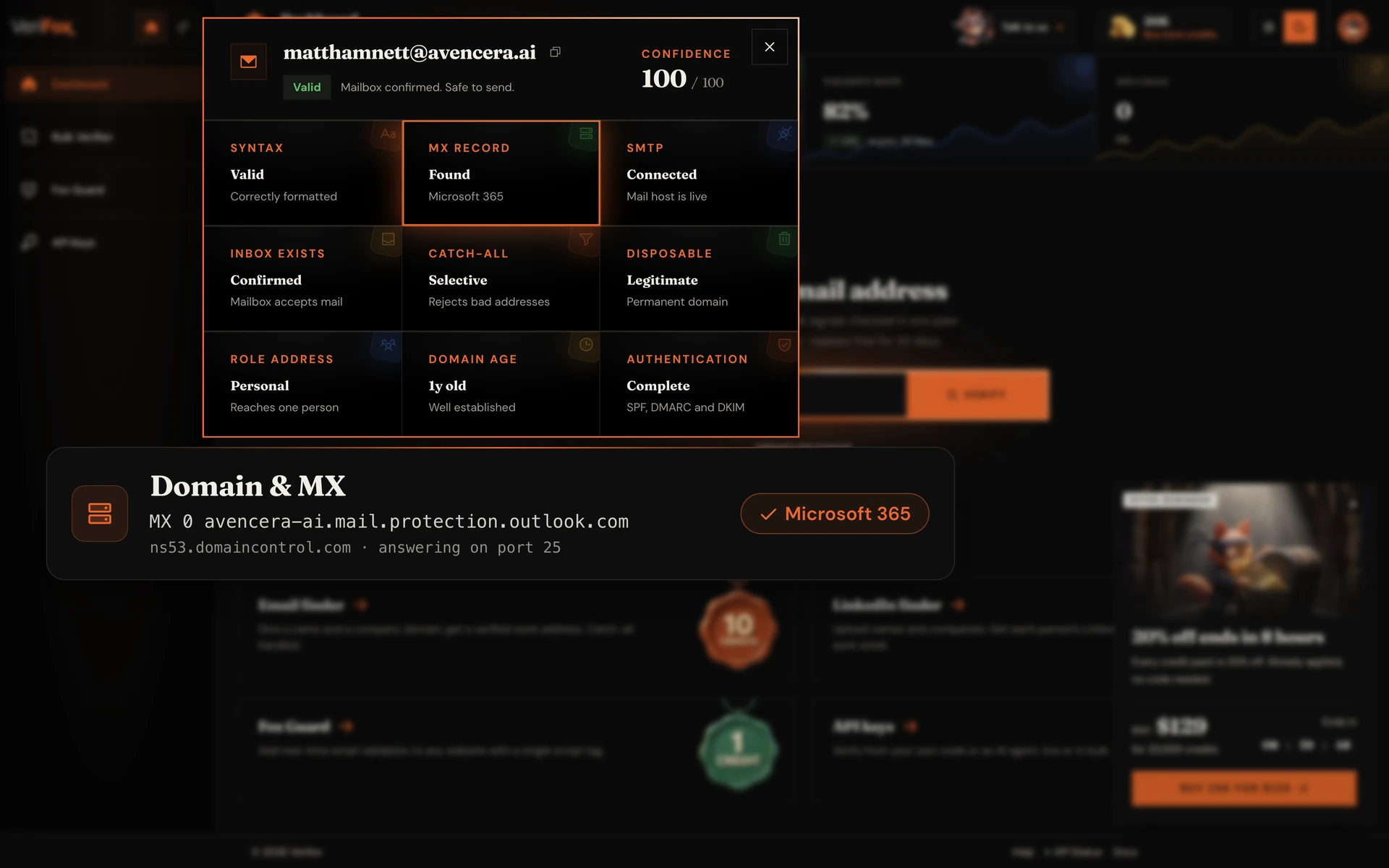
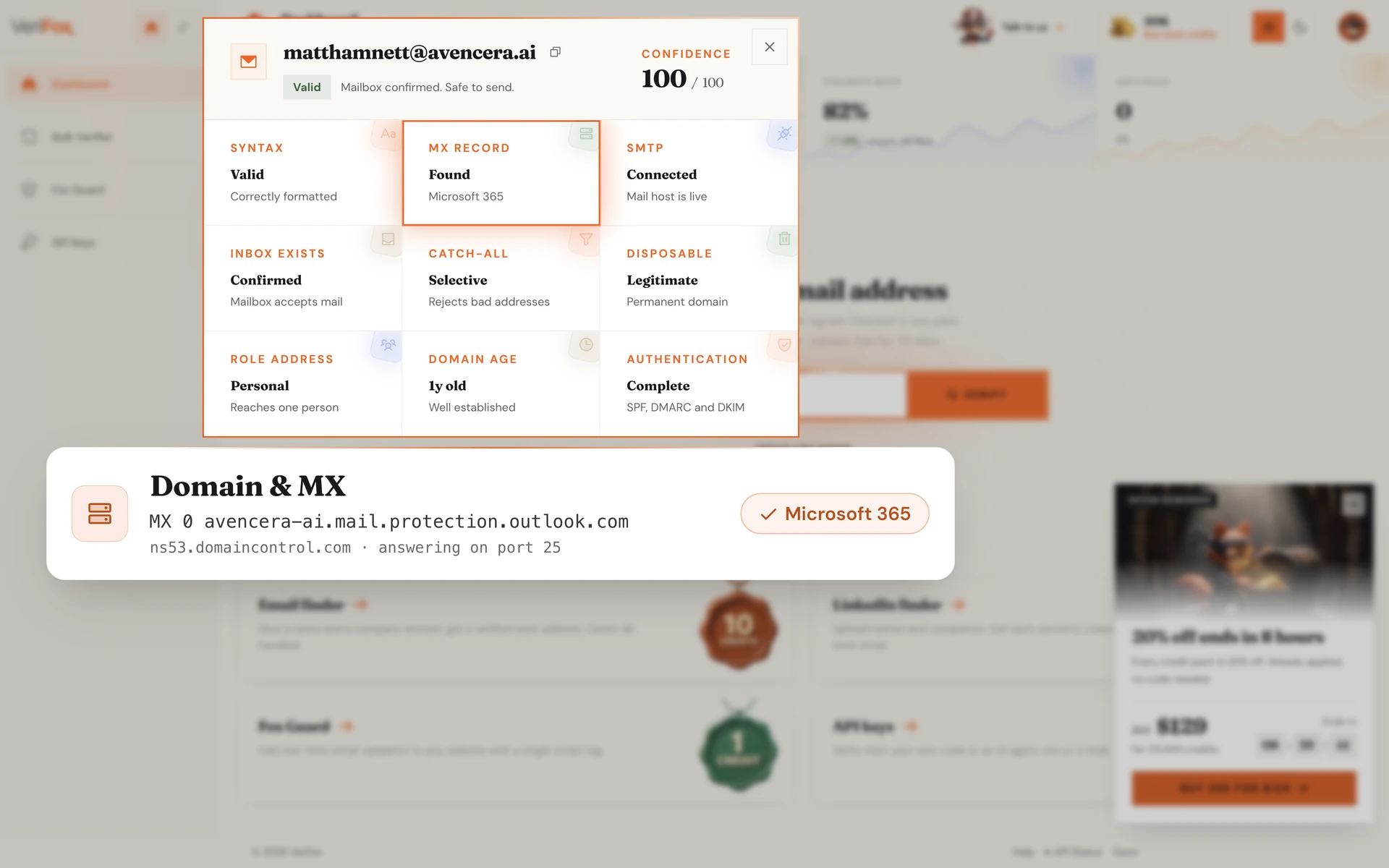
Once syntax passes, the engine resolves the domain. We confirm the DNS records exist, fetch the MX record priority list in order, and verify at least one mail-exchange server is actively accepting connections right now.
Misspelled domains like gmial.com, expired domains, and parked-for-sale domains all fail this gate before the engine wastes a single SMTP roundtrip.
The engine opens a TCP connection on port 25, performs the EHLO handshake, then negotiates MAIL FROM and RCPT TO. Every server response code (220, 250, 550, 552) is parsed deterministically against the IANA enhanced-status registry.
This is the moment a mailbox proves it actually exists. No third-party guesses, no statistical heuristics, just the receiving server's own answer.
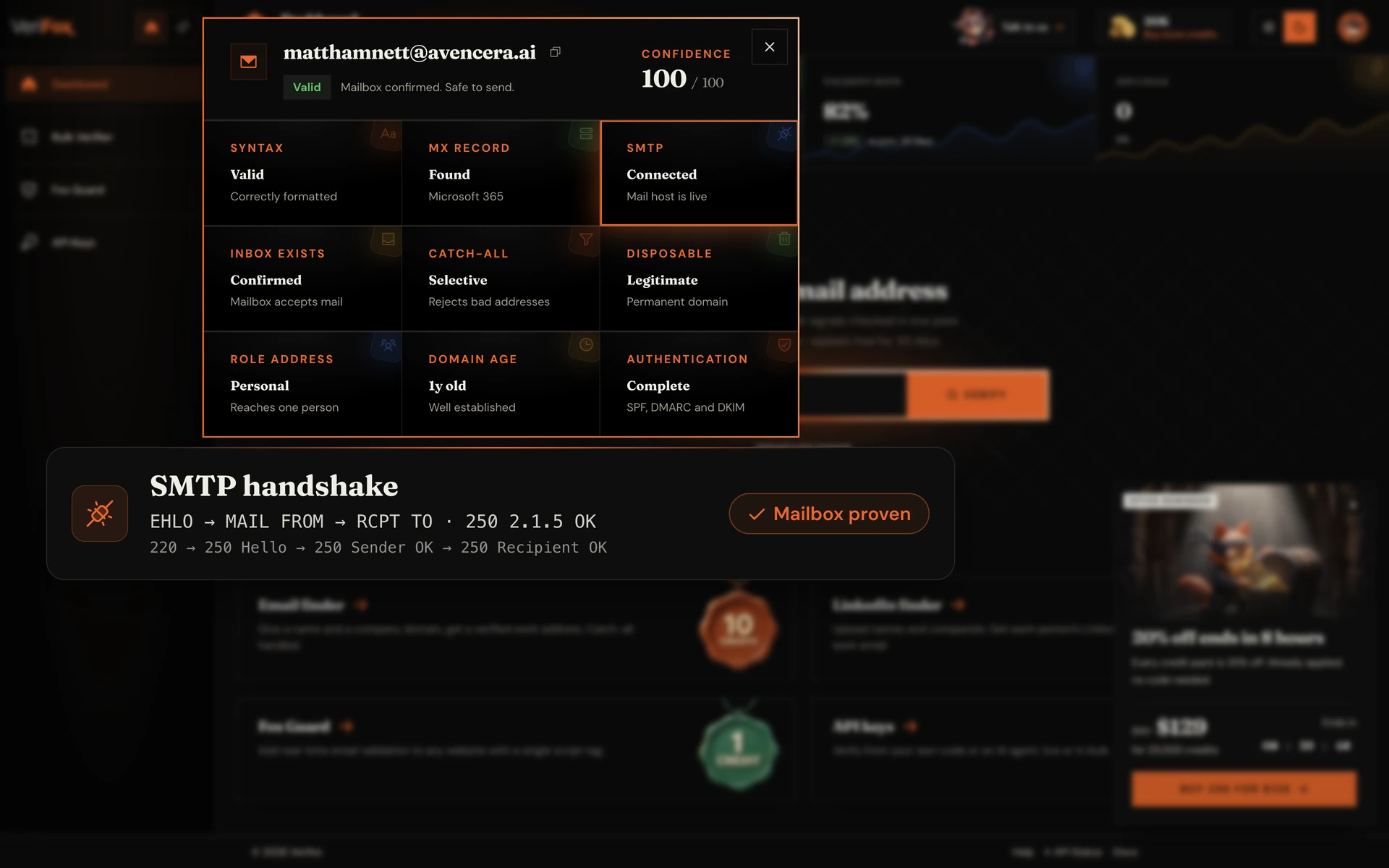
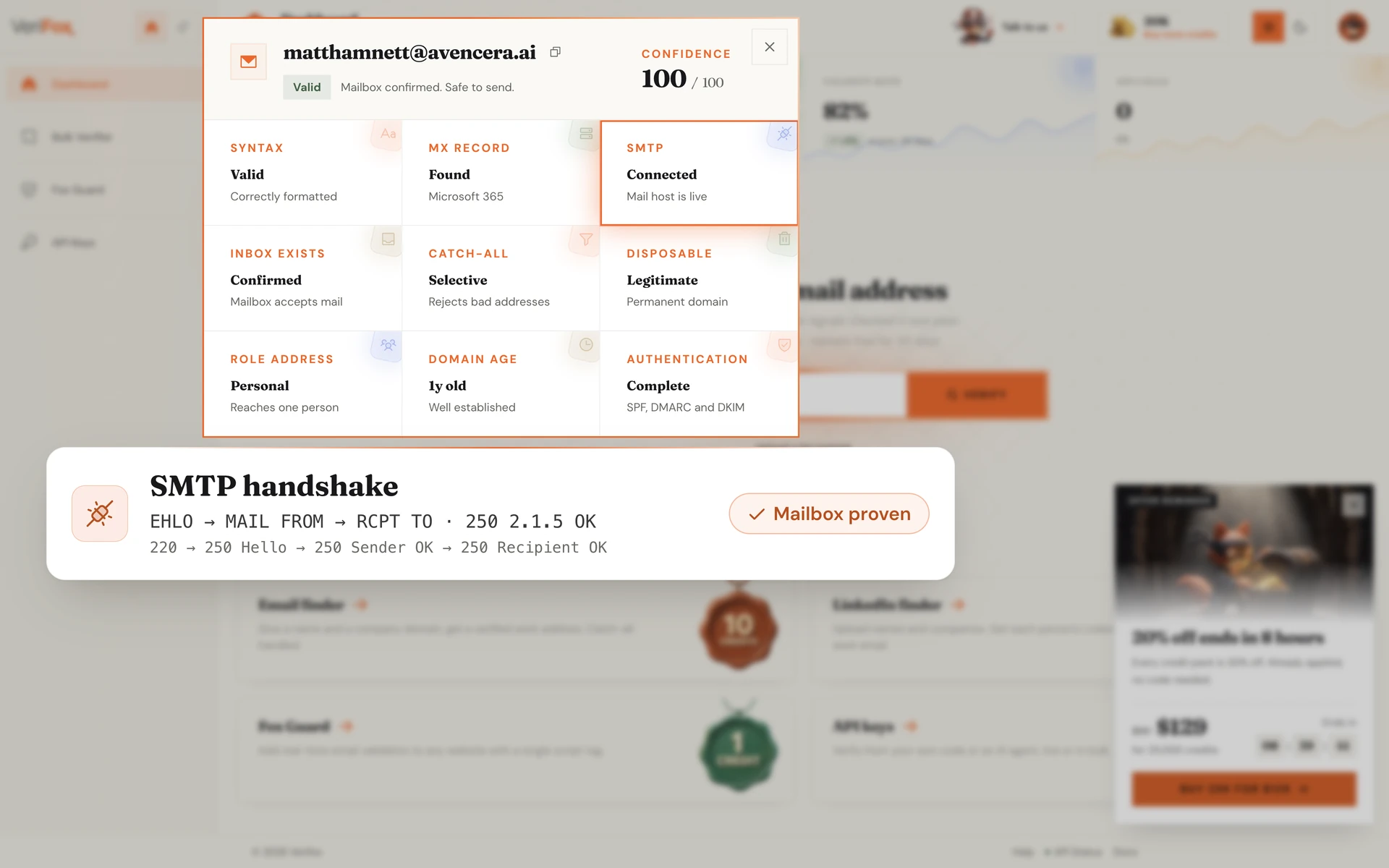
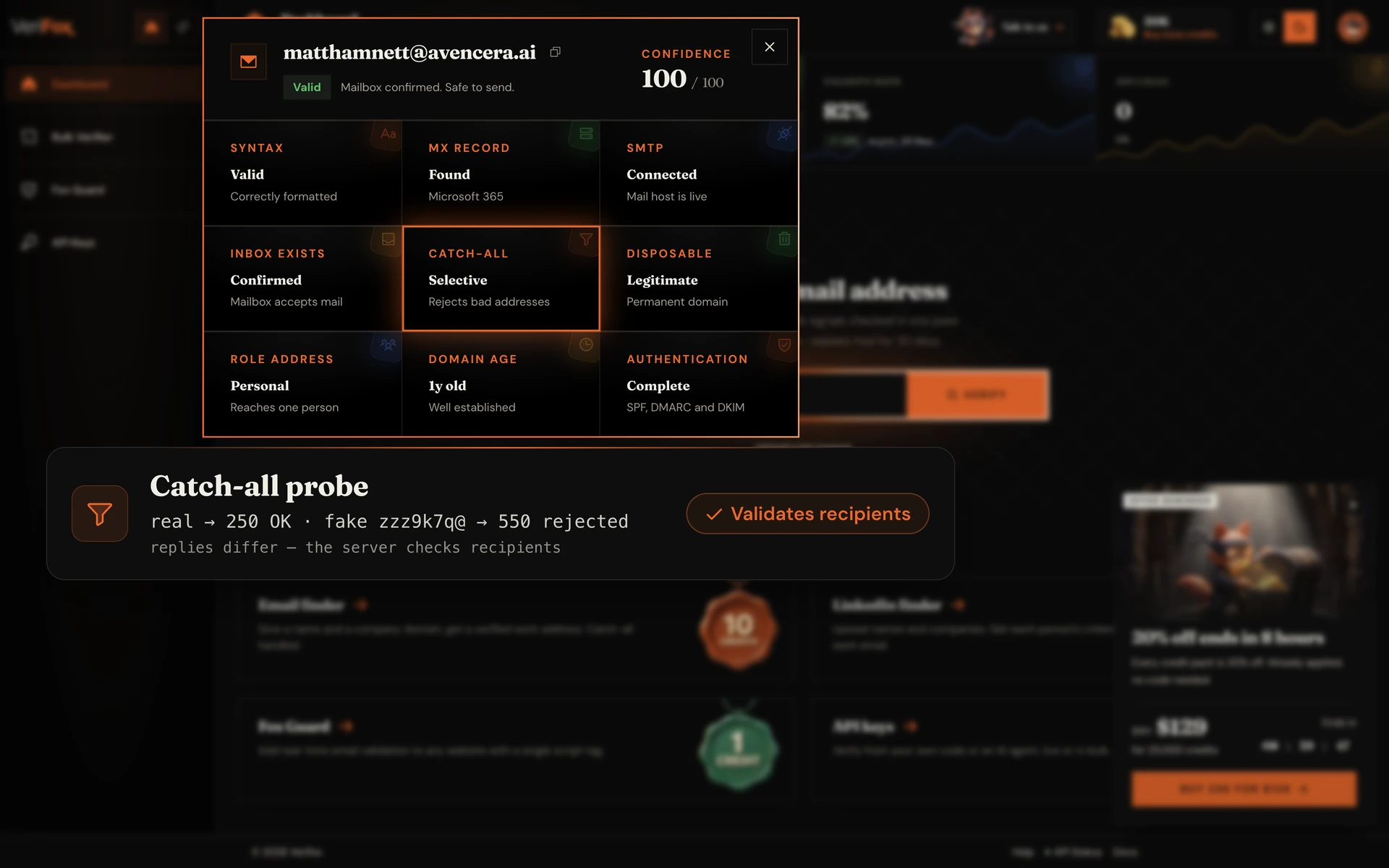
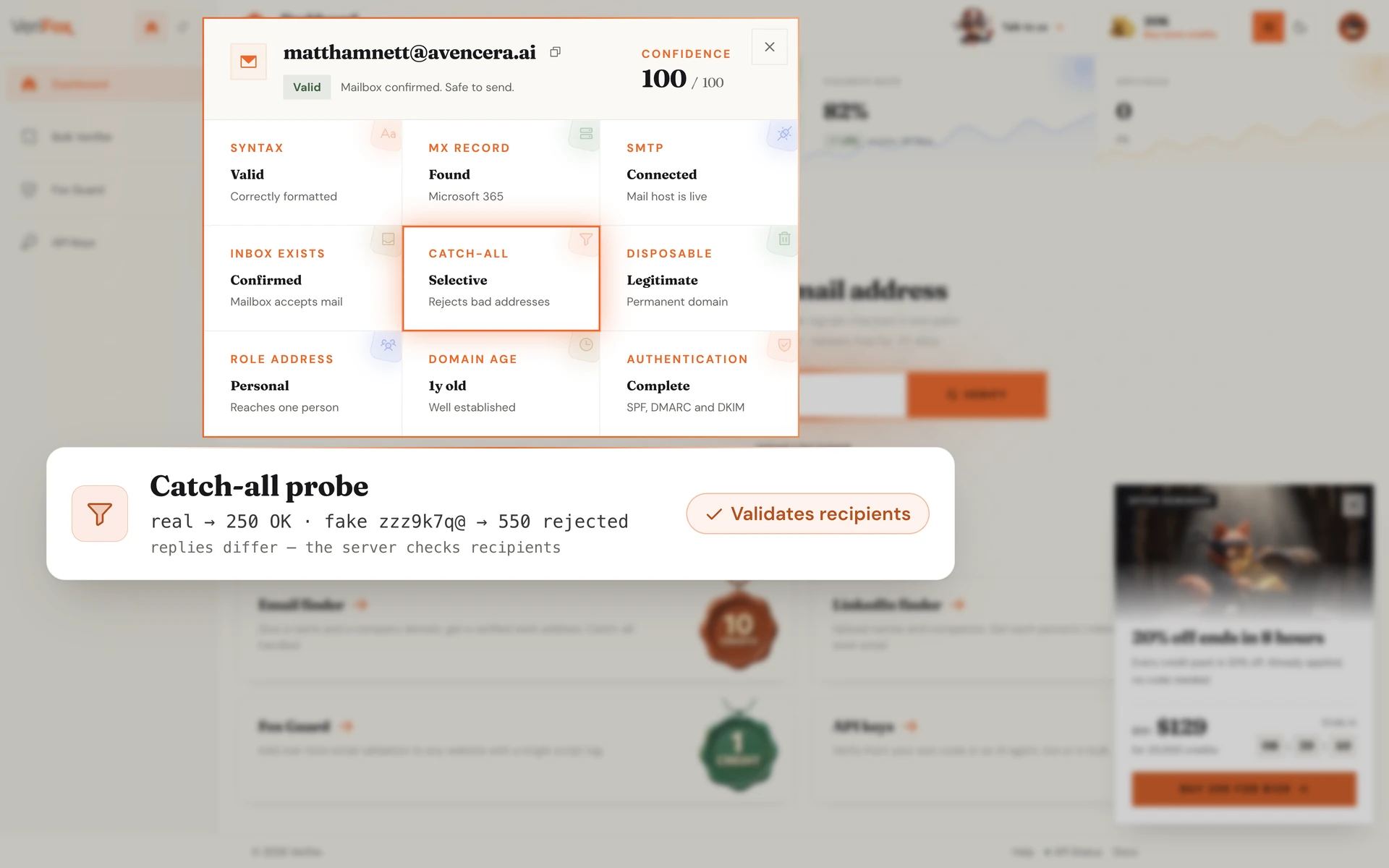
Some domains accept every email regardless of whether the mailbox exists, a setup known as a catch-all configuration. The engine sends a deterministic probe to a deliberately fake address (zzz9k7q@domain.com); if the server returns the same 250 OK it returned for the real address, the domain is catch-all.
The verdict isn't dropped, it's flagged RISKY so you know the deliverability signal is degraded.
The engine maintains a curated registry of 10,247 disposable email providers, including Mailinator, Guerrilla Mail, 10MinuteMail, Tempmail, and the long tail of regional clones.
Any address matching the blocklist is flagged INVALID. Deliverability to a mailbox that exists for 10 minutes and is never checked is functionally zero, regardless of whether the SMTP handshake passes.

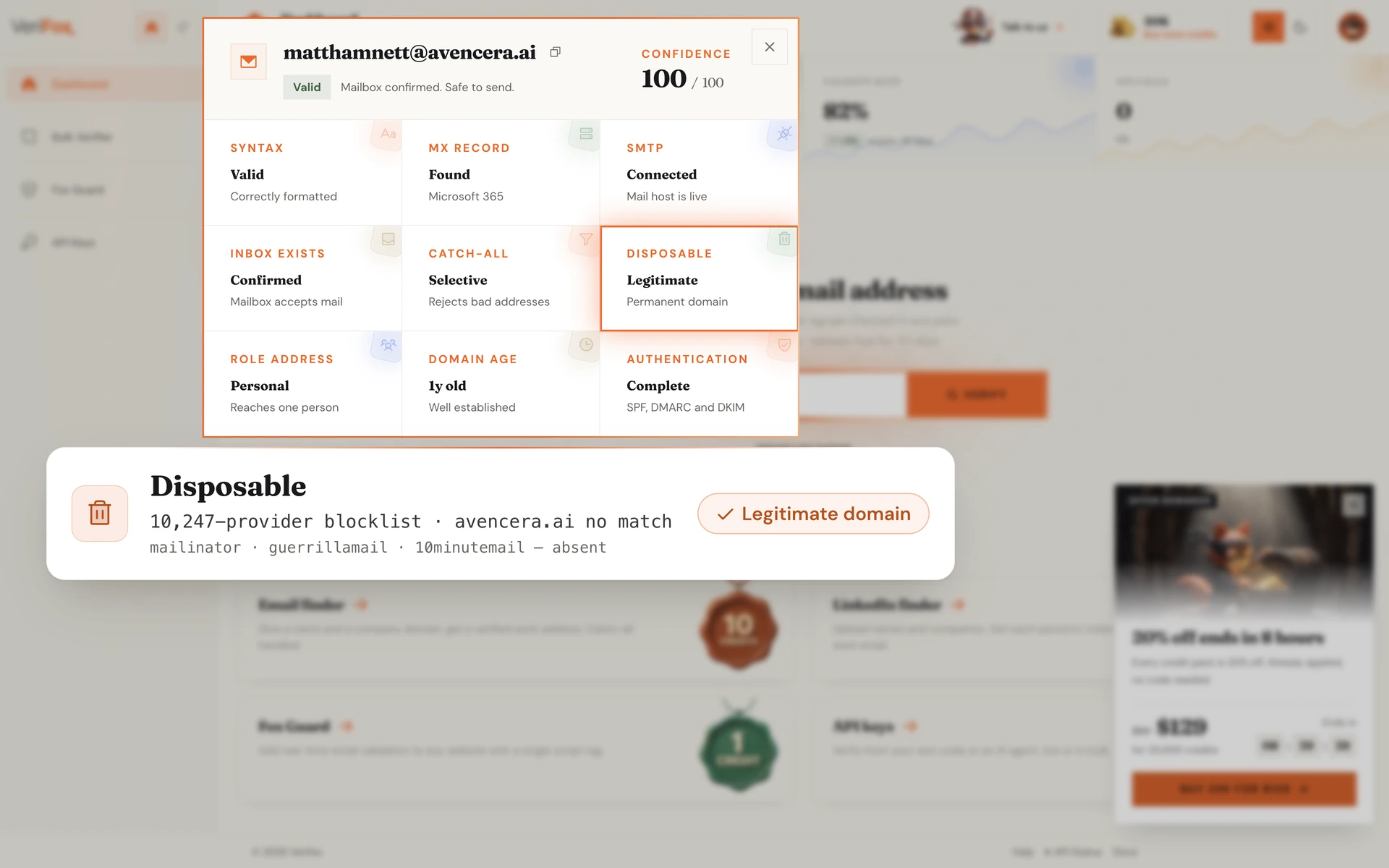
info@, support@, no-reply@, admin@, billing@. These are shared inboxes, not individuals.
The engine extracts the local-part of every address, matches it against the known role-prefix registry, and tags the result with a reduced engagement score.
You don't drop them automatically. The verdict flags them as roles so you can decide.
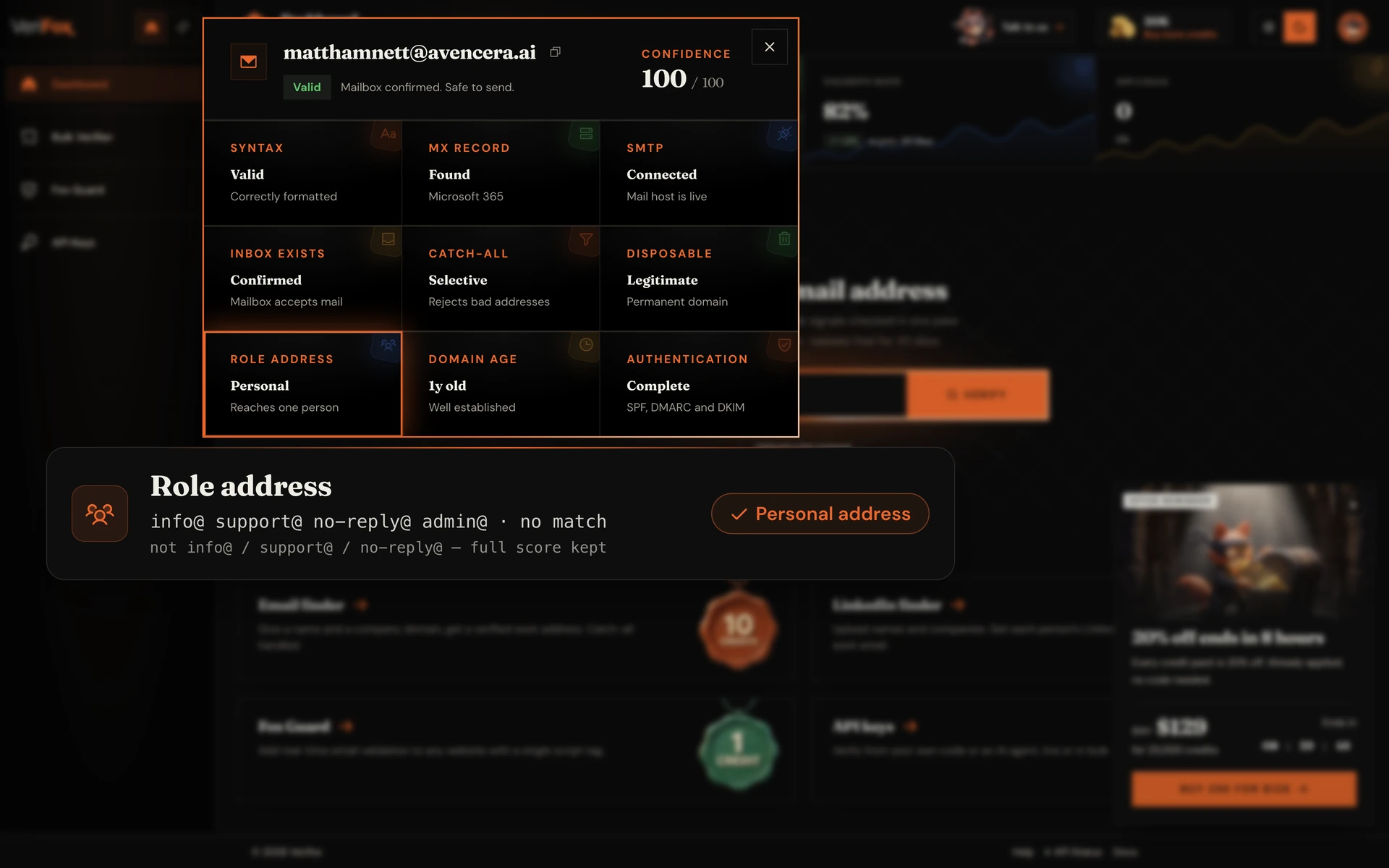
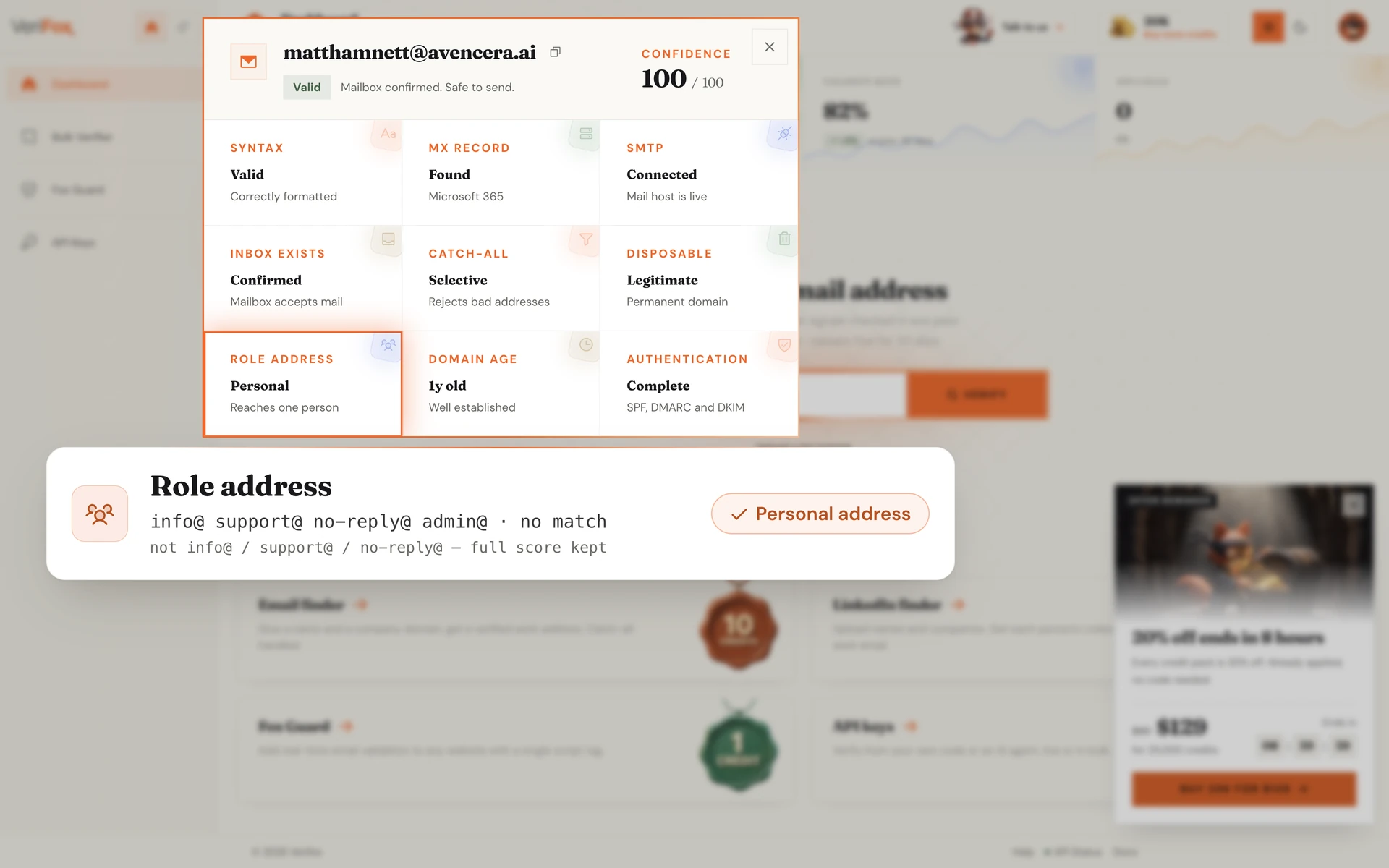
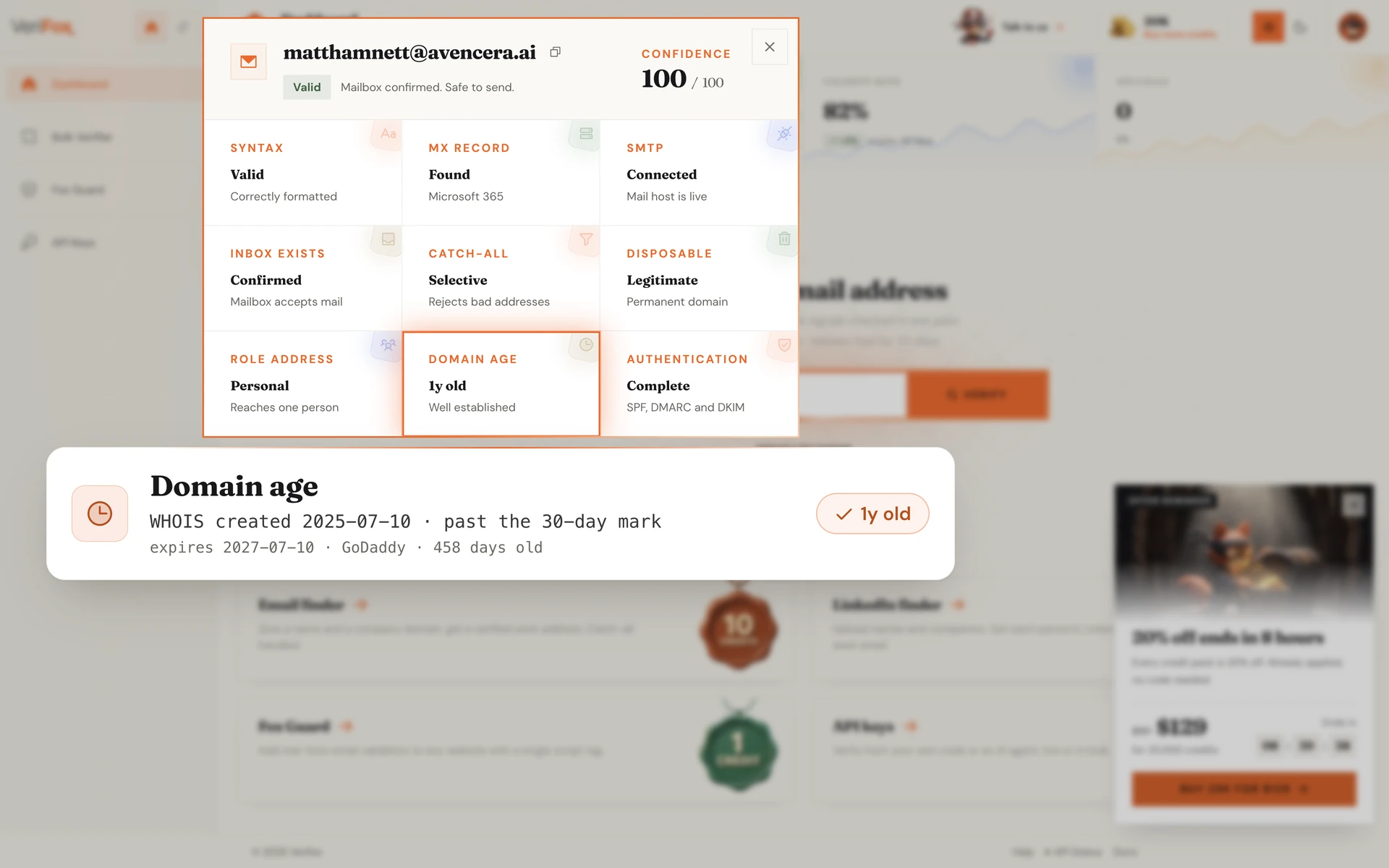
Fresh-spam domains registered hours ago are the single biggest source of inbound abuse. The engine queries WHOIS and RDAP for every unique domain, extracts the registration date, and flags anything under 30 days old with a “fresh” warning.
Domains aged 5+ years pick up a corresponding trust signal. The same heuristic spam filters have been using since the early 2000s, ported into the verdict.
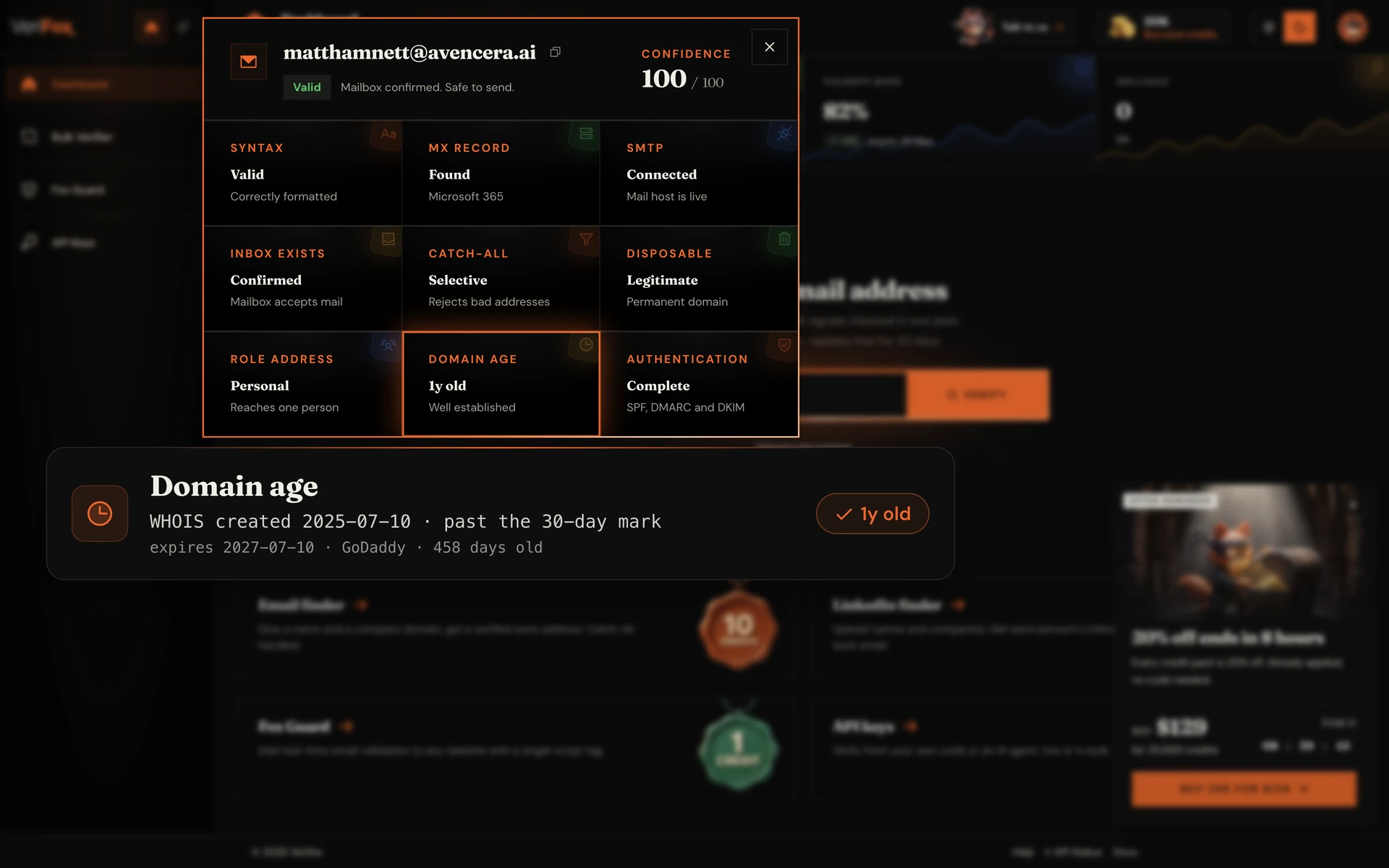
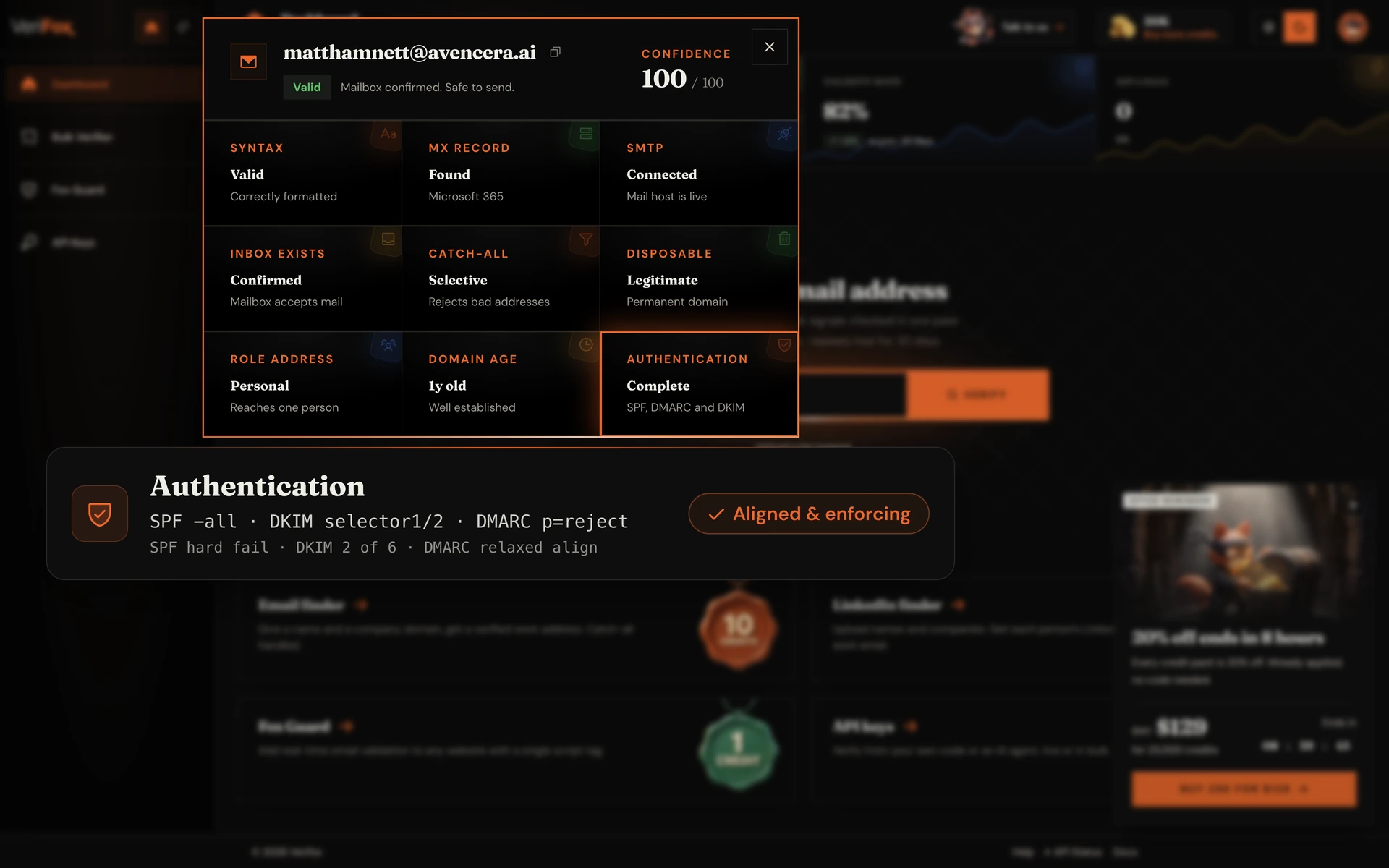
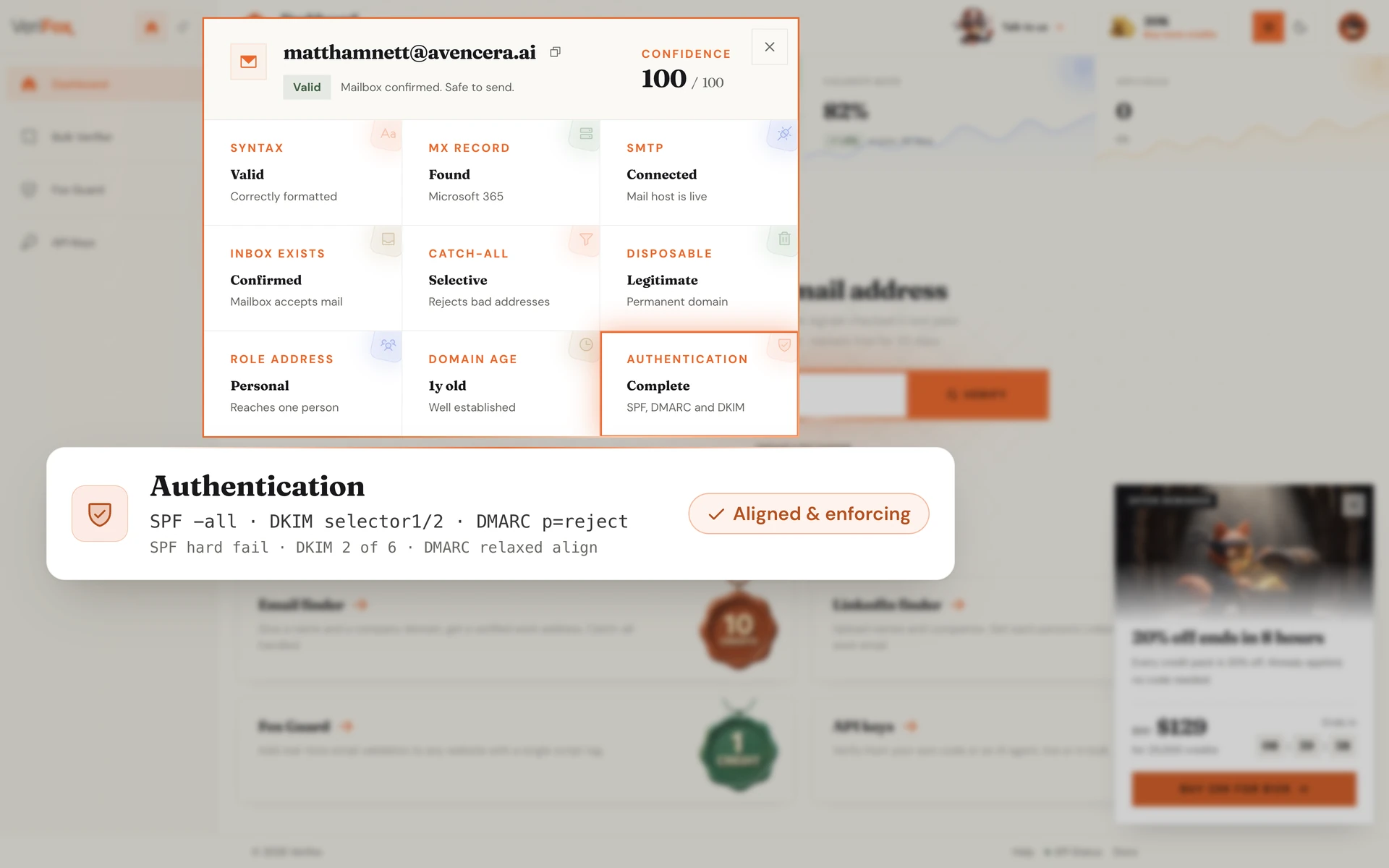
SPF, DKIM, and DMARC together prove the sender is authorised to send from that domain.
The engine reads each policy via DNS, validates SPF includes recursively, scans six common DKIM selectors, and confirms DMARC alignment with the From: header.
A failing DMARC policy means the sender can be spoofed, so the verdict warns you before you reply.
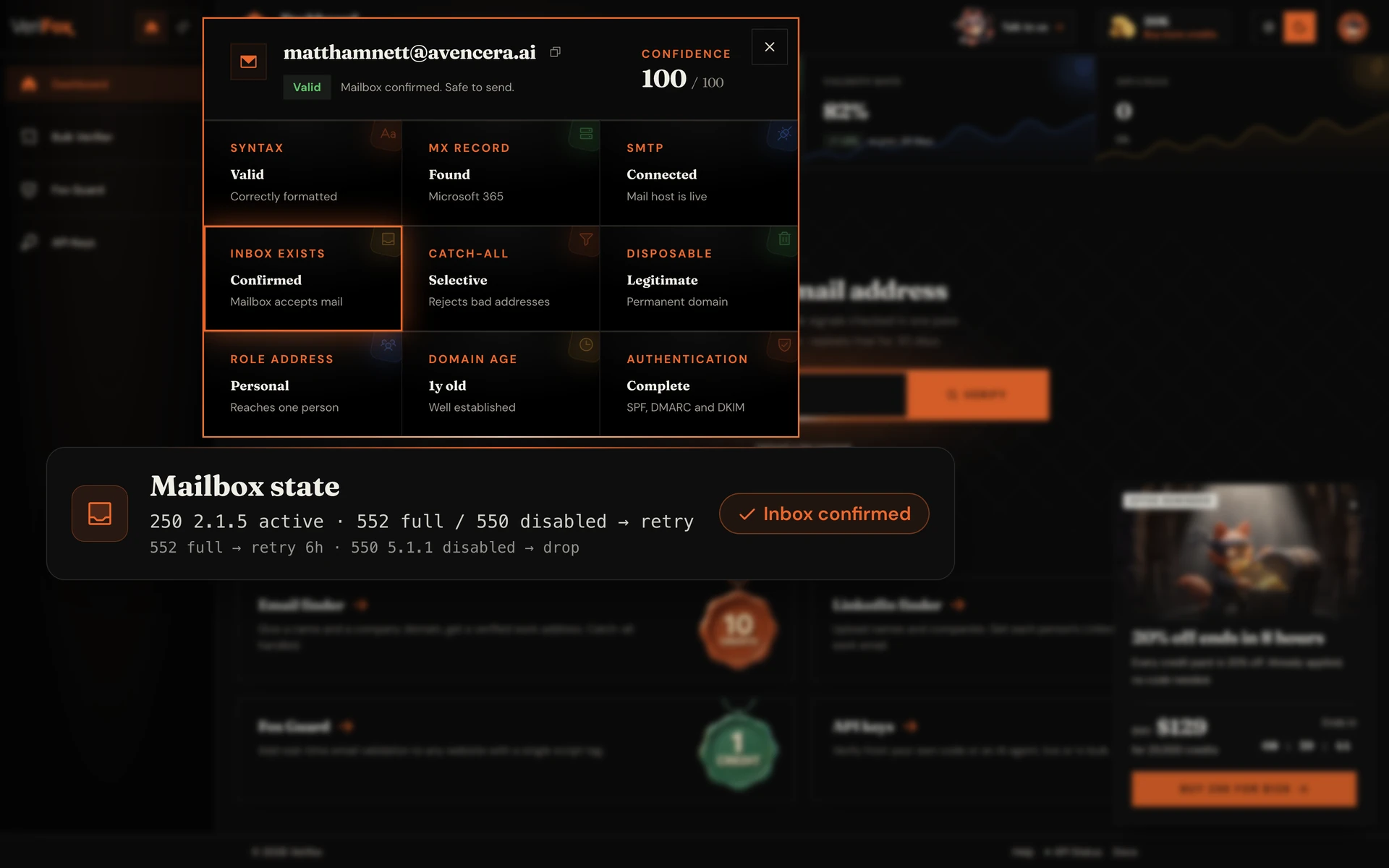
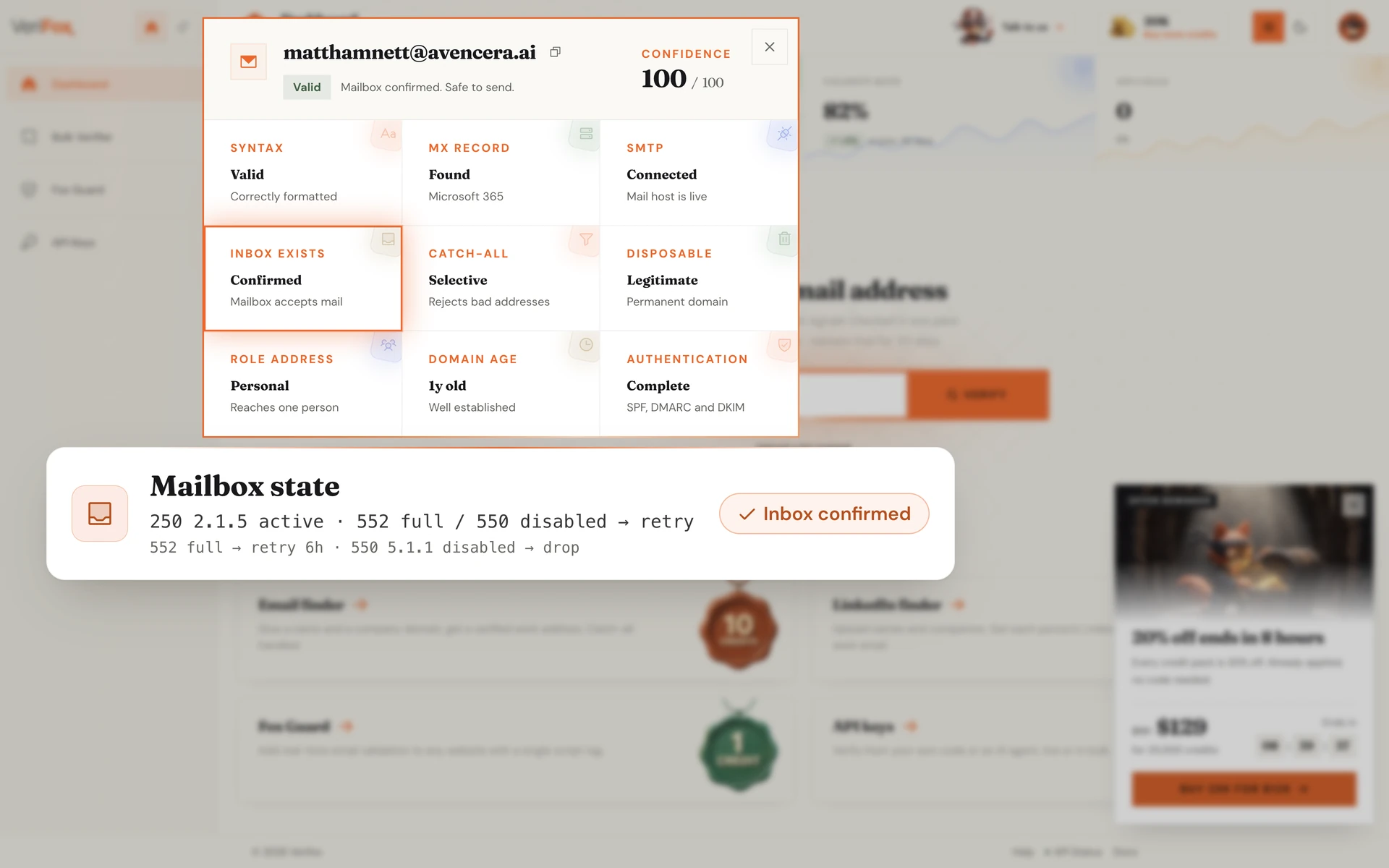
Beyond “exists vs doesn't exist”, the engine extracts the precise mailbox state from the SMTP server's response. Full inbox (552 / 522 quota), disabled mailbox (550 5.1.1), out-of-office autoresponder, frozen account.
Each state maps to a specific retry policy. Full inbox retries in 6 hours. Disabled drops permanently. The verdict tells you which bucket the bounce belongs in so your retry logic doesn't waste cycles.
An MX lookup is a read-only window into how a domain receives email. In one query you learn who runs the mail, how it routes, and whether it can receive at all.
The same DNS resolution the Verifox verification engine runs first on every address it checks.
The MX hosts name the provider — Google Workspace, Microsoft 365, Proofpoint, or a self-hosted server.
Records return lowest-number-first, so you read the primary server and its fallbacks straight away.
No MX record, or a broken one, means mail bounces before it is ever sent.
An MX lookup starts the story; verifying the address confirms the mailbox itself is real.
An MX lookup is only the first step. Verifying the address confirms the mailbox is real and deliverable.
The single most useful thing a mail exchanger lookup tells you — who to talk to about mail.
MXToolbox, DMARCLY, and EasyDMARC all look up DKIM records. Verifox reads the key in plain English and verifies the mailbox too.
Most tools reset your balance every month. Verifox sells credits that sit in your account until you spend them.
forever
1,000credits on signup
No card required
2,500 with a work email
Free includes
one time
10,000credits
$0.0059 eachSAVE 34%
Everything in Free, plus
per month
15,000credits a month
$0.0053 each
Unused credits roll over
Everything in packs, plus
One credit verifies one address; a find costs 10. All prices in USD, checkout via Stripe.
Growth leads, marketers, and engineers running real campaigns on real lists, with a verified email on every byline.

We were paying ZeroBounce a four-figure monthly bill and still landing 3% bounces on cold campaigns. Switched the pipeline to Verifox, dropped to 0.4% bounces, and cut the bill by more than 90%.

Other tools flag 30% of our B2B list as 'risky catch-all' and leave the call to us. Verifox returns a real verdict on those addresses, with a confidence score. We send more, we send safer.

We had a Gmail spam-folder problem after a bad list import. Verifox cleaned the list and the warmup ran on the same engine. Back in primary inbox in six weeks. One vendor, half the cost.

Ran a 50,000-address outbound list through Verifox before our quarterly campaign. Bounces landed at 0.7%, sender reputation didn't move, replies were up 22% over last quarter.

Their MCP server let me wire email verification directly into our internal Claude agent in about ten minutes. Zero glue code. No other vendor in this space has thought about that workflow.

Tested Verifox at 10,000 verifications per minute on a Tuesday morning. Latency held under 400ms median, no soft failures, no rate-limit walls. The vendor we benched throttled at 2,000/min.

Our SDRs were enriching from three tools and 14% of the emails were invalid before they hit the sequencer. Verifox sits in the pipeline now and the team stopped seeing 'undeliverable' replies the next week.

Bulk upload, sorted CSV back in twenty minutes, plug into our growth stack. The half-day list-hygiene project per cohort turned into something the marketing intern runs on autopilot.

Verifox returns a 0-100 confidence score per address, not just a label. We thresholded at 75 for the cold sequencer, 60 for nurture, and our deliverability team finally has a knob they can tune.
We were paying ZeroBounce a four-figure monthly bill and still landing 3% bounces on cold campaigns. Switched the pipeline to Verifox, dropped to 0.4% bounces, and cut the bill by more than 90%.
We had a Gmail spam-folder problem after a bad list import. Verifox cleaned the list and the warmup ran on the same engine. Back in primary inbox in six weeks. One vendor, half the cost.
Their MCP server let me wire email verification directly into our internal Claude agent in about ten minutes. Zero glue code. No other vendor in this space has thought about that workflow.
Our SDRs were enriching from three tools and 14% of the emails were invalid before they hit the sequencer. Verifox sits in the pipeline now and the team stopped seeing 'undeliverable' replies the next week.
Verifox returns a 0-100 confidence score per address, not just a label. We thresholded at 75 for the cold sequencer, 60 for nurture, and our deliverability team finally has a knob they can tune.
Other tools flag 30% of our B2B list as 'risky catch-all' and leave the call to us. Verifox returns a real verdict on those addresses, with a confidence score. We send more, we send safer.
Ran a 50,000-address outbound list through Verifox before our quarterly campaign. Bounces landed at 0.7%, sender reputation didn't move, replies were up 22% over last quarter.
Tested Verifox at 10,000 verifications per minute on a Tuesday morning. Latency held under 400ms median, no soft failures, no rate-limit walls. The vendor we benched throttled at 2,000/min.
Bulk upload, sorted CSV back in twenty minutes, plug into our growth stack. The half-day list-hygiene project per cohort turned into something the marketing intern runs on autopilot.
We were paying ZeroBounce a four-figure monthly bill and still landing 3% bounces on cold campaigns. Switched the pipeline to Verifox, dropped to 0.4% bounces, and cut the bill by more than 90%.
Ran a 50,000-address outbound list through Verifox before our quarterly campaign. Bounces landed at 0.7%, sender reputation didn't move, replies were up 22% over last quarter.
Our SDRs were enriching from three tools and 14% of the emails were invalid before they hit the sequencer. Verifox sits in the pipeline now and the team stopped seeing 'undeliverable' replies the next week.
Other tools flag 30% of our B2B list as 'risky catch-all' and leave the call to us. Verifox returns a real verdict on those addresses, with a confidence score. We send more, we send safer.
Their MCP server let me wire email verification directly into our internal Claude agent in about ten minutes. Zero glue code. No other vendor in this space has thought about that workflow.
Bulk upload, sorted CSV back in twenty minutes, plug into our growth stack. The half-day list-hygiene project per cohort turned into something the marketing intern runs on autopilot.
We had a Gmail spam-folder problem after a bad list import. Verifox cleaned the list and the warmup ran on the same engine. Back in primary inbox in six weeks. One vendor, half the cost.
Tested Verifox at 10,000 verifications per minute on a Tuesday morning. Latency held under 400ms median, no soft failures, no rate-limit walls. The vendor we benched throttled at 2,000/min.
Verifox returns a 0-100 confidence score per address, not just a label. We thresholded at 75 for the cold sequencer, 60 for nurture, and our deliverability team finally has a knob they can tune.
Every layer of the stack carries a third-party attestation, so you can ship into regulated industries without rebuilding your compliance posture.

Independently audited to the SOC 2 Type II standard.

Built for the EU with full GDPR data-subject rights.

California opt-out, do-not-sell, plus DSAR handling.

Information security held to the ISO 27001 standard.

AI governance aligned to the new ISO 42001 standard.
An investigation into the money leaking out of your list - and the nine checks that decide whether your email is read, or never arrives at all.

57 pages, free PDF, no signup
Common questions
Common questions about DKIM: what the record contains, where to find the selector, why tests fail, and how DKIM works alongside SPF and DMARC.
A DKIM record is a TXT entry published in your DNS that holds a public key. Your sending platform signs every outgoing message with the matching private key, and a receiving server fetches the public key to confirm the signature is valid and the message was not altered in transit. The record lives at a selector._domainkey.yourdomain hostname.
Type a domain into the DKIM tester above and Verifox reads the record back, the key type, the key length, and whether it is well formed. For the definition on its own, the DKIM glossary entry walks through how the signing handshake works.
The fastest way is to paste the domain into the DKIM tester above, add the selector if you know it, and read the record back. No account, no install. You can also run a DKIM test from a terminal with dig TXT selector._domainkey.example.com, but that returns the raw TXT string you then have to parse yourself.
The Verifox DKIM record checker instead reads the key in plain English, flags whether the signature is valid, and flows straight into mailbox verification when you need to go past authentication.
A DKIM selector is the label that points to a specific signing key in your DNS. Because the record lives at selector._domainkey.yourdomain, the selector is what lets a single domain publish several DKIM keys at once, one per sending service, and rotate them without breaking the others.
Each platform uses its own selector. Google Workspace signs with google, Microsoft 365 with selector1 and selector2, and marketing tools each have their own. The DKIM lookup above accepts an optional selector so you can test the exact key you care about.
The selector is embedded in the s= tag of the DKIM-Signature header on any message you have sent. Open a sent email, view its original or raw source, and look for the s= value, that is your selector for that sending service.
You can also get it from the sending platform itself: Google Workspace, Microsoft 365, and most email tools show the selector when you turn on DKIM signing. Once you have it, drop it into the DKIM tester above to confirm the key is actually published in your DNS.
A DKIM test fails for a handful of common reasons: the selector is not published in DNS, the key was rotated by your provider but the DNS record was never updated, the record is malformed, or you are testing the wrong selector for that sender. Any of these means receivers cannot verify the signature.
Because each sending service uses its own selector, a domain can pass DKIM for one sender and fail for another, so always test the selector that matches the platform you send through. The SPF, DKIM, and DMARC check runs all three records in one pass if you want the complete picture.
The fix lives in two places. First, turn on DKIM signing in the sending platform (Google Workspace, Microsoft 365, your marketing tool); it will give you a selector and a public key. Second, publish that key as a TXT record at selector._domainkey.yourdomain in your DNS, exactly as the platform provides it.
Re-run the DKIM test after the DNS change to confirm it now validates. DNS can take time to propagate, so a freshly published key can read as failing for a little while. If the key was rotated, make sure the new selector is live before you retire the old one.
The number is the length of the RSA public key in the record. A 2048-bit key is stronger and is the current recommendation; a 1024-bit key still works but is the weaker minimum. Most major providers now default to 2048-bit.
The DKIM tester above reads the key length back so you can confirm which you are publishing. If you are still on a 1024-bit key, rotating to 2048-bit is a low-effort hardening step: generate the new key in your platform and republish the selector.
No. This page is the DKIM-specific tool, it looks up one record, the signing key at a selector, and validates it. SPF and DMARC are separate records that do different jobs: SPF lists who is allowed to send, and DMARC sets the policy when a message fails.
If you want all three in a single pass, use the SPF, DKIM, and DMARC check instead, it is the all-in-one authentication checker. Use this DKIM tester when you specifically need to dig into the signing key and its selector.
No, and the difference matters. A DKIM test checks the domain’s signing key, can its mail be cryptographically proven genuine. It says nothing about whether a specific mailbox on that domain actually exists.
A domain can publish a perfect DKIM record while jane@ that domain is long gone. That is why DKIM is the authentication layer of deliverability and the free email checker is the mailbox layer. An MX lookup rounds out the picture by showing where the mail routes.
Yes. The single DKIM test above is free with no account. For a list of domains, the REST API returns the DKIM record and its validity for each one, so you can run a bulk DKIM lookup programmatically. Bulk checks run on pay-as-you-go credits that never expire.
Verifox also ships native MCP server support, so AI agents (Claude, Cursor, custom LLM apps) can test DKIM and verify addresses without glue code, and live uptime is tracked at status.verifox.ai.



