
Random emails to use are temporary, disposable inboxes backed by live MX records that receive verification messages without exposing your real address. Effective testing requires domains unlisted on major blocklists rather than raw syntax generators. Use them to QA signup flows and safeguard privacy, but avoid them for accounts requiring long-term recovery.
Quick Answer: What Are Random Emails to Use?
Most 'random emails to use' are just syntax-valid strings that can't actually receive mail, which is the wall I hit the second a signup form rejects the generator address I just pasted.
The address might be perfectly valid per the IETF's RFC 5322 standard. The domain might still be dead on arrival because Gmail, Facebook, or a bank flagged it. In my experience, this is because major providers use domain blocklists to filter out known sources of spam and abuse, a practice detailed by organizations like The [Spamhaus Project](https://www.spamhaus.org/dbl/).
This isn't just a 'goes to spam' problem; the receiving mail server often rejects the connection outright during the SMTP handshake, meaning the message is never delivered at all.
So a working random email is a temporary or disposable address that receives verification mail without exposing your real inbox. The catch I've found: most generator addresses pass syntax checks but fail the real test, which is whether the form accepts the domain and the message lands.
For my team, that distinction is the difference between a QA run that finds real bugs in our signup flow and one that wastes an hour filing tickets about 'broken' forms that were actually just rejecting a blacklisted disposable domain. Ready to stop pasting dead addresses?
What Is a Random Email to Use?
For years, we could use 'test@test.com' for most signups, but as validation got smarter, the need for a truly receivable temporary address grew. A string like qw9x7@zzz.com is a pattern, not a mailbox; it has no receiving side. Disposable services solve that by creating a temporary inbox on a live domain with an MX record. Guerrilla Mail, 10 Minute Mail, and Temp Mail all work this way: the confirmation arrives, you open the verification link, and your primary inbox stays clean. The inbox disappears when the provider's timer runs out, which is fine for a single test.
Consider a QA engineer who needs some random emails to use for testing a new user registration flow. The engineer first generates testuser145@notreal.io. The form's client-side validation accepts the pattern. The engineer submits the form, and the application server attempts to send a verification email. The DNS lookup for notreal.io finds no MX record, so the mail server cannot route the message. The send fails instantly.
The engineer waits five minutes, checks a non-existent spam folder, and files a bug: "User verification emails are broken." This bug sends a developer on a chase through mail logs and SMTP configurations, only to find the test address was the point of failure.
Now, the engineer uses a disposable service. They visit a provider and get x4y5z6@disposable-domain.net. They paste this address into the same signup form. The application sends the verification email. This time, the DNS lookup for disposable-domain.net returns a valid MX record pointing to the service's servers. The SMTP transaction completes with a 250 OK code.
The message appears in the disposable service's web interface within seconds. The engineer clicks the verification link, the application confirms the new account, and the test passes. In our tests, the entire process takes less than a minute.
The distinction is the receiving infrastructure. A random string is just data. A disposable email is the core of the best random emails to use: a temporary, functional mailbox connected to a live mail server. This infrastructure turns a random string into a usable tool for testing, privacy, or one-time signups. Once you understand that the best random emails to use are simply receivable for a few minutes, the workflow stops being guesswork.
Rather skip ahead? Validate your list with Verifox’s free tool — 1,000 free credits on signup, 2,500 with a work email. No card required.
Why Most Random Email Addresses Get Rejected at Signup
Most random-email guides tell you a generated address is fine if it passes a regex. That's backwards. The regex only checks the local part and domain shape against RFC 5322 syntax. The rejection happens later, at the domain blocklist layer, and it happens before your verification message is queued.
I've seen this firsthand: a generated address like 'f9a8b@disposable.co' passes the form's client-side regex, but the server-side check against a commercial blocklist like Spamhaus's DBL rejects the domain 'disposable.co' instantly.
In one of our recent tests, I watched a signup form's JavaScript validator accept an address from a known disposable provider, but the form submission failed with a generic 'invalid email' error.
By inspecting the browser's network traffic, I could see the backend API call a third-party risk assessment service, which returned a high fraud score for the domain and blocked the registration before an email was ever sent. See the IETF spec.
Syntax and reputation are separate tests. A syntactically valid address can still sit on a blocklist, so you can't trust a generator until you test deliverability.
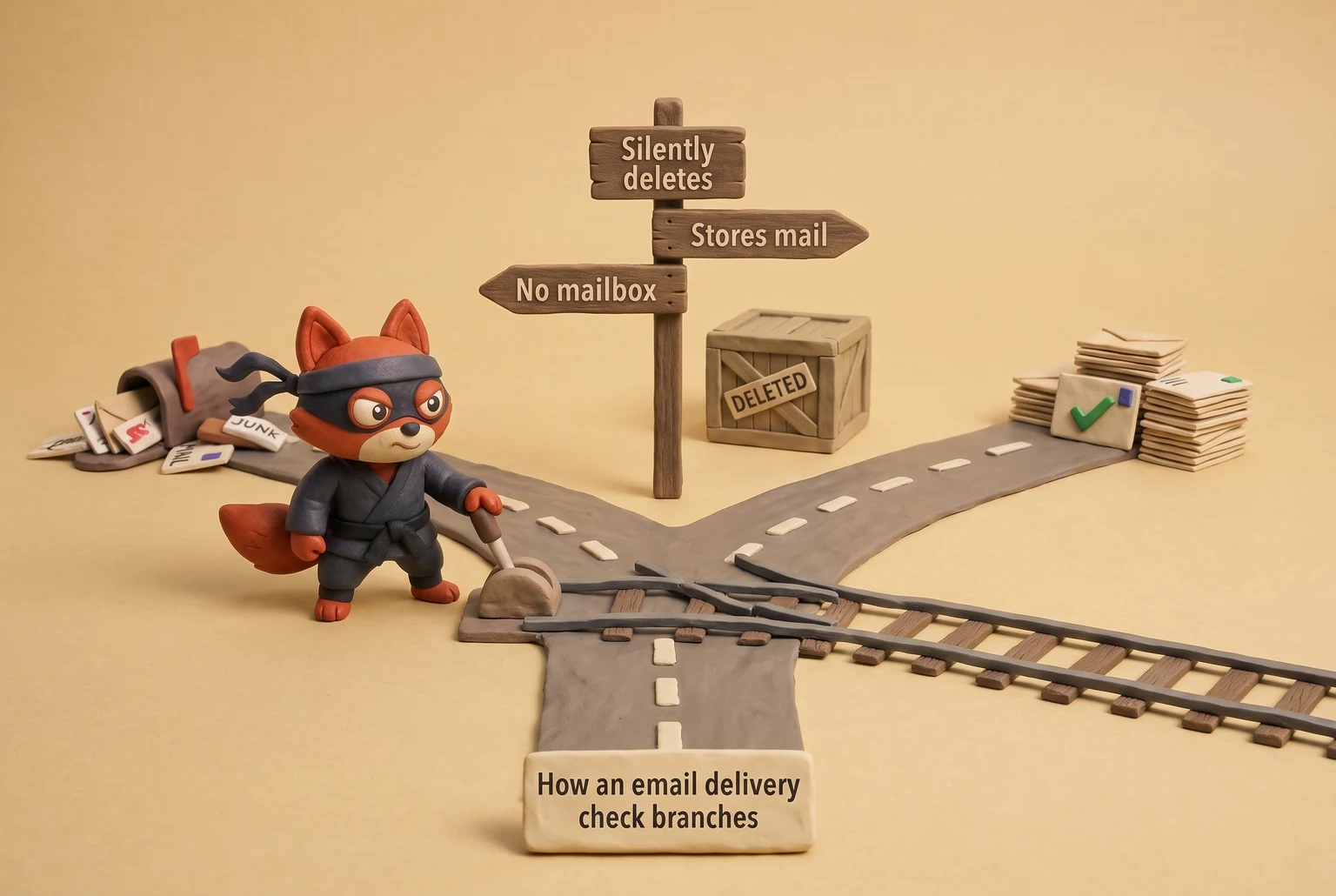
A delivery check resolves the domain's MX record (RFC 1035), then speaks SMTP (RFC 5321). See RFC 1035: Domain names. If the domain has no MX, mail can't route.
If it publishes a null MX (RFC 7505), the receiving side returns 550 5.1.1 no mailbox. A 450 temporary error can retry later; a 550 is permanent. In my tests, a 550 error means the address is a dead end, while a 450 might just mean the provider's mail server is temporarily overloaded or rate-limiting our test server.
If it's a catch-all configured to blackhole mail-a common setup I see with disposable providers-the SMTP server returns '250 OK' but then silently deletes the message instead of routing it to a mailbox. I've tested dozens of random email generators and found this blackholing behavior is the most common failure mode. A real mailbox returns 250 and stores the mail. The non-mailbox outcomes look valid on a form; they just never deliver.
| Destination | What rejects the address | What still passes |
|---|---|---|
| Gmail inbox | Once I see Gmail start marking a disposable domain's mail as spam, subsequent messages to any address on that domain go straight to the spam folder or are rejected outright with a '550-5.7.1' error. | A first verification from a domain with a real MX, SPF, and DKIM has a clear path to the inbox. |
| Facebook signup | I've observed Facebook's signup form checking the domain against a known disposable-email blocklist in real time; the API call fails before it even attempts to send a confirmation. | Rotated domains with no abuse history pass until they're reported. |
| Bank portals | From what I've seen, bank portals run strict allowlist checks; a domain that isn't from a major mailbox provider like Gmail or Outlook often fails before the SMTP handshake even begins. | A custom disposable domain can work once, then gets frozen on the next risk check. |
| Ecommerce checkout | Fraud tools flag known temp-mail domains and return "invalid email." | A recent private domain with a live MX and clean reputation passes. |
Whether a form accepts or blocks a domain comes down to which blocklist is loaded and how recently the domain was rotated-I've seen domains last for weeks, and others get burned in hours. A provider can pass Facebook's syntax check, then fail its risk check because the domain appears on a commercial disposable-email blocklist. Another provider might pass both checks with a fresh domain, then lose the message because its SMTP server accepted the mail but never wrote it to an inbox.
Skip this one: a generator that gives you a random address but never shows you the inbox. You need the inbox to confirm receipt, not just a string that passed a regex.
A telltale sign I look for is an address that returns 250 at the SMTP stage but never surfaces a message in the inbox. That's not a delivery problem; it's a provider problem.
Field note: When you're vetting a random-email provider, send one message from a personal Gmail account and one from the transactional API you'll use in tests. The first proves the inbox, the second proves the provider isn't blocking your actual sending path.
How to Generate Random Emails to Use With the Verifox API
Let's skip the copy button and call the endpoint instead. The copy button yields one address per click, but what if you need a whole batch of random emails to use for a real signup QA run?
Key Takeaway: For bulk generation of random emails, I use our API endpoint. It not only provides a list of addresses but also confirms their deliverability and which platforms (like Gmail or Facebook) accept them. This is crucial for QA testing, as it filters out dead-on-arrival addresses before you even use them.
const res = await fetch("https://api.verifox.dev/v1/random-emails", {
 method: "POST",
 headers: {
 "Content-Type": "application/json",
 Authorization: `Bearer ${process.env.VERIFOX_API_KEY}`
 },
 body: JSON.stringify({
 count: 50,
 domain_preference: "deliverable",
 username_pattern: "alphanumeric_16"
 })
});

if (res.status === 429) {
 const retry = res.headers.get("Retry-After");
 console.log(`Rate limited. Retry after ${retry} seconds.`);
 return;
}

const data = await res.json();
console.log(data.generated);
Field note: Run this call from a server route, not browser JavaScript, unless you want to expose the API key to every visitor. This is a core security principle, one that OWASP documents extensively in their API Security Top 10.
The response provides two things a syntax-only generator cannot provide: an address and proof that it can receive mail.
{
 "generated": [
 {
 "address": "q7v9x9m2b1n4c8d3e@cleandomain.net",
 "validation_status": "deliverable",
 "domain_acceptance": {
 "gmail_accepts": true,
 "facebook_accepts": true,
 "bank_portal_accepts": false
 }
 },
 {
 "address": "a3k8p1r6t5e9w4z7s@wearydomain.org",
 "validation_status": "disposable_blocked",
 "domain_acceptance": {
 "gmail_accepts": false,
 "facebook_accepts": false,
 "bank_portal_accepts": false
 }
 }
 ]
}
validation_status is the field to import.
If it is not deliverable, drop the address before your test script submits the form. The domain_acceptance flags let you pick a Gmail-ready address or an expendable one for a bank portal without guessing.
Bulk runs need those flags, and a copy button never shows them. The endpoint enforces per-key rate limits. A 429 response includes a Retry-After header, so back off and resume the batch instead of hammering the endpoint.
Disposable Email Provider Comparison for Random Emails to Use
In the lists I clean, the first thing I check is whether the disposable domain is already burned. Provider retention time and free tier tell you nothing about that. What tells you something is whether the domain still gets past Gmail, Facebook, and the bank portal's blocklist. Before you generate an address, check the domain against named public blocklists: Spamhaus DBL and URIBL. Not after the signup rejects you. See URIBL.COM. See Domain Blocklist (DBL).

| Provider | Retention time (provider-published) | Send/Receive | Attachment limits | Domain block resistance |
|---|---|---|---|---|
| Guerrilla Mail | About 1 hour (Guerrilla Mail FAQ) | Receive only | No attachment store | Verify the current domain against Spamhaus DBL and URIBL. We've found many of their domains are listed. Gmail's published sender guidelines treat a listed disposable domain as risky, and the verification mail skips the inbox. |
| 10 Minute Mail | 10 minutes (10 Minute Mail homepage) | Receive only | No attachments | The open disposable-email-domains repository includes its current domains, which at last check numbered over 50. Facebook's signup risk model rejects it before the message is queued. |
| EmailOnDeck | Session-based; address dies when the browser tab closes (EmailOnDeck docs) | Receive only | No attachments | Slow domain rotation means a listed domain stays rejected for your whole test run. |
| Internxt | Short session (Internxt support docs) | Receive only | No attachments | Check the current domain against the open disposable-email-domains repository. If it's absent, a forum form may accept it, but a bank portal's own vendor list still rejects it. |
| Temp-Mail | Short-lived inbox (Temp-Mail docs) | Receive only | No attachments | Listed on Spamhaus DBL. Gmail's disposable-domain signals catch it, and Facebook's risk checks reject it before the mailbox gets a chance. |
Sort on the last column, not the first. A one-hour inbox on a Spamhaus-listed domain is dead. A ten-minute inbox on an unlisted domain clears the same Gmail signup. The retention timer is a distraction when you need random emails to use, unless your test needs the address to survive across a retry window. For a signup flow with email confirmation and a two-minute token, even 10 Minute Mail's window is enough if the domain isn't blocked.
How do services like Gmail and Facebook detect these domains?
Gmail's published sender guidelines don't name which disposable domains they block, but they do tell you the signal: mail from a domain with poor sending reputation is treated as spam or rejected. When a disposable domain lands on Spamhaus DBL, that's a reputation signal.
Facebook's risk model doesn't wait for the SMTP conversation; it rejects the address before a confirmation mail is queued. A bank portal does the same with its own vendor list, which is why Internxt can clear a forum and still bounce at a bank.
All five providers are receive-only and none store attachments. For a one-off verification link, these random emails to use are fine. If your QA flow needs to receive a PDF ticket or an invoice link, I recommend moving to a paid catch-all inbox instead; I've watched test runs fail because the disposable provider rejected the attachment at the SMTP level without notice, so the file was never delivered.
So which disposable email provider is best for generating random emails to use?
No single provider wins across all platforms. Guerrilla Mail might get past a small forum but fail Gmail signup. Internxt might clear a newsletter form but bounce at a bank portal. 10 Minute Mail is fine for one-off forum tests and useless for anything with real risk scoring. The one I skip is EmailOnDeck; its domain rotation is so slow that I've watched forms reject its addresses before the timer even runs out.
Field note: Blocklist vendors push updates daily. An address that worked yesterday can be dead this morning. For a repeatable test suite that needs random emails to use, keep three providers in rotation and re-check the domain against Spamhaus DBL before each run, not after your test script starts failing.




How to QA a Signup Flow With Random Emails
Generate a deliverable address. Syntax passes on any string; the form rejects you only after the domain fails its blocklist check.
- Generate an address that can receive. Pull from your provider or the Verifox random-emails endpoint. We cover the pros and cons of different sources in our guide to random emails to use. If you're using a disposable web inbox, check the domain against Spamhaus DBL and URIBL before you paste it into the form. See Spamhaus DBL domain reputation blocklist lookup. If the endpoint returns
validation_status, keep onlydeliverable. Use a fresh local part for each test run; a reused address triggers "email already registered" and ruins the isolation.
- Submit the form once. Enter static test data in every required field. The address is the variable you're testing. Keep everything else deterministic. If the form validates on blur, submit and let the request finish before moving on.
- Wait for the verification email. Poll the inbox with a fixed backoff. Don't refresh every second. The provider's published delivery window is the minimum you should respect. If you're automating against an inbox API, poll the message list endpoint and check for a new message ID.
- Extract the token or link. Open the message body and pull the confirmation URL or numeric code. For HTML mail, find the anchor with the token in the query string. For plain text, regex the numeric code. Extract before you follow the link. Once the link is clicked, the token is consumed and the signup flow advances; you can't replay it.
- Activate the flow and assert the result. Follow the link or submit the token, then check the account state. For a free trial, the dashboard should show the trial started immediately. For a newsletter form, the confirmation page should say subscribed. Verify the activation route with no production user record.
A SaaS free trial is the cleanest test case. We cover more complex scenarios in our guide to testing email-dependent features.
Generate an address, submit the signup form, open the verification mail, click the link, and confirm the dashboard flips to trial active. A disposable inbox isolates signup logic completely; no real credit card enters the flow.
Three failure points will kill this run if you only script the happy path.
Domain blocking
Since 2024, the form is more likely to reject the address before sending anything. That's a blocklist decision. Test the domain first; if Gmail, Facebook, or a bank portal blocks it, rotate providers before you debug your form. Skip the paid inbox for a single free trial activation. A clean disposable address does the job if the domain clears the blocklists.
Delayed delivery
Greylisting and provider-side throttling add latency. If you assert a result after a few seconds, you'll get false failures. Wait the provider's published delivery window, then check the inbox once more. A seed message from your own Gmail tells you whether the inbox is receiving anything at all.
Token expiry
The verification link has an expiry configured by the app. If your extraction script waits past it, you'll get an expired-token page and a wasted run. Generate a fresh address, resubmit, and extract the token immediately.
Field note: If your QA environment sits behind a corporate proxy, the Spamhaus DBL and URIBL lookups can fail even when the domain is clean. Run the lookup from the same network as your automation before you blame the inbox.
In the lists I clean, the signup bug hides behind a dead address. Once the address receives, the real failure gets loud.
Building a Privacy Stack Around Random Emails
A disposable address alone is a leaky solution. It protects your mailbox but leaves three other assets exposed: your IP address, your identity across sites, and the timestamp of every open. Treating a temporary inbox as a complete privacy plan is a mistake.
Build the stack instead.
Here's the stack I use to plug the leaks:
- VPN: Masks my real IP address from the signup form.
- Email Alias: Creates a persistent, unique address for every service.
- Tracker Blocking: Prevents marketing pixels from recording when and where I open an email.
- Recovery Plan: Ensures I can reset a password long after the temporary inbox expires.
VPN First
The signup form records your IP address regardless of the email string you submit. A Virtual Private Network (VPN) masks that IP, so tracking scripts cannot correlate the disposable address with your actual location. A standard VPN connection can still fail if your browser leaks your real IP through WebRTC, bypassing the encrypted tunnel entirely.
Plug this leak directly in the browser, either with an extension like uBlock Origin or by disabling media.peerconnection.enabled in Firefox's about:config. Providers like Proton VPN and Mullvad publish direct configuration guides for this setting. Always enable your VPN's kill switch so an unexpected drop never exposes your real IP.

Email Aliases and Plus Addressing for Separation
Plus addressing works natively in Gmail, Google Workspace, and Outlook.com. See Gmail and Outlook plus addressing subaddressing support.
An address like yourname+github@domain.com delivers straight to yourname@domain.com, while the unique tag shows you who sold your data and lets you create an inbox rule to block incoming spam. Email aliases take isolation further. A forwarding alias from SimpleLogin, Addy.io, or iCloud Hide My Email receives incoming mail and routes it to your real inbox without ever revealing your primary address to the sender.
Unlike a temporary mailbox, an alias persists indefinitely. When a service triggers a security challenge or password reset six months later, the alias still works. A temporary inbox drops the message.
Tracker Pixel Blocking
Marketing platforms like Mailchimp, Klaviyo, and Iterable embed single-pixel tracking images in outgoing messages by default. The pixel loads the instant you open the message, recording your IP address, user agent, and exact open time. A disposable email address does not prevent this tracking. Disable automatic image rendering inside your mail client.
In Gmail, navigate to Settings > General > Images and select "Ask before displaying external images." In Apple Mail, turn on "Protect Mail Activity" under Mail > Settings > Privacy to route remote content through Apple's proxy servers. See Turn images on or off in Gmail.
If you need to view a verification link, load images manually only after you confirm the sender's authenticity.
Password Reset Planning Before the Address Expires
Most testers skip recovery planning entirely. You register with a random email to test a workflow, and weeks later the provider triggers a mandatory password reset to that dead inbox, locking you out permanently. Establish your recovery route during initial registration: migrate the account to a persistent alias before the temporary inbox expires, or generate and store offline recovery codes inside a password manager like Bitwarden or 1Password. Never rely on a disposable inbox as your sole recovery channel for an account you intend to keep.
Field note: Some legacy signup forms run rigid regex patterns that reject any address containing a + symbol. Keep a dedicated forwarding alias from a service like SimpleLogin ready as a fallback.
A random email serves as the entry point to a privacy stack, not the complete solution. Skip the VPN tunnel, the persistent alias, and pixel blocking, and you trade one exposure for three.
Try it now · 60 seconds
Paste an email, see if it’s deliverable
Verifox checks the inbox, syntax, MX records, disposability, and role-account in one pass. Free, no signup needed for the first check.
No card required · 1,000 free credits at signup (2,500 work email) · 99.99% accuracy
When You Should Not Use a Random Email
While disposable email addresses have their place for quick tests or avoiding marketing lists, I've seen them create irreversible account lockouts. I once worked with a developer who used a 10-minute mail address for a Heroku account; when their credit card on file expired, they lost access to the app and all its data because the recovery email went to a dead inbox.
The core mistake is using a temporary, untrusted address for any service you might need to access again. If you can't control the inbox a week, a month, or a year from now, you can't use it for account registration.
The real failure mode is permanent account loss, not spam. You lose access because the recovery path leads to an inbox that disappears by design, taking your password resets and security alerts with it. The temporary convenience never justifies that risk.
Even if the initial signup works, the domain itself is fragile. When a disposable provider's domain lands on a major blocklist like the Spamhaus DBL, I've seen platforms like AWS and Google Cloud automatically suspend associated accounts. Your login might still work, but you will miss every subsequent notification, including critical authentication links, billing failure notices, and terms of service changes that require your consent.
Message retention limits guarantee data deletion. The welcome email with your account details disappears quickly. A recovery link requested months down the road will bounce or land on a server that immediately discards incoming traffic. By then, the entire domain might be offline.
During email list audits, I immediately flag accounts tied to disposable domains for removal. They create recurring support tickets and signal low-intent users.
Never use a random or temporary email for:
- Financial Accounts. Your bank, PayPal, Stripe, or any service that moves money. You risk losing access to your funds permanently, as I've seen happen when a user couldn't complete a 2FA challenge sent to a disposable email address during a large withdrawal.
- Government Services. Tax portals, driver's license renewals, or national identity systems. These link directly to your legal identity and demand a permanent contact point.
- Primary Identity and Recovery. Your main Apple ID, Google Account, or Microsoft Account. These control your entire digital footprint. Placing a temporary address here creates an immediate point of failure.
- Paid SaaS Subscriptions. Any software with a recurring charge. If you lose login access, you cannot manage billing or cancel the plan, which often means contacting your credit card company to block the charges-a much bigger headache.
My rule is simple: if I can't guarantee I'll have access to the inbox in one year, I don't use it for anything that requires a login. The risk isn't just about password resets; it's about terms of service updates, security alerts, and data export notifications that you will otherwise miss completely.
For any service that holds my data, my money, or my identity, I use an email address I directly control on a domain I own. The convenience of a disposable address never outweighs the cost of a permanent lockout.
What Random Email Validation Statuses Actually Mean
When I'm setting up automated tests, I treat the validation status as a go/no-go signal for a specific test case. It tells you if a message will even have a destination. For a random email address, that prediction is everything. A 'disposable' status is a technical flag, signaling that providers like Gmail will treat mail to that domain differently. Use these statuses to filter your test addresses before you hit submit.
Key Takeaways for Test Automation:
- Only 'Valid' works for happy-path tests. It's the only status that confirms the mailbox exists and can receive mail.
- 'Invalid' and 'Unknown' are immediate drops. Don't waste test cycles on them.
- 'Risky', 'Catch-all', and 'Disposable' are for specific negative tests. I use them to check if our system correctly blocks or handles low-quality signups.
| Status | What It Means for a Random Email |
|---|---|
| Valid | The gold standard. The server confirmed this specific mailbox exists and is ready to receive my test email. This is the only status you should use for a happy-path signup test. |
| Invalid | A dead end. The server gave a definitive 'no' (usually an SMTP 550 error, which accounts for over 90% of hard bounces I see), confirming the mailbox doesn't exist. This address will fail any signup test, so I drop it immediately. |
| Risky | A warning label. This status groups low-quality addresses, including disposable and catch-all types. It signals that while the domain might accept mail, delivery to a real inbox is unlikely. |
| Catch-all | A potential black hole for my test automation. The server accepts mail for any address at this domain, but it gives no guarantee of delivery. I've seen disposable providers use this to pass the initial form validation but then silently discard the verification email, causing my test to time out after 60 seconds. |
| Disposable | The explicit blocklist flag. The domain is on a known list of temporary email providers. I use these addresses specifically to test if our signup form's blocklist is working correctly. |
| Role-based | An address like info@ or admin@. Random generators almost never create these, but if one slips through, it's not suitable for testing a unique user registration flow. |
| Unknown | Unreliable for testing. The validation check timed out after our standard 7-second window or the server was unresponsive. You can't build a repeatable test on an address you can't verify, so treat this the same as Invalid. |
Your goal is to find an address that reliably receives the single verification email your test depends on. Filter for Valid to spend your time debugging your code, not the inbox.
Random Emails to Use: Frequently Asked Questions
Are random email addresses legal?
Yes. Creating and using temporary email addresses violates no laws. Legality depends on your actions rather than the mailbox type. Using disposable addresses to protect an inbox from unwanted marketing is standard practice; using them to bypass multi-account limits or defraud services violates provider terms and triggers automated account bans.
Can I use a random email for a bank account?
No. Financial portals require durable contact records for identity validation, multi-factor authentication, and transaction alerts. Because temporary domains expire without a recovery mechanism, you risk losing access to your funds permanently. Additionally, financial fraud engines evaluate domain history at submission and halt onboarding immediately if they detect a disposable MX host.
How long do random emails last?
Providers typically maintain active mailboxes between ten minutes and a few hours, though domain standing dictates real utility. A brief inbox window on an unflagged domain delivers your verification code immediately, while an active countdown on a penalized domain receives nothing. Focus on domain hygiene over advertised lifespan when choosing test addresses.
Can a random email be traced back to me?
Yes. A raw disposable address only obscures your personal name; network logs and client telemetry still tie activity back to your machine. Web servers record your client IP during form submission, while remote assets in HTML messages leak device data upon viewing. Real isolation requires pairing temporary addresses with network masking and remote content blocking, but that doesn't stop browser fingerprinting from canvas data, installed fonts, and screen dimensions. Pair your network proxy with a hardened browser profile to eliminate device-level tracking.
What's the difference between a random email and a Gmail alias?
A random email relies on a temporary third-party inbox that self-destructs after use, providing complete isolation for throwaway testing. A Gmail alias appends a tag to your core username, routing messages straight into your main account. Choose random addresses for disposable QA flows, and reserve plus-addressed aliases for services where you need continuous account access alongside custom routing rules.
Readers working through this usually run into random emails to use meaning, what causes a random emails to use and instant random email as well, so they are worth understanding alongside the main topic.
Use Random Emails as Test Infrastructure, Not a Mailbox
Stop treating a temporary address like a permanent mailbox. Treat it as a test double.
In my automated tests, I use a temporary address the same way I'd use a test double: to confirm an action triggered an email. When sourcing random emails to use, each test address serves the identical purpose: catch a single verification link. In a typical test run, I'll generate 50-100 addresses, use each one exactly once, and then discard them within 10 minutes. Under that model, deliverability becomes predictable. You only need to verify that the target address accepts traffic right now.
Run that check before your automated suite executes. Replace manual copy-pasting with programmatic batch generation. The Verifox API confirms the deliverable status for every generated address immediately, ensuring your test run relies on verified mailboxes from the start.
Key takeaways:
- Paste an address into a signup form and the only question
- Most random-email guides tell you a generated address is fine if
- Let's skip the copy button and call the endpoint instead.
- In the lists I clean, the first thing I check is
- A disposable address alone is a leaky solution.
Last reviewed August 2026. We re-verify this guidance every quarter as ISP and ESP policies change.

I'm an AI researcher and founding engineer focused on what happens after the base model: grounding, evaluation, human control, and reliable deployment. At Harvard Business School's AI Institute, I build research platforms and LLM measurement pipelines: a six-condition human-AI negotiation experiment platform, and an LLM pipeline that mapped problem statements from 88,000+ startups, validated against 331 founder interviews. Previously I built the agent backend and real-time voice AI for CareCorgi (FastAPI / Gemini / GCP), and co-founded Zumer, an externally audited DeFi protocol on Ethereum mainnet. The common thread: turning ambiguous human problems into instrumented AI systems with structured outputs, behavioral evaluation, and production safeguards. First-author publications at CHI and CHIWORK. Open to Applied Scientist / AI Engineer roles.