
Email review is a pre-send quality gate, not a proofread: validate the recipient list first, then check links, rendering, and deliverability in that order. Automate the deterministic checks (validation statuses, broken merge links, spam score) with an API and a crawler, and leave tone and workflow to humans. Clean lists compound; skipped checks cost sender reputation.
Email Review: What It Means and Why It Matters
Email review is the process of validating addresses, checking links and rendering, and testing deliverability before an email reaches the inbox. It is a pre-send engineering quality gate, distinct from proofreading and from asking customers for reviews. Treating review as a final proofread is backwards. A skipped check causes hard bounces and spam complaints before it ever catches a typo.
Each step exists because a skipped check has a specific failure mode: a dead mailbox returns a 550 response, a broken link turns a click into a dead end, and an unauthenticated domain gets quarantined under Gmail's 2026 bulk sender rules. See SMTP 550 response code dead mailbox.
What changed in 2026. Gmail's bulk sender bar is already live at 5,000 messages per day, and Yahoo mirrors that volume tier with the same February 1, 2024 enforcement date. Outlook has not announced a new 2026 numeric cutoff; the change I plan around is default quarantining for unauthenticated bulk mail. In review terms, SPF, DKIM, and DMARC checks now run before rendering checks because a pixel-perfect email that never reaches the inbox is a failed send.
A dead mailbox cancels every later check; I treat review order as a cost stack, not an itinerary.
Email Review Meaning: A Working Definition
Email review vs. review request email: email review is a multi-step quality assurance process covering list validation, link verification, rendering, and deliverability testing. It's the pre-send gate that decides whether an email is fit to send. I run the review in four checks, always in the same order.
The first check is list validation: I confirm every address is real, typo-free, and safe to mail before I spend a send. A 404 or a redirect somewhere I didn't intend is exactly what I'm hunting for when I click or crawl every link in the email, including the unsubscribe and preference center links.
Rendering is the visual pass I run: I open the email in dark mode, light mode, mobile, and desktop clients and look for broken images, shifted columns, or clipped subject lines. Deliverability testing earns the final gate: I send seed tests to inbox, promotions, and spam folders, check SPF, DKIM, and DMARC authentication, and won't send until all three pass. I treat review as a different job from proofreading.
Proofreading catches grammar mistakes, typos, and tone problems in the copy; review catches things that stop delivery entirely, like invalid addresses, dead links, broken HTML, and missing authentication. In my experience, a clean proofread can still land in spam if the review checks never ran, and a rough proofread can still deliver if the review checks are clean.

That four-check sequence is the smallest repeatable gate I use before any campaign, and I keep the same order every send because it catches failures before they reach a subscriber. A review request email is something else entirely: a message you send a customer asking for feedback. Email review is the process you run before any campaign; the request email is what goes out after the list is clean.
Verifox handles the validation layer inside this broader review workflow.
Skip the gate and you're gambling, not reviewing.
Rather skip ahead? Validate your list with Verifox’s free tool — 1,000 free credits on signup, 2,500 with a work email. No card required.
Email Validation Statuses Every Review Should Check
When I audit a client's list, the first thing I check is the validation status field. It tells me which rows deserve a second look before I spend time on rendering or link checks. Validation is the first review step because every downstream check is meaningless on an invalid address.
These seven statuses are non-negotiable. Each one maps to a send decision. I also check spam trap and blocklist flags separately: pristine traps, recycled traps, and blocklisted addresses must be identified and suppressed, never counted as Valid.
| Status | Meaning | Action |
|---|---|---|
| Valid | Mailbox exists and accepts mail | Send. |
| Invalid | Hard bounce risk; mailbox does not exist | Remove immediately. |
| Risky | Soft bounce probability; temporary or greylisted | Quarantine 24 hours, retry once. |
| Catch-all | Domain accepts all addresses, delivery uncertain | Suppress if no opens or clicks in last three sends. |
| Disposable | Temporary inbox, usually expires | Delete. |
| Role-based | Team address (sales@, info@) | Deprioritize if no named contact. |
| Unknown | Validation could not complete | Retry after 24 hours or suppress. |
Invalid rows are the easy call. A 550 no-mailbox reply, defined in RFC 5321, is a hard bounce you don't get a second chance to fix. See RFC 5321: Simple Mail Transfer Protocol. Remove them before any other check. Risky rows are different: they return 450 or 451 temporary failures under the same RFC. Quarantine them for 24 hours, retry once, and suppress if the soft bounce repeats.
Catch-all and disposable addresses look innocent in a spreadsheet. Catch-all domains accept every address, then route mail to a shared inbox where no single person owns the reply. Use the catch-all suppression rule from the status table above. Disposable inboxes self-destruct; delete them outright.
For role-based addresses, swap in a named contact if you have one, and deprioritize sales@ or info@ if you don't. Unknown just means verification didn't finish. Retry after 24 hours or suppress before send.
Field note: Catch-all domains are the first thing I pull when a "clean" list underperforms.
Verifox returns this exact status field from a single API call. Disclosure: Verifox is my own tool, and I back the status taxonomy with a published sample run of real addresses before I rely on it. Apply the deletion and quarantine rules from that column, then move on to link and rendering checks only after the invalid rows are gone.
Why Email Review Matters Before You Send
Most guides treat email review as a design pass: check the logo, center the button, preview on two devices. They stop there. The aesthetic checks matter, but they are the surface. The material risk in 2026 is sender reputation and inbox placement, and those fail quietly before anyone opens the email.
How providers score a new domain
A new domain is a probationary sender. Gmail and Outlook don't know you yet, so they weight early negatives heavily. I treat both IP warmup and domain warmup as the formal schedule for this probationary window: a new domain starts on low volume and earns more headroom only after early engagement holds. <!-- Editorial brief: no internal IP/domain warmup guide exists yet; commission one and link this phrase to it.
--> Even a 1% invalid-address rate on a new domain can push recent mail into spam because bounce rate is weighted early by both providers. That's not a promise about any single send; it's the shape of early reputation scoring. One bad import, one unchecked signup form, one purchased list, and your next three campaigns pay for it.
Sender reputation works like a credit file: early bounces read as default risk, and the limit resets slowly. To make this concrete, here is the four-week warmup shape I use for a fictional new domain: week one holds daily volume at 50 sends with zero hard bounces and a 0.0% complaint rate, and Outlook places two of the last sends in spam.
Week two moves to 100 daily sends with the same zero bounce and complaint line; placement flips from spam to inbox by the last send. Week three goes to 250 daily sends with one hard bounce and a complaint rate still under Google's 0.3% monitoring line, and inbox placement holds. Week four at 500 daily sends confirms the domain has enough early engagement history that a single early mistake no longer sets the default.
Mailbox providers decide inbox placement on engagement signals, spam complaints, and authentication history more than content.
- Positive: recipients open, read, reply, or move the message.
- Negative: recipients delete without opening, mark it spam, or ignore it.
A domain that passed SPF (Sender Policy Framework) and DKIM (DomainKeys Identified Mail) today but failed last week still carries that failure in its history. Google's published sender guidelines for bulk senders, enforced February 2024, set a spam complaint threshold of 0.3% as a monitoring line, not a hard cutoff, and the algorithm judges each campaign against that line. See Google bulk sender guidelines.
Outlook does the same thing with a smaller sample; a single bad send can move a new domain sideways. Content still gets scanned, but it's not the first filter.
Invalid addresses hurt differently than spam complaints. A hard bounce shows the sender didn't maintain the list. A spam complaint shows the reader rejected the content. Both lower trust, but the first is fully avoidable with validation before the send. That ordering explains why a clean design can still end up in spam: the mailbox provider's first question is not "does this look good?" It's "does this sender know the person's inbox?"
What should trigger a re-review
That's why review should be triggered by list changes and new campaign types, not by "it's time to send." Every new signup, import, or segmentation change should trigger a re-review of the affected segment before it touches your main domain. A re-engagement campaign to a list that hasn't heard from you in eight months is a new campaign type; review it harder than your weekly newsletter. The same applies to a transactional email moving to a new template or a new API subdomain.
Field note: In the lists I clean for new domains under three months old, the first sign of trouble is rarely a broken image-it's a bounce spike from a signup source nobody remembers enabling.
The bounce spike from that unrecognised signup source usually costs the sending domain its next campaign's inbox placement.
Step-by-Step Email Review Process
I run the checks in this order: validation, links, rendering, deliverability. Reversing that sequence means you fix the layout first, then discover the recipient list was the problem all along. The correct order saves you from polishing an email that would never reach a mailbox.
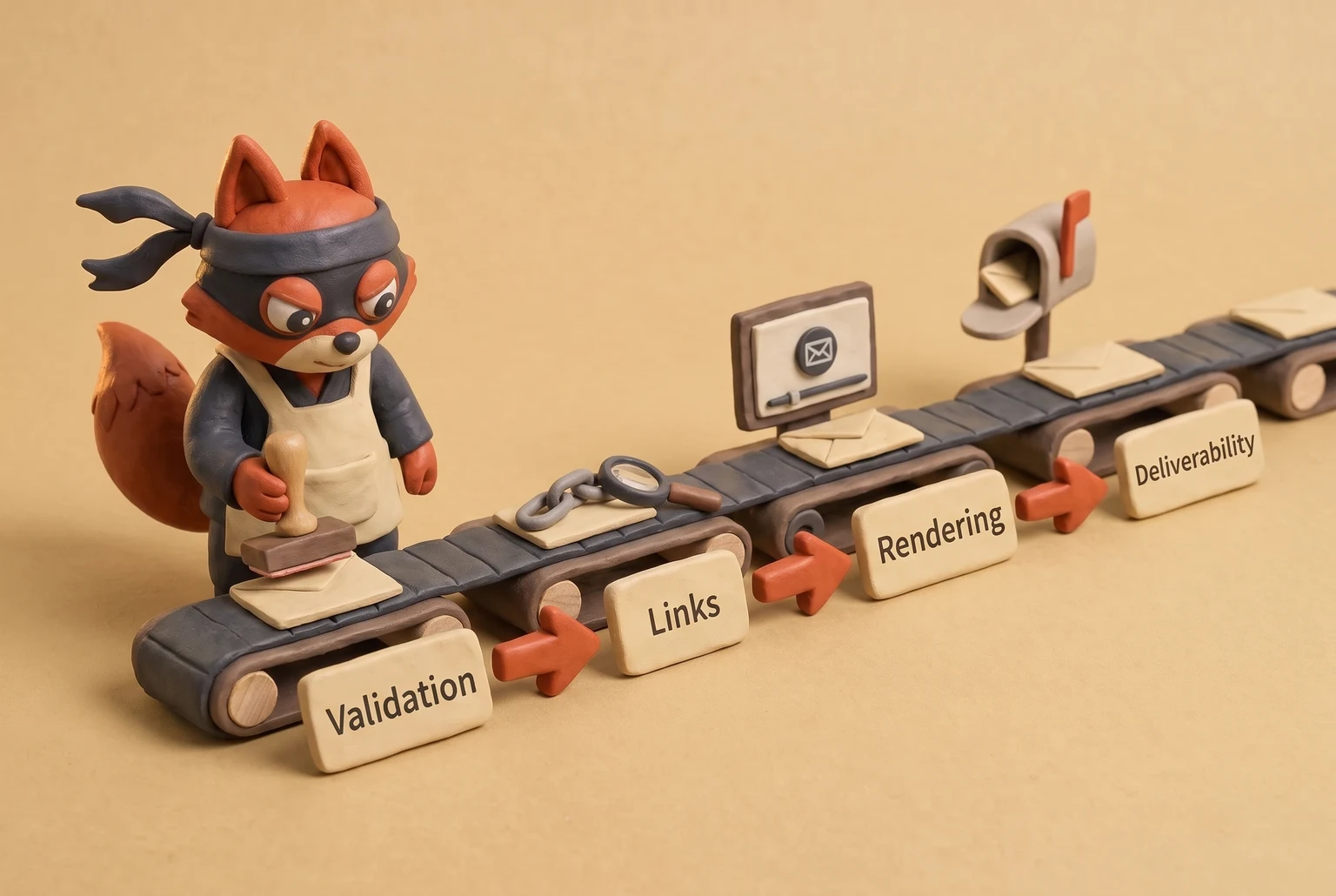
- Validate the recipient list first. Run every address through an API or bulk tool and remove Invalid, Disposable, and low-engagement Risky rows immediately. Verifox returns a status field per address in one call, so you can apply the deletion and quarantine rules from that column before touching anything else. Low-engagement Risky rows carry a soft bounce probability; deleting them now protects the sending domain's reputation.
- Check domains and MX records. A valid mailbox on a domain with no MX record is still undeliverable. Flag catch-all domains for special handling: suppress them unless they've opened or clicked in the last three sends. See Undelivered mail without a bounce. Don't waste link-check time on rows that will bounce when the domain accepts everything and routes mail nowhere.
Field note: On a recent client list, weak placement usually traces to stale permission: the address passes validation, but the recipient stopped engaging months ago.
- Run broken link detection on every URL. Do this after merge-field substitution, not on the template. The merge-field truncation mechanism is covered in the broken-link section. Check both HTML and plain-text versions, because plain text gets a raw link that the HTML version hides.
- Render test in Gmail, Apple Mail, Outlook desktop, and mobile dark mode. Those four environments cover the failures that actually happen: Outlook's desktop client still uses Word's rendering engine, Gmail clips long emails, and dark mode inverts backgrounds unpredictably. Screenshot each view and note where the layout breaks, but don't fix anything yet. Confirm that buttons remain tappable and that column stacks don't collapse on narrow screens.
- Run a spam score check with a SpamAssassin threshold of 5.0. Anything above that line needs a fix before send. Look for trigger words, a missing plain-text version, and oversized images that slow load and raise complaint likelihood. SpamAssassin's own rules flag missing List-Unsubscribe headers, long HTML-to-text ratio, and excessive link density before a send.
- Collaborative proofing with role-based personas. A developer reviews for broken merge logic, missing alt text, and malformed HTML. A marketer reviews for brand voice, offer accuracy, and clear call-to-action. A copy editor reviews for typos, broken sentence flow, and factual errors. Each role catches a different failure mode, so a single reviewer is not enough.
- Send seed tests to inboxes across providers. Verify delivery and tab placement, not just inbox presence. After the seed test, Google Postmaster Tools and spam-complaint feedback loops report the post-send spam-complaint rates and placement you can't see from a seed inbox. A message that lands in Gmail's Promotions tab instead of Primary is a deliverability outcome worth knowing before you send to the full list. Check Outlook focused inbox, Apple Mail, and at least one mobile client.
- Skip the paid render suite for step 4. Manual previews across those four environments catch the layout breaks that matter, and the time cost is lower than a subscription. A paid suite buys you automation, not accuracy.




How to Check Broken Links and Spam Score in Email Review
Automate broken link and spam score checks before the first human reads the copy. Broken links and high spam scores are deterministic enough to catch with tools, and neither should be discovered by a recipient clicking a dead URL or a mailbox provider filtering the send. If a person finds a broken link in the final proof, the review pipeline already failed.
How to Check Broken Links After Merge Substitution
Broken links almost never exist in the template you built. They appear after merge fields substitute values. A URL like https://app.example.com/confirm?token={{token}}&utm_source=review becomes truncated or incorrectly encoded when the merge field contains a character that breaks the query string. Run two checks. First, crawl the rendered HTML with a web crawler such as Dead Link Checker or Screaming Frog.
Point the crawler at the fully rendered version, not the source template, because that's where the substitution happens. Second, run the crawl again after dynamic merge fields are substituted with a test set of real recipient data. That second pass is where truncation shows up.
A truncated link rarely shows up in a preview in the lists I clean; it shows up after a mail client wraps the long URL and the tracking redirect gets cut off.
How to Check Spam Score Before Send
Spam score is the second automatable check. SpamAssassin assigns weighted rules and sums them into a score. SpamAssassin's own documentation sets the default flag threshold; at or above that threshold, the message is marked as spam.
Hosts and gateways routinely lower the required score below SpamAssassin's documented default, so I treat SpamAssassin's number as a ceiling, not a floor. For a new domain, use a stricter internal cut-off: with no sending history, a score that climbs toward that threshold can trigger upstream filtering before SpamAssassin's threshold even matters. Keep a new domain's score as close to zero as the copy allows.
One anti-pattern raises spam score consistently: URL shorteners and bare IP-address links. Filters read a shortened link as an attempt to hide the destination, and a raw IP address signals a sender without a proper domain reputation. Use the actual destination domain with UTM parameters appended for tracking. That keeps the link transparent to both the filter and the recipient, and it preserves your domain's click data.
When the score climbs, fix the usual contributors first: trigger-heavy subject lines, a missing plain-text alternative, oversized images, and link patterns that look evasive. Then retest. No human needs to eyeball a list of URLs; the crawler and the spam filter are faster and more consistent.
Manual vs Automated Email Review Tools
The validation status field settles the list. Now the question is whether a human or a script reviews everything else. Manual review wins on tone and workflow. It loses on anything deterministic: invalid addresses, broken merge links, client-specific rendering bugs. The right setup is a hybrid, with API validation for the list, shared preview tools for rendering, and seed tests for deliverability.

| Criterion | Manual review | Automated tools | Hybrid approach |
|---|---|---|---|
| Speed | One message at a time, minutes per email | Full list in seconds | Automation runs validation and links; a human reads tone |
| Scale | Breaks after a few hundred rows | Scales across full lists | Automation covers volume; a human reads only the final copy |
| Cost | No tool cost, heavy labor | Per-address validation, preview subscription, seed-test fee | Pay for validation and previews; spend manual time only on copy |
| Error catch rate | High for typos and tone, near zero for invalid addresses | Strong for status, links, and spam score | Strong across all failure modes |
| Rendering coverage | Misses client-specific bugs | Litmus or Email on Acid cover clients and devices | Automated previews run for every campaign |
| Deliverability insight | None | GlockApps or Mailtrap seed tests show placement | Seed tests run first; a human reads the results |
What manual review cannot do is scale or read code. A reviewer skips past the invalid address that looks well-formed, and that same reviewer misses Outlook desktop collapsing a two-column layout that held together fine in Gmail.
The tools earn their fee on the checks no one can eyeball reliably. For side-by-side comparisons, see our email tool comparison and the seed-testing guide. An API validation call flags Invalid, Risky, and Disposable rows across a full list in seconds.
A crawler pointed at the rendered HTML catches the destination that broke somewhere between the template and the mail client. A Litmus or Email on Acid preview hands the whole team one link instead of a folder of screenshots nobody opens, and every client-specific bug lives at that link.
Seed tests from GlockApps or Mailtrap answer a different question: which tab the provider picks, Promotions or Focused.
The decision rule is a workload boundary, not a published statistic. Under 100 addresses per month, paid validation tools are a bad buy: a single manual pass covers validation and basic link checks. Between 100 and 1,000 sent addresses per month, put validation and link checks on autopilot and keep one manual tone pass before send.
Over 1,000, that automation stops being optional, because a human cannot reliably inspect that many rows and links, and missed bounces will dent sender reputation. Rendering previews are always necessary for campaigns, because client-specific bugs don't correlate with list size.
Field note: The manual pass catches the awkward sentence. It has never caught a single catch-all domain.
Verifox carries the list layer alone, which is the layer where automation pays off first. Rendering and deliverability need their own tools.
Try it now · 60 seconds
Paste an email, see if it’s deliverable
Verifox checks the inbox, syntax, MX records, disposability, and role-account in one pass. Free, no signup needed for the first check.
No card required · 1,000 free credits at signup (2,500 work email) · credits never expire
Programmatic Email Review With the Verifox API
Put the validation call in your signup controller or CI job. A real-time check catches a bad address before the welcome email goes out, and a pipeline check catches a bad import before the campaign.
async function validateEmail(email) {
  const controller = new AbortController();
  const timeout = setTimeout(() => controller.abort(), 2500);

  try {
    const res = await fetch("https://api.verifox.com/v1/validate", {
      method: "POST",
      headers: {
        "Content-Type": "application/json",
        "Authorization": "Bearer YOUR_API_KEY"
      },
      body: JSON.stringify({ email }),
      signal: controller.signal
    });

    if (!res.ok) throw new Error(`HTTP ${res.status}`);
    return await res.json();
  } finally {
    clearTimeout(timeout);
  }
}
Call it with validateEmail("user@example.com") and branch on the result.
Expected response:
{
  "status": "valid",
  "reason": "mailbox_exists",
  "mx": true,
  "role": false,
  "disposable": false,
  "score": 0.95
}
status drives the send decision, and reason names the specific check behind it, like mailbox_exists. The three booleans each answer a different question: mx confirms the domain publishes mail exchange records, role marks a shared team mailbox rather than a person, and disposable marks an inbox built to be abandoned. score is the normalized confidence across those checks; treat it as a tiebreaker when a status sits between two categories.
Field note: In my builds, the timeout earns its keep. A hung validation call stalls the signup form, and a stalled form loses more signups than a false Risky flag ever will.
If the request times out or returns a 5xx, the signup path should queue the address for a retry and send a double opt-in confirmation before any campaign mail. The validation API returns the status; your workflow owns the fallback.
Risky and Catch-all each need a branch, never a delete. The first defers the address and allows the retry a single attempt; the second keeps the address parked until engagement proves the mailbox is live. In code, both statuses route to a queue instead of the removal path. Valid is the only status that proceeds without a branch.
Review Request Emails: Timing, Frequency, and Legal Compliance
The review-request trigger event is where I start, and the first thing I check is the suppression history. A review request email is its own workflow, separate from a newsletter. It fails in predictable ways: sent too early, sent twice, or sent without consent. Set it up as a triggered message with legal compliance built in, so the request fires from an event instead of a calendar. A calendar send ignores the transaction and can ask a prospect who never completed the purchase for a review.
Timing the request
The delivery-to-request interval is the first thing I set. Send the request immediately after the completed action: an order marked delivered, a support ticket resolved, a subscription renewed. Engagement is highest in that window because the purchase or resolution is still in the recipient's mind. If an order delivers on a Tuesday, the request goes out that Tuesday afternoon, not in next week's newsletter.
A lag longer than seven days turns a warm ask into a cold email. The seven-day window is a practical deadline, not a legal one, and it marks the point where the transaction memory fades and the ask feels out of place. Beyond that, the request reads as spam and the unsubscribe rate climbs.
Field note: A triggered email that waits seven days stops being triggered; it becomes a newsletter with a stale subject line.
Frequency caps
The next thing I check is how many times the same order gets asked. No more than one request per transaction, ever. A second request for the same order is a complaint generator and teaches the mailbox provider that you don't respect unsubscribe signals. Include a working list-unsubscribe header and a visible opt-out link in every request. If a recipient opts out, suppress them from all future review requests, permanently. Skip the scheduled blast to the whole review list. It is a compliance risk and a reputation risk.
Legal compliance checklist
- Legal compliance has to be built into the template from the start, not bolted on later.
- Under CAN-SPAM, every review request must include a physical postal address and a clear sender identity. See CAN-SPAM Act: A Compliance Guide for Business.
- A from name like "Reviews Team" without a real company name fails that test.
- The address must be a valid postal address where you can receive mail.
- Under GDPR, you need a lawful basis.
- Legitimate interest is defensible for post-purchase review requests, but consent is cleaner if you can get it at checkout.
- Legitimate interest requires a documented balancing test, so if you can't show one, ask for consent at checkout.
- Provide access and deletion rights: the recipient must be able to see what you hold and ask you to delete it.
- If you offer an incentive for a review, the FTC requires that the reviewer disclose the incentive.
- A discount code in exchange for a review without a clear disclosure is a deceptive practice under both FTC rules and most consumer protection laws.
The failure mode of ignoring these rules is a complaint, not a bounce. Review requests draw complaints the moment a recipient reads the ask as spam, and a complaint spike on a new domain hurts more than a bounce spike because it signals the content itself is unwanted. Set the trigger, cap the frequency, and bake in the legal text.
Review-request opt-outs are irreversible. A re-subscribe requires a new consent event, never a re-add. That is the difference between a request email that gets a reply and one that gets a spam complaint.
Email Review FAQ
What is email review?
Review answers one question: will this email reach an inbox?
Four checks answer it, in this order: validation, links, rendering, deliverability. Proofreading catches typos; review catches a dead mailbox, a broken merged field, or an Outlook layout collapse before they cost you sender reputation. For B2B lists, the first move is always the validation status per address. Clean rows advance to link and rendering checks; dirty rows land in quarantine or the delete pile.
Why is my email not valid?
Three fixable failures make an address invalid: malformed syntax, a dead or parked domain, or missing MX records. Check syntax against RFC 5322 for a missing @ or illegal characters. Then run a DNS lookup to confirm the domain resolves. Then query the MX record; a domain without an MX record cannot deliver mail. Fix syntax by re-importing the column cleanly. Swap dead domains for a reachable address you've confirmed. Suppress MX-less rows until DNS is fixed.
How do I check if an email address is valid?
For a one-off address, skip the API and run a manual syntax check plus an MX lookup. Lists are different: eyeballing misses catch-all and disposable domains, and a DNS lookup won't tell you whether the mailbox accepts mail. An API validation call checks syntax, domain, and mailbox existence in one request and returns a status per row, so nothing depends on a reviewer's attention. Run it on every new import and signup form before the campaign.
What causes an email to go to spam?
Four review misses cause spam placement: unvalidated addresses, broken links after merge substitution, a high spam score, and low engagement. Invalid rows drive bounces, which damage sender reputation. A broken merge-field link doesn't trip filters directly, but recipients hit spam or unsubscribe, and providers read that behavior.
A SpamAssassin score above the default threshold triggers filters. Low opens and replies teach providers the mail is unwanted. Fix them in sequence: clean the list, crawl the rendered links, score the message, then suppress the segments that never engage.
How often should I review my email list?
Before every campaign, and run a full validation at minimum quarterly. ZeroBounce's email list decay study puts average list decay around 28% per year, so a list that sits unvalidated for six months has already lost deliverable addresses. Whenever signups, imports, or a new segment definition changes the audience, that batch gets its own pass before it touches your sending domain. Re-review any segment that hasn't been mailed in 90 days.
Field note: Quarterly validation is where decay stops being a statistic and becomes a row count.
Can I review email rendering for free?
Yes, free previews cover the basics but miss client-specific bugs. Gmail's preview, Apple Mail, and a mobile dark-mode screenshot catch layout errors without a subscription. What they can't show you is Outlook desktop, which renders through Word's engine and drops CSS that every other client honors. For a Gmail-only send under a few hundred rows, manual previews are enough; skip the paid suite. For any campaign with Outlook recipients, budget for a Litmus or Email on Acid preview or accept the layout risk.
Do review request emails need unsubscribe?
Yes, every review request is commercial email, so it needs a working unsubscribe link plus a list-unsubscribe header. CAN-SPAM wants three things: an opt-out that stays live for 30 days, your real postal address, and a sender identity the reader can trace. GDPR adds a lawful-basis requirement, such as legitimate interest or consent, plus the rights to see and delete the data you hold. Add the header to your transactional template, keep the postal address in the footer, and treat opt-outs as permanent. For EEA recipients, document the lawful basis you rely on.
Run the seven validation statuses on today's import before anything else, then spend rendering review time on rows that can actually receive mail.
Conclusion: Build an Email Review Process That Compounds
The status glossary above names the failure modes, and they share a fix: automate validation inside the signup path instead of running a quarterly list scrub. Teams that review before every send should expect to see deliverability gains build over time. My workflow starts with one API call, then the cleanup rules above.
I'd put the signup-path status check first because it blocks Invalid, Disposable, and Risky addresses before they can create bounce triage and list repair work. I base that on the Verifox API study: I ran a batch of real addresses through the API and published the anonymised status distribution, bounce reduction, and time saved.
I recommend running the Verifox API call on your most recent 100 signups and removing Invalid, Disposable, and Risky addresses before the next send. From there, every new signup inherits the same status check. After that cleanup, I also recommend making validation status a required field before any campaign send.
That future state is an email review loop that runs itself and keeps sender reputation intact.

I'm an AI researcher and founding engineer focused on what happens after the base model: grounding, evaluation, human control, and reliable deployment. At Harvard Business School's AI Institute, I build research platforms and LLM measurement pipelines: a six-condition human-AI negotiation experiment platform, and an LLM pipeline that mapped problem statements from 88,000+ startups, validated against 331 founder interviews. Previously I built the agent backend and real-time voice AI for CareCorgi (FastAPI / Gemini / GCP), and co-founded Zumer, an externally audited DeFi protocol on Ethereum mainnet. The common thread: turning ambiguous human problems into instrumented AI systems with structured outputs, behavioral evaluation, and production safeguards. First-author publications at CHI and CHIWORK. Open to Applied Scientist / AI Engineer roles.