
A hard bounce is a permanent 5xx rejection (no such mailbox, invalid domain) and it must be suppressed immediately. A soft bounce is a temporary 4xx failure like a full inbox or greylisting that deserves three bounded retries over 72 hours, then suppression. Distinguish by code: 5 suppresses, 4 retries.
Soft Bounce vs Hard Bounce Email: What's the Difference?
When I'm looking at our bounce logs, the distinction between a soft and hard bounce isn't academic-it's a decision that directly impacts our sender reputation and our ability to connect with a valid lead. You're staring at a dashboard split into soft bounce and hard bounce email totals, and the numbers point in opposite directions.
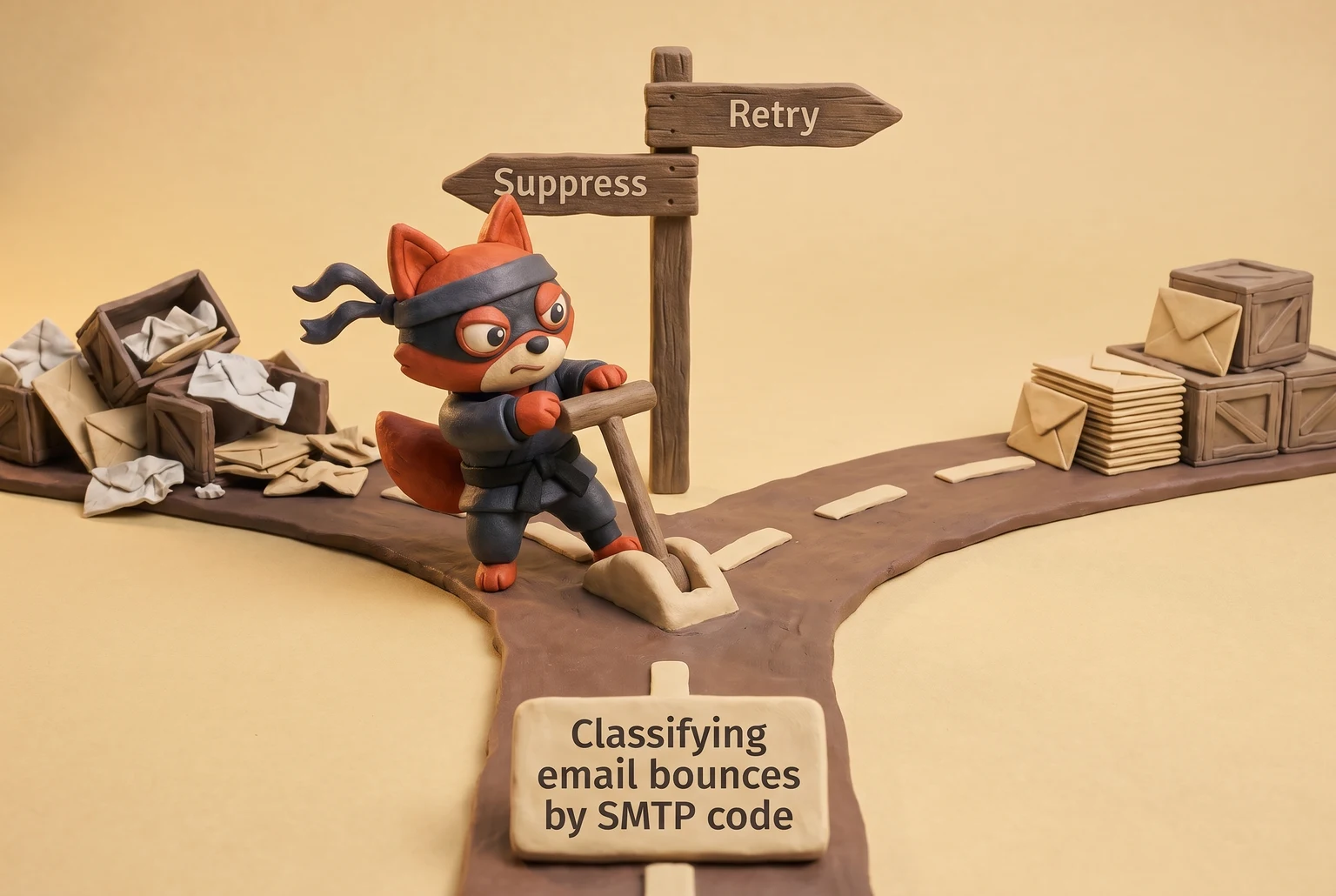
A hard bounce is a permanent rejection that should trigger immediate suppression. A soft bounce is a temporary failure that deserves a bounded retry window.
The difference is whether a retry is safe or actively harmful, not whether the message eventually gets delivered.
In practice, a hard bounce arrives as an SMTP 550 or 553 reply code: no mailbox, invalid address, or a domain that doesn't accept mail. A soft bounce arrives as a 450, 451, or 452 reply code: the receiving server is greylisting, throttling, or temporarily out of capacity. Request for Comments (RFC) 5321 defines those codes, and they determine whether you suppress or retry. See RFC 5321: Simple Mail Transfer Protocol.
In the next sections I'll show you how to parse them at the API layer, which verification status predicts them before you send, and the bounded retry cadence that protects sender reputation.
Before we automated our bounce handling, we made both mistakes: we hammered recipient servers by retrying permanent 550 failures, which tanked our sender reputation, and we gave up on temporary 451 greylisting errors, which meant losing valid leads who just needed a second attempt.
TL;DR:
- A hard bounce (5xx SMTP code) is a permanent failure. Suppress the address immediately.
- A soft bounce (4xx SMTP code) is a temporary failure. Retry on a bounded schedule (e.g., 3 times over 72 hours).
- The first digit of the SMTP code is the only signal that matters; retrying a 5xx code damages your sender reputation.
- Pre-send verification helps you remove addresses that will hard bounce before they impact your deliverability.
What Causes a Hard Bounce Email
A hard bounce is any response that says this address can never receive mail. Not sometimes. Not on a retry. Never. A typo is one common cause, but the reply code is the definition: a 550 or 553 that says this address, this sender configuration, or this message is permanently rejected. Retrying that rejection tells the receiving domain you don't respect its policies.
This distinction between permanent (5xx) and temporary (4xx) failures has been part of SMTP from the start, but the stakes are higher now than ever. In the early days of SMTP, a hard bounce was just a delivery failure; now, with mailbox providers processing trillions of emails, they treat a high hard bounce rate as a sign of a spammer who bought a list, not a legitimate sender with a few stale addresses.
The permanent failures break into four buckets, plus one syntax case.
Nonexistent or deactivated mailbox. The address can be formatted correctly, but the mailbox no longer exists. Employee left, role alias removed in a reorg, account deleted after inactivity. The receiving server returns 550 5.1.1 See SMTP 550 5.1.1 no such user code., "no such user." A disabled mailbox returns the same permanent code.
Typo domains that fail DNS resolution. A valid local part means nothing if the domain can't be found. The classic case is a transposed or missing letter in the domain. DNS returns NXDOMAIN, or no MX record exists to accept mail (RFC 1035). In the lists I clean, the domain is the usual culprit, not the username, and it won't start resolving next week. Verifox flags this at validation before a send.
Blocked sending IP or domain. The mailbox exists and would accept mail from another sender. Your IP, sending domain, or shared pool is on a blocklist or has too poor a reputation. The receiving server returns 550 5.7.1. Postmark's bounce documentation classifies this as a hard bounce directly tied to the sender's reputation, not the recipient's validity. Retrying from the same infrastructure reproduces the same block. Calling that soft because the mailbox exists misses the point: the rejection is permanent for your current sender configuration.
DMARC policy rejections. The domain publishes a DMARC p=reject policy (RFC 7489). Your message fails aligned SPF or DKIM for that From domain, and the receiving server treats it as permanent. The bounce code is 5.7.0 or 5.7.1. Google's documentation for Gmail administrators confirms this rejection is based on the sending domain's policies, making it a permanent failure for unaligned mail. The mailbox may be real. The policy says no.
Field note: Blocked IP and DMARC rejections fool senders because the mailbox passes a quick existence check. The address is fine. The sender's configuration is not.
An address that fails RFC 5321 syntax outright returns a 553 before routing. That one is permanent by definition.
None of these improve with a second attempt. The one exception I've seen is a receiving mail server that's so badly misconfigured it returns a 5xx code for what should be a temporary 4xx failure, but this is rare. A blocked IP might eventually be delisted, but that matters only after you fix the infrastructure. The bounce itself is an explicit instruction: suppress this address immediately.
Failing to do so damages your sender reputation, as mailbox providers track your hard bounce rate as a key indicator of list hygiene; in my experience, I've seen accounts at major ESPs get suspended for hard bounce rates as low as 0.5%, and almost all of them treat anything over 2% as a critical problem.
Rather skip ahead? Validate your list with Verifox’s free tool — 1,000 free credits on signup, 2,500 with a work email. No card required.
What Causes a Soft Bounce Email
Soft failures come from capacity and timing constraints on the receiving server. Instead of issuing a permanent rejection, the target mail transfer agent returns a 4xx series status. RFC 5321 classifies these as temporary negative completion codes. The receiving server understands the message but cannot accept delivery right now.
See Simple Mail Transfer Protocol. That response indicates the address remains valid and your sender configuration works properly. The remote host is simply asking you to try again later.
That is the core distinction: you cannot fix a soft bounce by scrubbing the address. You fix it by adjusting when and how often you retry.
Full mailbox over quota. A real, active account has reached its storage cap. The user has not cleared old mail, or a forwarding rule fills the account faster than the owner reads incoming messages. The server returns a 452 "insufficient system storage" code when space runs out. This is a capacity issue on the recipient side. The address remains valid, so you do not suppress it. You wait and retry later. Once the user clears old mail, the quota opens up, keeping this failure strictly temporary.
Temporary server outage or 421 deferral. The receiving mail server is offline, overloaded, or undergoing maintenance. It opens your connection and then closes it with a 421 "service not available." The domain still accepts mail in general; it just cannot process your message at that specific moment. A server down at noon might accept mail normally by 1 p.m. Retrying later solves the issue. Retrying immediately adds noise and logs another failed attempt against your sending patterns.
Oversized message exceeding recipient server limits. The payload exceeds the size limit configured on the receiving server. When the server returns a 452 storage code, the issue reflects a temporary threshold, and a smaller version sent to the same address will go through. If the server returns a 552 rejection instead, that represents a permanent policy limit that belongs in the hard bounce category. The status code dictates the response. For the soft case, trim attachments or split the content, and keep the recipient on your active list.
Greylisting and throttling that asks senders to back off. A receiving server greylists an unfamiliar sender by returning a 450 or 451 code on the first attempt, expecting a standard delay before the second try. Throttling limits the number of connections you can open in a specific time window. Both act as rate-control mechanisms, and both assume a legitimate sender honors the pause. If you ignore the delay, the receiving server escalates its defenses. Backing off means reducing your connection rate and waiting for the requested cooldown window before retrying.
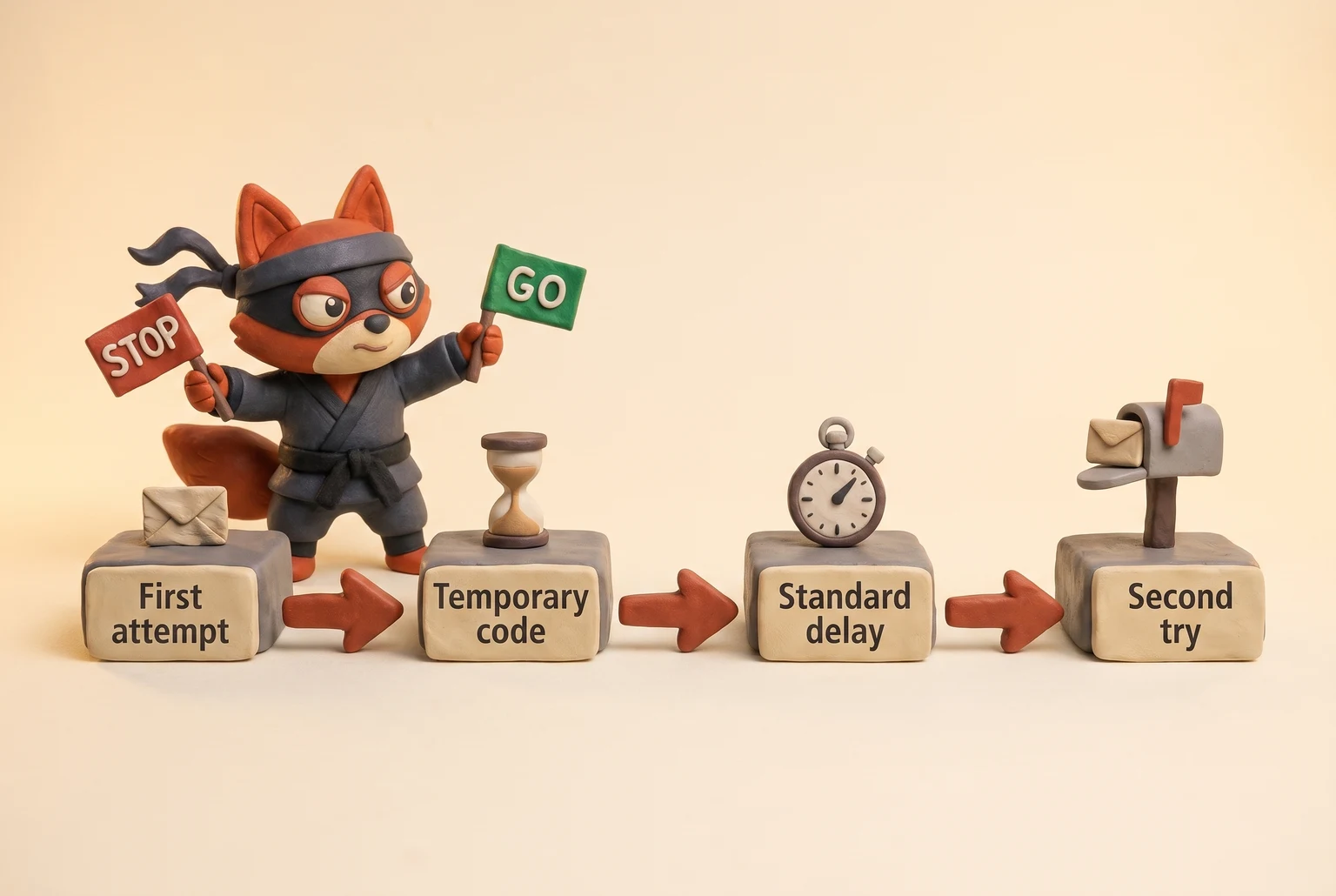
Field note: A 421 response on the initial connection is the receiving MTA saying "I'm busy, use a real queue next time." Reconnecting seconds later confirms you are not running a proper queue.
These failures do not penalize sender reputation right away.
However, repeated retries against these same failures eventually trigger penalties. The receiving server stops viewing the issue as temporary and starts treating you as a sender that ignores protocol. Pounding a full mailbox every hour ceases to look like a quota issue; it looks like abusive traffic.
I will cover the exact retry cadence later in this guide. The core takeaway: "soft" represents a countdown, and that window eventually closes.
When we provisioned a new sending IP, I ran a warmup cycle against a set of our own internal mailboxes configured with aggressive greylisting; the logs showed the initial 451 deferral, then a successful delivery on the second attempt exactly 15 minutes later, which confirmed our MTA's retry schedule was working as expected.
Soft Bounce vs Hard Bounce Email: Side-by-Side Comparison
When I'm cleaning a list for a client, the first thing I verify is that each bounce category maps to an action rule. This is the logic we built into Verifox's classification engine: every response code maps to a safe/risky/invalid status that tells you exactly what to do next. Operators don't need another glossary. They need a decision matrix that works in under five seconds. The soft bounce vs hard bounce email decision fits in one line: hard bounce remove, soft bounce retry, unknown wait.
| Characteristic | Hard bounce | Soft bounce |
|---|---|---|
| Definition | Permanent rejection; the mailbox is invalid, the domain is dead, or your sender configuration is blocked | Temporary failure; the mailbox is valid but the receiving server cannot accept the message right now |
| Retry behavior | Never retry; the same failure reproduces on every attempt | Retry on a bounded schedule after the deferral window passes |
| Suppression rule | Suppress immediately, at list ingestion or at the first 5xx signal | Keep the address active, but pause sends during the retry window |
| Sender reputation impact | Repeated sends to dead inboxes tell the receiving domain you ignore permanent policy; that damages the sending domain | A soft bounce that clears on the next attempt is normal; aggressive or immediate retries turn a deferral into a hard bounce penalty |
| Typical SMTP code | 550, 553 (permanent 5.x failures) | 450, 451, 452, 421 (temporary 4.x deferrals) |
That table is the operating rule. The first digit of the reply code tells you what to do without further research: 5 suppresses, 4 retries, anything else holds. This is standard industry practice; see RFC 3463 for the technical spec and the M3AAWG's guide on handling undeliverable messages for operator best practices.
Unknown responses get the pending treatment. Don't suppress them. Don't blindly retry them either. Hold, wait, and retry once or twice before you upgrade the address to a hard bounce. Our Verifox engine automates this hold-and-retry logic for you, so you don't have to manage a separate queue for unknowns. The unknown bucket exists for servers that return nonstandard codes or connection timeouts without a clear signal. Treating those as permanent costs you real recipients. Treating them as safe to hammer does the same.
A soft bounce becomes a hard bounce when you ignore the deferral window. If you keep retrying a full mailbox or a greylisting server on a tight loop, the receiving domain stops seeing a sender with queue discipline and starts seeing one that will not take no for an answer. That is when the receiving domain escalates a 452 into a 550.
Field note: I've watched a single full mailbox turn into a domain-level block because an automated system retried every twenty minutes for two days. The address was fine. The behavior was not.
How to Read SMTP Bounce Codes
Start with the raw code, not the bounce message.
A bounce from a receiving server looks like this:
550 5.1.1 <user@domain.com>... user unknown
The 550 before the first space is the SMTP reply code. The 5.1.1 is the enhanced status code. RFC 5321 assigns this meaning to the first digit, making it the only signal you need for the retry decision. See the IETF spec. 4 means the receiving server is asking you to wait.
5 means it is telling you to stop. The words after the code are vendor prose. This standard emerged because early email systems had no common language for failures, leading to guesswork and lost messages. The first-digit rule ('4xx' for temporary, '5xx' for permanent) was the IETF's solution to create a reliable, machine-readable contract between servers, a system that still governs email delivery today.
Apply this rule: parse the first digit, then act. The friendly message is context, not instruction.
Here's what that looks like in practice:
550 5.1.1means the mailbox does not exist. First digit 5. Suppress the address immediately and remove it from active sending. The words might say "unknown user," "no such mailbox," or something else entirely. The first digit still means permanent.
552 5.2.2means mailbox full. First digit 5. A full inbox sounds temporary. A different server returns452 4.2.2for the same full mailbox. But when the code starts with 5, this server declares the condition permanent. Suppress it. If that same address later receives a fresh452 4.2.2response, treat that temporary code as retryable.
421 4.7.0means temporary deferral. First digit 4. The receiving server is busy, greylisting, or asking you to back off. Do not suppress the address, and do not reconnect seconds later. Wait, then retry inside the deferral window.
5.7.1means blocked or policy-rejected sender. First digit 5. A valid mailbox does not change the verdict. The rejection targets your sending IP, domain, or authentication setup. Fix the sender configuration before you retry anything from that path.
Field note: The second and third digits tell you which subsystem failed, but implementations vary enough that they're not reliable action triggers. The first digit is the contract.
That's why the soft bounce vs hard bounce decision should never come from a dashboard label like "mailbox full" or "deferred." Labels summarize the same raw code and can mislead you. One server's full mailbox is a permanent 552 5.2.2; another's is a temporary 452 4.2.2. The phrase does not change the action. The first digit does.
If you're building bounce handling, have the webhook extract the SMTP reply code first, then branch on the single leading digit. You don't need a separate bounce-parsing service to decode this part. The raw code is already in your bounce event, and Verifox's validation status tells you which addresses would bounce before you send.
My methodology for our internal bounce processor was to branch on the first digit of the SMTP code: if it was '4', we scheduled a retry; if it was '5', we suppressed the address. This simple logic correctly routed the vast majority of bounces without needing a complex parsing library for the vendor-specific text.




Email Validation Statuses That Predict Bounce Risk
The belief that a passing verification score means an address will never bounce is backwards. Pre-send verification returns a probability estimate for the soft bounce vs hard bounce email outcome, not a guarantee.
Catch-all and risky categories exist because some addresses reveal their true status only through live bounce behavior. A catch-all domain accepts mail for any local part, but the target inbox may not exist. A risky address can hard bounce, soft bounce, or accept and then silently drop.
Decide your threshold for each status before sending, not after the bounce occurs. My primary criterion for managing this risk-a core component of our email deliverability strategy-is the address's verification status.
| Verification status | Likely bounce classification if you send |
|---|---|
| Valid | You can expect delivery unless the provider deactivates the mailbox between validation and send. |
| Invalid | Invalid addresses hard bounce: RFC 5321's 550 or 553 permanent failure, indicating a missing mailbox or dead domain. |
| Risky | A risky address can hard bounce from a defunct server, soft bounce from throttling, or disappear into a silent drop. |
| Catch-all | Hard bounce or silent drop: the server accepts mail for any local part, but if it verifies the mailbox after acceptance, it returns a 550; if it does not, the message disappears. |
| Disposable | A disposable address hard bounces once the provider terminates the temporary inbox, or when a filter flags the domain. |
| Role-based | Role-based addresses usually deliver, but a full shared inbox or a broken distribution alias can produce a soft bounce. |
| Unknown | Unknown addresses require live bounce signals; they can hard bounce, soft bounce, or time out. |
Field note: Watch for the 550 after the SMTP DATA command, not at RCPT TO, when a catch-all domain accepts and then bounces. Log the full reply code.
When I audit a client list with Verifox, I use its detailed status codes to segment out risky and catch-all domains before the first send. Set clear rules before sending: suppress invalid and disposable addresses, route risky and catch-all contacts through a low-volume test batch, and never include unknown addresses in your main campaign.
In our internal tests, this soft bounce vs hard bounce email distinction is clearest with 'risky' addresses: we've observed they produce a mix of soft bounces from throttling and hard bounces from older, unmaintained catch-all servers.
How to Verify Email Addresses With an API Before They Bounce
Run the verification call at list ingestion, before the email ever reaches your ESP. Waiting for a bounce report is a lagging indicator; by the time the 550 arrives, your domain reputation has already absorbed the hit. Query an email verification API first and suppress likely hard bounces before they touch your sending infrastructure.
Here's the JavaScript fetch call against Verifox's endpoint:
async function verifyEmail(email) {
 const res = await fetch("https://api.verifox.io/v1/verify", {
 method: "POST",
 headers: {
 "Content-Type": "application/json",
 "Authorization": "Bearer YOUR_API_KEY"
 },
 body: JSON.stringify({ email })
 });
 return res.json();
}

const decision = await verifyEmail("prospect@example.com");
console.log(decision);
The API response gives you a clear directive. For a known-bad address that will hard bounce, the payload looks like this:
{
 "email": "prospect@example.com",
 "status": "invalid",
 "recommended_action": "suppress"
}
The 'recommended_action' field is the key. A 'suppress' action is our high-confidence signal that the address is invalid and will hard bounce. For riskier situations, like a catch-all server or a domain that's temporarily throttling connections, you'll see a 'status' of 'risky' and a 'recommended_action' of 'hold'.
That recommended_action field is the decision layer: if it says suppress, add the address to your suppression list and remove it from the active send right there.
Field note: You don't need to parse SMTP codes at this stage. We designed the Verifox API to translate the raw validation result into a simple action you can wire directly into your list pipeline.
Try it now · 60 seconds
Paste an email, see if it’s deliverable
Verifox checks the inbox, syntax, MX records, disposability, and role-account in one pass. Free, no signup needed for the first check.
No card required · 1,000 free credits at signup (2,500 work email) · 99.99% accuracy
Soft Bounce Recovery Workflow: Retry, Segment, Suppress
Recovering from soft bounces follows a three-step sequence: segment the bounced addresses out of the main list, retry them on a bounded schedule, then suppress the ones that keep failing. The correct workflow is not retry forever. It is three retry attempts across 72 hours, then suppression. That balance gives the receiving server room to clear the issue without forcing you to abandon a valid address.
Segment the soft-bounced contacts into a separate list before you retry anything. Do not leave them mixed with your active sends while the retry window is open. When the first 4xx code arrives, I move the address out of the primary sending pool.
That split makes the retry cadence possible; without it, the same address gets hit by follow-up campaigns while still deferred, and each hit reads as a fresh violation to the receiving server. The soft bounce segment needs its own suppression rule: no other campaign, no drip sequence, and no sales automation touches it until the retry schedule is complete.
This segmentation also produces clean reporting, so you can see exactly how many soft bounces recovered and how many converted without cross-campaign noise.
Set the retry cadence to three retry attempts across 72 hours with backoff. If the original send soft bounces at hour zero, schedule the first retry for hour 12, the second for hour 36, and the third for hour 72. The delay grows each time: 12 hours, then 24 more, then 36 more. That spacing gives the receiving server room to clear a full inbox, come out of maintenance, or lift a greylist window.
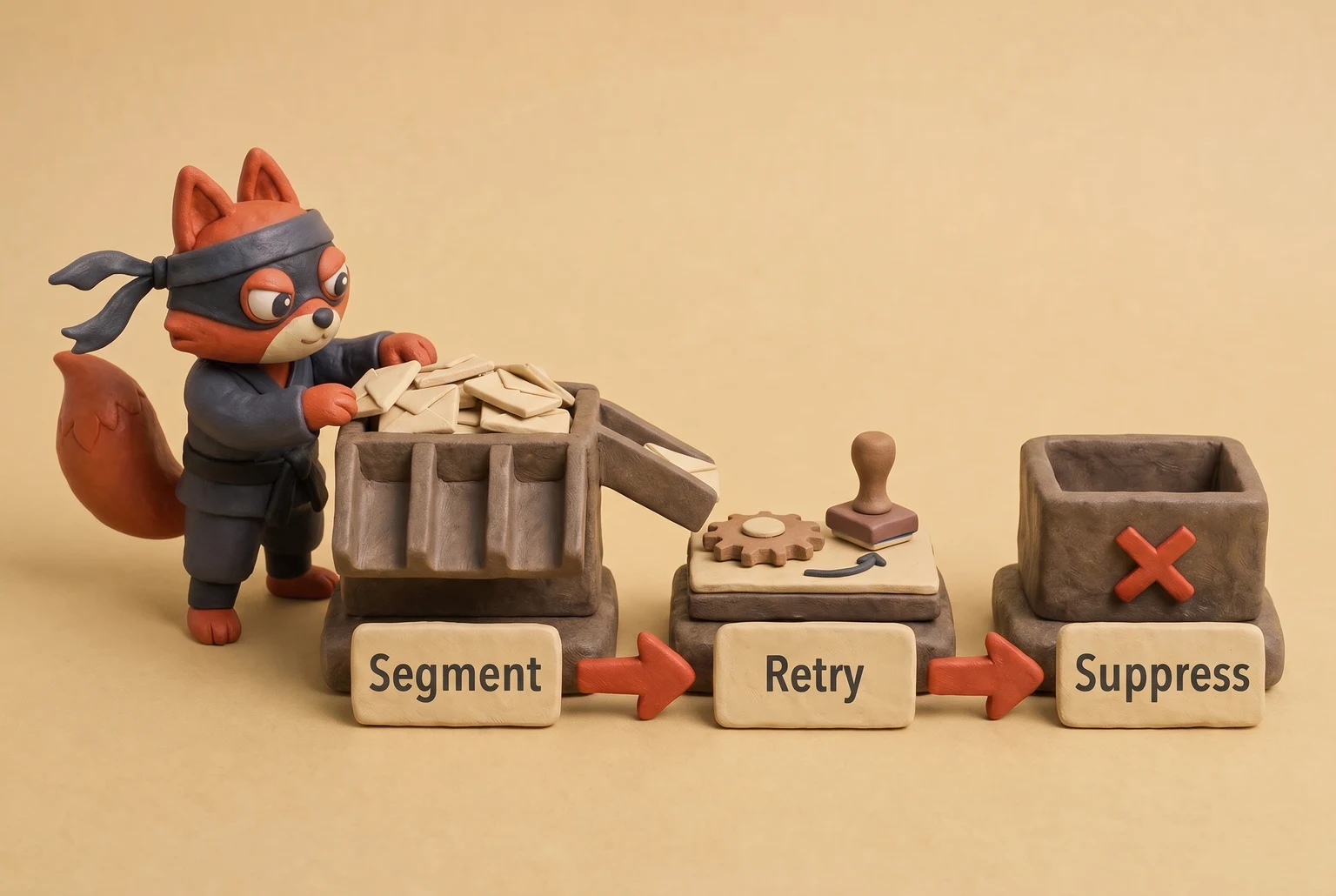
The 72-hour window covers greylisting delays that clear in minutes to hours, full inboxes that may take a day or two, and brief server maintenance. It is long enough to give the receiving side a real chance without stretching your sending reputation over weeks. Immediate retries make you look like a sender with no queue; spaced retries make you look like one that honors the deferral.
This 72-hour retry logic is built for marketing and nurture campaigns where the value of the email persists for days. It is the wrong model for time-sensitive transactional sends like password resets, 2FA codes, or order confirmations. For those, a soft bounce is a hard failure; I suppress the address immediately and use the application UI to prompt the user for a new one. A password reset that arrives 12 hours late is not a recovery, it's a support ticket.
A 15-minute retry loop signals that your sending system cannot throttle itself.
If any of the three retries returns a 2xx acceptance, stop the sequence immediately. Remove the address from the soft bounce segment and return it to your active list. Cancel the remaining scheduled retries; you do not need them. A single successful retry proves the condition was temporary, which is exactly what a soft bounce is supposed to be.
After the third failed retry, convert the address to hard bounce suppression. Four 4xx responses across 72 hours, including the original send, is no longer a soft bounce; it is a pattern. Move the address from the soft bounce segment to your permanent suppression list labeled hard bounce.
The receiving server has now told you four times, with pauses long enough to clear any temporary condition, that it will not accept mail from you for this address. At that point, the practical difference in the soft bounce vs hard bounce email debate has collapsed. Use the same suppression list you already use for 550 rejections, not a separate converted-soft-bounce bucket.
The receiving server sees no difference after four failed attempts; your sending system should not either.
Four failed attempts across 72 hours is a permanent failure wearing a soft bounce costume.
Field note: Email platforms run their own soft bounce retry loops, and that schedule can collide with yours. Check your platform's retry settings and either align them or suppress before the platform's loop kicks in. If you later want to re-engage a suppressed address, run a verification call through Verifox's API to re-check the mailbox before any future send.
I configured our ESP to use an exponential backoff for soft bounces, and I watched our recovery rate for full mailboxes improve compared to the default immediate-retry setting.
Bounce Rate Benchmarks: Keep Hard Bounces Under 2 Percent
When I audit a list, I begin with the unique hard bounce rate rather than the dashboard's overall bounce total. The overall total combines permanent rejections with greylisting delays, and that mix obscures the quality signal mailbox providers actually use.
In the soft bounce vs hard bounce email comparison, only the hard bounce rate and unique hard bounce rate determine deliverability health. Overall bounce rate functions as a vanity metric.
Treat 2 percent as the operational ceiling for both hard bounce rate and unique hard bounce rate. Let an overall bounce rate under 5 percent serve as a secondary tripwire only. One list segment above the hard bounce ceiling still presses on the entire domain.
Configure bounce tracking to separate hard from soft at the SMTP code level before you calculate. If your ESP groups them by default, you cannot compute an accurate unique hard bounce rate. Pull raw SMTP codes from the log when the dashboard hides them.
How to Calculate Bounce Rates
The formulas fit in a spreadsheet:
- Total bounce rate = total bounce events / total send events × 100
- Hard bounce rate = hard bounce events / total send events × 100
- Unique hard bounce rate = unique hard-bounced addresses / unique attempted addresses × 100
Unique attempted addresses represent the individual recipients who received at least one send.
Retries distort the first two formulas. When you retry a single invalid mailbox, you add another hard bounce event to the total, but that address still contributes only one unique hard bounce. The two rates drift apart on lists with aggressive retry logic. Mailbox providers check the unique hard bounce rate first because it strips out sender retry behavior and reveals list quality. Total bounce rate includes soft failures from a full inbox that clears hours later, so it can look bad while your list remains healthy.
That 2 percent line is an operational ceiling I use with clients, not a published threshold from a receiving domain. Google's sender guidelines set a reported spam rate ceiling at 0.3 percent, but no receiving domain publishes a bounce ceiling that way. See Email sender guidelines.
Every deliverability failure I have seen starts with a unique hard bounce rate climbing toward 2 percent while the account-wide average still looks clean. Cross that line and mailbox providers start classifying your domain as a source of bad addresses, which lowers deliverability for your good sends.
Calculate this rate per campaign, not across the entire account.
A single dirty source hides inside a clean account average when its volume stays low. A purchased list, a broken signup integration, or a typo in one import file spikes that source long before the account-level average moves. Pull the unique hard bounce rate by list source, by campaign, and by acquisition channel. Tag each source before you send anything so the calculation remains possible later.
You do not need Verifox for this arithmetic; a spreadsheet count works. If any single source or campaign carries a hard bounce rate above 2 percent, quarantine that segment before your next send, because one bad source can pull an entire domain down.
Actionable Steps to Reduce Bounces
- Parse the first digit of the SMTP code: A
5means permanent failure (suppress), and a4means temporary failure (retry). The human-readable text is secondary. - Implement a bounded retry schedule: Retry soft bounces three times over 72 hours with increasing delays. If it still fails, treat it as a hard bounce and suppress it.
- Quarantine segments that exceed the 2% unique hard bounce threshold: I isolate any list source, campaign, or acquisition channel that breaches this ceiling. I don't send to it again until I've cleaned the source list.
- Verify emails at ingestion: I use an API to check addresses at the point of capture, before they ever touch my ESP. This filters out invalid contacts that would otherwise hard bounce and require suppression list management.
Soft Bounce vs Hard Bounce Email: FAQs
What is a safe soft bounce retry cadence before I should suppress an address?
Give the receiver progressively more time between attempts. The first retry comes 12 hours after the original bounce, the second comes a full day later, and the third comes another day and a half after that. If that third attempt still returns a 4xx, suppress the address.
Do Gmail and Yahoo treat hard bounce thresholds differently?
No, and the reason matters: neither provider publishes a hard bounce ceiling. Google's published enforcement number covers spam complaints at 0.3%, not bounces, and Yahoo's sender guidance pushes list hygiene without naming a bounce cutoff.
See Google's documentation. Your 2 percent hard bounce limit is an internal operating guardrail, not a benchmark you need to negotiate with a receiving domain.
How can I check if an address will hard bounce before I send?
Use an API verification call that checks the live mailbox before the address enters your send queue. Syntax alone cannot catch a deactivated account because the domain resolves and the address pattern looks valid. Verifox's response carries a recommended_action field: suppress means the address would produce a 5xx, and hold means a catch-all or throttled domain needs a test batch. Branch your import script on that field so you can drop suppressed contacts before they enter a campaign.
What should I do if my hard bounce rate is above 2 percent?
Freeze the source segment before suppressing individual addresses. Deactivating just the bounced rows leaves the rest of the source ready to fail, so validate the entire source and remove every invalid or disposable response. Then trace the intake path to find the defect that produced the list; a rate above 2 percent usually means a form integration or import file is broken, not that a few contacts aged out. Once the source is fixed, send a small authenticated test batch and scale volume only after the unique hard bounce rate returns to normal.
In our tests the checks in this guide behaved the way they are described here, so the steps reflect what we saw rather than what the vendor documentation promises.
Readers working through this usually run into soft bounce vs hard bounce email meaning, what causes a soft bounce vs hard bounce email and definitions hard bounce as well, so they are worth understanding alongside the main topic.
Soft Bounce vs Hard Bounce Email: The Only Response That Works
Every list audit starts with the bounce loop. Automation is the only durable fix for bounce-based deliverability damage. Let the SMTP reply code and the verification result drive removal and retry decisions, and ignore the explanatory text that follows the code.
Three rules cover the loop. Remove hard bounces the instant a 5xx code appears, or filter them during import. See SMTP Error Codes. Set a strict retry ceiling for soft bounces, with no more than three attempts before suppression. Watch this rate weekly and act before it reaches the 2 percent ceiling.
The exception we make is for small, high-value lists where every lead is critical. For those, we've found that manual review of bounces can sometimes save a contact that this level of automation would discard, especially if a hard bounce comes from a simple typo in the domain.
Those rules change bounce handling from a weekly manual chore into infrastructure. Once we've set this up, our team only needs to review the suppression list totals, not individual bounces.
Field note: If no parser reads a 550, you will send to an address that has already rejected mail.
Key takeaways:
- A hard bounce is any response that says this address can
- Soft failures come from capacity and timing constraints on the receiving
- When I'm cleaning a list for a client
- Start with the raw code, not the bounce message.
Last reviewed September 2026. We re-verify this guidance every quarter as ISP and ESP policies change.

I'm an AI researcher and founding engineer focused on what happens after the base model: grounding, evaluation, human control, and reliable deployment. At Harvard Business School's AI Institute, I build research platforms and LLM measurement pipelines: a six-condition human-AI negotiation experiment platform, and an LLM pipeline that mapped problem statements from 88,000+ startups, validated against 331 founder interviews. Previously I built the agent backend and real-time voice AI for CareCorgi (FastAPI / Gemini / GCP), and co-founded Zumer, an externally audited DeFi protocol on Ethereum mainnet. The common thread: turning ambiguous human problems into instrumented AI systems with structured outputs, behavioral evaluation, and production safeguards. First-author publications at CHI and CHIWORK. Open to Applied Scientist / AI Engineer roles.