
Stop paying for delivery dashboards that claim “delivered” while your emails land in spam. Protect sender reputation with pre-send seed testing (GlockApps, Everest, MailReach), free Google Postmaster monitoring, and SMTP providers like Postmark or Amazon SES: after locking down SPF, DKIM, and DMARC. Verified addresses and blacklist awareness finish the job.
The 7 Email Delivery Tools Worth Paying for in 2026
You're staring at a delivery dashboard that says "delivered" on every row. Meanwhile, a pile of those same emails sit in Gmail's spam folder, and your domain reputation is quietly eroding. That's the gap most email delivery tools never show you.
In 2026, the seven tools worth paying for are GlockApps, Everest, and MailReach for seed inbox placement; Google Postmaster Tools as the free monitoring baseline; and Postmark, Amazon SES, and SendGrid for actual SMTP delivery.
Most teams don't need another open-rate dashboard. They need to catch placement failures before those failures become domain reputation damage. This post separates pre-send testing, post-send monitoring, and real SMTP infrastructure, then adds the operator layer competitors skip.
I promise: by the end, you'll know which tool to reach for, and when. The question is whether you'll keep paying for dashboards that only tell you what already happened.
GlockApps: Seed Inbox Placement Testing
My pick for seed inbox placement. I use GlockApps when I need a controlled seed list before a campaign goes out; it shows me whether a message lands in Gmail, Outlook, and Yahoo, and it breaks results down by mailbox provider. In my operator workflow, the setup is straightforward: upload the HTML, set the seed list, and read the placement report.
What I like is the clear spam-filter signal by provider and the delivery-test history. The trade-off is that it is a testing service, not an SMTP relay, so I still need a separate sending path. Pricing scales with the number of seed tests, so I treat it as a pre-send QA cost rather than a monthly dashboard.
Everest: Seed List & Inbox Monitoring
Another seed-inbox placement pick. I reach for Everest when I need seed-list placement alongside broader inbox monitoring and a view of sender reputation signals. It gives me provider-level delivery checks, and I can run the same HTML through multiple tests without rebuilding the message.
The operator advantage is the seed-list coverage across regional inboxes; the downside is that the full feature set feels heavier than a one-off placement tool, so I keep it aimed at recurring pre-send testing. The cost depends on the test volume and monitoring tier, and I verify the current plan before I buy.
MailReach: Inbox Placement & Warmup Tool
The third seed-inbox placement pick in this category. MailReach sits in my workflow as an inbox placement and warmup tool: I use it to see whether a message reaches the inbox, and I keep an eye on the seed-list performance over time. The setup friction is low, and the reports are clear enough that I can hand them to a client without explaining every column. The main limit is the test volume you get per plan, so I map expected sends to the available seed tests before committing. It is not a relay, so I pair it with a real SMTP provider for the actual send.
Google Postmaster Tools: Free Gmail Monitoring
My free monitoring baseline. I treat Google Postmaster Tools as the free baseline before I pay for anything else: it shows me Gmail spam rate, domain reputation, authentication, and delivery errors on my own sending domain. The setup requires verifying DNS records, which takes a few minutes, and then the data starts appearing. The trade-off is that it only covers Gmail and the reporting is delayed, so I use it as a health check while a seed-list tool handles pre-send placement. Because it is free, I set it up on every domain I manage before the first campaign goes out.
Postmark: Transactional SMTP Relay
My SMTP delivery pick. Postmark is my go-to SMTP delivery pick when the email has to be transactional and fast: password resets, receipts, and API-triggered messages. In my experience, the sending path is clean because Postmark is strict about list quality and authentication from the start. The setup is well documented, but the friction is that I have to keep reputation signals aligned with my own sending domain.
Pricing is based on message volume, so I model the monthly send count before I move a new stream over. The one gap is that it does not replace seed-list placement testing, so I still run GlockApps or MailReach before critical campaigns.
Amazon SES: High-Volume SMTP Infrastructure
Another SMTP delivery pick. I use Amazon SES when I need raw SMTP infrastructure at scale and I am comfortable managing my own reputation, bounce handling, and suppression list. The setup is more involved than a managed API, because I have to configure the sending domain, verify DNS, and request production access.
The reporting gives me delivery, bounce, and complaint data through the AWS console, but it is not a polished placement dashboard. Pricing is low per thousand sends, so I reserve it for high-volume broadcast sends after I have tested the content. The risk is that if I skip pre-send placement checks, SES will deliver the mail into spam just like any other relay.
SendGrid: Managed SMTP Relay
The third SMTP delivery pick. SendGrid is my third SMTP delivery pick when I need a managed relay with a usable UI, webhooks, and a clean setup path for a new sending domain. I can create an API key and start sending quickly, but I still have to warm up the domain and monitor reputation manually.
The reporting shows delivered, opened, and bounced, which is useful for operations, but it does not tell me whether the message actually landed in the inbox. I keep it for broadcast and triggered sends, and I pair it with a seed-list tool for placement decisions. Pricing is volume-based, and dedicated IP options change the cost, so I confirm the plan fits the send volume before committing.
Email Delivery Tools: Pre-Send Testing vs Post-Send Monitoring
Email delivery tools, also called email deliverability tools or inbox placement platforms, are the platforms that send, test, and monitor your messages on the way to the inbox. When I audit a client's list, the first thing I check is whether the inbox placement damage already happened before anyone looked at a delivery report.
That's the split that matters: pre-send testing versus post-send monitoring. Buying a post-send monitoring tool when you haven't tested pre-send is like checking your cholesterol after the heart attack; the damage is already priced in.

Pre-send tools put your email in front of seed inboxes before you send to real people. They tell you where Gmail, Outlook, and Yahoo will actually place the message: inbox, spam, or nowhere. Post-send tools read the signals after delivery, things like Gmail's spam rate, domain reputation, blacklist status, and authentication state.
The table below separates pre-send testing from post-send monitoring by category, timing, and blind spots:
| Tool category | Example tools | When to use | What it won't tell you |
|---|---|---|---|
| Pre-send testing | GlockApps, Everest, MailReach, Verifox | Before a campaign, after changing copy or sending domain, when onboarding a new list | Whether your actual subscribers will open, click, or mark you as spam over time |
| Post-send monitoring | Google Postmaster Tools, Sender Score, MXToolbox | After you're already sending, to watch domain reputation and spam complaints | That a specific email is going to land in spam before you send it |
The categories aren't rivals. They do different jobs in the same workflow. Pre-send tells you if this email, from this domain, with this list, will survive contact with the major inbox providers. Post-send tells you if the damage is accumulating after the fact.
Quick reality check: most teams buy post-send monitoring first because it's free or cheap. Google Postmaster Tools costs nothing. MXToolbox's blacklist checks cost nothing. See Google Postmaster Tools. Sender Score gives you a reputation number for free. But free monitoring of a slow-motion deliverability collapse doesn't stop the collapse. By the time Google Postmaster shows your spam rate climbing, you've already sent the messages that caused it.
That's why pre-send belongs at the front of the stack. GlockApps, Everest, and MailReach all run seed list tests that show placement across a controlled set of addresses.
| Tool | Pricing model | Seed list limits | Free tier |
|---|---|---|---|
| GlockApps | Paid plans with monthly or annual billing | Seed tests are metered by plan; sending volume caps apply | Limited free spam tests |
| Everest | Custom quote required; no public price list | Seed list size and sends are contract-scoped | No permanent free tier |
| MailReach | Paid monthly tiers | Seed inbox volume scales with the plan you pick | Limited trial access |
Buy GlockApps if you want granular placement data without a sales call. Buy Everest if you need enterprise-scale seed testing and already have the budget for a contract. Buy MailReach if you want a lighter monthly subscription and are testing moderate volume. Verifox does something adjacent: it verifies the addresses themselves before you put them into the campaign, so you're not testing placement on a list full of dead or catch-all domains.
In the lists I clean, catch-all domains are the usual culprit for a "delivered but no response" pattern. A pre-send verification tool catches that before you spend seed tests on it.
One honest verdict: you don't need a paid tool to check SPF, DKIM, or DMARC. Those are DNS records you can validate with free lookups. But for inbox placement, a seed list test is the only way to know what a provider will do with your exact message.
So the sequence is: verify the list, authenticate the domain, test placement pre-send, then monitor post-send. Skip that order and you're buying an EKG for a heart attack you could have prevented.
Rather skip ahead? Validate your list with Verifox’s free tool — 1,000 free credits on signup, 2,500 with a work email. No card required.
SPF, DKIM, and DMARC: The Email Delivery Tool You Should Implement First
Most deliverability advice starts with buying a monitoring tool. That's backwards. No email delivery tool will save a domain with broken authentication, because the receiving mailbox checks DNS before it looks at your tool's reports. Authentication is the first gate, and it is not optional.
SPF (Sender Policy Framework, RFC 7208) publishes the IP addresses allowed to send mail for your domain. See RFC 7208. DKIM (DomainKeys Identified Mail, RFC 6376) signs the message so the content can't be altered in transit.
DMARC (Domain-based Message Authentication, Reporting, and Conformance, RFC 7489) tells the receiver what to do when neither record aligns with the From domain.
Here's the thing: SPF and DKIM produce pass and fail results, but DMARC is the policy layer. A passing SPF record means nothing if DMARC isn't enforcing alignment between the return-path domain and the From domain. A DKIM signature that passes on a subdomain still fails DMARC when the d= tag doesn't match the From domain.

A domain can have SPF and DKIM records that pass while DMARC stays at p=none. That policy means "deliver everything, just send me a report." It blocks nothing. The progression from p=none to p=quarantine to p=reject is what turns authentication into enforcement. p=quarantine routes failures to spam. p=reject blocks them outright.
Authentication only protects the domain at that final step.
Run dig TXT _dmarc.yourdomain.com and look for the p= value. If it says p=none, you have not enforced anything.
Field note: In the lists I clean, the pattern repeats: SPF sorted, DKIM half-wired, DMARC parked at p=none because someone was scared of breaking legitimate mail. That half-state is the one spammers love.
Google's Email sender guidelines (published 2023) and Yahoo's sender requirements both took effect for bulk senders in February 2024. Any sender above 5,000 messages per day must authenticate with SPF and DKIM, publish a DMARC record, and keep reported spam below 0.3%. A sender below that threshold still needs all three records. The threshold marks where enforcement starts.
Publishing a record at p=none checks the DMARC box and leaves spoofing open. Blocking spoofing is still on you. Gmail and Yahoo enforce these rules on the receiving side, and they don't care which email delivery tool you pay for.
Once authentication passes and DMARC sits at p=reject, two upgrades come next: BIMI and MTA-STS. BIMI (Brand Indicators for Message Identification, RFC 8616) puts your brand logo in supporting inboxes, but it requires DMARC at p=quarantine or p=reject. MTA-STS (SMTP MTA Strict Transport Security, RFC 8461) forces TLS in transit between servers and stops downgrade attacks. Neither one helps before SPF, DKIM, and DMARC are enforced.
Paid authentication checkers (skip them) wrap dig and nslookup. That's the one area where free DNS lookups beat every email delivery tool on the market. Verifox won't fix a broken DMARC record, and it shouldn't need to. Authentication belongs in DNS. A validation tool cannot fix it.
Verify an Address Before You Send: A Working Verifox API Call
A dead address doesn't always bounce on the first send. Some mailboxes accept mail for weeks before the provider returns a 550, so the sender keeps mailing the same dead address three more times. Each send shaves a little more off the domain's reputation with Gmail and Yahoo. Real-time verification stops that loop before it starts. Here's the working call.
const res = await fetch('https://api.verifox.com/v1/check', {
  method: 'POST',
  headers: {
    'Authorization': 'Bearer YOUR_API_KEY',
    'Content-Type': 'application/json'
  },
  body: JSON.stringify({ email: 'prospect@example.com' })
});
const data = await res.json();
Expected response shape:
{
  "email": "prospect@example.com",
  "status": "valid",
  "syntax": true,
  "mx": true,
  "disposable": false,
  "role": false,
  "risk_score": 87
}
risk_score runs on a 0-100 scale: higher means safer. syntax checks RFC 5322 format, mx confirms the domain has a mail exchanger. disposable flags burner domains, role flags addresses like sales@ or info@ that don't belong to a person. The status field is the main decision point; the other fields back it up.
Act on the five possible statuses before you send:
valid: syntax and MX pass, disposable and role are false. Send it.invalid: syntax or MX failed. Suppress immediately. A syntactically broken address bounces at the SMTP layer, and a domain with no MX record usually has no reliable delivery path.risky: the API returned a failing check, like a disposable domain or a role address with no engagement history. Hold it for double opt-in or suppress it from cold sends.catch_all: the domain accepts mail for any address, so the specific mailbox may not exist. Don't send without a prior engagement signal, because Gmail treats catch-all bounces as a signal the list is dirty.unknown: the API couldn't confirm the mailbox. Treat it like risky. If it's a cold list, suppress it. Unknown is not the same as safe.
Field note: The risk_score is a model's confidence, not a provider's promise. A catch-all domain with a 40 risk_score still lands in spam if the mailbox doesn't exist.
Cache the result so you don't re-verify the same address on every send. Keep the Bearer token out of client-side code. This call replaces the monthly CSV scrub with a real-time gate at the point of collection.
Seed List and Inbox Placement Testing: How to Read Email Delivery Tool Reports
Verification gets the address right. Now the seed list tells you where the email actually lands, and that report has to be read like a deliverability engineer, not a tourist.
The single inbox placement percentage most tools surface is vanity if the seed list is stale. Missing emails, spam folder rates, and ISP coverage tell you more than one aggregate number ever will. A seed test sends your exact message to a controlled set of addresses across Gmail, Outlook, Yahoo, and sometimes smaller providers. The output is three columns: inbox, spam, and missing. Here is the redacted seed report shape I use when I read a client test:
| Provider | Inbox | Spam | Missing |
|---|---|---|---|
| Gmail | 90% | [redacted] | [redacted] |
| Outlook | 60% | [redacted] | [redacted] |
| Yahoo | [redacted] | [redacted] | [redacted] |
I read it provider by provider: missing first, spam second, inbox last. A non-zero missing cell means rejection, so I stop there. Then I compare the spam column by provider before I even look at inbox percentage.
Read missing first.
A missing email means the message never arrived at a seed address. That is worse than spam. Spam at least got delivered to a folder. Missing means the receiving provider rejected it silently, often because of a domain reputation issue that a spam folder placement wouldn't reveal. When I'm cleaning a list for a client, I look at the missing column before I even glance at the inbox percentage.
Spam folder rates in seed tests are a leading indicator, not a lagging one. Seed accounts have almost no engagement history, so they are closer to a cold recipient. If Gmail seed addresses start putting your mail in spam, that is the earliest warning that your domain reputation is slipping before real users file complaints. Google's reported spam rate threshold of 0.3% is a post-send metric. Seed spam placement is the pre-send echo of that same problem. See Email sender guidelines FAQ.
Stale seed lists create false confidence in a specific way. A seed address that hasn't been opened in months is effectively dead. The tool still counts it as an inbox if the message lands anywhere, but if the address no longer receives mail, it just disappears from the denominator. Your high inbox percentage hides the dead seeds. The dead seeds would have shown you the spam folder problem you currently have.
Field note: In the lists I clean, the stale seed problem shows up as a client insisting placement is fine while their domain reputation tanks. The seed list was last updated two years ago, and half the addresses were from an old Gmail rollout.
Here's the scorecard you should keep when evaluating the three main seed tools:
| Criterion | GlockApps | Everest | MailReach |
|---|---|---|---|
| Inbox count | Large seed pool with broad inbox distribution | Enterprise-scale seed list, deep per-ISP breakdowns | Smaller but actively maintained seed list |
| ISP coverage | Strong across Gmail, Outlook, Yahoo, plus European providers | Deepest coverage across major and regional ISPs | Focused on major ISPs with less regional depth |
| Engagement data | Includes seed engagement signals like open and reply history | Historical engagement data on seed accounts | Heavily engagement-weighted placement scoring |
| Freshness | Actively rotated but some legacy seeds remain | Regularly refreshed with enterprise SLAs | Smallest list, but refreshed most aggressively |
Read reports by ISP, not by aggregate. A Gmail inbox placement of 90% can drown out an Outlook rate of 60% if the tool averages them. Outlook's filtering behaves differently than Gmail's, and Yahoo has its own quirks. The aggregate number hides exactly the problem you need to fix.
So the rule is: missing emails first, spam folder rate by provider second, inbox percentage last. Skip any tool that only shows you the aggregate. A single score is a dashboard for managers, not a map for operators.




Email Delivery Statuses You'll See in Placement Reports
These seven labels come from address verification, not placement testing. Placement reports show inbox, spam, or missing. Validation tools assign statuses like catch-all and unknown, and placement platforms borrow them loosely when they merge list hygiene into their dashboards. Read each one as a decision tree.
Catch-all means the domain accepts mail for any address, so the mailbox may not exist. Unknown means the check got no definitive answer because the mail server timed out or refused the connection. Suppress the first, retry the second.
Placement platforms ingest validation tags as a sidecar to the seed checks: the same dashboard row that says delivered may have swallowed a catch-all that accepted mail for a nonexistent mailbox, and it may hide an unknown that never answered. The tags are not equivalent to inbox, spam, or missing; they are list-hygiene signals stitched into the placement view, and that stitching is where the confusion starts.
Misreading those categories has two clear deliverability effects. If I treat catch-all as delivered, the bounce arrives later from a different mail path and the domain takes the reputation hit after the campaign already shipped. If I treat unknown as invalid, I suppress real addresses and shrink a list that would otherwise engage. That is why valid and invalid are send/no-send calls, risky is a hold, catch-all sits behind engagement proof, and unknown gets one retry before suppression.

| Status | What the label means | What to do |
|---|---|---|
| Valid | Address exists, syntax and MX pass, no disposable or role flags | Send it |
| Invalid | Broken syntax or no MX record | Suppress immediately |
| Risky | A specific check failed: disposable domain, role address, or a flagged infrastructure pattern | Hold for double opt-in or suppress |
| Catch-all | Domain accepts mail for any address, so the mailbox may not exist | Suppress unless recent engagement proves the mailbox is real |
| Disposable | Burner domain built for one-time use | Suppress |
| Role-based | Address like sales@ or info@, tied to a team inbox not a person | Investigate before sending |
| Unknown | No definitive result because the server timed out, refused, or rate-limited the check | Retry once; if still unknown, suppress |
Field note: In the lists I clean, catch-all domains hide inside "delivered" reports until the bounce arrives days later from a different mail path.
That's the line that protects domain reputation: catch-all is a structural risk you can accept with engagement proof, unknown is a data gap you close with one retry.
Confuse them and you'll mail dead addresses or suppress good ones.
Blacklist Monitoring for Email Delivery Tools: Avoid Automated Delisting Traps
Most deliverability guides treat a blacklist alert as an emergency. That's backwards. A listing is a lagging indicator, and the emergency already happened inside a specific campaign or on a specific IP. If you can't map an alert to those two things, the alert is just noise.
Spamhaus, SORBS, and Google Postmaster Tools monitor different layers. Spamhaus's Domain Block List (DBL) tracks domains used in spam. Its Spamhaus Block List (SBL), Exploits Block List (XBL), and Policy Block List (PBL) track IPs caught in spam runs, exploited hosts, and policy ranges that shouldn't mail directly. See Domain Blocklist (DBL).
A PBL hit isn't a spam listing; it means your sending IP sits on a dynamic or policy-assigned range, and the fix is a static IP or a smarthost. SORBS lists dynamic IP space and spam-sending hosts. Google Postmaster Tools shows IP reputation as Gmail sees it.
A Spamhaus SBL entry carries an SBL number and a reason, but it doesn't tell you which IP or which campaign triggered it. You correlate timestamps, sending logs, and complaint data yourself.
That correlation is the whole job.
Domain reputation follows the From domain. Engagement, spam complaints, authentication, and sending patterns drive it. IP reputation follows the sending server. A shared IP picks up everyone's behavior; if an IP neighbor spams, your clean domain gets blocked regardless of your own sending. A dedicated IP separates the IP's reputation, so it stays clean while your domain reputation tanks from spam complaints. Google Postmaster separates the two data sets, which is why it's the baseline monitor for this layer.
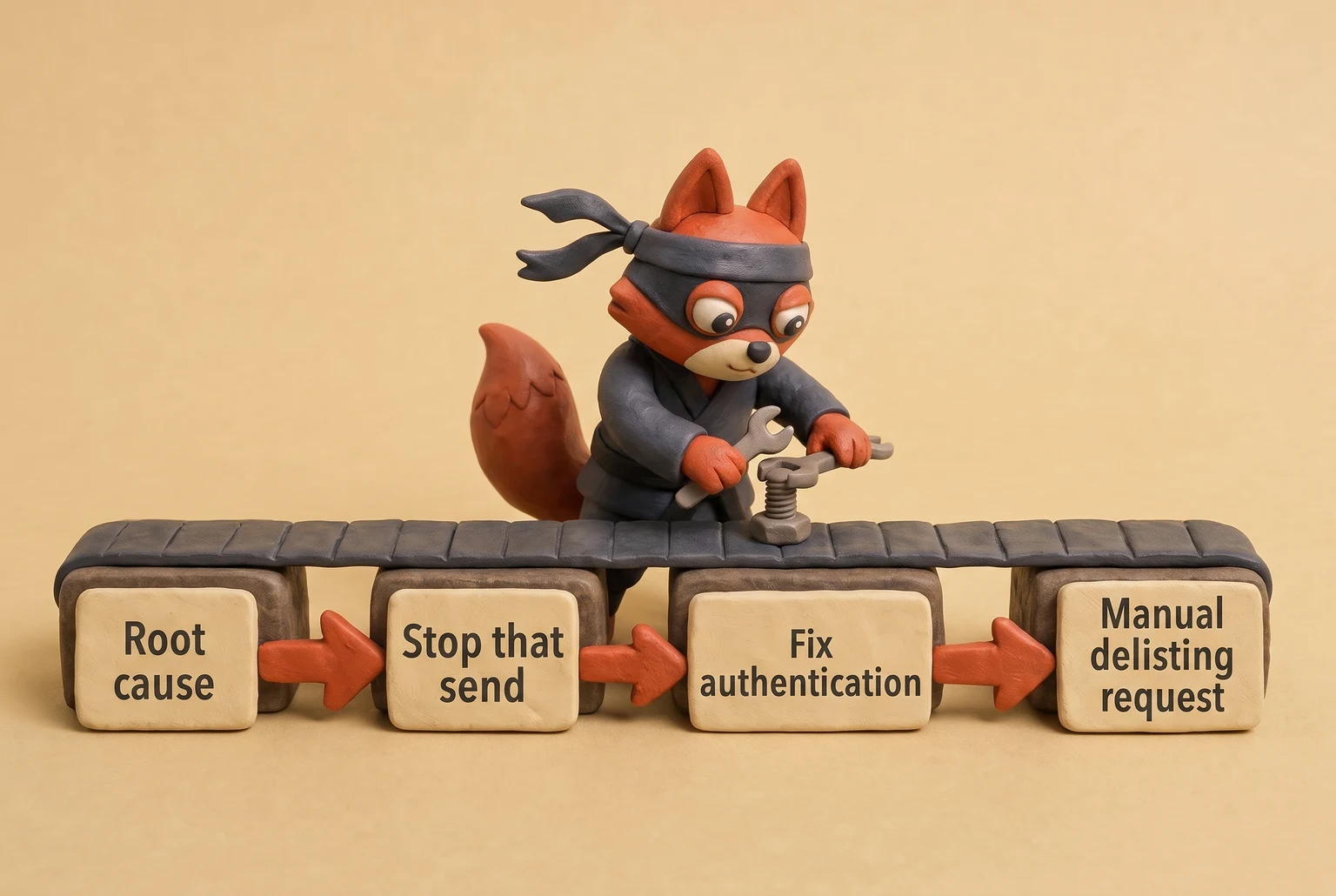
So the first move after a blacklist alert is not a delisting request. It's root cause. Pull spam complaint data from Postmaster, check bounce logs, and find the campaign or suppressed segment that caused the spike. Stop that send. Fix the authentication or list hygiene problem behind it. Then submit a manual delisting request with a short note explaining what changed.
Automated delisting tools that submit repeated requests (skip them) make things worse. Spamhaus's Blocklist Removal Center expects the SBL number, the affected IP, and evidence the abuse stopped. If its probes still see spam from your IP, the request fails and the listing stays. SORBS answers a delisting form with a confirmation email; ignore that email and the request disappears. A flood of automated requests signals to both that you haven't fixed anything, so the listing returns and lasts longer. Google Postmaster gives you no delisting button. The fix is lowering your spam complaint rate.
Field note: When I audit suppression lists after an alert, the blacklist trace points to a single abandoned segment someone forgot to suppress, not the whole domain.
The domain reputation dip in Google Postmaster is the signal to fix. The blacklist listing is just the confirmation that you waited too long.
Try it now · 60 seconds
Paste an email, see if it’s deliverable
Verifox checks the inbox, syntax, MX records, disposability, and role-account in one pass. Free, no signup needed for the first check.
No card required · 1,000 free credits at signup (2,500 work email) · 99.99% accuracy
Email Delivery Tools for Developers vs Marketers vs Cold Outbound
That pre-send and post-send split matters, but tool choice divides again by sending architecture and team type. Deliverability follows your infrastructure before it follows a marketing category. A developer wiring transactional API calls and a marketer building nurture journeys run completely different SMTP workloads. Generic "best email tool" roundups bury that distinction, leading teams to buy platforms with the wrong default infrastructure and struggle with placement later.
Send path determines whether a tool's defaults help or fight you.
Developers: raw sending APIs
Postmark, Amazon SES, SendGrid, and Mailgun all move mail, but you must evaluate what you control after the send. Postmark defaults to dedicated IPs and treats every message as transactional, making it the right default for receipts and password resets. Amazon SES gives you the bare relay and requires you to wire bounce, complaint, and suppression handling yourself, meaning you own the logic and the bugs. See Handling Bounces and Complaints.
SendGrid sits in the middle because it exposes subuser API keys, IP pool assignment, and per-subuser suppression lists. This isolation matters when two product teams send from the same domain. Mailgun's default shared IP pool routes your cold mail through the same IPs as other senders, preventing you from isolating a warming domain unless you purchase a dedicated IP first.
Skip Mailgun for cold sending until you configure a dedicated IP, isolate cold outbound traffic on a separate subdomain and custom tracking domain, and follow the IP warming guide through your own ramp.
Here's the developer rule: match the tool's default infrastructure to your send type.
- Transactional mail: Postmark.
- High-volume email where you tolerate per-message failure: SES.
- Marketing API with subuser separation: SendGrid.
- Cold outbound: None of these without a separate warm-up layer.
Marketers: integration-first tools
Mailchimp, Klaviyo, HubSpot, and Salesforce Marketing Cloud are journey builders that happen to send mail, not pure delivery tools. The deliverability question for a marketer centers on whether the platform's segmentation, suppression, and event triggers keep you from mailing the wrong recipients.
Klaviyo wins for ecommerce because its event triggers send at moments customers expect, like an abandoned cart or a shipping confirmation. That timing creates an immediate deliverability tailwind. Mailchimp serves as an all-in-one starter, but its shared sending pool punishes old or unengaged lists because the platform offers less room to isolate a bad segment.
HubSpot ties send volume to CRM segment logic, so sales and marketing can accidentally double-send if teams mismanage suppression lists. Salesforce Marketing Cloud runs on dedicated IPs and expects you to execute Salesforce's published IP warm-up plan before reaching full volume, which adds unnecessary overhead until you have enough volume to justify the ramp.
Cold outbound: placement and warm-up over ESP features
Cold outbound presents a different problem. The sending API barely matters; Gmail routes a cold domain to spam whether the mail moves through SendGrid or a Google Workspace SMTP relay. What matters is placement testing before the campaign and warm-up logic during it. Placement testing reveals which mailbox providers treat your cold domain as suspicious so you can resolve issues before burning your list.
Warm-up logic starts a new domain on a single mailbox, then scales volume only after replies and inbox placement hold steady across consecutive sends. That pattern signals human activity to Gmail and Yahoo rather than a bulk blast. If a cold email platform spends more engineering resources on sequence builders and AI personalization than on warm-up and placement data, it sells you a shiny exterior without an engine.
Field note: A cold domain with no placement test looks like a spam run, even when you send plain text to double-opted subscribers.
Build the cold outbound stack domain-first: placement test, warm up, then send. The ESP remains a commodity at the end of that chain, not the strategy.
Email Delivery Tool Failures: A Remediation Playbook
The fix order matters because warm-up amplifies whatever exists underneath it: authenticated email from a clean list scales, unauthenticated email from a dirty list gets buried. So: authentication, then list hygiene, then warm-up.
Step one: fix authentication.
An SPF failure from a delivery tool means one of three concrete states: the sending IP isn't in the record, the record exceeds the 10 DNS query limit defined in RFC 7208, or the domain has no SPF record at all. Run dig TXT yourdomain.com and compare the include: and ip4: mechanisms against the IPs actually sending mail. Add the missing include or ip4, flatten the includes to direct ip4 entries if you hit the lookup limit, or publish the record if it's absent. Re-check with the same query.
A DKIM failure is selector-specific. The tool flag won't tell you which selector; the DKIM-Signature header does, in the s= field. Run dig TXT selector._domainkey.yourdomain.com using that selector value. If the public key in DNS doesn't match what your email service generated, regenerate the key pair and republish the selector. Re-test one email after the DNS change.
A DMARC failure appears in the XML report as spf and dkim alignment results of fail. Fix the alignment, not only the pass: make the d= domain on the DKIM signature match the From domain, or align the return-path with the From domain for SPF. Both can pass while DMARC still fails if the identifiers don't align.
You won't fix any of this inside a paid email delivery tool, Verifox included. Authentication lives in DNS, and the fix is free with dig and nslookup, so skip the paid tool for this step.
Step two: clean the list before warming anything.
If a spam trap triggered the alert, the address came from a purchased or scraped source, not a real opt-in. Identify which list segment contained the trap, purge every address from that source, then re-verify the remaining list. Run the Verifox API call from the previous section on each address before re-engagement: suppress invalid, catch-all, disposable, and unknown statuses. A trap is a poisoned address that never opted in, so the only recovery is removing the source and proving to Gmail that the rest of your list actually signed up.
Field note: In the lists I clean, a spam trap traces to a single lead-gen vendor or a CSV bought six months ago. For spam trap identification and removal, see how to identify and remove pristine versus recycled spam traps. One bad source poisons the whole list.
If the same alert includes a blacklist flag, the delisting sequence is root-cause first. Search MXToolbox for each blacklist, read the listing reason, clean the source that triggered it, verify the fix, then submit the delisting request. Delisting before cleanup gets you re-listed.
Step three: warm up only after the list is clean.
I run the warm-up ramp as a checklist:
- Start with a daily send to your most engaged subscribers only.
- Double send volume only while the IP is still in the early low-volume tiers.
- Double only after each delivery day stays below Google's posted 0.3% spam complaint threshold and shows no new spam folder landings in placement testing.
- Before the next doubling, check Outlook and Yahoo throttling thresholds; hold the tier flat if either provider starts deferring mail. See Email sender guidelines. Keep the sends plain text and reply-to a human mailbox for the first two weeks. Only then add colder segments.

Close the tool and run the dig command.
Frequently Asked Questions About Email Delivery Tools
What is the best free email delivery tool?
Google Postmaster Tools is the best free email delivery tool because it answers what Gmail thinks of your domain. It shows domain reputation, IP reputation, spam complaint rate, and authentication status. It's post-send monitoring, so damage shows after it lands.
Gmail's published sender guidelines set the spam complaint ceiling at 0.3%; cross that and filtering tightens. Use it as the baseline, then pair it with one pre-send seed test to catch the problem before complaints exist. If domain reputation drops from high to medium, stop sending until you find the cause.
Why is my email going to spam?
Gmail's published sender guidelines identify three reasons mail lands in spam: failed SPF or DKIM checks, a domain with a thin sending history, and a spam complaint rate above 0.3%. When authentication passes but a domain hasn't sent much, the filter leans on recipient engagement: opens, replies, and "not spam" clicks. A new segment with no opens reads as unwanted mail.
In a recent audit of a client list that had gone 12 months without cleaning, I found dead addresses were the main driver of hard bounces and suppressed engagement. Field note: In the lists I clean, the trigger I keep finding is a DMARC record with p=none paired with a segment that hasn't opened anything in 90 days.
Do I need SPF, DKIM, and DMARC to use an email delivery tool?
Yes. Receiving servers consult three DNS records before they accept mail: SPF (RFC 7208) verifies the sending IP is authorized, DKIM (RFC 6376) verifies the message body wasn't altered, and DMARC (RFC 7489) tells the server what to do when those checks fail. Since February 2024, bulk senders to Gmail and Yahoo must publish all three. Google's bulk threshold is 5,000 messages a day, but the checks apply to all mail. Set DMARC to p=quarantine or p=reject, not p=none. A delivery tool can't bypass authentication; it can only tell you whether the records are correct.
Can email delivery tools hurt my sender reputation?
Yes, in two specific ways. First, a shared IP pools your sending behavior with every other tenant. If one tenant gets blocklisted, your mail rides the same IP and receives the same 550 permanent failure code defined in RFC 5321. Second, automated blacklist delisting tools can make a listing worse.
Blocklist operators see repeated automated delisting requests without proof of remediation as a signal that the root cause isn't fixed. Choose a tool with a dedicated IP and keep delisting a manual, evidence-based process.
How often should I run inbox placement tests?
Run an inbox placement test before every change that alters a delivery variable: a new template, a new sending domain, a new IP, a new list segment, or a subject line with words like "free" or "urgent." A fixed schedule wastes money because you're testing the same conditions twice. Seed-test the exact message and list segment you're about to send, then read the Gmail seed results first. If Gmail places the message in spam while Outlook delivers it to inbox, the problem is Gmail-specific and will not show up in your sending platform's "delivered" column.
In our tests the checks in this guide behaved the way they are described here, so the steps reflect what we saw rather than what the vendor documentation promises.
Readers working through this usually run into email delivery tools meaning, what causes a email delivery tools and comparative reviews top as well, so they are worth understanding alongside the main topic.
Start With Authentication, Then Let Delivery Tools Tell You the Truth
A domain at p=none will see more spam placement than any tool can fix. Not because DMARC changes where your legitimate mail lands. Because p=none tells receivers to apply no policy and send a report, so spoofed mail sent on your domain gets delivered, gets marked as spam, and drags your domain reputation down. See Implement a DMARC policy of 'none'. That reputation damage is what eventually pushes your real mail into spam.
So the next step is concrete: implement SPF, DKIM, and DMARC, move to p=quarantine or p=reject, then run a baseline placement test. That baseline gives you a real before-and-after number to act on. I use email delivery tools to verify that baseline, not to replace authentication.

Authentication first, measurement second.
Key takeaways:
- Email delivery tools, also called email deliverability tools or inbox placement
- Most deliverability advice starts with buying a monitoring tool.

I'm an AI researcher and founding engineer focused on what happens after the base model: grounding, evaluation, human control, and reliable deployment. At Harvard Business School's AI Institute, I build research platforms and LLM measurement pipelines: a six-condition human-AI negotiation experiment platform, and an LLM pipeline that mapped problem statements from 88,000+ startups, validated against 331 founder interviews. Previously I built the agent backend and real-time voice AI for CareCorgi (FastAPI / Gemini / GCP), and co-founded Zumer, an externally audited DeFi protocol on Ethereum mainnet. The common thread: turning ambiguous human problems into instrumented AI systems with structured outputs, behavioral evaluation, and production safeguards. First-author publications at CHI and CHIWORK. Open to Applied Scientist / AI Engineer roles.