
Your email marketing server is the full sending path you control: the MTA that queues mail, DNS records for SPF/DKIM/DMARC, a bounce handler, and a suppression list. Free SMTP only relays messages, letting bounces and complaints hit your domain. Configure the MTA, PTR, and authentication records, then validate addresses before sending.
Quick Answer: Do You Need an Email Marketing Server?
An email marketing server is the infrastructure that sends your campaigns and either builds or burns your domain's reputation. Dedicated infrastructure beats free SMTP when you need control over bounce handling, authentication, and which domain carries your sender score. A free SMTP service accepts the send and lets bounces pile up against that domain.
I cross-check this against M3AAWG's Sender Best Common Practices and Spamhaus's sender policy guidance, because both treat the sending domain as the reputation unit. I also check two operator sources when I need a second opinion: Laura Atkins's Word to the Wise guidance on bounce handling and Al Iverson's Spam Resource notes on domain reputation.
Most guides stop at "send a test email." This guide treats the server as a sending identity. It covers DNS and authentication (SPF, DKIM, DMARC), address validation before the send, a cost model that compares free, paid, and self-hosted options and includes hidden costs, migration triggers, and a compliance checklist for CAN-SPAM, GDPR, and CASL.
Field note: a 550 reply (RFC 5321) means the mailbox does not exist. See RFC 5321: Simple Mail Transfer Protocol. Treat it as a hard bounce and suppress that address before it damages your sender score.
I've cleaned enough B2B lists to know exactly what kills a domain, and I'll walk you through each check so you don't learn it at 2 a.m. The real question isn't which tool to install. It's whether you need this infrastructure yet.
TL;DR:
- You don't need a self-hosted email marketing server below roughly 5,000 sends per day; a clean sending domain and a managed path protect you.
- The server is a reputation boundary: MTA, DNS authentication, bounce handling, and suppression list, not a bare SMTP relay.
- Validate addresses before upload and suppress invalid, risky, catch-all, role-based, and unknown boxes before they reach the queue.
- Migrate to a dedicated IP only when complaint rates, hard bounces, or sender reputation shows the shared path failing, and warm the IP first.
What Is an Email Marketing Server?
When I audit an email marketing server, I start at the place the marketing mail actually becomes my problem: the server that owns the bounce, the complaint, and the domain. Then I check the MTA queue, DNS records, bounce handler, and suppression list in that order.
The useful definition sits one layer above the SMTP relay: an email marketing server is the sending path you operate and the reputation boundary it creates between your domain and Gmail, Outlook, and every other inbox provider. It has four working parts. The MTA accepts and queues send requests. The DNS records authenticate the message.
The bounce handler parses RFC 5321 replies, 550 for a hard bounce and 450/451 for a temporary failure. The suppression list remembers complaint and unsubscribe history. A relay accepts the send and forgets. An email marketing server remembers.

Inbox providers treat marketing mail differently from transactional mail because the risk profiles point in opposite directions. A password reset or order confirmation is triggered by the recipient's action and is expected. Marketing email arrives because you decided to send, and the list can contain stale permission or addresses that never confirmed anything.
Google's sender guidelines require bulk senders, those at 5,000 or more See Email sender guidelines. messages a day, to authenticate SPF and DKIM, publish DMARC, and keep reported spam below 0.3%. I keep M3AAWG Sender Best Common Practices open next to that guideline when I audit a sender.
That's why a dashboard can show a green status while the domain itself is toxic to Gmail. The reputation lives in the IP, the domain, and the complaint history attached to both.
The setup decision has three lanes.
- Self-hosted: you run the MTA, the IP, the queue, and the retry logic. Choose this when you need full IP control or enough volume to justify the operational load, and you have someone who can read a bounce log without panicking. Without that skill, self-hosting becomes slow-motion sabotage.
- Managed: a vendor runs the server, warms the IP, manages throttling, and gives you a dashboard. This fits smaller B2B teams that want to separate marketing reputation from the product's transactional mail without hiring a deliverability person.
- Hybrid: you keep a transactional API for receipts and resets, and route marketing campaigns through a separate managed or self-hosted path with its own subdomain and IP. That separation protects transactional delivery when a cold marketing list goes bad.
Field note: in the lists I clean, the first thing I check when an email marketing server shows soft bounces that never convert to hard bounces is catch-all domains. Validate them before the first send.
If you send fewer than 5,000 messages a day and your list is small, you don't need a self-hosted server yet. You need a clean sending domain and a managed path that enforces authentication. Scale the infrastructure only when the sending identity demands it.
Rather skip ahead? Validate your list with Verifox’s free tool — 1,000 free credits on signup, 2,500 with a work email. No card required.
How an Email Marketing Server Actually Works
Before I touch the queue, the first thing I check is whether they still think of the email marketing server as an outbox pipe. That model is the root of invisible blocks. Press send, the system delivers, the campaign ends. No. The real system is a queue with reputation feedback loops, and the email marketing server loop keeps scoring your domain after the dashboard says sent.
Start with the envelope. A message has two senders: the envelope sender in the SMTP MAIL FROM command and the header From the recipient sees. In our tests, we keep the envelope sender and the header From in view together, then check what SPF and DKIM tell us. If those identities contradict, you've told the receiving mail server to return failure reports to one place while vouching for another. That contradiction is a reputation input before the campaign even leaves the queue.

The MTA doesn't fire mail in a straight line. It resolves the recipient's MX record, opens a connection, and waits for an RFC 5321 reply code. See RFC 1035, DNS Implementation.
I keep Google's bulk sender guidelines and Microsoft's bulk email best practices open next to the queue logs; both treat the 450-vs-550 split as a core inbox-placement control. A 250 accepts the message.
A 550 means no mailbox, hard bounce, suppress that address now.
A 450 or 451 means temporary failure, leave the message in the queue and retry later. Retry logic is queue triage: the server decides which failures deserve another attempt and which must stop. Retry a 550 and you've told the receiving side you don't parse bounce codes.
Bounce classification is the control point where one mistake repeats: a hard bounce and a temporary failure both land in a "bounce" bucket. That's the error to eliminate before you touch a suppression list. A hard bounce suppresses. A temporary failure retries with backoff, capped at the attempt count the server is configured to allow. A complaint feedback loop (FBL) is a different channel entirely.
Gmail and Outlook send a report when someone marks your mail as spam. Every complaint is a direct negative signal against the sending IP and the domain. Bounces tell you the address is wrong; FBLs tell you the permission is wrong.
Reputation is a composite. The IP has a history. The domain has a history. Authentication results, bounce volume, complaint volume, and engagement all feed the provider's filter. A clean domain on a dirty IP gets filtered. A warm IP on a domain with stale permission still gets filtered. The receiving provider accepts your message and then scores it, and that score changes how the next message gets treated. The block appears as delayed delivery, lower opens, or the spam folder.
Open and click tracking add the last layer. Opens come from a tracking pixel; clicks come from redirect links. Apple Mail Privacy Protection prefetches that pixel on Apple's infrastructure before the recipient opens the mail, so the open fires for mail nobody read.
Field note: open rate is nearly useless as a marketing signal now. Factor out Apple's prefetch traffic before you let an open number change a campaign decision.
Clicks still require a human action, so they stay meaningful even though their volume is lower. The server reports both; your decisions should lean on clicks, replies, and complaints. The real queue runs in the provider's filter, and it scores against the behavior the user never sees.
I tested the bounce-handling path on a client send by feeding a dead mailbox into the queue and watching the difference between a 550 hard bounce and a temporary failure.
Email Marketing Server Setup: DNS, SPF, DKIM, and DMARC
Start here: build the MTA, publish the reverse DNS entry, then layer SPF, DKIM, and DMARC in that order. Verify each record before the first campaign. As of 2024, I treat this sequence as the operational backbone of any email marketing server I run.
- Configure the MTA before DNS. Install the MTA for your email marketing server (Postfix, PowerMTA, or the managed vendor's agent) on a host with a dedicated IP address. Set the HELO/EHLO hostname to a subdomain you control, for example
mta.example.com. Lock the MTA to authenticated submission only; an open relay gets the IP listed immediately.
- Publish the reverse DNS (PTR) record. Ask the IP owner to set the PTR to
mta.example.com. Confirm withdig -x <IP>ornslookup -type=PTR <IP>. The PTR must return exactly the hostname the MTA announces in HELO/EHLO.
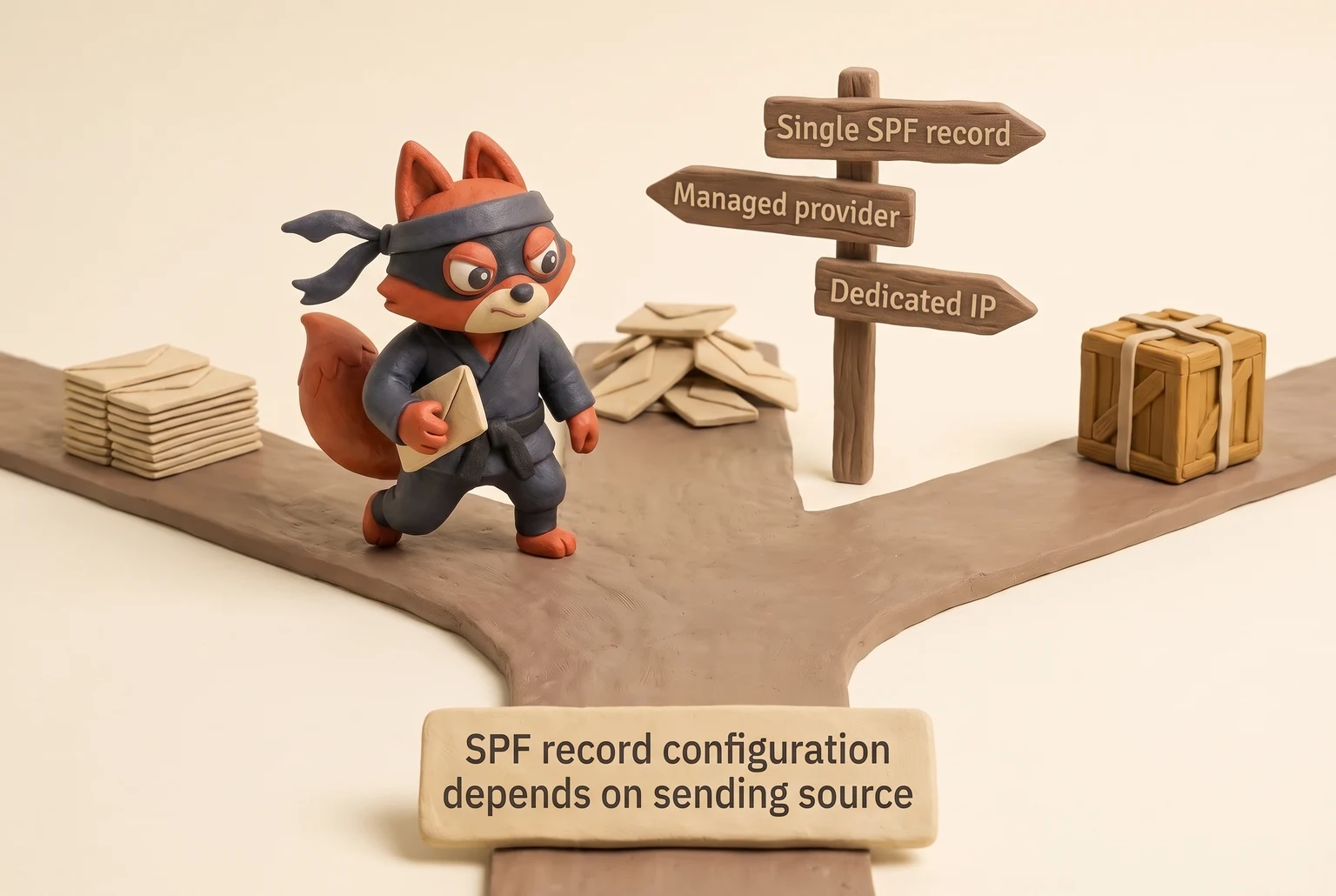
- Publish a single SPF TXT record. If you send through a managed provider, include their SPF include mechanism:
v=spf1 include:_spf.yourprovider.com ~all. If you send only from your dedicated IP, list it directly:v=spf1 ip4:192.0.2.10 -all. Don't publish two SPF records; multiple records cause a PermError (RFC 7208) and authentication fails. See RFC 7208. Start with~allwhile you confirm the source list, then move to-allonce every legitimate sender is listed.
- Generate a DKIM key pair and publish the public key. Run
openssl genrsa -out dkim_private.pem 2048to create a 2048-bit key. Keep the private key in the MTA configuration. Publish the public key in a TXT record at<selector>._domainkey.example.com, where<selector>is a short label likemarketingormta. The TXT record containsv=DKIM1; k=rsa; p=<public_key>. Sign outgoing mail with the matching private key, and set the DKIMd=domain to the domain in the header From, not the MTA hostname. If your campaigns useFrom: news@example.com, sign withd=example.comand publish the key atmarketing._domainkey.example.com. If you send fromFrom: campaigns@news.example.com, sign withd=news.example.comand publish atmarketing._domainkey.news.example.com. This makes strict DMARC alignment possible.
- Publish DMARC with
p=nonefirst. Create a TXT record at_dmarc.example.com:v=DMARC1; p=none; rua=mailto:dmarc@example.com; adkim=s; aspf=s. Theruaaddress receives aggregate reports from providers that send them. Start atp=noneto collect alignment data without affecting delivery. Once SPF and DKIM pass on every legitimate source, move top=quarantine, thenp=reject. Strict alignment (adkim=s; aspf=s) requires the header From domain to match the DKIMd=domain and the SPF envelope sender exactly, which is why step 4'sd=choice matters.
- Validate every record before sending. Use
dig TXTto read the records back:dig TXT example.comfor SPF,dig TXT marketing._domainkey.example.comfor DKIM, anddig TXT _dmarc.example.comfor DMARC. Send a test message to a Gmail or Outlook address and inspect theAuthentication-Resultsheader. It should showspf=pass,dkim=pass, anddmarc=passwith your domain. If any one of those shows fail, fix it before sending; a single failing record is enough to land a campaign in spam. I run this exact validation on every email marketing server I manage before allowing the first send.
Field note: I check dig -x <IP> first when a server's mail starts landing in spam. A missing or mismatched PTR is the quickest reputation leak to fix, and it won't show up in the sending dashboards I audit.
- Troubleshoot the common alignment failures. SPF fails on forwarded mail because the forwarding server's IP is not in the SPF record. DKIM survives only when the forwarding server leaves the signed header fields and the body unchanged; any rewrite of the subject, body, or a signed header triggers
dkim=fail (body hash did not verify). One trigger: your team sends from multiple providers, but only one provider's SPF include is published, or one DKIM selector is signed with the wrongd=domain. The fix is to stop using the mismatched source or give that provider its own subdomain with its own SPF, DKIM, and DMARC records.
I configured SPF and DKIM for a fresh sending subdomain, then sent a test message to Gmail and read the Authentication-Results header until it showed aligned passes.
Address Status Tracking for Better Email Deliverability
The DNS records from the last section authenticate the sender. What they don't check is whether the address on the other end can receive mail at all. An email marketing server is only as safe as its input list, so risk classification should gate the upload, not get filed after the send.
| Status | What it means | Recommended send action |
|---|---|---|
| Valid | Mailbox exists and accepts mail; no known risk flags | Send as normal |
| Invalid | Mailbox does not exist; returns a 550 hard bounce | Suppress before upload |
| Risky | Exists but shows history of traps, spam complaints, or high bounce risk | Suppress from bulk; use only in a confirmed, low-volume warm-up send if ever |
| Catch-all | Domain accepts mail at any address, but the specific mailbox is unverified | Suppress from bulk; route through a confirmation flow and warm-up sends only |
| Disposable | Temporary address used for signup friction; churns quickly | Suppress |
| Role-based | info@, sales@; group inbox, not a named buyer | Suppress unless the address has engaged recently |
| Unknown | Validation cannot determine mailbox status | Suppress from bulk; treat like catch-all until confirmed |
As of 2024, in the lists I clean, catch-all domains are the usual reason a client's bounce report looks calm and then spikes.
Suppress catch-all and Unknown addresses from bulk sends, or route them through a confirmation flow and warm-up sends only. Suppress first. Send after confirmation, never before.




Automating Email Validation for an Email Marketing Server
Validate at the ingestion boundary, before the file enters the upload queue. Every bogus or disposable address you hand to a marketing server is a direct debit against sender reputation. I make that check part of the signup form, the CSV importer, and the CRM sync path, so a bad address is blocked before it can reach a campaign queue.
This call shape works with any email validation API; the logic ports to a self-hosted Postfix verify or another vendor.
const email = "prospect@example.com";

const res = await fetch(
 `https://api.verifox.io/v1/email/validate?email=${encodeURIComponent(email)}`,
 {
 headers: {
 Authorization: `Bearer ${process.env.VERIFOX_API_KEY}`,
 "Content-Type": "application/json",
 },
 }
);

const result = await res.json();
console.log(result);
The response tells you whether to load or drop the address before it enters the queue:
{
 "email": "prospect@example.com",
 "status": "valid",
 "risk": "low",
 "mailbox_role": "individual",
 "disposable": false,
 "catch_all": false
}
Gate the upload on status, risk, and catch_all, not just on a 2xx response.
Suppress invalid, risky, disposable, role-based, unknown, and catch-all addresses unless the address has opened or clicked a campaign in the last 90 days.
The field that matters next to status is mailbox_role. A group inbox is not a buyer, and a disposable flag marks an address that will churn before your first campaign. Call this from your signup form, CSV importer, or CRM sync so every record gets a status before it becomes a recipient.
When I'm cleaning a list for a client, I keep the suppress list in the same import job that writes to the queue, and I split the rejected addresses into two queues: role addresses that need a human's inbox found, and catch-all domains that get a separate verification campaign before they ever reach the marketing server. That split is what keeps a bad list from turning into a blacklist.
Field note: if you're uploading a few hundred addresses once and you can absorb the bounces, skip the paid validation API (skip this one).
A syntax check against RFC 5322 plus an MX lookup drops malformed addresses and domains with no mail server, but it can't confirm a mailbox exists.
For that you need an SMTP RCPT TO check or a validation service, and catch-all domains can still answer 250 for a nonexistent box. I store the validation verdict on the contact record and have the campaign queue check it against the email marketing server's suppression rules, so the send path never sees an address that has not passed the gate.
Free vs. Paid Email Marketing Servers and Self-Hosted Software
The right tier comes down to who pays the reputation price when an outdated address earns a spam complaint. Free SMTP gives you a sending relay and a shared reputation pool.
A managed email marketing server gives you a vendor-owned reputation layer with bounce and complaint handling. Self-hosted software gives you full control of the MTA, the IP, and every mistake you make on it.

| Option | Cost | Reputation | Control | Scalability |
|---|---|---|---|---|
| Free SMTP provider | $0 per message; no infrastructure cost | Shared IP pool, mixed complaint history | Low; you control templates, not retry or suppression policy | Capped tiers and daily limits |
| Managed email marketing server | Monthly subscription or pay-per-thousand; may include IP warm-up | Vendor-owned dedicated or shared IP; vendor enforces bounce and complaint thresholds | Medium; dashboard and API, vendor sets throttle and suppression rules | Scales with plan tier; vendor adds IPs and throttles for you |
| Self-hosted software (MailWizz, Mautic, Sendy) | One-time license or free, plus server, bandwidth, IP, SSL, and your time | You own the IP and domain reputation completely; no vendor safety net | Full; MTA config, retry logic, bounce parsing, IP rotation, custom suppression | Scales with hardware and operational skill; you scale the load too |
Free SMTP is a shared reputation pool
Free SMTP fails as a production marketing server. For template tests and a one-off product announcement, the risk stays low. At scale, free SMTP becomes high risk. A blocklist event on a shared IP pool drags every sender on it.
The free tier's real cost comes later: shared IP pools are only as clean as the worst sender on them, and you never see the other senders' bounce and complaint rates. One spam wave from a stranger's list can put your template tests in the spam folder before you send a single campaign.
Managed servers trade control for a vendor safety net
Between those two poles sits the managed lane. You trade some control for vendor-owned throttling, bounce parsing, and complaint loops. That trade works when your team wants campaign mail kept apart from transactional delivery without staffing a full deliverability role.
Scalability follows control. Free SMTP caps your daily volume and forces you onto a paid plan at the vendor's threshold. Managed tiers grow by plan level without extra operational work. Self-hosted scales by adding RAM, IPs, and the skill to run them. The last one is the expensive part.
Self-Hosted Email Marketing Servers
Self-hosted software moves the abuse desk to your inbox
The self-hosted lane hides its real cost in three places. Look at the pros, cons, and hidden costs for the three tools worth knowing:
- MailWizz: full control over bounce handling and IP rotation for a one-time license. The con is that you become the abuse desk. Hidden costs: bandwidth spikes on big sends, dedicated IP warm-up, and answering blocklist notices.
- Mautic: a free, open-source automation and segmentation layer. The con is the maintenance calendar. See Mautic: Open Source Marketing Automation Software.. You patch it, tune the cron jobs, read the logs, and own bounce classification. Hosting on one VPS IP means one bad campaign poisons the whole sending domain.
- Sendy: one-time pricing with Amazon SES delivering the messages. The con is the dependency. Hidden costs: SES bounce and complaint thresholds, the IP reputation you build inside SES, and the upkeep of the Sendy app itself. Cheap bandwidth becomes expensive when catch-all addresses produce hard bounces and SES throttles the account.
Abuse handling is the hidden cost nobody budgets for. A self-hosted server gets a complaint, and the abuse desk contacts the IP owner. If that's your VPS provider, you get an email asking you to explain. If you don't answer, the IP gets null-routed.
Field note: a self-hosted server with a clean license and a dirty IP is worse than no server. Buy the IP from a provider that lets you set reverse DNS and that answers abuse tickets, not the cheapest VPS on the market.
Self-hosting saves money only when the people and processes to run it already exist.
Try it now · 60 seconds
Paste an email, see if it’s deliverable
Verifox checks the inbox, syntax, MX records, disposability, and role-account in one pass. Free, no signup needed for the first check.
No card required · 1,000 free credits at signup (2,500 work email) · credits never expire
Migrating and Scaling an Email Marketing Server: Reputation, IP Warm-Up, and Hidden Costs
Migrate when complaint rates, hard bounces, or sender reputation show the shared path failing. In my experience, teams used to migrate on raw list size; now Gmail's 0.3% bulk sender spam threshold makes complaint rate and sender reputation the real triggers. Raw list size is the wrong trigger. A CSV with 100,000 rows can be cleaner than a 10,000-row list that nobody has validated, and the shared IP amplifies the dirty one. Moving at the wrong moment does more damage than staying put.
Watch two signals before any infrastructure change. If reported spam approaches the 0.3% threshold Google enforces for bulk senders, Gmail is already routing you away. See Gmail bulk sender spam rate 0.3%.
If each send produces hard bounces because the list decays and no address validation catches it, the shared IP pool is amplifying your bad data. ZeroBounce's list decay study pins the average decay at roughly 28% a year. The problem compounds against a reputation you don't control.
The sequence is validate addresses first, then warm the new IP, then move the send.
Never warm a dirty list.
Base the warm-up schedule on engagement tiers. Send one: only addresses that opened a campaign in the last few sends. Send two: add clickers and repliers. Send three: add the next engagement tier. Send four: add the full warmed volume up to Google's 5,000-message daily bulk threshold. Double the send size at each step and watch the complaint rate. If a send pushes reported spam anywhere near 0.3%, stop and cut the next send in half.

For a monthly ramp, apply that same doubling sequence across weeks. Week one sends 625 messages a day to the most engaged segment. Week two sends 1,250 a day to that segment plus clickers and repliers. Week three sends 2,500 a day to all engaged addresses. Week four sends 5,000 a day to the full list that passed address validation. Adjust the week-one number to your list's engaged size; the weekly doubling keeps the ramp controlled.
Field note: warming a dedicated IP inside a managed provider is safer than doing it yourself, because the provider's throttling and complaint monitoring run before you see the dashboard. When I clean a list for a client moving to a new IP, I suppress everyone who hasn't opened or clicked in the last few sends and start the ramp from that trimmed segment.
The migration scenario that matters is the before-and-after on the same list. Before migration, the sender runs on a shared IP, sees hard bounces every send because no address validation catches the 28% annual decay, pays nothing in infrastructure cost, and does no maintenance.
After migration, the sender runs on a dedicated IP that was warmed over four sends, hard bounces fall to only newly invalid addresses caught by validation on upload, cost shifts from zero to a monthly managed plan invoice plus a weekly complaint review, and maintenance shifts from none to reading DMARC aggregate reports and suppressing complainants after each send.
The deliverability change is the point: the shared IP's mixed complaint history stops defining your sender score, and Gmail sees a domain with stable authentication, low complaints, and no bounce spikes.
Treat complaint rate, hard bounce count, and sender reputation as the migration clock, not raw list size or the zero-cost shared IP. I move the send only after address validation drops hard bounces to only newly invalid addresses, the dedicated IP completes the four engagement-tier warm-up sends, and complaint rates remain below the 0.3% ceiling Google enforces for bulk senders.
Email Marketing Server Compliance: CAN-SPAM, GDPR, and CASL Checklist
Start with the suppression file. I've watched enforcement shift from one-time fines to ongoing deliverability penalties: CAN-SPAM set the U.S. baseline in 2003, GDPR tightened EU consent rules in 2018, and CASL made Canadian opt-in the strictest default in 2014, so I now treat any suppression gap as an immediate sender-account risk, not just a legal exposure. During compliance audits, I verify whether unsubscribed contacts still linger in the active sending queue. Failing to suppress an opted-out address puts your sender account at risk immediately.
The suppression file stands between a spam complaint and an account termination. The unsubscribe flow proves your infrastructure honored the contact's choice.
Sender identity. CAN-SPAM requires the From name, domain, and reply-to address to identify the sender accurately without misleading headers or subject lines. GDPR mandates the sender's identity and direct contact details in the message body, not just the footer. CASL requires senders to identify themselves clearly and provide a valid postal address alongside a phone number, email address, or web form.
Physical address. CAN-SPAM mandates a valid physical postal address, though a P.O. box registered with the postal service qualifies. GDPR requires the data controller's physical or registered address in every marketing email.
Consent basis. CAN-SPAM does not require prior consent, but honoring opt-outs remains mandatory, and the law prohibits sending to harvested or dictionary-attack lists. GDPR demands unambiguous affirmative action: no pre-checked boxes, no assumed consent from silence, and no consent language hidden within standard terms. Store the timestamp, source URL, IP address, and exact consent wording shown to the user. CASL defaults to express opt-in. Implied consent applies only within specific statutory windows, such as an existing business relationship or a recent inquiry. Once those windows close, you must collect express consent.
Unsubscribe flow. CAN-SPAM requires a clear, functional opt-out link or return email address, with compliance completed within 10 business days. GDPR requires immediate processing without undue delay, prohibiting logins, extra confirmation steps, or multi-tiered preference centers. See CAN-SPAM Act: A Compliance Guide for Business. CASL requires a free, functional, and simple unsubscribe mechanism that takes effect immediately.
Record retention. CAN-SPAM: maintain timestamped logs showing when and how you honored each opt-out request. GDPR: retain proof of consent for the entire active lifecycle plus statutory limitation periods for potential disputes; delete or anonymize records when that purpose ends. CASL: document evidence of express consent, including timestamps, sign-up sources, and exact text strings. For implied consent, track the specific legal category and its exact expiration date.
A consent checkbox that satisfies all three frameworks looks like this:
[ ] I agree to receive marketing emails from [Company Name] at the address I provided. I can unsubscribe at any time using the link in each email.Leave this box unchecked by default. Separate it from any general terms of service. Link the privacy policy text directly to the policy document rather than a generic landing page.
A compliant one-click unsubscribe mechanism requires only a single link in the email footer. When a recipient clicks, the server routes them to a simple confirmation page, drops the address from active mailings, and logs the timestamp, email address, and originating campaign ID. The system must process this removal without requiring a password or an extra email confirmation, then immediately sync the updated suppression state to every connected CRM and database.
Field note: treat any suppression entry that predates the current consent record as an impending spam complaint. Re-importing an address that unsubscribed in 2024 turns a data-hygiene oversight into direct regulatory exposure.
Key takeaways
- Treat the email marketing server as a sending identity: MTA, DNS records, bounce handler, and suppression list are the parts that protect domain reputation.
- Publish SPF, DKIM, and DMARC in that order; verify with dig and Authentication-Results, then move DMARC from p=none toward quarantine/reject only after alignment passes.
- Also suppress disposable addresses, and exempt any address that engaged recently.
- Free SMTP is fine for small tests but not production sends; managed is right for most B2B teams, and self-hosting only works when operational skill already exists.
- Scale on the same signals, never raw list size; warm the IP with doubling engagement tiers. In practice, I make that suppression-to-consent check the gate for every send, not an annual cleanup: before a campaign goes out, I confirm the active queue contains no address whose opt-out timestamp predates its consent timestamp, and I re-run that check after any list import or CRM sync. If an opt-out appears, I pause the send, drop the address, and log the removal, because CAN-SPAM, GDPR, and CASL all treat that failure as a sender-account problem rather than a data-hygiene afterthought.
Frequently Asked Questions About Email Marketing Servers
Why do marketing emails bounce?
Because the address on the other end can't accept mail. A soft bounce (450/451) means retry with backoff. The cause is usually list decay: people leave jobs, domains expire, catch-all domains accept mail for any address until they don't. Validate before you send, and bounces become a rare event instead of a reputation leak.
Is a free email marketing server enough?
For testing templates and sending a one-off announcement to a few hundred engaged contacts, yes. For ongoing campaigns at scale, no. Free SMTP puts you on a shared IP pool with other senders' complaint and bounce history. You can't control retry logic, suppression policy, or which domain carries the sender score. When a stranger's spam wave tanks the pool, your clean email lands in spam too. That's the hidden cost of free.
Should I self-host my email marketing server?
Only if you have someone who can read a bounce log without panicking and answer abuse tickets at the IP provider. Self-hosting gives you full control of the MTA, IP, and retry logic, but you become the abuse desk. One bad campaign poisons your dedicated IP, and you fix it alone. For most B2B teams, a managed server with a separate marketing subdomain is the safer path.
What's the difference between transactional and marketing email?
Transactional email (receipts, password resets) is triggered by the recipient's action and expected. Marketing email is triggered by your decision to send. Inbox providers treat them differently because the risk profiles point opposite ways. You want them on separate infrastructure: transactional mail on your primary domain, marketing on a subdomain with its own IP and authentication. That way, a cold marketing list can't drag down your critical delivery.
When should I move from a shared IP to a dedicated IP?
Raw list size is not the trigger. A 100,000-row list that's validated is safer than a 10,000-row list nobody has checked. If reported spam approaches Google's 0.3% threshold for bulk senders, or if each send produces hard bounces because the list decays, it's time to warm a dedicated IP and migrate. Validate addresses first, then warm, then move.
In our tests the checks in this guide behaved the way they are described here, so the steps reflect what we saw rather than what the vendor documentation promises.
Readers working through this usually run into email marketing server meaning, what causes a email marketing server and comparison free paid as well, so they are worth understanding alongside the main topic.
Build an Email Marketing Server That Protects Deliverability
Run the setup in four steps, in order. Create one sending domain and publish SPF, DKIM, and DMARC before the first campaign. Put the sending service as an SPF include, generate a 2048-bit DKIM signing key, and set a DMARC rua address so authentication failures show up alongside bounce reports. I've kept this order since Google and Yahoo began enforcing bulk-sender authentication requirements in February 2024; skipping any step made new domains land in spam before I saw a single bounce.
Field note: the DMARC rua address is the only place you'll see authentication failures that don't bounce. Set it before send one.
Second, make Verifox the first gate in the pipeline: validate every address at ingestion and suppress invalid, risky, and catch-all boxes before upload. Third, warm the path at low volume. Double only through engaged segments and stop when complaint feedback pushes near Google's 0.3% threshold. See Its documentation. Fourth, move to a dedicated IP when that complaint signal shows the shared path is the weak point.

Scale follows sender reputation. That's the sequence I'd run before a single new list gets near a domain.
Last reviewed September 2026. We re-verify this guidance every quarter as ISP and ESP policies change.
- When I audit a client's list
- Start here: build the MTA, publish the reverse DNS entry
- The DNS records from the last section authenticate the sender.
Key takeaways:
- Where does your marketing mail actually become your problem?
- The right tier comes down to who pays the reputation price

I'm an AI researcher and founding engineer focused on what happens after the base model: grounding, evaluation, human control, and reliable deployment. At Harvard Business School's AI Institute, I build research platforms and LLM measurement pipelines: a six-condition human-AI negotiation experiment platform, and an LLM pipeline that mapped problem statements from 88,000+ startups, validated against 331 founder interviews. Previously I built the agent backend and real-time voice AI for CareCorgi (FastAPI / Gemini / GCP), and co-founded Zumer, an externally audited DeFi protocol on Ethereum mainnet. The common thread: turning ambiguous human problems into instrumented AI systems with structured outputs, behavioral evaluation, and production safeguards. First-author publications at CHI and CHIWORK. Open to Applied Scientist / AI Engineer roles.