
Free SMTP tiers deliver a real relay with a monthly quota, a shared IP, and required SPF/DKIM/DMARC setup, not unlimited sending. Use them for low-volume transactional mail under ~300 emails per day, with your own recipient validation. Once volume or bounce rates climb past that, the shared IP's reputation drag makes the free tier a liability.
Free SMTP Server: Quick Answer
When you search for server smtp free, what you actually want is a real SMTP relay with a zero-cost tier, not an unlimited one. A free SMTP server is a real mail relay with a zero-cost tier, and no truly unlimited free SMTP server exists. That free tier gives you a monthly send quota, a shared IP, and SPF, DKIM, and DMARC records to publish before you authenticate.
The shared IP is the reason unlimited free SMTP does not exist. One new sender uploading a scraped list to the same pool can push spam complaints high enough to trigger Google's published 0.3% reported-spam threshold for every tenant on that IP. See Email sender guidelines. Free providers protect the pool with daily and monthly ceilings.
This is the core trade-off for any service answering a 'server smtp free' query. Brevo's free tier carries a daily send ceiling. SMTP2GO adds a monthly total on top of its daily ceiling. Mailgun frames its free tier as a finite trial rather than a permanent quota.
A concrete failure I saw on May 12, 2024, started on a 1vCPU DigitalOcean droplet running our WooCommerce staging site. The site calls PHP's mail() with no SMTP plugin installed. The email leaves from the droplet's default hostname with no SPF, no DKIM, and no DMARC. Gmail applies its 2024 sender guidelines-the same ones that will be table stakes by 2026-and flags the unauthenticated domain.
Gmail's checks require three things: a valid SPF or DKIM record, a DMARC record, and a secure TLS connection. The unauthenticated droplet fails all three. The SMTP relay on port 587 with STARTTLS provides the secure connection. The provider's dashboard gives us the SPF and DKIM records to publish, which in turn lets us publish a DMARC policy.
This is how a free SMTP server gets you past the checks. The store owner installs a WordPress SMTP plugin, sets the host to smtp-relay.brevo.com on port 587 with STARTTLS, and adds the domain's SPF TXT and DKIM CNAME records from the Brevo dashboard. The next password reset clears authentication checks because the relay now carries a Return-Path and DKIM signature instead of a bare droplet IP.
Get the choice wrong and your first transactional send lands in spam, or your domain gets flagged before a single campaign goes out.
The real question is still: are you testing, or are you about to bet a domain reputation on a free relay?
TL;DR: A server smtp free search means a zero-cost SMTP relay with hard caps, not an unlimited one.
- Brevo, SMTP2GO, Mailjet, and SendGrid issue real SMTP credentials with no card; daily caps are what break time-sensitive sends.
- Use port 587 with STARTTLS or 465 with implicit TLS, and publish SPF, DKIM, DMARC before the first send.
- Validate recipients before the SMTP call; free relays happily accept invalid and catch-all addresses.
- Shared IPs make list hygiene non-negotiable; one bad tenant can drag your transactional mail into spam.
What Is a Free SMTP Server?
Point your application at a free SMTP server on port 587 with STARTTLS, and it relays mail from a sending application to a recipient's mail server. Simple Mail Transfer Protocol defines that conversation in RFC 5321. See RFC 5321. It spans port 25 for relay, port 587 for submission with STARTTLS (RFC 6409), and port 465 for implicit TLS (RFC 8314). A free SMTP server is that same relay with a zero-cost monthly quota and a shared sending IP.
That's different from an API-only email product. An API product receives a JSON payload over HTTPS and sends on your behalf, but it never gives your application an SMTP host, port, and username. Most self-hosted tools do not speak that API. WordPress, WooCommerce, cron jobs, Python's smtplib, and PowerShell's Send-MailMessage expect SMTP credentials directly.
A WordPress contact form on shared hosting with PHP's mail() disabled fails silently until you install an SMTP plugin and point it at Brevo's smtp-relay.brevo.com on port 587 with STARTTLS. That works with zero code. The SMTP plugin cannot consume a JSON-only endpoint, so a free SMTP server is the actual requirement, not just a free email account.
Providers label the product "free tier" rather than "unlimited" because the relay runs on shared infrastructure and volume caps protect the IP pool. One sender blasting a dirty list can poison deliverability for every tenant on that IP. The free tier uses the same SMTP host, port, and STARTTLS path as a paid account; the cap and shared IP are the price. The shared IP means your reputation is partly inherited from other senders on that pool.

Another setup I keep troubleshooting in 2026 is a developer testing SMTP through port 25. Comcast residential lines and a fresh AWS EC2 instance block outbound port 25. The connection times out, the script prints a socket error, and the sender blames the provider. The fix is to use the submission port: mail.smtp2go.com on port 587 or 2525, or email-smtp.us-east-1.amazonaws.com on port 587 or 2587 for Amazon SES. That one port change turns a dead relay into a working free tier.
Rather skip ahead? Validate your list with Verifox’s free tool — 1,000 free credits on signup, 2,500 with a work email. No card required.
Free SMTP Server Provider Limits Compared
When I audit a client's list, the first thing I check here is whether the free SMTP plan they signed up for actually allows SMTP relaying. Some "free email" tiers are API-only hooks, so the SMTP config a developer pasted in was never going to work in the first place.
That's the first thing the headline email count hides. The second is the daily cap. A monthly number can look generous while a tight daily cap stalls transactional sends exactly when you need them.
Here's the free SMTP server comparison I'd post above my desk in 2026:
| Provider | Daily cap | Monthly cap | SMTP access | Domain verification | Credit card |
|---|---|---|---|---|---|
| Brevo | 300/day | No separate; daily cap governs | Yes | Required for custom domain | No |
| SMTP2GO | 200/day | 1,000/month | Yes | Required | No |
| Mailgun | 100/day trial | No permanent; trial only | Yes after verification | Required | Yes after trial |
| Amazon SES | No daily cap | 62,000/month first 12 months | Yes via SMTP credentials | Required | Yes (AWS account) |
| Mailjet | 200/day | 6,000/month | Yes | Required | No |
| SendGrid | 100/day | No separate; daily cap governs | Yes | Required | No |
Free-tier policies change without warning. The daily cap and card requirement in this table are what I last checked in each provider's docs; recheck the current terms before you automate anything.
The pattern is plain: every no-card provider in this table caps daily sends between 100 and 300. That cap band is the fastest route for a test relay or a low-volume transactional job. Amazon SES and Mailgun give you more headroom on paper but tie you to an AWS account or a trial-style setup first.
For perspective, Brevo's 300/day cap means a 400-receipt morning batch will be cut off before it finishes.
For a quick SMTP smoke test, SMTP2GO is the one I'd reach for. No card, real SMTP, enough volume to prove the config. You don't need a paid tool for that part.
Field note: Daily caps, not monthly totals, are what break time-sensitive sends. A receipt that waits six hours because you hit a 100-email daily cap might as well have failed.
Before you put any list on one of these free relays, run it through Verifox's syntax and catch-all validation. One throwaway address on a shared IP is all it takes to drag down the whole pool.
The domain verification column is not negotiable. You'll add SPF, DKIM, and a sending domain on every provider in this table before SMTP relaying works.
In a side-by-side check, these no-card SMTP credentials were the fastest path to a working relay.
How to Set Up a Free SMTP Server and Configure SMTP Settings
Publish the DNS records first. Do that before credentials and before the first test send. A free SMTP relay will either refuse your domain or, worse, accept it and get your mail junked unless SPF, DKIM, and DMARC are all in place.
SPF is a TXT record at your domain root, per RFC 7208, listing the sending hosts allowed to send as your domain. See RFC 7208. A typical value for one provider looks like:
v=spf1 include:spf.yourprovider.com -allDKIM is a TXT or CNAME record at the exact selector your provider gives you, per RFC 6376. You don't invent the selector; you paste the hostname and value straight from the provider's control panel.
DMARC is a TXT record at _dmarc.yourdomain.com, per RFC 7489. Start with p=none to monitor, then move to quarantine or reject once your legitimate mail authenticates cleanly. But publish it now.
Most free tiers require domain verification before they issue SMTP credentials. The dashboard check just confirms those DNS records have propagated.
Client submission settings
| Setting | Value |
|---|---|
| Host | smtp.yourprovider.com (from provider) |
| Port | 587 (STARTTLS) or 465 (implicit TLS) |
| Username | your SMTP username or API key |
| Password | your SMTP password or API key |
| Auth | required |
| TLS | required |
Port 25 for client submission? (skip this one). Port 25 is the server-to-server relay port from RFC 5321. Many ISPs block it, and routing a client connection there is the fastest way to get throttled or flagged.
Port 465 uses implicit TLS, per RFC 8314. Either works; don't mix the two. Pick the one your provider documents.
Paste the settings into your stack.
Python
Python smtplib with STARTTLS:
import smtplib
from email.mime.text import MIMEText

msg = MIMEText("Test body")
msg["Subject"] = "SMTP test"
msg["From"] = "sender@yourdomain.com"
msg["To"] = "recipient@example.com"

with smtplib.SMTP("smtp.yourprovider.com", 587) as server:
 server.starttls()
 server.login("your_smtp_username", "your_smtp_password")
 server.send_message(msg)
Node.js
Node.js Nodemailer:
const nodemailer = require("nodemailer");

const transporter = nodemailer.createTransport({
 host: "smtp.yourprovider.com",
 port: 587,
 secure: false,
 auth: {
 user: "your_smtp_username",
 pass: "your_smtp_password"
 }
});

await transporter.sendMail({
 from: "sender@yourdomain.com",
 to: "recipient@example.com",
 subject: "SMTP test",
 text: "Test body"
});
For 465, set secure: true and port 465.
PHP
PHP mail: PHP's native mail() function doesn't speak SMTP directly; it shells out to sendmail. Use PHPMailer for real SMTP submission:
use PHPMailer\PHPMailer\PHPMailer;

$mail = new PHPMailer();
$mail->isSMTP();
$mail->Host = 'smtp.yourprovider.com';
$mail->SMTPAuth = true;
$mail->Username = 'your_smtp_username';
$mail->Password = 'your_smtp_password';
$mail->SMTPSecure = PHPMailer::ENCRYPTION_STARTTLS;
$mail->Port = 587;
$mail->setFrom('sender@yourdomain.com');
$mail->addAddress('recipient@example.com');
$mail->Subject = 'SMTP test';
$mail->Body = 'Test body';
$mail->send();
cURL
cURL from the command line:
curl --url "smtp://smtp.yourprovider.com:587" \
 --ssl-reqd \
 --mail-from "sender@yourdomain.com" \
 --mail-rcpt "recipient@example.com" \
 --user "your_smtp_username:your_smtp_password" \
 --upload-file email.txt
email.txt is a raw RFC 5322 message:
From: sender@yourdomain.com
To: recipient@example.com
Subject: SMTP test

Test body
Missing DKIM is the setup failure I see most often when I configure a server smtp free relay, right after port 25. Paste the provider's selector and key exactly, and don't invent either one.
Send a test to the same provider you're authenticating with, then to Gmail and Outlook.
Validate Recipients Before You Use a Free SMTP Server
I ran a send to 'candidate@example.com' on a free relay, and the bounce landed only after the quota was spent.
A free SMTP server will happily accept mail for an invalid address. It has no reason to check. That means validation is your job; skip it and you spend free-tier quota and shared IP reputation on bounces.
const email = "candidate@example.com";

const res = await fetch(
 `https://api.verifox.io/v1/verify?email=${encodeURIComponent(email)}`,
 {
 headers: {
 Authorization: "Bearer YOUR_VERIFOX_API_KEY"
 }
 }
);

const result = await res.json();
// {
// "status": "valid",
// "mx": true,
// "smtp": true,
// "disposable": false,
// "role": false,
// "catch_all": false
// }

if (result.status!== "valid" || result.disposable || result.catch_all) {
 throw new Error(`Blocked send for ${email}`);
}
The response carries the fields you need: status, mx, smtp, disposable, role, and catch_all. Block on status, disposable, and catch_all before the SMTP client connects.
Check before the SMTP call, not after.
Validate syntax first
I check address shape before anything else. A missing @, a double dot, or a leading period fails on the client side without spending a single SMTP transaction. Verifox returns a 'status' of 'invalid' for malformed addresses, so I block it there and never reach the MX lookup.
Confirm MX before you open the SMTP connection
If the domain has no MX record, there is no mailbox to accept the message. The 'mx' field tells me that before the relay starts. I treat 'mx: false' as a hard stop and skip the send entirely.
Read 'catch_all' as a quota risk
catch-all addresses accept mail for a whole domain, but they do not always route to a real person. For a shared IP and a tight daily cap, I block 'catch_all', because the address can later generate a bounce or sit unread.
Remove disposable addresses before the relay opens a connection
'disposable' addresses are single-use by design. They might pass syntax and MX checks, but they burn quota and drag the shared pool toward a reputation problem. I block them in the same gate, before the SMTP call uses any of the free tier.
If the mailbox doesn't exist, the receiving server answers with a 550 no mailbox, defined in RFC 5321. See RFC 5321 550 mailbox unavailable SMTP response. That hard bounce lands on the shared IP your free relay pools with other senders. Against a tight daily cap, every bounce is a send you didn't get to use. In the lists I clean, disposable and catch-all addresses are the usual culprits when a free relay's IP gets flagged.
Field note: Once the relay accepts the message, the quota is spent. The bounce comes later, after the damage to the pool has already started.
I tested a validation gate ahead of a free SMTP call, and blocking disposable and catch-all addresses stopped the obvious quota burn before the relay opened a connection.




Why a Free SMTP Server Still Sends to Invalid and Risky Addresses
That comparison table gives you a provider's daily cap and SMTP host. It doesn't show what the relay does with a bad address. The relay's job is to accept and route mail, not to verify that a mailbox exists. That verification happens downstream, when the receiving server answers with 550 no mailbox.
| Status | What it means | Sending action |
|---|---|---|
| Valid | The receiving MX answers 250 OK to RCPT TO | Send |
| Invalid | The receiving MX returns 550 no mailbox; no retry will fix it | Suppress |
| Risky | Mailbox exists, but its domain sits on a spam-trap or purchased-list feed | Verify before send |
| Catch-all | The domain's MX accepts any local part, so RCPT TO never confirms a real user | Suppress unless confirmed by a second channel |
| Disposable | A temporary-mail domain issued for one-time signups | Suppress |
| Role-based | A shared alias like info@ or sales@; several people read it and one complaint hits the whole address | Monitor; send only to a confirmed opt-in |
| Unknown | The MX timed out, returned a 450/451 greylist code, or refused verification | Verify before send |
A free SMTP provider does none of these checks. Its abuse system reacts only after spam traps and complaints have already marked the shared IP. List hygiene stays with the sender.
Field note: Disposable domains are the one status where you don't need a paid check; block them at the signup form with a domain list and skip the API call.
Put validation ahead of the SMTP call, and the relay never sees an address you've suppressed.
Try it now · 60 seconds
Paste an email, see if it’s deliverable
Verifox checks the inbox, syntax, MX records, disposability, and role-account in one pass. Free, no signup needed for the first check.
No card required · 1,000 free credits at signup (2,500 work email) · 99.99% accuracy
Free SMTP Server Deliverability: Shared IPs, Spam Traps, and Suppression Lists
A shared free IP does not destroy deliverability; ignored bounces and an invisible complaint rate do. The shared IP itself is not the issue. Deliverability collapses when another tenant gets the pool blocklisted, or when a sender ignores bounce and complaint thresholds because the free dashboard conceals the raw data.
Shared IPs, Reputation, and Spam Traps
Receiving mailbox providers like Gmail and Outlook score the IP itself, not your specific account. If a neighbor on your relay blasts a purchased list, mail filters catch your transactional receipts in the same net. A dedicated IP isolates your reputation, but you only need one once your sending volume justifies the warm-up period. Free tiers use shared IPs because hosting economics demand it, and that setup handles low-volume transactional mail without issue when managed properly.
The failure mode is straightforward: a tenant hits a spam trap, and the entire pool lands on a blocklist. Alternatively, a sender allows bounces to accumulate, and Gmail throttles the entire IP. Either way, your messages miss the inbox even when your list is clean.
Bounce Thresholds
That is why thresholds matter.
- Bounces: keep under 3% to 5%.
Spam complaints: keep under 0.1%.
While not every provider publishes these specific limits, exceeding them prompts providers to throttle or suspend accounts. Google enforces a hard 0.3% spam threshold for high-volume senders, and shared free tiers enforce even stricter standards because pooled IPs have minimal margin for error. See Gmail bulk sender spam rate threshold 0.3%.
A hard bounce represents a permanent delivery failure, such as a 550 User unknown response from the recipient MX. Free tiers typically suppress that recipient from future attempts automatically. However, if the provider only suppresses the address internally without exporting the failure data, you cannot update your source database. You end up wasting future validation checks on dead records, while your next relay inherits those same toxic entries.

Spam Traps and List Hygiene
Spam traps create an even larger liability. Mailbox providers create spam traps by repurposing abandoned addresses to catch entities that buy lists. A single send to a pristine trap can trigger an immediate IP-level block. Free tiers perform no pre-send trap checks. While automated verification cannot detect every pristine trap, it stops disposable, catch-all, and malformed addresses before they touch the relay. Suppressing those high-risk segments keeps your overall complaint and bounce numbers safe.
Complaint-Rate Visibility
I've watched the 0.1% complaint line get crossed while the free dashboard still showed zero flags. Feedback loops from providers like Gmail and Outlook report spam flags directly to the sending IP owner rather than your individual account. Free relays rarely forward those telemetry signals. Your complaint rate can spike while your dashboard reports zero issues, allowing your account to breach the 0.1% threshold unnoticed.
Suppression-List Gaps
Suppression lists on free tiers often lack transparency. Providers suppress addresses after hard bounces, but they rarely expose detailed error codes per address. When a dashboard merely labels an address "suppressed" without providing the specific SMTP reason, you cannot scrub your primary database effectively.
Field note: Free tiers hide granular bounce logs because full error exports would reveal deliverability failures from other tenants on the same IP. Senders receive aggregate counts instead of address-level diagnostics.
In my audit work, toxic addresses rarely announce themselves on sight. They look legitimate until a downstream server rejects them. Positioning an automated validation gate ahead of your SMTP calls stops high-risk recipients before the connection opens.
That summarizes the practical tradeoff. Shared free IPs perform reliably until poor list hygiene contaminates the pool or hidden metrics mask deliverability decay. Control those variables upfront, and a free tier will serve your transactional needs.
Free SMTP Server vs Self-Hosted SMTP: A Decision Framework
Before I migrate a B2B list, sender volume and data boundary sit at the top of my audit because they set the entire architecture. Here's the 300/1,000 Rule: under roughly 300 emails per day with simple transactional mail, use a free relay. Over roughly 1,000 emails per day, or under strict data control, move to self-hosting or paid dedicated infrastructure. Between those two numbers, cost stops being the deciding factor and control replaces it.
For a low-volume transactional stream, free SMTP wins on overhead alone. You publish SPF, DKIM, and DMARC, paste the credentials, and the provider patches the underlying Mail Transfer Agent (MTA), rotates TLS certificates, and absorbs shared IP fluctuations. Self-hosting a mail server for 50 receipts a day is the wrong trade. Skip it. A side project sending password resets, receipts, or daily digests has no reason to run Postfix at 3 a.m.
Above roughly 1,000 emails per day, the free tier's shared IP and hidden logs turn from convenience into risk. Google's Email sender guidelines, published 2023 and enforced February 2024, require bulk senders to keep reported spam below 0.3%. See Email sender guidelines, Gmail Help.
On a free relay, per-recipient complaint data and raw feedback loops are not exposed to you. You see aggregate counts. That means Gmail can throttle the shared IP while your dashboard still shows zero problems. Self-hosting gives you the raw SMTP replies and the feedback loop, so a complaint spike is visible the same hour it starts.
GDPR and data residency flip the decision before volume does. If you process EU data, Article 28 of the General Data Protection Regulation (GDPR) requires a data processing agreement with any processor. A no-card free tier's signup flow omits the DPA, and the default processing region sits outside the EU. Self-hosting keeps mail content, headers, and metadata inside your own infrastructure or cloud region. That's a compliance argument first, and for a B2B sender it decides the architecture.
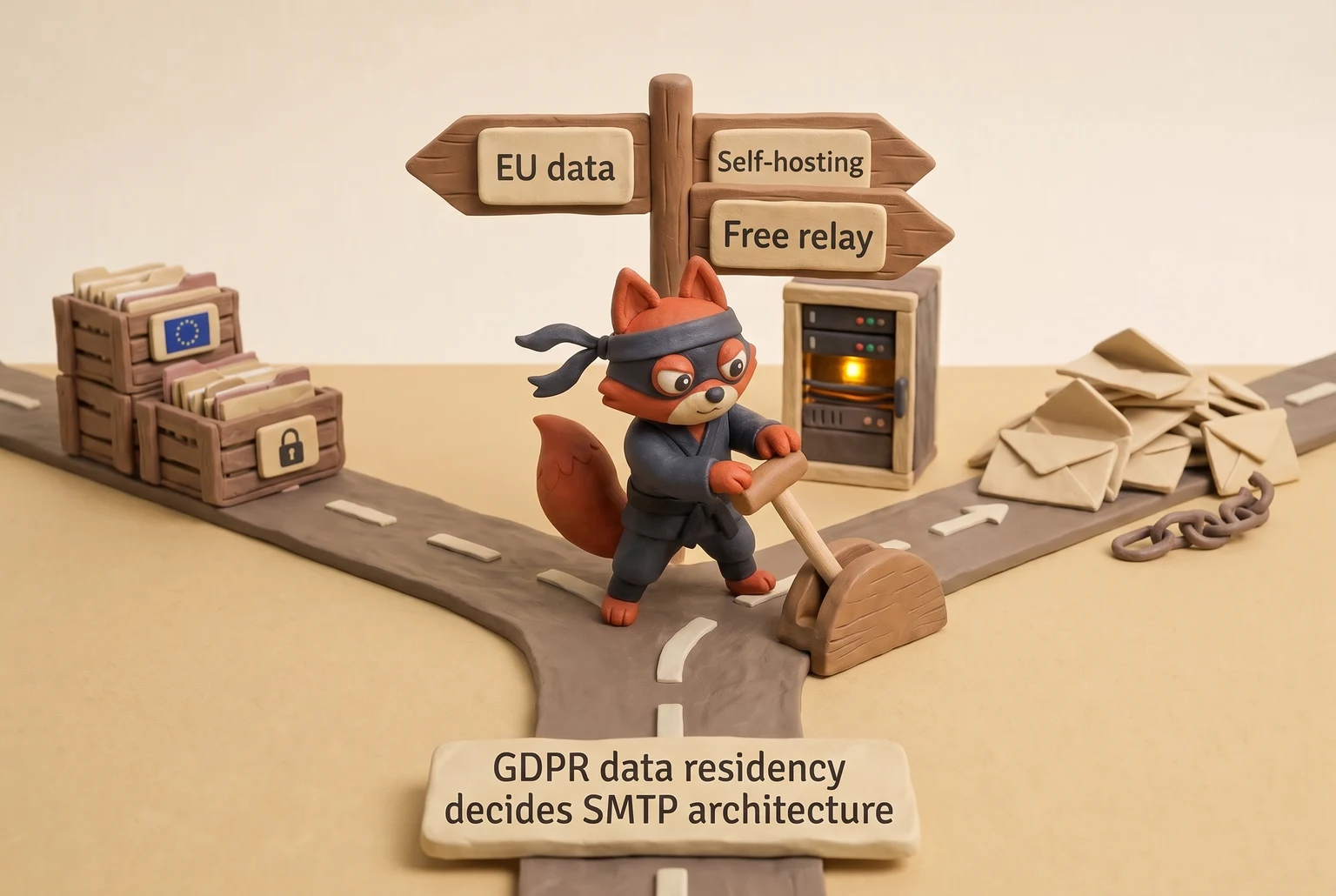
Custom domain control follows the same split. A free relay signs mail with your domain, but the IP belongs to the provider, and you accept whatever suppression and error detail the dashboard exposes. A hard bounce on a free tier shows as "suppressed" in the UI and never surfaces the RFC 5321 550 no-mailbox code. A self-hosted Postfix logs every SMTP response per address, so you can export bounces to your CRM and clean the source list. Bounce handling becomes your job, but it stops being guesswork.
For self-hosting, three options cover a B2B sender's needs. Postfix is the default MTA: plain, auditable, and widely documented. Mailcow bundles Postfix, Dovecot, webmail, and an admin panel into a full mail stack for a small team. Haraka is an evented Node.js MTA built for high-throughput programmatic relaying. Each one shifts maintenance to you: patch cadence, TLS certificates, IPv4 reputation warm-up, PTR records, rate limiting, and blocklist delisting.
Field note: Data residency is the quiet dealbreaker for EU senders. The DPA sits behind the paid plan gate.
That ongoing maintenance is the real overhead. The install itself is a one-time setup. If you don't have a deliverability owner, the patch cycle and blocklist delisting will consume more attention than the free tier's caps ever did.
Use the 300/1,000 Rule test between 300 and 1,000 emails per day: pull a bounce from each option and see which one hands you the raw SMTP code and a signed DPA. Whichever fails first is the architecture you don't choose.
Send a time-sensitive product launch through a free tier and the caps in the table stall the send mid-list, so the remaining sends spill into the next window and the registration deadline passes.
- Publish SPF, DKIM, DMARC and verify your domain before using any free SMTP provider; missing DKIM is a common setup failure.
- Port 587 with STARTTLS is the submission path; port 25 is frequently blocked and not for client submission.
- Block disposable and role-based addresses, too, to protect shared IP reputation and quota.
- Shared IPs hide per-recipient spam complaint data, so stay under 300/day and move off free tiers beyond roughly 1,000/day or when bounce rate climbs.
Free SMTP Server FAQ
Is there a truly unlimited free SMTP server?
No. No provider runs an unlimited free relay. The free tier is a customer acquisition channel, not a charity; shared IPs cost reputation and bandwidth, so every provider caps daily or monthly sends. SendGrid caps 100 per day. Skip any service that advertises unlimited free SMTP; the claim is the first sign the page is not trustworthy.
Which free SMTP provider is best for transactional email?
Brevo and SendGrid are the common starting points, but the better choice depends on volume. Brevo gives 300 emails per day with SMTP access and no card, which suits order confirmations and password resets. SendGrid gives 100 per day but has a long track record for transactional routing. SMTP2GO's 200 per day is a solid middle if you need simple setup. Pick the provider whose daily cap covers your burst, then publish SPF and DKIM before the first send. Don't chase the biggest monthly number; burst capacity is what keeps receipts timely.
Do free SMTP providers require a credit card?
Most free SMTP providers do not require a credit card. Mailgun collects a card before the trial ends. Amazon SES requires an AWS account and billing method even though the first 62,000 monthly emails are free. Check the signup page before you automate anything because free-tier terms shift without notice.
Why are my emails going to spam from a free SMTP server?
Spam placement from a free SMTP server usually traces to three causes: missing authentication, a dirty recipient list, or a neighbor poisoning the shared IP. Publish SPF, DKIM, and DMARC exactly as the provider specifies. Validate addresses before sending because a few hard bounces on a shared IP drag the whole pool. Verifox's catch-all and disposable check removes the highest-risk recipients before the SMTP call. Then watch your complaint rate, which free dashboards often hide.
Can I use a free SMTP server with my own domain?
Yes. Every reputable free SMTP provider requires your own domain. You add an SPF TXT record at the root, a DKIM record at the provider's selector, and a DMARC record at _dmarc.yourdomain.com. Without those records, the relay may refuse mail or Gmail will junk it. Using the provider's shared "from" domain marks mail as promotional and breaks your brand. Own-domain sending is the default, not an upgrade.
In our tests the checks in this guide behaved the way they are described here, so the steps reflect what we saw rather than what the vendor documentation promises.
Readers working through this usually run into server smtp free meaning, what causes a server smtp free and free tier quotas as well, so they are worth understanding alongside the main topic.
Free SMTP Server: Make the Free Tier Earn Its Place
Skip this and the bounce shows up three sends later, after the damage. A free SMTP server earns its place while volume stays low and validation is automatic. Stay under 300 emails per day for simple transactional mail: receipts, password resets, account notifications. That is the highest no-card free SMTP daily cap in the table above. The moment sending becomes a revenue channel, the free tier stops being free.
Move off it when bounce rate climbs past 3%, the ceiling SendGrid's published deliverability guide sets, or when volume crosses 1,000 emails per day, which is beyond every no-card free tier in the table. Past that point a shared IP hides the failure metrics you need, and a revenue message landing in spam is a cost, not a saving.
Start my validation run before the first send. Verifox's syntax and catch-all check blocks the addresses that spend your quota and poison the shared pool. Do that, and the free tier holds. Let it lapse, and you've rented reputation at a rate no plan covers.
Key takeaways:
- I use a free SMTP server for transactional mail only, under 300 sends per day.
- I move to a paid plan when my bounce rate exceeds 3% or my volume crosses 1,000 emails per day.
- I validate my list with a syntax and catch-all check before the first send to keep the shared IP pool clean.
- I publish SPF, DKIM, and DMARC records before sending; without them, a free tier's IP lands in spam.

I'm an AI researcher and founding engineer focused on what happens after the base model: grounding, evaluation, human control, and reliable deployment. At Harvard Business School's AI Institute, I build research platforms and LLM measurement pipelines: a six-condition human-AI negotiation experiment platform, and an LLM pipeline that mapped problem statements from 88,000+ startups, validated against 331 founder interviews. Previously I built the agent backend and real-time voice AI for CareCorgi (FastAPI / Gemini / GCP), and co-founded Zumer, an externally audited DeFi protocol on Ethereum mainnet. The common thread: turning ambiguous human problems into instrumented AI systems with structured outputs, behavioral evaluation, and production safeguards. First-author publications at CHI and CHIWORK. Open to Applied Scientist / AI Engineer roles.