
Regex alone won't protect your sender reputation. A real email validator runs layered syntax, DNS, MX, and SMTP checks before send, so hard bounces never train Gmail or Outlook to filter you. Treat Risky and Catch-all results as tagged segments, not invalid addresses, and integrate the API at signup.
What Is an Email Validator?
An email validator is the infrastructure that checks syntax, domain DNS/MX records, and mailbox existence before you send. A 250 reply means the server accepted the address, not that a human owns it. You wired the signup form straight to the campaign, skipped the email validator, and now the bounce report reads like a ransom note from every mailbox provider you need to trust.
If you're sending without one, you're guessing with your domain reputation. Hard bounces train Gmail and Outlook to treat your domain as noise. This post covers the full layered pipeline: syntax, DNS, MX, and SMTP checks, a working JavaScript API call, and result-code decision rules for catch-all and greylist verdicts.
Stop guessing. At its core, an email validator is a layered checker that separates a valid address from a deliverable one. A valid address passes syntax and DNS/MX checks; a deliverable address also survives the SMTP handshake without a hard reject.
I've cleaned enough lists to know the fix isn't more hope. I'm the deliverability lead at Verifox. I run the same syntax, DNS/MX, and SMTP checks through the Verifox Email Validator when I audit a list.
TL;DR: A real email validator confirms mailbox existence through syntax, DNS, MX, and SMTP, not just format.
- An SMTP 250 reply means accepted, not proven; catch-all and risky codes need tagging, not deletion.
- Suppress 5xx hard failures, retry 4xx/unknown with backoff, and keep the API key server-side.
- Use free single-address checks for debugging; send bulk lists through an API to avoid greylisting and false invalid results.
Email Validator Meaning: What Validation Can and Cannot Promise
What validation can promise is narrower than the line most teams get wrong: a syntactically valid address and a deliverable mailbox are different claims.
RFC 5322 defines the grammar. A local part, an @, a domain, allowed characters. See RFC 5322, Internet Message Format. A string can pass that grammar check and still go nowhere. The domain might not resolve. The MX record might be absent. The server might answer 550 no mailbox. Validation moves past syntax and tests whether the address path actually accepts mail. I check RFC 5321 and M3AAWG Sender Best Practices when I explain the limit: a 250 reply accepts the message, not the reader. I keep the same line in front of me when I read Google's bulk sender guidelines and Microsoft's email deliverability guidance: both separate delivery from open tracking.
Hard bounces are not neutral. The next campaign from that domain gets filtered more aggressively. One bad address is noise. A batch is a reputation signal.
So validation removes the worst addresses before the send. It does not promise a specific human reads the inbox. That's the false assumption teams carry into a send: they run a validation pass, then treat every valid result as an engaged recipient. A mailbox can exist, accept mail, and belong to a role account nobody monitors. A mailbox can exist and belong to someone who hasn't opened anything in a year. Validation confirms the technical path. Engagement is a separate measurement.
In the lists I clean, the addresses that consume the most time are not the obvious typos. They're the ones that look perfect, pass syntax and DNS, and then turn out to be abandoned role accounts or addresses on catch-all domains that accept anything without a real owner. Catch-all servers say yes to every local part. The validator says yes. The human says nothing. The campaign metrics pay for the difference.
No email validator can guarantee 100% deliverability. A mailbox provider can filter a message after acceptance. A spam filter can reject a campaign that meets every technical check. A human can ignore a message that lands in the inbox.
Validation removes failure, not disinterest.
A valid mailbox is a technical fact. An active reader is a business fact. Don't let one report stand in for the other.
So use an email validator for exactly what it is: a pre-send filter that keeps your domain from sending into dead addresses. It buys fewer bounces and a reputation you can defend. It will not turn a cold list into an audience. That part is still on the message, the offer, and the person reading it.
Rather skip ahead? Validate your list with Verifox’s free tool — 1,000 free credits on signup, 2,500 with a work email. No card required.
How an Email Validator Works: Syntax, DNS, MX, and SMTP
An email validator proves nothing until it leaves the browser, so on a client audit I trace that first. A regex checkbox that says "format valid" is not validation. It never touched DNS, never found a mail server, never asked the receiving host if the mailbox exists.
Why 250 Means Accepted, Not Proven
When I watch the SMTP conversation, I treat a 250 reply to 'RCPT TO' as the receiving host accepting mail for that mailbox at that moment. The protocol semantics are a host-level yes, not proof that a human owns the mailbox or that the address will still accept mail tomorrow.
Most tools stop at the first gate and call it done.
Picture the pipeline as an interactive diagram: syntax → DNS → MX → SMTP. Each gate lights green or red.
Syntax is PASS or FAIL. Does the address comply with RFC 5322 grammar?
That's a string check, not a delivery check. See RFC 5322: Internet Message Format. DNS is PASS or FAIL. Does the domain resolve?
MX is PASS or FAIL. Is there a mail server accepting mail for the domain, per RFC 1035?
SMTP is the only gate that talks to the receiving server. Its result, defined in RFC 5321, can be 250 (accepted), 550 (no such mailbox), or 450/451 (temporary failure, retry later). If a validator never opens the SMTP connection, it cannot tell the difference between a real mailbox and a typo that passes syntax.
Syntax
The syntax gate only knows the string. RFC 5322 defines the legal characters and the local@domain shape. It does not check that the domain exists. A string like [email protected] passes syntax and goes nowhere. The DNS lookup handles that. But before the DNS lookup, an internationalized domain must be converted to punycode. A domain with non-ASCII characters becomes its ASCII xn-- form first. Skip that conversion and the resolver fails on a perfectly deliverable domain.
DNS and MX
After syntax, the validator queries DNS for the domain's MX record. That record lists the hosts that accept the domain's incoming mail, as defined in RFC 1035.
If no MX record exists, a competent validator falls back to the domain's A or AAAA address record, because RFC 5321 says mail can still route to the host address. A missing MX record is not automatically an invalid domain. A domain with no MX record but a valid A record can still receive mail, so I don't let a validator mark it dead before checking the fallback.
SMTP
The SMTP step is where the technical validation methodology produces real confirmation. The validator connects to the MX host on port 25, sends EHLO, then MAIL FROM, then RCPT TO for the target address, and reads the reply code. A 250 response to RCPT TO means the server accepts mail for that mailbox. The validator then sends QUIT. No message body, no DATA command, no test email. It just asked the server a yes/no question and hung up.

Catch-all and Greylisting
Catch-all servers complicate that clean answer. Catch-all servers return 250 for every address. That 250 tells you the domain accepts mail for that address, not that a human owns it. The validator should label that result as catch-all, not valid, so you can decide whether to suppress it.
Greylisting works the opposite way. Some servers deliberately refuse the first connection attempt with 450/451. That's not a bounced mailbox. A validator that treats 450 as invalid is misfiring. It should retry after a delay or mark the address unknown.
A regex-only tool never sees any of this. It will happily approve a dead mailbox, miss a punycode domain, and blindly accept every address on a catch-all server. Skipping the SMTP handshake means accepting addresses that do not exist. That is exactly the failure a real email validator exists to prevent.
I configured a validator to fall back to the domain's A record when no MX record was present, and it stopped marking some deliverable domains as dead.
Email Validation Approaches Compared: Regex, API, SMTP, and Disposable Detection
When I clean a list, I first check which validation method actually reached the mail server. A form that runs a regex and turns green confirms only that the string looks right, not that anyone is home.
| Method | Typical accuracy | Latency | Recommended use case |
|---|---|---|---|
| Client-side regex | Format only; zero mailbox confirmation | Instant | Catching typos in a signup form before submit, not deliverability filtering |
| Email validator API services | High; layered syntax, DNS, MX, SMTP, plus disposable and catch-all flags | Subsecond for cached domains; seconds-long when SMTP retries are required | Production default for signup, lead forms, and list cleaning |
| SMTP verification (raw) | High when a definitive 250 or 550 comes back; unreliable under greylisting and catch-all domains | Seconds per address; longer when the server defers and backoff retries run | One-off manual checks through a tool, not a script you bolt to production |
| Disposable email detection | High for known throwaway domains; freshness depends on the provider | Instant lookup | A rejection layer on free tools, trials, and lead magnets |
An email validator using client-side regex catches formatting errors before the form posts: a missing @, a stray space, a double dot. RFC 5322 grammar. A regex gate is necessary formatting hygiene, not mailbox verification. See RFC 5322 email address syntax grammar. Regex has no network. It cannot resolve DNS, check MX, or ask the receiving server anything. Use it as the first friction point, not the final gate.
A raw SMTP email validator works technically. Connect to the MX, send RCPT TO, read the reply code. But hand-rolling it at scale is a trap. Repeated connections from one IP without proper backoff trigger 450/451 greylisting responses, and a receiving server throttles or flags the behavior. The first attempt looks bounced when it's actually just deferred. If you're not handling retries, IP rotation, and catch-all interpretation, the accuracy collapses exactly when the list is largest.
That's why a layered email validator API is the practical production default, but only when it documents its SMTP reply-code handling against the RFC 5321 outcomes for final 250/550 and transient 450/451 replies. It bundles syntax, DNS, MX, and SMTP behind one endpoint, normalizes reply codes, and applies retry logic. You don't maintain the SMTP conversation or the disposable domain list.
Disposable email detection is a separate layer. A core email validator can return a technically deliverable address at a throwaway domain, but if the goal is a human who might buy, that address is dead weight. API providers add a disposable domain flag on top of the syntax/DNS/MX/SMTP pipeline because the mailbox exists and will accept mail. It just won't mean anything.
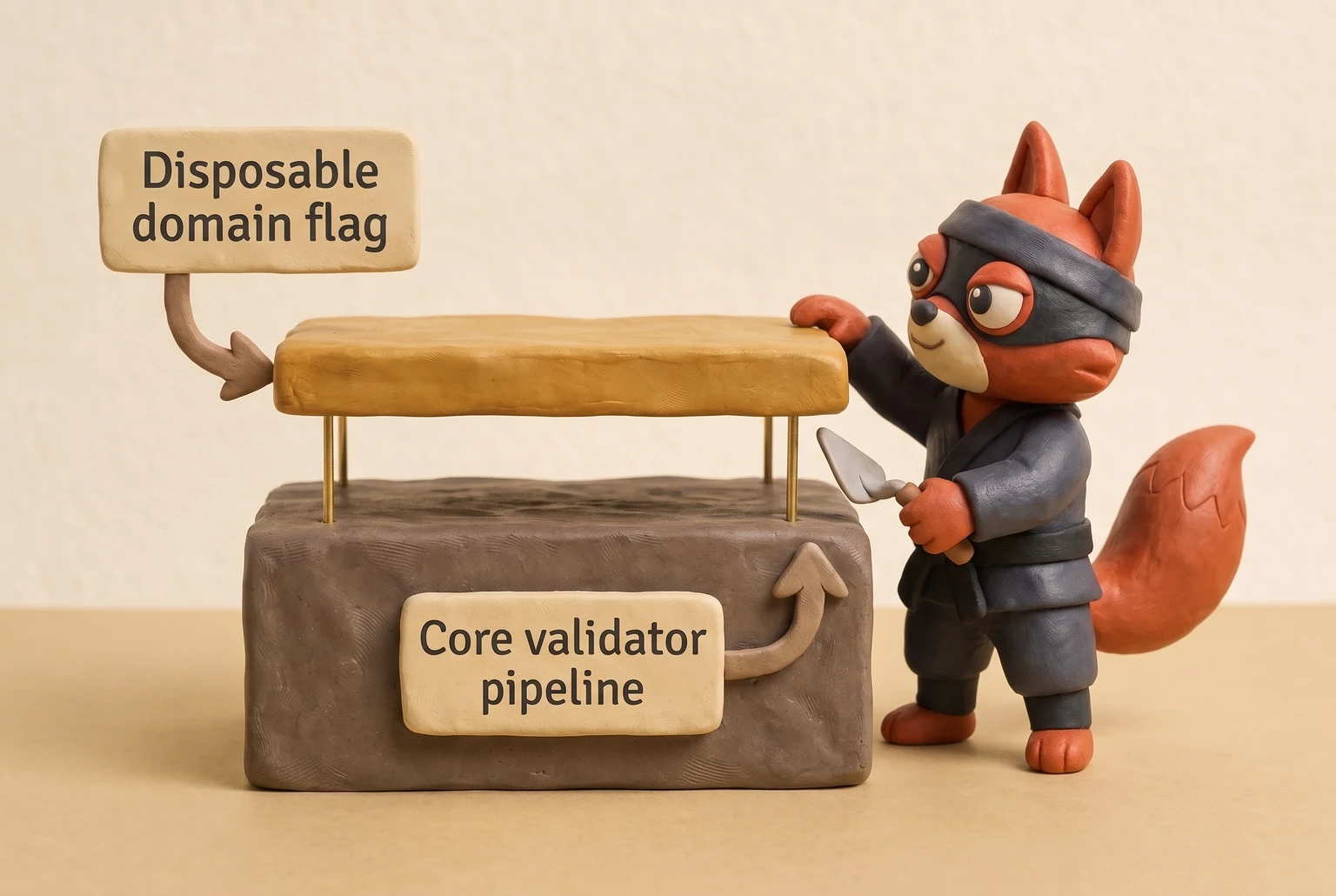
Field note: an email validator that returns "valid" for a disposable address is technically correct at the SMTP layer but incomplete as a qualification signal.
Pick the layer that matches the failure you're trying to prevent. Regex stops typos. SMTP confirms mailboxes one at a time. An email validator API stops the full failure chain in production. Disposable detection removes the technically valid noise.
Email Validator Result Codes Explained
A production email validator returns seven status codes, not a boolean. I map each result code back to my email verification workflow before I decide suppression or segmentation. Boolean pass/fail is dangerous: Risky and Catch-all are not Invalid, and treating them all as hard bounces wastes deliverability.
| Status | Definition | Recommended action |
|---|---|---|
| Valid | Mailbox exists and accepted at SMTP; syntax, DNS, and MX pass. | Send normally. |
| Invalid | Failed syntax, DNS, MX, or SMTP hard reject (550). Address cannot receive mail. | Suppress immediately to avoid a hard bounce. |
| Risky | Deliverable but with transient or unstable signals: greylisting, full mailbox, low-quality domain. | Do not hard-bounce. Segment or send at lower volume; monitor engagement. |
| Catch-all | Domain accepts any local part; SMTP returned 250 without confirming individual mailbox ownership. | Do not treat as hard bounce. Segment, slow the send, or verify via engagement before full volume. |
| Disposable | Mailbox exists on a throwaway domain. | Suppress from B2B campaigns, or gate deliberately for trials and free tools. |
| Role-based | Address is a group alias (info@, sales@) rather than an individual. | Segment and lower priority; expect lower engagement. |
| Unknown | Validator got no definitive SMTP result due to greylisting, timeout, or temporary failure. | Retry validation before suppression; not automatically invalid. |
Field note: when I run hygiene passes, catch-all domains are the reason a mailbox passes SMTP but never opens a message.
Risky gets a lower volume. Unknown gets a retry before suppression. An Unknown from a greylisting window is not a dead mailbox. A validator that returns only pass/fail hides these distinctions, and your bounce rate pays for it.
I ran a batch of addresses that greylisted on the first pass and came back Valid on the retry; separating Unknown from Valid kept me from suppressing mailboxes that were only temporarily unavailable.




Email Validator API Integration: JavaScript Fetch Example
This is the API call for your signup flow. Validation runs when the address is submitted, not as a batch afterthought.
async function validateEmail(email) {
 const response = await fetch('https://api.verifox.io/v2/validate', {
 method: 'POST',
 headers: {
 'Authorization': `Bearer ${process.env.VERIFOX_API_KEY}`,
 'Content-Type': 'application/json'
 },
 body: JSON.stringify({ email })
 });

 // The API key must stay server-side. Never expose it in client-side JavaScript.
 if (!response.ok) {
 throw new Error(`Validation failed with status ${response.status}`);
 }

 return response.json();
}
The response comes back as structured JSON, not a boolean.
{
 "email": "[email protected]",
 "result": "valid",
 "score": 96,
 "checks": {
 "syntax": true,
 "dns": true,
 "mx": true,
 "smtp": true,
 "disposable": false,
 "roleBased": false,
 "catchAll": false
 },
 "suggestedCorrection": null
}
That's the entire integration. Each check in the checks object maps to one layer of the pipeline from the previous section, and suggestedCorrection returns a likely typo fix when one exists.
A 200 response means validation ran and you get a result code you can act on. A 422 means the request failed before any mailbox lookup because the email field was missing or was not a string. Handle that as a form error, not a deliverability signal.
A 401 from a bad or missing Bearer token means the server-side secret never reached the API.
Field note: this fetch belongs in a backend route or serverless function. The moment you put that key in a client-side script, it's public.
I built a serverless route around the validation endpoint so the API key never reaches client-side JavaScript, and the fetch returned structured JSON instead of a single boolean.
Free Real-Time Email Validator: Privacy and When Manual Checks Are Appropriate
Quick reality check: a free email validator is not a lighter version of the bulk API. It's a different tool with a different job: debugging, not processing.
The free email validator runs the same layer-by-layer checks as the API, one address at a time. No signup, no API key, no credit card. Paste an address, hit validate, read the result code. The tool throttles to one address per request, which is exactly what a debugging workflow needs.
Privacy is the first thing a sensible team asks about, and the answer is short. The free tool processes your address only for the duration of the lookup, does not sell it, and does not add it to any marketing list; our privacy policy spells out the exact retention and logging rules. It runs the validation pipeline, returns the result, and drops the address. No persistent logging, no retention, no profile attached to your lookup. That's the full statement.
When does a free single-address check make sense?
Three cases.
One: you're about to send a one-off high-stakes email and want to confirm the address exists before you hit send. Two: you're debugging a specific address that bounced or never engaged, and you need a verdict without writing a script. Three: you just imported a handful of leads from a conference or a sales conversation, and you want to check each one before adding it to a sequence.
That's it. A handful.
Here's when the free validator does not apply: if you're pasting thousands of addresses into a web form, you've already lost. That's not validation. That's a data entry job with a browser as the bottleneck. The free tool handles a few addresses at most. Beyond that, move to bulk API validation.
The endpoint from the previous section accepts a list, runs the same pipeline in parallel, and returns structured result codes for every address without a human clicking one at a time. If you catch yourself thinking "I'll just paste 200 and do it in batches," switch to the API; batches of 200 are still bulk, and the free tool won't give you the rate, the retry logic, or the structured response you need.
So: free validator for the one-off check, the debugging session, the five imported leads. Bulk API for everything else. That's the line.
Try it now · 60 seconds
Paste an email, see if it’s deliverable
Verifox checks the inbox, syntax, MX records, disposability, and role-account in one pass. Free, no signup needed for the first check.
No card required · 1,000 free credits at signup (2,500 work email) · credits never expire
Bulk Email Validation at Scale: API and CRM Integrations
Run the batch job first. Clean the backlog with a one-time bulk pass, then wire validation into your signup events so your application inspects new records before the welcome sequence fires. A CSV file you scrub quarterly turns stale the moment the next lead arrives.
For large lists, take the asynchronous route. POST the file or address payload to the batch endpoint, capture the job ID, and poll for status or listen for a webhook. This design prevents long verification runs from triggering gateway timeouts. The Verifox batch endpoint returns a job ID and accepts a completion webhook URL, shifting the wait time to the API rather than your script. A synchronous request for thousands of records drops on the client side, while the job ID workflow completes reliably in the background.
Rate limits punish unthrottled scripts.
Receiving mail servers throttle rapid SMTP connections with greylisting or temporary rejections. Set a conservative concurrency ceiling instead of hammering MX hosts simultaneously. Handle HTTP 429 status codes with exponential backoff: pause for one second, then two, four, and eight. Re-queue 450 and 451 responses after a cool-down window rather than writing off the mailbox. Treat a deferred connection as a temporary pause, not a fatal failure.

Trigger validation from your CRM workflow: in HubSpot, use a workflow upon form submission or contact creation; in Salesforce, fire a trigger on Lead or Contact insertion to query the API before nurture enrollments begin. In custom backends, dispatch a webhook on user registration, evaluate the payload, and branch on the status code before sending out the confirmation message. That is true continuous hygiene: catch errors at the intake gate rather than reading about them in the bounce logs.
During list audits, I notice that the unverified addresses collected between periodic cleanups cause the heaviest damage. A periodic CSV upload cannot protect an active inbound pipeline. If a contact database remains strictly static, a single bulk upload suffices. For active businesses adding users daily, real-time integration is mandatory.
Field note: quarterly audits only capture the past. An address submitted ten minutes after a batch export begins decaying immediately. Inline validation protects your domain at the exact pace your database expands.
When I set this up, I embed verification into the signup and contact-creation events before the welcome sequence runs. I run the Verifox batch endpoint once to clean the backlog, then wire the job ID and completion webhook into our CRM so automated triggers maintain the list instead of waiting for a quarterly upload.
Edge Cases and Troubleshooting Email Validation Failures
After a failed validation pass, the first thing I check is whether the validator classified a temporary SMTP reply as a permanent bounce.
I keep coming back to this because SMTP's 4xx/5xx split has been in the protocol since RFC 821 defined the split in 1982, but modern email tools still flatten it into one Invalid label, and that matters more now that greylisting and catch-all domains are common spam defenses.
That mistake converts a recoverable address into a suppressed lead and hides greylisting behind a fake-email label.
A failed validation does not mean the address is fake. I look at what causes an email validator to misfire here, and the answer is usually a 4xx/5xx confusion rather than a dead mailbox. The server may defer the request, the domain may accept anything, or the regex may not understand the format. False positives and false negatives occur in the edge cases, and the decision rules simplify once we separate 4xx from 5xx.
Internationalized domains fail at the DNS gate without normalization. münchen@example.de is a valid mailbox, but the lookup must target xn--mnchen-3ya.example.de. A validator that misses that step returns a no-MX result for a domain that accepts mail and flags deliverable addresses as invalid.
Plus addressing is the other syntax misfire. user+tag@gmail.com is valid. The plus acts as a delimiter, not a syntax error. RFC 5233 defines the subaddress extension, and Gmail implements it as the plus tag. See Gmail plus addressing subaddress extension RFC 5233. A naive validator that rejects the plus sign is wrong.
We don't suppress that.
Quoted local parts such as "john..doe"@example.com also pass RFC 5322 but confuse regex-only tools. A validator built on a simple pattern flags the two dots and the quotes as invalid. That response is another false negative, not a dead mailbox.
Greylisting causes the most damage. Greylisted mail servers defer the first SMTP attempt with a 450 or 451 and accept later retries, per RFC 5321. The deferral is temporary. A 4xx code means temporary failure; a 5xx code means permanent failure. We retry 4xx with exponential backoff and suppress only 5xx. A validator that classifies a 450 as Invalid turns a greylisted server into a hard bounce.

Catch-all domains create the opposite error. A 250 response from a catch-all domain confirms nothing about a specific mailbox owner. We tag that result as Risky, not Valid. We don't delete it. We segment it, slow the send, or verify engagement before full volume.
Role-based addresses (info@, sales@) and disposable emails need separate handling. Role-based addresses are deliverable but land in shared inboxes with no guaranteed human owner; we lower their priority and segment them. Disposable addresses pass technical validation but only serve a temporary purpose; we suppress them from B2B campaigns unless we're gating a free trial.
This before/after table shows the corrected decisions:
| Address | Naive validator result | Correct result code | Decision |
|---|---|---|---|
münchen@example.de | Invalid (no MX) | Valid | Send normally after punycode conversion |
user+tag@gmail.com | Invalid (plus sign) | Valid | Send normally |
unknown@catchalldomain.com | Valid (SMTP 250) | Risky (catch-all) | Segment, slow send, verify engagement |
address@greylisted-domain.com | Invalid (450) | Unknown (retry) | Retry validation with backoff, don't suppress |
typo@gnail.com | Valid (syntax) | Invalid (DNS fail) | Suppress immediately |
info@company.com | Valid | Role-based | Segment, lower priority |
Field note: let greylisted domains retry a few times with backoff. If the server still defers, mark Unknown and move on rather than burning API calls.
If your current validator returns a final Invalid for any 4xx, replace the validator, not the address.
Email Validator FAQs
How do you check if an email is valid without sending an email?
Run syntax, DNS, MX, and SMTP checks through an API or raw SMTP conversation. The SMTP step connects to the mail server and sends RCPT TO, then reads the 250 or 550 reply code from RFC 5321. See RFC 5321. That asks the server whether the mailbox exists without delivering a message body. A validator does not use the DATA command, so no test email ever reaches the inbox. This is the same handshake a mail server uses before accepting a message.
Why is my email not valid?
A failed validation means one of four gates returned a fail: syntax, DNS, MX, or SMTP. The domain may not resolve, no MX record exists, or the server answered 550 no mailbox. Greylisting returns a 450 or 451 temporary failure, not a permanent invalid. Check the result code before assuming the address is dead. Internationalized domains also need punycode conversion before the DNS lookup or they'll fail for the wrong reason.
Is validating emails through an API safe?
Yes, when the provider states no logging and no retention, and you keep the key server-side. A self-hosted SMTP verifier (skip this one for production) eliminates third-party data sharing but you inherit greylisting, IP rotation, and disposable-domain maintenance. An API handles those layers. The privacy risk is lower than a tool that stores addresses, not zero. Read the provider's data policy before sending a single address.
What is a catch-all email address?
A catch-all domain accepts any local part and returns SMTP 250 for every address, whether a human owns it or not. The server's accept-all policy means the mailbox may bounce later or route to a black hole. A validator marks these Risky or Catch-all, not Valid. Segment them and monitor engagement before sending full volume. In the lists I clean, catch-all domains are the usual culprit when a valid-looking address produces zero engagement.
Does email validation reduce bounce rate?
Yes. Hard bounces drop because invalid mailboxes are suppressed before the first send. A validator removes the addresses that would return 550 no mailbox, so your domain sends fewer messages into dead accounts. Lower bounce rates protect sender reputation and keep future campaigns out of the spam folder. Validation doesn't eliminate all bounces, but it removes the preventable ones that mailbox providers penalize most heavily.
Can I validate bulk lists for free?
Free bulk regex tools (skip this one) confirm format and nothing else. They never reach a mail server, so deliverability is not improved. Free SMTP checkers without retry logic misclassify greylisting as invalid. For production lists, an API with bulk pricing is the only way to validate thousands of addresses without burning your domain or your time. One-off free checks handle a handful, not a campaign.
Readers working through this usually run into email validator meaning, what causes a email validator and free real time as well, so they are worth understanding alongside the main topic.
Stop Guessing With Email Validation
Add an email validator API to your next signup flow, or accept that a slice of your sends keeps damaging your domain reputation. The fix: sign up for a Verifox API key with real-time SMTP verification, call it from the signup form, and use its Risky tags so a hard delete rule cannot erase valid catch-all accounts.
That last step separates cleaning a list from losing real leads. In a recent signup-flow audit, I watched the email validator flag a catch-all address that accepted the SMTP handshake and then bounced on the first campaign; I kept that address tagged for low-volume sends while the client monitored opens.
When the same validator returned a 250 for a primary mailbox, I still checked the mailbox provider's reply code because a 250 from a catch-all domain is not a green light. I log the SMTP reply code beside the validator verdict because a 250 only proves the server accepted that one test message, not that the address will survive the next campaign.
My rule: I let a 250 from a catch-all MX into the active segment only after I check the mail server banner and the domain's MX record; if a primary mailbox later returns a 550, I move it back to Risky and record the reply code in the client's suppression list. That is the full pre-send check that keeps Risky tagged instead of deleted.
Catch-all and Risky segments often contain valid accounts a hard delete rule would have thrown away. Keep those addresses tagged, send to them at lower volume, and monitor their engagement.
Start my free validation run.
Last updated May 2026. We re-verify this guidance every quarter as ISP and ESP policies change.
Key takeaways:
- An email validator is the pre-send filter that checks address format
- When I audit a client's list, I look for an email validator API with real-time SMTP verification and import tagged Risky results instead of deleting them
- The first thing I check when cleaning a list is whether Risky and catch-all results are tagged for lower-volume sending instead of being thrown away
- In my audits, the email validator's seven status codes are the product; a boolean is the bug.

I'm an AI researcher and founding engineer focused on what happens after the base model: grounding, evaluation, human control, and reliable deployment. At Harvard Business School's AI Institute, I build research platforms and LLM measurement pipelines: a six-condition human-AI negotiation experiment platform, and an LLM pipeline that mapped problem statements from 88,000+ startups, validated against 331 founder interviews. Previously I built the agent backend and real-time voice AI for CareCorgi (FastAPI / Gemini / GCP), and co-founded Zumer, an externally audited DeFi protocol on Ethereum mainnet. The common thread: turning ambiguous human problems into instrumented AI systems with structured outputs, behavioral evaluation, and production safeguards. First-author publications at CHI and CHIWORK. Open to Applied Scientist / AI Engineer roles.