
Email compliance isn’t a legal checkbox. It’s a sending-systems discipline. Stay compliant by classifying every message under CAN-SPAM’s primary-purpose test, applying the strictest consent regime per recipient, validating addresses at capture, suppressing opt-outs immediately, and aligning SPF, DKIM, and DMARC. Automate these gates in your pipeline, and you’ll avoid fines and protect deliverability.
Email Compliance Meaning and Why You Can't Ignore It
Email compliance is a send-time control layer: data hygiene, authentication, segmentation, and suppression applied before every send. What do a €20 million GDPR penalty, a CAN-SPAM per-email fine, and a domain with dead deliverability have in common?
Each starts with email compliance treated as a legal box to check.
It's not. CAN-SPAM treats each non-compliant email as a separate violation, and you have 10 business days to honor an opt-out. See CAN-SPAM Act: A Compliance Guide for Business. GDPR's maximum is the higher of €20 million or 4% of global revenue.
The enforcement math is what I keep in mind: at €500 million in global revenue, 4% is exactly €20 million, so below that global revenue the €20 million alternative is the binding ceiling, while above it, 4% becomes the larger ceiling. Regulators then weigh intent, cooperation, and whether the send was deliberate before setting the actual penalty, but the statutory maximum is set by that arithmetic.
The quieter cost is deliverability: mailbox providers don't wait for a regulator. They route you to spam, and the revenue you expected just stops.
Email compliance is a sending-systems problem. The legal language is one output. The actual system is your data hygiene, your authentication, your segmentation, and your suppression list.
I've watched a spotless list get routed to spam because a suppression file didn't survive a recent CRM re-import; that failure is why I run the pre-send checklist before every send. I'm Sarah Chen, and I've cleaned enough dirty B2B lists to know what happens when compliance is an afterthought.
Ready to build it right?
TL;DR: Email compliance is a send-time control layer, not a periodic legal review.
- CAN-SPAM gives an opt-out floor with per-email penalties, but GDPR and CASL still require opt-in or a valid legal basis.
- Transactional messages aren't exempt from accurate headers; mixed-purpose sends need a primary purpose call before every campaign.
- Operational compliance means consent proof, a 30-day live unsubscribe link, suppression that survives re-imports, and authenticated sending.
- Validate and classify addresses at capture, then run the pre-send checklist on every send.
Transactional vs Commercial Email Under Email Compliance Rules
The clearest early signal I look for is how they classify mail that does two jobs at once. Mixed-purpose messages are where the classification breaks.
Conventional wisdom says transactional email gets a free pass. It doesn't.
Under CAN-SPAM, transactional or relationship messages cover receipts, order confirmations, shipping updates, invoices, password resets, warranty and recall notices, account balance alerts, and membership or plan changes. Commercial messages cover promo blasts, discount campaigns, newsletters, product launches, and re-engagement emails built to sell something. On paper that distinction looks clean.
It isn't clean in practice. CAN-SPAM applies a primary purpose test to any message with both transactional and commercial content. The test doesn't ask what you intended the email to do. The Federal Trade Commission's CAN-SPAM compliance guide states the rule: a message's primary purpose is commercial if the subject line would lead a reasonable recipient to think the message advertises or promotes something, or if the transactional content doesn't appear at the beginning of the body.
That's where teams misclassify.
A growth team swaps in a banner, the template still says "order confirmation," and nobody reruns the primary purpose test. A shipment email with a hero banner for "25% off your next order" feels transactional because the package is real. But if the subject line reads "Your order has shipped + 25% off," the reasonable recipient sees an ad. Same message, different legal category.
The shift is mechanical. Subject line first: "Your receipt" keeps the primary purpose transactional. "Your receipt + sale inside" pushes it commercial. Body order second: leading with the receipt, order details, or account information preserves transactional character. Leading with a promo banner flips it. Promotional graphics placed above the transactional content carry weight under the beginning-of-body prong.
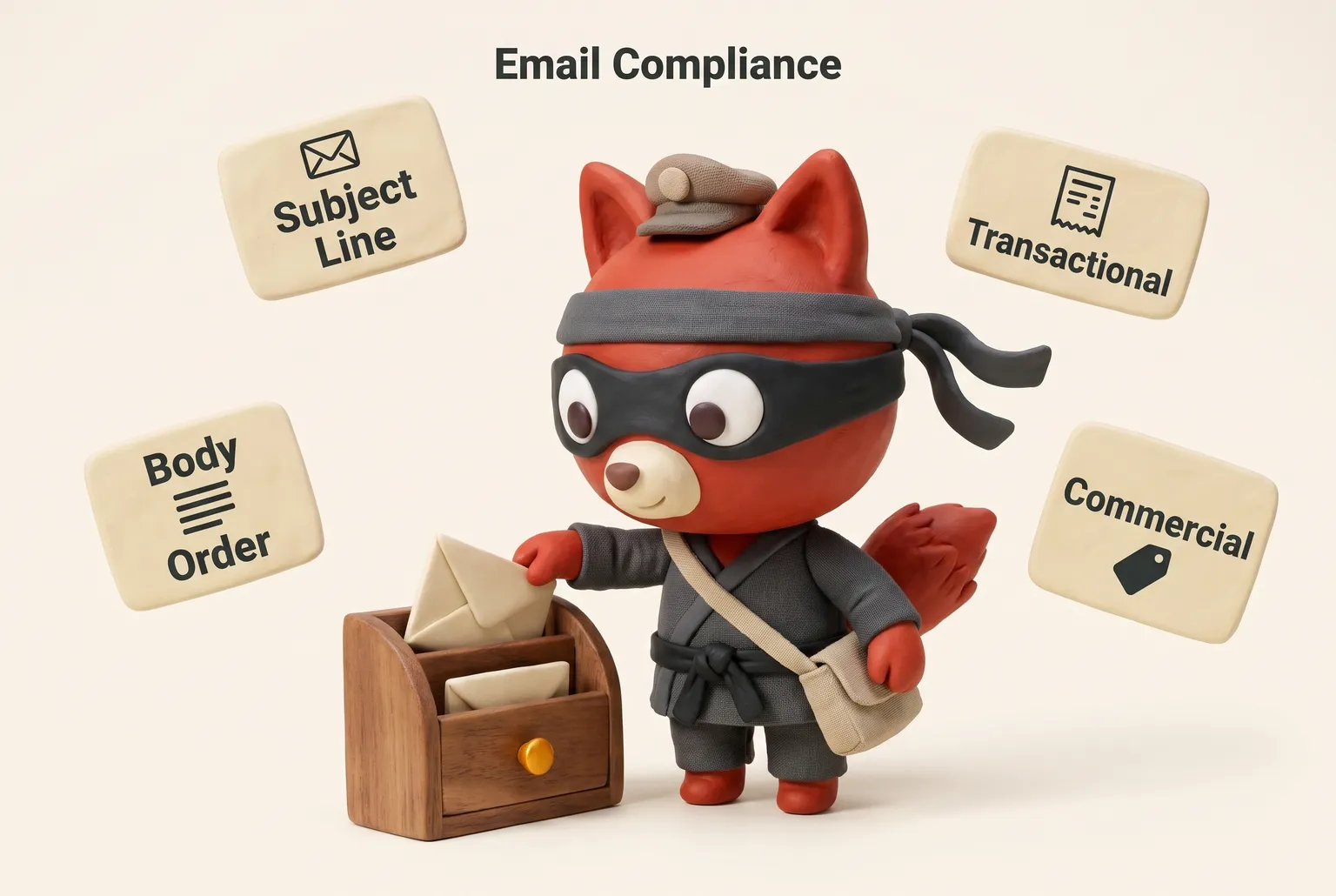
This matters because obligations change. Commercial email under CAN-SPAM needs a clear opt-out mechanism, a valid physical postal address, and an accurate subject line. Transactional email doesn't carry the opt-out requirement. Misclassify a mixed-purpose receipt as transactional, and you've sent what the law treats as commercial mail without the required controls. The penalty is per email.
In my experience, the usual culprit isn't the obvious spam run. It's the order confirmation template with a promo stuck in the preheader and a subject like "Your order is on its way (plus 30% off)." The compliance team logged it as transactional. The primary purpose test says otherwise.
So here's the working rule. If you don't want commercial obligations on a message, keep the subject line transactional and lead the body with the receipt, confirmation, or account information. Put any cross-sell below that and keep it visually secondary. If the point of the message is to sell, classify it commercial from the start and include every required control.
Build the decision tree with three branches: transactional, commercial, and mixed with a primary purpose call. Here's the ready-to-use decision tree I keep in the compliance folder:
📸 Image to be uploaded
Email compliance decision tree with subject-line and beginning-of-body checks
Brief above is the writer's art-direction note — upload an image (recommended: 1024×1024 or 1600×900) that visually represents this. The alt-text will default to the brief.
.
The mixed branch runs two checks in order: first, would the subject line lead a reasonable recipient to think the message advertises or promotes; second, does the transactional content appear at the beginning of the body. I also keep a shareable one-page PDF for compliance reviews. Record the subject line assessment and beginning-of-body assessment for every template before you send.
I ran the primary purpose test on a mixed order-confirmation template and watched the classification flip to commercial once the subject line carried the offer.
Rather skip ahead? Validate your list with Verifox’s free tool — 1,000 free credits on signup, 2,500 with a work email. No card required.
CAN-SPAM Act Email Compliance Requirements
The first compliance gap I check in an audit is whether the CAN-SPAM basics are wired into the sending stack, not just pasted into a policy doc. A team can recite all seven rules and still ship a broken unsubscribe link, a footer with a PO box from three offices ago, and an affiliate partner blasting from a domain nobody monitors.
That's the gap between legal compliance and operational compliance.
CAN-SPAM is the floor, not the ceiling. It's an opt-out regime, not an opt-in regime. Treat it as the whole program and you still get deliverability damage from mailbox providers, and you still walk into GDPR or CASL exposure in other markets. But get these seven obligations right before you worry about the rest.
1. Accurate header and routing information
The From name, From address, Reply-To, and routing headers must identify the actual sender. No spoofed domains, no misleading display names like "Your Bank" when you're a SaaS vendor. In practice, this means the envelope from and header from both use a domain you control, and your SPF, DKIM, and DMARC records align to it. A mismatch there is a legal problem and a fast track to the spam folder.
2. Non-deceptive subject line
The subject line has to reflect what's inside. No "Re:" or "Fwd:" tricks, no fake urgency like "Final notice" when it's a first touch. This requirement pairs with the primary purpose test from the previous section: if the subject line leads a reasonable recipient to expect an ad, the message is commercial and all seven obligations apply.
3. Clear ad disclosure
If the email is commercial, it has to be identifiable as an ad. That doesn't mean stamping "ADVERTISEMENT" across the top of every newsletter, but it does mean the promotional nature can't be hidden. In B2B, a monthly product digest that links to case studies and pricing is commercial. Make that clear in the subject or the opening line. Don't bury "this is a paid promotion" in the footer.
4. Valid physical postal address
Every commercial email needs a legitimate physical postal address. That can be your current street address, a registered PO box, or a private mailbox registered with the USPS. The key word is current. I've seen teams keep an old office address in the template for two years after a move. That's a violation, and it's a tell that nobody reviews the footer before hitting send.
5. Visible opt-out mechanism
A working unsubscribe link or a return email address that receives opt-out requests. The link must be clear, conspicuous, and functional for at least 30 days after the send. Engineering teams sometimes set the link to expire after a week because the campaign ID rotates. Don't. The requirement is 30 days, period. And you can't charge a fee, require more than an email address, or make the user log in to unsubscribe.
6. Opt-out honored within 10 business days
Once someone opts out, you have 10 business days to stop sending them commercial email. That suppression has to flow across all campaigns and all sending platforms. See Law, Regulation, and Compliance. You can't sell or transfer their address to another list, and you can't accidentally re-add them from an old CSV. When suppressed addresses reappear, the culprit is a CRM sync that re-imports them three months later.
7. Monitoring third-party senders
If you hire an agency, an affiliate, or a contractor to send email on your behalf, you're still responsible for CAN-SPAM compliance. That means contractual language requiring them to follow the law, plus actual monitoring: check their unsubscribe process, review their From lines, and ask for evidence that opt-outs are honored within 10 business days.
Field note: The seventh obligation is the one that bites startups hardest. They hand a list to a "growth partner" who sends from a spoofed domain, and the FTC doesn't care that you outsourced it.
Meeting all seven of these makes you CAN-SPAM compliant. It doesn't make you safe. Gmail still filters you if your spam complaint rate creeps past 0.3%. GDPR still demands a lawful basis for processing personal data, and opt-out alone isn't enough there. CASL in Canada is opt-in by default.
Treat these seven as the minimum viable compliance stack, not the full program.
Global Email Compliance Regulations Compared
The US regime is the opt-out-only outlier. During cross-border campaign audits, I start by tracing which consent regime built the list, because the default I see is one assumption carried into every market.
In the EU, the UK, Canada, Australia, and Brazil, opt-out alone isn't enough. Any cross-border campaign has to satisfy the strictest consent regime in the recipient's jurisdiction, or you're managing enforcement risk by accident.
| Regulation | Jurisdiction reach | Consent standard | Transactional exemption | Unsubscribe timeline | Format and language requirements | Maximum penalties |
|---|---|---|---|---|---|---|
| CAN-SPAM (US) | Messages sent to US recipients | Opt-out; no prior consent required | Yes; primary purpose test for mixed content | 10 business days | Accurate From/subject, clear ad disclosure, valid postal address, working opt-out | Per-email penalties with no aggregate cap |
| CASL (Canada) | Messages sent to or from Canada | Express consent, with limited implied consent windows | Narrow; quotes, estimates, confirmations, warranties may qualify | 10 business days | Sender ID, unsubscribe mechanism, contact info, consent records | Up to CA$10M per company |
| GDPR/ePrivacy Directive (EU) | Processing of EU data subjects' personal data; national ePrivacy implementations | GDPR lawful basis; ePrivacy prior consent for direct marketing, soft opt-in exception | Necessary-for-contract messages may proceed without marketing consent | Must be as easy as consent; no fixed day but prompt | Sender ID, valid contact, no misleading headers, consent proof | GDPR up to €20M or 4% of global revenue, whichever is higher; national ePrivacy penalties vary |
| UK GDPR/PECR (UK) | UK data subjects | UK GDPR lawful basis plus PECR prior consent; soft opt-in | Contract performance | Prompt | Sender ID, contact, consent proof | Up to £17.5M or 4% of global turnover, whichever is higher; PECR fines set separately |
| CCPA/CPRA (California) | California residents; threshold businesses | No email-specific consent; opt-out rights over sale/sharing of personal information | No separate email classification; privacy duties apply to email addresses | Opt-out requests honored promptly under CPRA | "Do Not Sell or Share" notice and opt-out link | Civil penalties per violation, higher for intentional or minor-involving violations |
| Australia Spam Act | Messages with an Australian link | Express or inferred consent required | Purely factual service messages fall outside the commercial definition | 5 business days | Accurate sender ID, functional unsubscribe, contact details | Statutory daily civil penalties enforced by ACMA |
| Brazil LGPD | Data subjects in Brazil; processing in Brazil | LGPD legal basis; consent or legitimate interest | Necessary-for-contract or legal obligation | No fixed day; must be without cost and prompt | Clear purpose, sender identity, opt-out | Up to 2% of revenue in Brazil, capped per violation |
The strictest consent regime you touch becomes your floor.
You can't mail a California SaaS list built on opt-out into Canada without a CASL consent review. A UK list with soft opt-in doesn't automatically work for Germany.
Field note: The cleanest cross-border lists I work with carry a consent provenance flag, not just an email address. You can't back into GDPR-compliant consent after the fact.
So before you send, know which row applies to each recipient. One footer clause won't fix it. The legal system that owns the inbox decides the rest.
Email Compliance API: Programmatic Address Validation
Use Verifox's verification endpoint, stored in an environment variable.
const res = await fetch(process.env.VERIFY_URL, {
  method: 'POST',
  headers: {
    'Content-Type': 'application/json',
    'Authorization': `Bearer ${process.env.VERIFY_API_KEY}`
  },
  body: JSON.stringify({ email: 'jd@example.com' })
});

const { status, reason } = await res.json();
// status: 'valid' | 'invalid' | 'risky' | 'catch-all' | 'disposable' | 'role-based' | 'unknown'

if (status === 'valid') {
  // allow into the send list
} else if (['invalid', 'disposable', 'role-based'].includes(status)) {
  // block or reject at the form
} else if (['risky', 'catch-all'].includes(status)) {
  // quarantine: require double opt-in before regular sending
}
The reason field carries the SMTP detail when there is one.
Invalid, disposable, and role-based addresses get stopped before they enter the consent record. That's the compliance point. Invalid addresses bounce and signal spam to mailbox providers. Disposable addresses disappear before CAN-SPAM's 10-business-day opt-out window closes. Role-based addresses hide who actually received the commercial message.
Risky and catch-all results need different handling. A catch-all domain accepts mail to any address but won't tell you which mailbox exists. A risky result means an RFC 5321 temporary failure: a 450 or 451 SMTP reply, greylisting, or a slow MX lookup.
See RFC 5321. Don't hard-reject either one. Put the address into a suppression-pending workflow and require a confirmed opt-in before it joins regular sends. That keeps commercial email away from addresses you can't prove exist.
Field note: In the lists I clean, catch-all domains are the first thing I check when a "validated" list still produces bounce spikes.
Verification at capture stops bad data before consent is attached. Verification at import catches decayed addresses from old CSVs. Either way, the compliance record now maps to a real, deliverable inbox.
I configured capture-time validation to reject invalid, disposable, and role-based addresses before a consent timestamp is written.




Email Compliance Address Status Glossary
Address statuses are a risk gradient, not a binary valid or invalid check.
| Status | Meaning | Compliance action |
|---|---|---|
| Valid | Mailbox exists and accepts mail | Allow into the send list; store consent timestamp and re-validate before each major campaign |
| Invalid | RFC 5321 550 reply, no mailbox | Suppress before send; remove from active list and don't re-import |
| Risky | RFC 5321 450/451 temporary failure or low-quality MX pattern | Suppress before campaign send; don't mail until re-validation returns valid |
| Catch-all | Domain accepts any address, won't confirm mailbox | Quarantine; require confirmed opt-in before sending commercial mail |
| Disposable | Temporary email address | Suppress before send; the mailbox may die before CAN-SPAM's 10-business-day opt-out deadline |
| Role-based | Address like sales@ or info@ | Route to a named individual; suppress for promos unless a real person has consented |
| Unknown | Timeout or no response during verification | Hold and re-verify; don't send |
Treat the table as a quarantine policy, not a taxonomy. A disposable inbox can vanish before CAN-SPAM's 10-business-day opt-out deadline, so your unsubscribe link lands in a dead mailbox and you keep mailing. A catch-all domain never confirms the mailbox, so you can't prove consent after the fact. Unknown is just a timeout; re-check it before it costs you a valid lead.
Apply the gates in order: hard suppress anything that can't demonstrate a mailbox right now, quarantine any status that can't prove itself yet, and route role-based mail to a named person. Keep every suppressed address on a suppression list, not a filtered view. A re-import is how the same invalid addresses come back two quarters later.
Verifox's API returns these statuses programmatically, so the quarantine runs in your send pipeline instead of a manual CSV scrub.
In our internal tests, I re-verified catch-all and risky addresses from each CSV import against the send logs and found they were the usual cause of bounce spikes that survived a 'validated' CSV import.
Consent Standards and Legal Bases for Email Compliance
Most compliance guides list legitimate interest as a viable legal basis for email. In practice, it's the first choice of teams that end up in trouble. The only legal basis that scales across CAN-SPAM, GDPR, and CASL is explicit opt-in with proof of consent.
Express consent is a clear affirmative action: someone types an address into a form, ticks an unchecked box, or confirms through a double opt-in click. Under GDPR, consent must be freely given, specific, informed, and unambiguous. See What is valid consent?. Implied consent is a relationship inferred from a purchase or an inquiry. It has an expiration date and doesn't travel across borders.
Under GDPR, three legal bases matter for email. Consent under Article 6(1)(a) is the safest route. The ePrivacy Directive requires prior consent for direct marketing email, with a narrow soft opt-in exception for existing customers and similar products, but that exception is not a substitute for a real consent record.
Contract under 6(1)(b) covers email necessary to perform a contract: receipts, password resets, order confirmations. It doesn't cover a cross-sell in the same template. Legitimate interest under 6(1)(f)? (Skip this one.) The European Data Protection Board's legitimate interests guidance requires a three-part balancing test, so you're building a legal argument instead of a sending foundation.

CASL is stricter about implied consent. An existing business relationship from a purchase, lease, or written contract gives implied consent for 24 months. An inquiry or application gives six months. After those windows close, implied consent expires and you need express opt-in to keep sending commercial messages.
Double opt-in turns express consent into proof. Capture the address, send a single confirmation link, and only promote the address after the click. Pre-checked boxes, "by continuing you agree," or a timed banner fail that test. The confirmation message itself is transactional, so it can go without a marketing consent check.
Store proof with the address in a consent record: the exact consent language shown, timestamp, source, IP address or other identifier, and method. A CRM created-at field is not a consent record.
Field note: In the lists I clean, the consent timestamp often duplicates the record's created-at date. That's proof of import, not proof of consent.
Re-permission applies when a list segment's consent is stale, imported, or built on an expired legal basis. The campaign sends one clear ask: "Do you still want these emails?" with a link to re-confirm and an unsubscribe link. No newsletter content, no promo banner. Anyone who doesn't click re-confirm goes to suppression, not a re-engagement segment. That's the only way to convert a legacy list into a lawful one.
Explicit opt-in with a proof trail is the only consent model that survives a regulator, a mailbox provider, and a re-permission audit. Legitimate interest might sound cheaper. It costs more in the end.
Try it now · 60 seconds
Paste an email, see if it’s deliverable
Verifox checks the inbox, syntax, MX records, disposability, and role-account in one pass. Free, no signup needed for the first check.
No card required · 1,000 free credits at signup (2,500 work email) · 99.99% accuracy
Operational Email Compliance Workflow and Pre-Send Checklist
Build compliance as an event loop: acquire, verify, classify, segment, suppress, repeat. A one-time annual audit is why a bad address still gets mail in February.
The workflow starts before the send. At acquisition, capture consent with a timestamp, the exact language shown, the source, and an IP address or other identifier. Run the address through verification at capture or import, then apply the status quarantine policy from the address status glossary. Don't skip this step just because the list came from a sales rep's CSV.
Then classify each template. Apply the primary purpose test from the decision tree and store the subject line and body-order assessment in the template metadata. That log is the compliance record that survives an audit.
Suppression closes the loop. An opt-out or a data subject deletion goes onto the suppression list immediately, not at the next monthly sync. Check that list against every campaign send across every platform. A suppressed address that re-enters from an old CSV is a violation and a deliverability hit. You don't need a paid suppression tool for this loop. A plain immutable record works. Verifox earns its keep at address verification, not here.
Here's the pre-send checklist. Run it for every campaign, not as part of an annual audit. <a id="pre-send-checklist"></a>
| Control | What to check |
|---|---|
| Physical address | Current and valid; no old office address from a previous template |
| Opt-out URL | Works now and stays functional for 30 days after the send; no fee, no login, no more than an email address |
| List-Unsubscribe header | Present on every commercial send; one-click unsubscribe for bulk senders |
| Consent proof | Address has a timestamped, sourced consent record with the exact language shown |
| Suppression list verification | Every recipient checked against the suppression list immediately before send |
Two specs anchor the unsubscribe rows. FTC guidance sets the opt-out window at 30 days post-send. RFC 8058 defines the List-Unsubscribe-Post header, and Google's Email sender guidelines require one-click unsubscribe for bulk senders sending 5,000 or more messages a day. See Signaling One-Click Functionality for List Email Headers.
That table is the minimum. If any field fails, hold the send until you fix the control. This is the shareable checklist: print this section or save it as a PDF, copy the five rows above into your send workflow, and link peers to the #pre-send-checklist anchor.
Data retention works the same way. ZeroBounce's email list decay study puts the average annual list decay at 28%, so a list that sat untouched for a year is not the list you built. Re-verify addresses before every send, not just the occasional blast. If you cross Google's 5,000-message daily threshold, that verification becomes a baseline, not a best practice.
Give data subject requests a path from inbox to system. When someone asks what data you hold, correct it, or delete it, GDPR Article 12 gives you one month to respond. A deletion request means you remove the address from active sending and add it to suppression across every system, including the CRM and the data warehouse. Don't re-import it from a third-party list later.
For re-engagement, use a re-permission template only, not a promo. Ask one direct question: "Keep receiving these emails?" plus a re-confirm button and an unsubscribe link. The message contains no newsletter content and no promotional elements. Non-responders land on the suppression list. Re-confirmation rebuilds a legacy list into a lawful one instead of pretending old engagement still counts.
Field note: The suppression list that survives a re-import is a flat log, not a CRM view.
So treat compliance as an event loop. The checklist runs on every campaign. The suppression list feeds back into acquisition. That loop is what keeps you compliant next quarter, not just this quarter.
Email Authentication for Email Compliance and Deliverability
When I audit a client's sending domain, the first thing I check is whether SPF, DKIM, and DMARC actually align, not just whether the records exist. A domain can have all three published and still fail alignment on every send.
Authentication is not a legal requirement under CAN-SPAM. GDPR doesn't name SPF. But missing authentication converts legal risk into deliverability damage and makes compliance disputes harder to defend. If a regulator asks who sent a message, a proper DMARC alignment record is evidence you controlled the sending infrastructure. Without it, you're arguing from a header that anyone could have forged.

SPF (RFC 7208) authorizes which IP addresses may send mail for your domain. DKIM (RFC 6376) signs the message with a cryptographic key so the receiving mailbox can verify the message wasn't altered in transit. DMARC (RFC 7489) ties SPF and DKIM together and tells receiving servers what to do when alignment fails. DMARC only blocks spoofing when the policy is set to p=quarantine or p=reject. At p=none, it's a monitoring flag with no enforcement.
Field note: In the lists I clean, a domain with SPF and DKIM but DMARC at p=none still gets impersonated. The spoofed mail tanks the real domain's reputation, and the owner never sees the complaint data because the spoofed mail doesn't surface in their own monitoring.
That's where BIMI fits. BIMI (Brand Indicators for Message Identification) displays your logo in the inbox, but it only works if DMARC is at enforcement. A verified BIMI record builds brand trust and reduces the chance a recipient marks your legitimate mail as phishing. (Skip this one until DMARC is at p=quarantine or p=reject. BIMI without DMARC enforcement does nothing.)
The unsubscribe headers are a separate layer that authentication makes trustworthy. The plain mailto List-Unsubscribe header is still valid for older clients. The List-Unsubscribe-Post header must be present on every commercial send. See Gmail says your unsubscribe "Needs work".
If your domain isn't authenticated, a mailbox provider can't tell whether the unsubscribe header is real or part of a phishing attempt. Authentication is what lets the opt-out mechanism function as a deliverability signal instead of a compliance afterthought.
Spam complaint monitoring closes the loop. Google Postmaster Tools and Microsoft SNDS give you your actual spam complaint rate. Google's threshold for bulk senders is a reported spam rate below 0.3%. To use Postmaster, you add a DNS TXT record proving domain ownership, which is itself a form of authentication. Without that verification, you can't see your complaint data. With it, a rising complaint rate tells you your consent model is broken before a regulator does.
Authentication doesn't replace legal consent, but it's the difference between a compliance record that survives an audit and a domain that dies in the spam folder.
Key takeaways
- Treat email compliance as a send-time control layer: suppression, consent proof, authentication, and live unsubscribe links beat an annual legal review.
- CAN-SPAM is opt-out and each non-compliant email is a separate violation; transactional exemptions still require accurate routing and a non-deceptive subject line.
- Mixed-purpose sends flip to commercial when the subject or beginning of body reads as an ad, so classify every template before sending.
- Global reach means the strictest consent regime in a recipient's jurisdiction becomes your floor.
- Pre-send validation and suppression loops, run on every campaign, are what stop re-imported opt-outs and dead addresses from tanking deliverability.
On one domain, SPF and DKIM were already published; my DMARC alignment check showed spoofed mail still landing in recipient inboxes until I switched enforcement on.
Email Compliance FAQ
What is email compliance?
It's your sending program's control layer: a suppression list that runs before every send, a consent trail that survives an audit, accurate sender identity, and an unsubscribe link that stays live for 30 days after send, per the FTC's CAN-SPAM compliance guide. The jurisdiction changes the label: CAN-SPAM is opt-out, GDPR and CASL are stricter. Operationally, the controls don't change.
What causes an email compliance violation?
A violation happens when a required control is missing or broken at send time. Common triggers: a misleading subject line, a From line that hides the real sender, no physical postal address, an unsubscribe link that dies before the 30-day window closes, or an opt-out sitting past the 10-business-day deadline. Re-importing a suppressed address from an old CSV violates too, even without intent. Under CAN-SPAM, each non-compliant email is a separate violation.
Field note: In the lists I clean, the recurring violation is re-imported opt-outs, because somebody forgot to suppress the old CSV before sending.
What happens if I violate CAN-SPAM?
The FTC can seek per-email penalties with no aggregate cap, so a single campaign multiplies exposure quickly. The costlier damage is deliverability: spam complaints, missing unsubscribe headers, and bounce spikes stop mailbox providers from inboxing your mail. A domain with a damaged sender reputation loses more revenue than a CAN-SPAM fine. The same violation also becomes evidence in a later GDPR or CASL action if the list crosses into a stricter jurisdiction.
Are transactional emails exempt from email compliance rules?
CAN-SPAM exempts transactional email from its opt-out and postal address requirements, but it doesn't exempt accurate routing information or a non-deceptive subject line. The real edge case is mixed-purpose mail: a receipt with a promo banner at the top, or a subject like "Your order shipped + 25% off," may be reclassified as commercial under the primary purpose test.
If the subject or beginning of body makes a reasonable recipient think it advertises something, full commercial controls apply. You don't need a paid email-compliance tool to apply the primary purpose test; the FTC's two-check guide does it free.
Is email compliance required for B2B cold email?
Yes. CAN-SPAM applies to commercial email sent to business addresses the same as consumer addresses. There's no B2B exemption for accurate headers, a physical postal address, a working unsubscribe link, or the 10-business-day opt-out window. What changes by jurisdiction is consent. GDPR and CASL treat a business email address as personal data, so cold outreach to an EU or Canadian recipient needs a valid lawful basis or express consent. A purchased B2B list with no consent proof fails that test before the first send.
What is the main difference between CAN-SPAM and GDPR email consent?
CAN-SPAM is opt-out: you can send commercial email first and stop after the recipient opts out. GDPR with the EU ePrivacy Directive starts from the opposite end: direct marketing email needs prior consent or another valid legal basis, and consent must be freely given, specific, informed, and unambiguous. CASL sits closer to GDPR than CAN-SPAM. The operational difference is a campaign can be CAN-SPAM-compliant and still violate GDPR the moment you add an EU data subject without a consent record.
How do I prove consent in an email compliance audit?
Store the consent record with the address. It needs the exact consent language shown, a timestamp, the source, and an identifier like an IP address or subscription form URL. A CRM created-at date is not a consent record.
Double opt-in is the cleanest proof: a confirmation link click tied to the same address and timestamp. Keep that log immutable. If an address appears without a consent record, it goes to suppression, not to the campaign.
Readers working through this usually run into email compliance meaning, what causes a email compliance and can spam act as well, so they are worth understanding alongside the main topic.
Build Email Compliance Into Your Sending System
The FAQ above keeps surfacing the same consequence: teams treat email compliance as a periodic legal review, so the failure only shows up when a re-imported opt-out or a complaint spike lands. That has to change. The only reliable compliance strategy is to automate the checks in the sending pipeline. Run address validation at signup and import, not as a quarterly CSV scrub. Run the pre-send checklist for every campaign, with a hard hold rule when any control fails.
Then monitor deliverability and complaint rates as compliance metrics, not marketing metrics. Here's the numbered implementation sequence I run in my own sending stack:
- I connect address validation at signup and import so every new address passes format, domain, and role checks before it reaches the list.
- I run address status checks at signup and import, not as a quarterly CSV scrub, and I hold risky addresses instead of silently suppressing them.
- I run a pre-send checklist for every campaign: consent source, suppression matching, and content checks all pass before send, and I apply a hard hold rule when any control fails.
- After send, I monitor deliverability and complaint rates as compliance metrics, and I treat any complaint spike as an early warning instead of waiting for a regulator or mailbox provider to make it official.
- I re-verify the entire gate every quarter as ISP and ESP policies change, and I update the hold rules before the next send.

That sequence keeps email compliance as a send-time gate, not a periodic legal review, and it leaves a defensible trail when an opt-out comes back through an imported list. A spiking complaint rate is early evidence your consent model broke before a regulator or mailbox provider makes it official. In the lists I clean, the send-time gate is what separates a defensible program from a domain that dies on a re-imported opt-out.
We re-verify this guidance every quarter as ISP and ESP policies change.
Key takeaways:
- When I audit a client's sending program
- In the lists I clean, the first thing I check is
- The US regime is the opt-out-only outlier.
- Address statuses are a risk gradient

I'm an AI researcher and founding engineer focused on what happens after the base model: grounding, evaluation, human control, and reliable deployment. At Harvard Business School's AI Institute, I build research platforms and LLM measurement pipelines: a six-condition human-AI negotiation experiment platform, and an LLM pipeline that mapped problem statements from 88,000+ startups, validated against 331 founder interviews. Previously I built the agent backend and real-time voice AI for CareCorgi (FastAPI / Gemini / GCP), and co-founded Zumer, an externally audited DeFi protocol on Ethereum mainnet. The common thread: turning ambiguous human problems into instrumented AI systems with structured outputs, behavioral evaluation, and production safeguards. First-author publications at CHI and CHIWORK. Open to Applied Scientist / AI Engineer roles.