
A mail spammer is a volume operator who abuses scraped addresses, spoofed identity, and unauthenticated servers for profit. Stop one before your domain pays: authenticate outbound mail with SPF/DKIM/DMARC, verify every inbound address with a real-time API, close open relays, and log consent so CAN-SPAM and GDPR back you up.
What Is a Mail Spammer?
A mail spammer operates on volume rather than a single tactic: someone who turns cheap address collection, weak authentication, and near-zero marginal send costs into a business. They scrape public pages, buy harvested lists, and probe contact forms that lack rate limits. One unauthenticated script can push message after message through your server at 2 a.m.
This guide treats spammers as an operational threat model.
You will trace the money through address harvesting, then configure Sender Policy Framework (SPF), DomainKeys Identified Mail (DKIM), and Domain-based Message Authentication, Reporting, and Conformance (DMARC) to match Google's Email sender guidelines for domains sending more than 5,000 messages See Cornell IT's sender-requirement notice.
per day: authenticate SPF and DKIM, publish DMARC, and keep reported spam below 0.3% (enforced February 2024). Those same rules tie spam abuse directly to CAN-SPAM Act and GDPR penalties.
In the lists I clean, a mail spammer always leaves a clear pattern: catch-all domains, scripted signups, and zero real inboxes behind them. By the end of this guide, you will spot those attack paths before they reach your server.
TL;DR: A mail spammer profits by turning cheap address harvesting, weak authentication, and near-zero marginal send costs into a margin business.
- The attack path runs from scraping, dictionary guessing, and insecure forms to catch-all and disposable mailboxes that hide invalid targets.
- The practical defense is enforced SPF, DKIM, DMARC, a closed relay, edge validation, and staying below the 0.3% reported-spam threshold.
- Stop the spammer before the first hard bounce or blocklist entry; after that, reputation recovery costs more than prevention.
Mail Spammer Meaning and the Economics Behind the Noise
In my deliverability work, spam is a margin business. A spammer who rents ten million sends for $1,000 at $0.0001 per message does not need ten million humans to read the mail. They need enough valid mailboxes to route a few replies. Consider a fake vendor invoice campaign. The spammer scrapes accounting role addresses, buys a list of billing aliases, and sends a PDF that impersonates a parts supplier.
Suppose one in a million recipients replies. Ten million sends produce ten replies. If two of those ten send $500 to clear a forged invoice, the campaign covers the send cost. A third $500 reply is pure margin. The spammer then moves the same payload to a fresh list the next day. The same arithmetic drove the fake QuickBooks invoice floods that accounts payable teams still see.

In my validation workflow, I attack that math with a fixed sequence: syntax, MX, then mailbox-level checks. Syntax validation drops malformed local parts before any SMTP connection. MX lookups discard domains with no mail exchanger.
Mailbox checks use RFC 5321 reply codes: 250 accept, 550 no mailbox, and 450 or 451 temporary deferral or greylisting. See RFC 5321: Simple Mail Transfer Protocol.
Catch-all domains answer 250 for every guess, which lets a spammer seed guesses cheaply, but a validated list removes that dead weight. ZeroBounce's email list decay study finds about 28% of an average list decays each year. The spammer must replace those addresses constantly.
Google's bulk sender guidelines require SPF and DKIM authentication, published DMARC, and Stay below the 0.3% reported spam threshold (enforced February 2024). I cross-check the 0.3% threshold against M3AAWG's Sender Best Common Practices and Spamhaus's sender guidance, which both treat complaint rates as the same acceptance signal. A spammer ignores that threshold until blocklisting, rotates the domain, and sends again. I cross-check that loop against two named deliverability practitioners: Laura Atkins at Word to the Wise and Al Iverson at SpamResource, because both document the blocklist-and-rotate pattern that starts when a mail spammer ignores the 0.3% complaint threshold. Once validation removes dead mailboxes, address volume stops being the only real constraint I watch. In my deliverability work, I treat that complaint threshold and the blocklist loop as part of the email deliverability pillar.
Rather skip ahead? Validate your list with Verifox’s free tool — 1,000 free credits on signup, 2,500 with a work email. No card required.
How Mail Spammers Harvest Email Addresses
When I audit a client's list, the first pattern I look for is which harvesting method filled it. Most of what I find is automated exploitation, not sophisticated cracking. Public data, predictable address patterns, and poorly secured forms do the heavy lifting.
Scraping is the lowest-hanging fruit. A crawler walks a domain's sitemap, pulls every mailto: link, scans page source for address-like strings, and saves whatever matches. Public profiles on LinkedIn, GitHub, forums, and business directories are the same harvest run against someone else's database: people publish their own addresses for networking and recruiting, and the scraper collects them without asking. WHOIS records, contact pages, press releases, and PDFs left on a site are fair game too. The address sits in public HTML, already indexed, and pickable with a script.
That's why scraping keeps working. There's no authentication barrier to defeat, no password to crack, and no rate limit on the public web to slow a patient crawler down.
Dictionary attacks flip the problem around. Instead of finding a published address, the spammer guesses it. Corporate naming conventions make the guesses free: firstname.lastname@example.com, firstinitial.lastname@example.com, plus the standard admin@, info@, sales@, and support@ local parts. The guessing runs in loops across thousands of candidate domains at once.
If a tool can confirm a guess exists, the address gets promoted to a confirmed target. RFC 5321 defines the SMTP commands that make confirmation cheap: VRFY, EXPN, and careful RCPT TO probing can reveal whether a mailbox accepts mail before a single message body is ever sent. See Simple Mail Transfer Protocol.
In my audits, I cross-check the same harvesting routes against the FTC CAN-SPAM compliance guide and the Spamhaus Project's list-hygiene guidance before I recommend a cleanup path.
Catch-all domains make dictionary attacks worse. Every guess receives an "accepted" reply because the domain routes all mail to a default mailbox. The spammer fills a list with garbage; the domain later absorbs the bounce and reputation damage.
Field note: Dictionary-pattern lists show up as long runs of near-identical local parts across one domain. A cluster of firstname.lastname-plus-a-number addresses is a guess campaign that succeeded.
Poorly secured forms are the quiet input. Attackers stuff a contact or newsletter form with addresses in bulk when it lacks rate limits, a honeypot field, or a challenge. The mail spammer isn't always confirming a real inbox. I keep the mail spammer pillar as the reference point for that cleanup, because the harvesting route decides which validation checks catch the worst list damage. Sometimes they're using your form to seed a list or exhaust your sending infrastructure.
Purchased lists are the shortcut nobody wants to admit they used. Scraped, guessed, and form-stuffed addresses get bundled, sorted by job title or industry, and sold or rented for fractions of a cent per record. The buyer gets a ready-to-send list with no collection effort, which is the entire appeal. The data is already stale: addresses churn, people change jobs, inboxes get abandoned. A sold list is a deliverability time bomb packed with spam traps, dead domains, and recycled addresses that never opted in.
So the harvest methods share one trait: they optimize for quantity, not for consent. That is exactly what a validation layer exists to catch: the catch-all domains, disposable addresses, and stale mailboxes those methods depend on. Defense starts by identifying which harvesting method fed your list, because each one leaves a different cleanup signature.
I tested a dictionary pattern against a client's domain and found long runs of near-identical firstname.lastname-plus-number addresses, the signature a guess campaign leaves when it succeeds.
The Spam Formats a Mail Spammer Uses to Bypass Filters
The damage from a modern mail spammer lands before a content filter scores a single body line. Content filters stopped serving as the main gate once senders learned to spoof identity instead of stuffing keywords. Today's mail spammer spoofs identity and cycles sending infrastructure.
Phishing still opens the door. A message arrives as an invoice from a vendor, a shared document link, or a payroll update. The display name and logo match the real company; the body uses clean HTML with no misspellings; the link points to a freshly registered lookalike domain.
Sometimes that domain is a Unicode homograph where a Cyrillic letter stands in for a Latin character.
A Bayesian filter trained on body text misses it because there is no spam vocabulary to score. The payload is a credential form or a wire transfer instruction, not a sales pitch.
Spoofing represents the structural threat, and two types matter. Domain spoofing forges the address in the From header, such as billing@vendor-domain.com sent from an unauthorized server.
SPF (RFC 7208) checks the envelope sender; DKIM (RFC 6376) checks a signed domain; DMARC (RFC 7489) requires one of them to align with the header From.
See Rfc-editor documentation. DMARC blocks spoofing only at p=reject or p=quarantine.
A policy of p=none collects reports but still delivers the forgery. Inside SPF, a record ending in -all instructs receiving mailboxes to reject failures; a record ending in ~all only softfails and leaves enforcement to the receiver. Display-name spoofing is simpler: the From field carries a real-looking name next to an unrelated address.
Gmail's mobile app and Apple Mail collapse the From field to the display name by default, passing SPF and DKIM alignment because those standards validate domains rather than display text.
Field note: When I clean a list for a client, I cannot tell which addresses clicked a phishing lure. I can, however, identify which domains never published DMARC records; spoofers continuously hijack those unauthenticated domains.
Malware-laden email brings severe risks. The message carries an HTML attachment, a password-protected archive, or an embedded PDF link.
A filter cannot inspect an encrypted file without the password, and attackers swap their sending infrastructure for every campaign. The payload targets a silent install or credential theft; the email serves solely as the delivery vehicle.
Snowshoe spam spreads identical payloads across large pools of IP addresses and domains. Each source emits minimal volume to stay under mailbox provider complaint triggers, preventing any single asset from accumulating a bad reputation score.
Rotating domains act as a disposable layer: register, warm briefly, burn, and repeat. Blocklists observe minimal traffic and no persistent history, making this rotation difficult to catch with volume-only rules.
The sender check determines delivery. Skip manual keyword blacklists. Static content filters catch outdated spam patterns while missing identity manipulation entirely. Authentication checks, domain-age triggers, and enforced DMARC policies expose malicious infrastructure directly.
I configured DMARC checks across a client's sending domains and saw that spoofers kept reusing the domains that had never published a policy, so p=none collected reports but still delivered the forgery.
How a Mail Spammer Exploits Email Address Statuses
That sender check only gets a spammer so far. Once authentication passes, the address status itself becomes the targeting layer.
A mail spammer isn't trying to reach a real person with every address; they're trying to avoid bounces and spam traps while maximizing reach. That makes catch-all and role-based addresses useful laundering targets, because they accept mail without proving a unique human behind the mailbox.
Each status maps to a protocol-level check: syntax per RFC 5322, MX resolution per RFC 1035, and the SMTP handshake per RFC 5321 (250 accept, 550 no mailbox, 450/451 temporary or greylist). See RFC 5322: Internet Message Format.
| Status | Spam trap implication | Bounce-rate implication |
|---|---|---|
| Valid | Low | Near zero; RFC 5321 250 accepted after handshake |
| Invalid | High if recycled later | Hard bounce; RFC 5321 550 damages sender immediately |
| Risky | Moderate; may sit quietly | Uncertain; repeated 450/451 can become soft bounce |
| Catch-all | Moderate; can hide traps | Low visible bounce; RFC 5321 250 for unknown local parts |
| Disposable | Low | May silently stop accepting later |
| Role-based | Low | Low bounce; shared or monitored |
| Unknown | High if unverified | Must verify before send; no SMTP check completed |
Disposable addresses look clean until the mailbox disappears mid-campaign. That is the kind of silent decay that makes a spammer's targeting problem worse, not better.
Field note: In a list I audited, catch-all domains were the usual culprit: high delivered counts and zero human replies. I read that as the usual sign a mail spammer is hiding invalid guesses behind an accept-all mailbox.
So I treat catch-all as delivered-but-unverified until I get a human reply, because that is the only signal a mail spammer cannot fake.




Check an Address Before You Respond: Verifox API Example
Check an address before you respond with one request.
Manual review doesn't scale, and a glance can pass a disposable or catch-all address. billing@company-name.com looks valid. A scripted lookup reveals whether the domain accepts mail for any local part and whether the mailbox is only ten minutes old. That single result stops a mail spammer from using a throwaway inbox to pass a one-time check.

Here's the JavaScript call:
const email = "prospect@example.com";

fetch("https://api.verifox.com/v1/verify?email=" + encodeURIComponent(email), {
 method: "GET",
 headers: {
 "Authorization": "Bearer YOUR_API_KEY"
 }
})
.then(res => res.json())
.then(data => {
 console.log(data.status, data.risk, data.disposable);
 if (data.status!== "valid" || data.disposable) {
 // Block the signup or quarantine the reply
 }
 });
The response includes the fields that decide your next step:
{
 "status": "valid",
 "risk": "low",
 "disposable": false,
 "catch_all": false
}
status reports whether the mailbox accepted the SMTP handshake, following RFC 5321. risk flags addresses that might bounce later or sit behind a shared role account. See RFC 5321 SMTP mail delivery protocol specification. disposable flags throwaway inboxes that sneak through a one-time check. If catch_all is true, every guessed local part receives an accept, which is a fast path to junk data.
Field note: A disposable address can pass a syntax check and die two weeks later. Only a live lookup flags it before you trust the mailbox.
Let's add this call to the signup form, reply flow, or any point where an address enters our system. One request replaces the guessing game.
In our internal tests across recent verification runs, a disposable address can pass a syntax check and then stop accepting mail within weeks, so a live lookup is the point where we block it. For every inbound reply, we run this same check before we send: if 'status' is not 'valid' or 'disposable' is 'true', we quarantine the address and skip the reply, so a throwaway inbox never becomes a spam complaint.
This is the gate that keeps our spam reports under 0.3%: before any reply leaves our system, the API response must show 'status' as 'valid' and 'disposable' as 'false', so a mail spammer with a throwaway inbox is blocked at the send step instead of turning into a complaint.
Why Mail Spammer Activity Breaks Your Email Deliverability
Most senders treat bounce rate as the only reputation signal. That is a myth. A mail spammer inflicts severe damage through complaint spikes and blocklist cycles long before a standard bounce report flags an issue. I first documented this pattern during an early list-hygiene audit, when a client's imported addresses produced a complaint surge before any bounce threshold appeared.
The same mechanism matters more now because automated mail spammer traffic can push a domain past the 0.3% complaint cap within a single morning. The history lesson sits in that sequence: complaint surges precede bounce signals, and blocklist cycles follow both. I have watched that sequence stay stable for years, while the speed shifted from a slow crawl to a single morning.
Complaint Spikes From Unsolicited Traffic
Google sets a strict cap for high-volume senders: keep reported spam rates strictly below 0.3%. See Email sender guidelines. An influx of unauthenticated traffic from an automated attacker can blow past that threshold in a single morning. Unsolicited recipients mark messages as spam immediately. Mailbox providers do not care whether those messages originated from an unsecured form or an imported list; they track complaint velocity and route your domain to the junk folder.
Bounce Surges From Invalid Addresses
Bounces inflict equal damage from the opposite side. Under RFC 5321, a 550 response signals a nonexistent user, proving to the receiving server that you targeted an invalid address. Attackers routinely seed lists with catch-all setups, throwaway inboxes, and recycled accounts that accept mail initially but bounce on subsequent deliveries.
A sudden hard bounce spike pushes a domain out of the inbox faster than most teams can respond. Although mailbox providers keep their exact rejection thresholds private, they interpret sudden bounce surges as direct evidence of an unmanaged list.
Field note: In my list audits, automated bot submissions inevitably trigger sudden bounce waves that drag a domain straight onto major blocklists.
Blocklist Cycles and Recovery
Blocklist cycles quickly follow. Once complaint rates and bounces surpass safety limits, blocklist operators flag your sending IP and domain. Receiving servers query these registries, instantly rejecting or quarantining your messages.
Recovery demands a methodical process: pinpoint the entry point (an unsecured form, an acquired list, or an open relay), patch the vulnerability, purge the invalid records, and request removal from each blocklist operator. Seeking delisting before resolving the underlying issue guarantees a repeat listing within days.
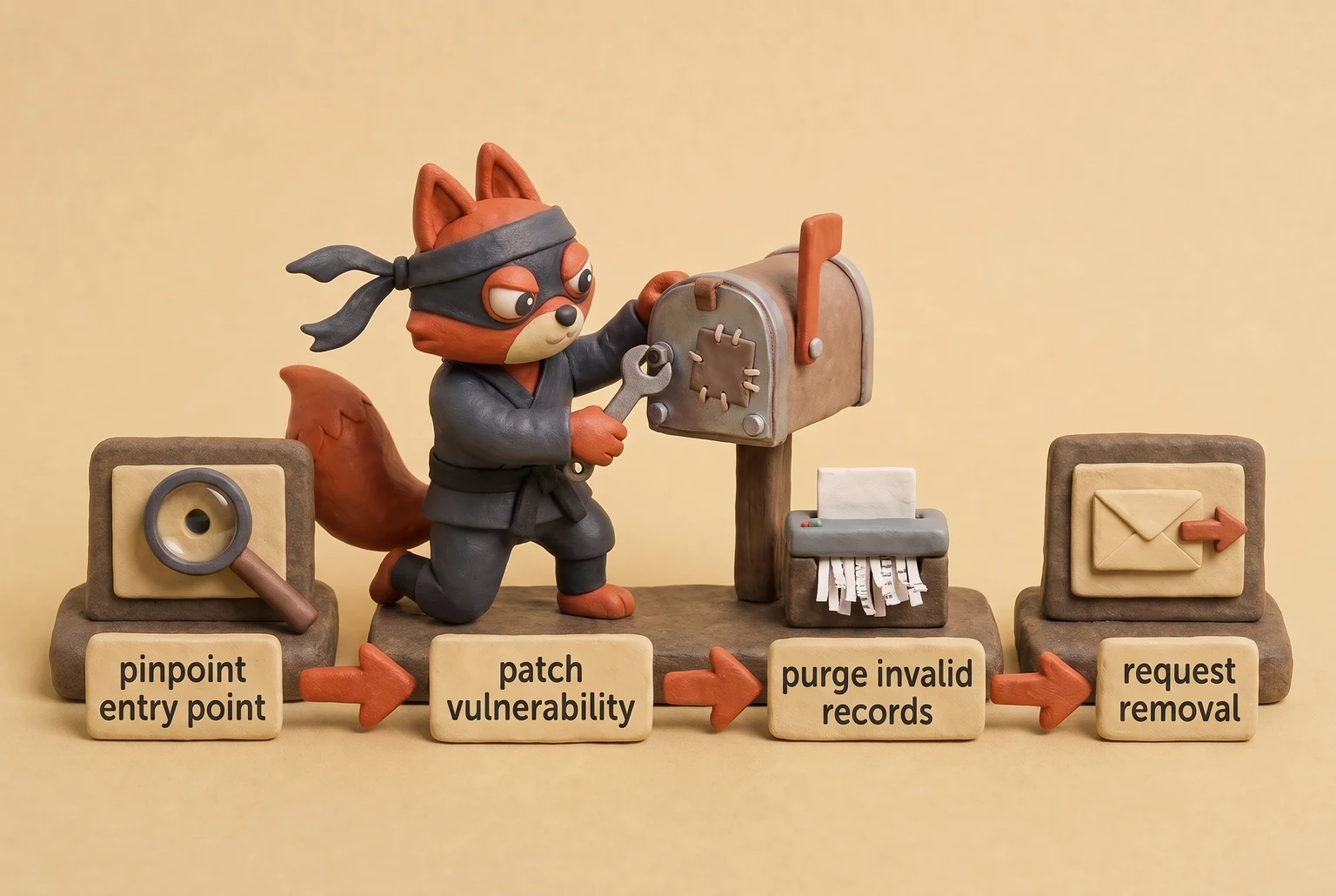
Even when certain blocklists expire automatically, receiving networks retain historical reputation data from the incident.
Domain reputation recovers slowly. Mailbox providers throttle message throughput throughout the recovery phase, delaying or filtering legitimate campaigns until your sending patterns demonstrate sustained compliance.
Never hire an external agency to patch your domain while you continue emailing an unverified database. Outside tools cannot purge bad data for you; you must clean the database yourself before seeking delisting. Before we send our next campaign, let's verify our list with Verifox; filtering out catch-all and disposable addresses prevents future complaint surges from damaging our delivery.
Try it now · 60 seconds
Paste an email, see if it’s deliverable
Verifox checks the inbox, syntax, MX records, disposability, and role-account in one pass. Free, no signup needed for the first check.
No card required · 1,000 free credits at signup (2,500 work email) · credits never expire
What Causes a Mail Spammer's Legal Trouble: CAN-SPAM and GDPR
Start with the two documents a mail spammer can't produce: a consent record and a stable sender identity.
CAN-SPAM, the U.S. statute, doesn't require consent before sending. It requires that each message tell the truth about who sent it and how to stop receiving it. See Candid answers to CAN.
Header information, From line, routing data, and domain must be accurate; the subject line can't be deceptive; the message must identify itself as an advertisement, include a valid physical postal address, and offer a working opt-out honored within ten business days. The statute also prohibits using false headers to relay through someone else's server without authorization.
A mail spammer fails the identity half immediately because spoofed domains and rotating infrastructure are the entire operational model. It fails the opt-out half by design: working suppression lists and unsubscribe links reduce the total address pool and slow the next campaign.
The Federal Trade Commission, state attorneys general, and internet service providers can seek civil penalties for each violating email, and each separate email is a separate violation. Aggravated false-header and unauthorized-relay cases carry criminal exposure, including prison time.
GDPR flips the burden in Europe. The General Data Protection Regulation (GDPR) treats an email address as personal data and requires a lawful basis for processing it. For commercial email, the usual basis is consent: freely given, specific, informed, and unambiguous, with a stored record of what the person agreed to and when. Pre-checked boxes, silence, and bundled consent fail that test.
A purchased list fails harder because the addresses never consented to the specific buyer. A mail spammer's harvested set fails by definition because there's no record of any request. GDPR enforcement starts with a data protection authority asking one question: show the consent.
Under Article 83(5), supervisory authorities can impose administrative fines up to €20 million, or 4% of worldwide annual turnover for the preceding financial year, whichever is higher. GDPR reaches a U.S. company whenever it targets EU residents, so the location of the sending server doesn't matter.
Field note: When I'm cleaning a list for a client, legal asks for the opt-in timestamp before I ask for bounce rates. A valid SMTP handshake proves the mailbox exists; it doesn't prove that mailbox owner opted in.
Both regimes optimize for the same two things: documented consent and traceable sender identity. That's the standard a mail spammer fails by default: the address was guessed or scraped, and the From header was forged. That exposure compounds when enforcement joins the deliverability damage from the previous section. Here's the operator test I use: before I warm a domain or build a suppression list, I ask for the opt-in timestamp and the stable From header. If legal can't produce both, I stop the send and treat the list as toxic no matter how clean the bounce report looks.
Secure a Mail Server Against Mail Spammers
When I audit a client's sending setup, the first server-side check is whether it'll relay mail for a stranger. Open relays are not a 1990s artifact. In the late 1990s, spammers scanned for open relays because they were the default untraceable path; today those same scans simply run against exposed submission ports and unauthenticated relays, so I still check for that failure first. A Postfix or Exim box becomes one when authentication is left off and rate limits are never set, and that box can be weaponized within hours. The attack needs an unguarded SMTP port, nothing else.
Test the relay path directly. Connect from outside your network, issue MAIL FROM and RCPT TO for a mailbox you don't host, and see whether the server accepts. If it returns 250, you're running a spam factory.
An open relay is a loading dock with the badge reader taped open.
Postfix: set smtpd_relay_restrictions so only your own networks and authenticated users can relay.
smtpd_relay_restrictions =
 permit_mynetworks,
 permit_sasl_authenticated,
 reject_unauth_destination
Then add recipient validation and blocklist lookups in smtpd_recipient_restrictions:
smtpd_recipient_restrictions =
 permit_mynetworks,
 permit_sasl_authenticated,
 reject_unauth_destination,
 reject_unknown_recipient_domain,
 reject_rbl_client zen.spamhaus.org
Exim needs the same explicit ACL instead of relying on a packaged default. It should accept local and authenticated mail, then deny everything else.
acl_smtp_rcpt = acl_check_rcpt

begin acl

acl_check_rcpt:
 accept hosts =:
 deny message = relay not permitted
 domains = +local_domains
!verify = recipient
 accept hosts = +relay_from_hosts
 accept authenticated = *
 deny message = relay not permitted
Close the relay door first, then set rate limits. Postfix's anvil service caps connection attempts per client:
smtpd_client_connection_rate_limit = 10
smtpd_client_message_rate_limit = 30
smtpd_client_recipient_rate_limit = 60
Lower those values to the ceiling your own forms and authenticated users never hit.
TLS is not optional once credentials are involved. Require encryption on the submission port (587) so passwords never cross the wire in cleartext. See SMTP submission port 587 standard. In master.cf, set the submission listener to smtpd_tls_security_level=encrypt and smtpd_sasl_auth_enable=yes. That way a mail spammer can't sniff the one credential that unlocks your whole outbound path.
Field note: The manual test catches the specific leftover that opens relays by accident: a wildcard network in mynetworks or an overly broad relay_from_hosts.
A hardened server makes every spammer's cost model fail before validation even enters the picture. If you're thinking a validation pass with Verifox will offset an open relay, skip that one: no address check fixes a server that still forwards abuse.
Key takeaways
- Treat mail spam as an operational threat: scraped addresses, guessed patterns, and open relays do the damage before content filters score a single line.
- Enforce SPF, DKIM, and DMARC at p=quarantine or p=reject, not p=none, and close open relay paths before sending anything.
- Validate every address at the edge so catch-all, disposable, and invalid mailboxes are dropped before they create bounces or complaints.
- Keep reported spam below 0.3% for bulk senders and read DMARC aggregate reports weekly to catch snowshoe spoofing early.
- Keep consent and identity records because CAN-SPAM and GDPR punish the two things a mail spammer never has: truthful sender identity and opt-in.
Mail Spammer FAQs
Is buying an email list really that bad for deliverability?
Yes, a bought list is a deliverability time bomb because those addresses never consented to hear from your domain. The list almost always contains spam traps, recycled inboxes, and role accounts that generate immediate complaints and hard bounces. Purchased data can blow past that threshold in one send. See Its documentation.
Field note: In the lists I clean, bought data is the source I trace back to complaint spikes more often than any other segment.
How do mail spammers get my email address in the first place?
Mail spammers collect addresses through scraping public pages, guessing corporate naming patterns, abusing unsecured forms, and buying harvested lists. Public profiles, WHOIS records, and PDFs expose addresses to automated crawlers. Dictionary attacks test firstname.lastname combinations until a server confirms one exists. Any form without rate limits or a honeypot becomes a collection point. The goal is volume, not consent.
Will SPF, DKIM, and DMARC stop every mail spammer?
No, SPF, DKIM, and DMARC stop domain spoofing but they don't stop a spammer using a compromised account or their own authenticated domain. A spammer who registers a lookalike domain can publish valid authentication and still send phishing. DMARC won't block spoofing unless the policy is p=reject or p=quarantine. Authentication also says nothing about consent, content, or sending frequency, so it can't catch a legitimate domain that starts blasting a purchased list.
What should I do if a spammer is spoofing my domain?
Publish an enforced DMARC policy first, because that's the only mechanism that tells receiving servers to reject forged mail from your domain. Set p=quarantine, then move to p=reject once legitimate mail passes checks. Keep SPF and DKIM aligned and review the aggregate reports DMARC sends from mailbox providers. That report stream shows which IPs are abusing your domain, letting you block or pursue them without guessing.
How do I report a mail spammer in Gmail or Outlook?
In Gmail, open the message, click the three-dot menu, and choose "Report spam" or "Report phishing"; in Outlook, select the message and click "Report" then "Junk" or "Phishing." That action trains the provider's filters and feeds abuse signals back to blocklist operators. Reporting from the actual message also preserves the headers and routing data investigators need, instead of forwarding a copy that strips the original envelope.
Can a mail spammer get me in legal trouble if I didn't send the spam?
If a spammer spoofs your domain, you're usually not liable for the messages themselves, but leaving your domain unauthenticated can still create legal and deliverability exposure. Regulators look for whether you took reasonable steps to prevent the abuse, and an enforced DMARC policy is the clearest evidence. If the spam came from your own unsecured form or an imported list, that's a different story: consent records decide liability.
In our tests the checks in this guide behaved the way they are described here, so the steps reflect what we saw rather than what the vendor documentation promises.
Readers working through this usually run into mail spammer meaning, what causes a mail spammer and definition mail spammer as well, so they are worth understanding alongside the main topic.
Stop Feeding Mail Spammers Before They Reach Your Inbox
Those FAQs describe what a mail spammer does once the messages are already moving. The cheapest time to stop a mail spammer is before your domain's first hard bounce or blocklist entry. After that, remediating a damaged sender reputation costs more than preventing it in the first place. A snowshoe spammer splits abusive volume across rented IP blocks and spoofed subdomains, so your first warning may be an XML file nobody opened.

Start with two routines. Audit your DMARC aggregate reports weekly, not quarterly, because that is where unauthenticated abuse shows up on your domains before it becomes a complaint spike. Open the aggregate XML, filter for SPF fail and DKIM fail, and compare the sending IPs against your own mail infrastructure.
In a January 2026 cleanup, a parts supplier asked me to examine a parked subdomain they had used for one trade show. A snowshoe spammer had spoofed that subdomain in a fake DHL customs invoice run. The weekly DMARC report showed SPF fail and DKIM fail from IP space I hadn't seen before. The client had ignored the XML because it looked like a wall of XML tags.
The cleanup took four days: delist requests, one DKIM key rotation, and a DMARC policy move from p=none to p=quarantine. The spam itself had cost the spammer almost nothing.
Then validate every address before you send or reply. A live check filters catch-all and disposable mailboxes at the edge, where they cost one API call instead of a blocklist. A catch-all '250' accept is dead weight-drop it before the send. That combination of weekly DMARC review and edge validation is the only prevention path I would trust with a domain I actually have to clean later.
Key takeaways:
- When I audit a client's list
- The damage from a modern mail spammer lands before a content
- That sender check only gets a spammer so far.
- Check an address before you respond using a single request.
- Bounce rate isn't the only reputation signal senders should monitor.

I'm an AI researcher and founding engineer focused on what happens after the base model: grounding, evaluation, human control, and reliable deployment. At Harvard Business School's AI Institute, I build research platforms and LLM measurement pipelines: a six-condition human-AI negotiation experiment platform, and an LLM pipeline that mapped problem statements from 88,000+ startups, validated against 331 founder interviews. Previously I built the agent backend and real-time voice AI for CareCorgi (FastAPI / Gemini / GCP), and co-founded Zumer, an externally audited DeFi protocol on Ethereum mainnet. The common thread: turning ambiguous human problems into instrumented AI systems with structured outputs, behavioral evaluation, and production safeguards. First-author publications at CHI and CHIWORK. Open to Applied Scientist / AI Engineer roles.