
Keep B2B email deliverable by running verification as a pipeline control, not a one-time cleanup. Layer syntax, MX, and SMTP checks; route catch-all contacts into a slow lane rather than suppressing them; re-verify at capture, sequence entry, and each bounce webhook. Per send, hold hard bounces below 2% and spam complaints below 0.1%.
B2B Sales Email Verification Best Practices: The Short Answer
B2B sales email verification is layered: syntax, MX, SMTP, catch-all detection, and role/disposable suppression applied before the first send. Continuous verification at the point of capture is the core of B2B sales email verification best practices; one-time list cleaning is the failure mode.
Google's Email sender guidelines (published 2023, enforced Feb 2024) require senders to keep reported spam below 0.3%. The operational ceilings in this post are tighter than that published limit: hard bounce below 2% and spam complaints below 0.1%. Above those ceilings, sender reputation repair becomes the job.
This post walks the control plane: the catch-all decision tree, the capture-time API call, the automated re-verification cadence, and the GDPR data processing agreement.
Field note: The worst damage I see isn't from obviously fake addresses, but from addresses that go bad over time. In our tests, we've seen catch-all domains go bad over time far more often than clean-looking addresses, which is why B2B sales email verification best practices demand continuous re-verification.
Syntax, MX, and SMTP: The Three Layers of B2B Sales Email Verification
Run the layers in order: syntax, MX, SMTP. Each one filters a different failure mode, and the order matters because each step costs more time and network calls than the last.
TL;DR: Syntax catches impossible addresses, MX surfaces dead domains, SMTP confirms the mailbox. Greylisting and timeouts drop to unknown, not invalid.
Syntax Validation
Syntax checks are the cheap filter. RFC 5322 defines the address shape, and RFC 5321 sets the operational limits: a local part up to 64 characters, a domain up to 255. See RFC 5321: Simple Mail Transfer Protocol.
The local part uses letters, digits, and a short list of special characters (dots, underscores, plus signs, hyphens). No leading or trailing dots, no consecutive dots, no spaces. The domain needs at least one dot and a valid top-level label. That's the whole job.
Here's the thing: syntax validation alone is close to useless for B2B lists. It catches only the addresses a human would never type by accident. An address like sarah@gamil.com passes every syntax rule and still goes nowhere. Typo correction belongs here too: a fuzzy domain check catches gamil.com and rewrites it to gmail.com before the next layer wastes a DNS query.
MX Record Lookup
MX record lookup is where dead domains start to surface. A domain with no MX record has no mail exchanger, so any address on it can't receive mail in a normal B2B setup. Parse the MX answers carefully. A null MX (RFC 7505) explicitly says the domain accepts no mail at all. Multiple MX records come with priorities, and the lowest number wins first. That matters when the top-priority server is down during a real-time check, but the backup MX still accepts mail, so the address isn't invalid.
In our tests, false negatives happen here too. Some domains skip MX and rely on an A record fallback, and strict verifiers will mark those addresses bad even when mail could deliver. In the lists I clean, that's rare but it happens often enough with older self-hosted company domains that I flag it as unknown instead of invalid.
SMTP Handshake Probing
SMTP handshake has the highest signal. Connect to the MX server, send HELO or EHLO, then MAIL FROM:<> (the null sender used for bounce probes), then RCPT TO:<the address>. A 250 means the mailbox exists. A 550 means it doesn't. That's the layer that catches dead mailboxes syntax and MX can't see.
But SMTP is also where false signals pile up. Timeouts force a fallback: if the server doesn't answer, you mark the address unknown and retry later, not invalid. Greylisting returns 450 or 451 on the first attempt, a temporary refusal designed to slow spammers. That is not a bounce.
Field note: A 450 on the first probe is not a bounce. Treat it as unknown, schedule a retry, and keep the lead.
So the pipeline forces a decision at each layer: syntax removes the obvious garbage, MX removes domains that can't route, SMTP confirms the mailbox. Anything that times out or greylists drops to unknown, and unknown is a retry queue, not a rejection. That's the full map of false positives and negatives: syntax over-accepts, MX over-rejects older domains, SMTP blurs under greylisting.
Rather skip ahead? Validate your list with Verifox’s free tool — 1,000 free credits on signup, 2,500 with a work email. No card required.
B2B Email Verification Statuses: A Field Glossary
A verification status is a risk decision, not a binary verdict. Catch-all and risky do not mean "bad." They mean slow down, watch the response, and re-verify before you scale.
| Status | What It Means | B2B Treatment |
|---|---|---|
| Valid | The address was deliverable at check time. | Send normally. Re-verify on a defined cadence because deliverability changes. |
| Invalid | The recipient is unknown to the receiving system, or the domain has no valid mail route. | Suppress at point of capture. Never import into a campaign. |
| Risky | The address's domain has bounce history, spam trap activity, or weak engagement. | Deprioritize: hold for a slow warm-up or require extra confirmation before sending. |
| Catch-all | The receiving domain accepts every address, so the server cannot confirm the individual one. | Deprioritize, don't suppress. Send at low volume, monitor engagement, and prune non-responders. |
| Disposable | A temporary address from a one-time provider. | Suppress at point of capture. Such addresses rarely reach a real buyer and drag engagement metrics down. |
| Role-based | An address like sales@ or info@ routes to a group, not a person. | Flag for lower priority in B2B outreach. These addresses dilute reply rates and trigger complaints when bulk-sent. |
| Unknown | The verification timed out, received a greylist response, or hit a rate limit. | Add to a retry queue. Re-verify before sending. Never treat unknown as invalid or valid. |
Invalid and disposable entries belong on the suppression list; catch-all and risky entries belong in a slower send lane, not the trash. When a bounce rate climbs, those two statuses are the usual suspects. That's why the status column is a routing table, not a trash can.
Catch-All, Role-Based, and Disposable Addresses in B2B Sales Email Verification
Blanket-suppressing catch-all domains is the quiet way to kill a B2B sequence. A catch-all, or accept-all, server answers "yes" for any address on the domain, so the SMTP check returns a 250 even when the specific mailbox doesn't exist. The safe-looking move is to delete every catch-all result and call the list clean. The safe-looking move is wrong.
Catch-all is a routing signal, not a verdict. The decision tree has two branches. If the address belongs to a high-value account and enrichment data has a job title attached, deprioritize. Keep that contact in the sequence, throttle the volume, watch opens and clicks, and cut it after two sends with no engagement. If the address sits on a low-value or cold list, quarantine it. That means holding it outside the active send, re-verifying in 30 days, and releasing it only when the address confirms or a reply shows up.

The same logic works in reverse. An accept-all domain with no enrichment, no firmographic fit, and no prior engagement has no reason to be in the active lane. Quarantine, don't delete, because the address might become valid after a mailbox is created or reactivated. A catch-all address that opens twice and never replies is still a dead lead. A catch-all address that replies once is a live mailbox. That reply is the only signal that matters for the final call. Re-run the tree before each new sequence, because the signals shift.
Field note: In the lists I clean, catch-all domains are the usual reason a "valid" address bounces three sends later. The fix is pacing, not blanket deletion.
Role-Based Addresses
Role-based addresses deserve a lighter touch. Sales@ and info@ route to a group mailbox, and they do convert when a founder or office manager reads them. But they hurt long-term nurture because replies don't map to a person, and reply benchmarks drift. Shared inboxes also see every cold email, so complaint risk runs higher than a personal address. Use them for first-touch account research or a one-off pitch, then suppress them from automated nurture sequences and any campaign that optimizes for individual reply rate. That keeps the conversion without letting group mailboxes poison the metric.
Disposable Addresses
Disposable addresses are the opposite. Mailinator, Guerrilla Mail, and their siblings exist to absorb signup mail and disappear. Block them at signup or import. A disposable address rarely reaches a real buyer, and keeping one in a B2B list drags bounce and complaint metrics because the temporary inbox expires or the user never checks it again. (skip the paid lookup here: a maintained disposable domain list at the point of capture catches the common cases.)
Spam Trap Addresses
Spam trap detection has a hard limit. Some traps are invisible until reputation or engagement data reveals them. A recycled spam trap can pass syntax, MX, and SMTP checks because it is a mailbox that used to belong to a person and now sits dormant, waiting to flag senders who mail it. No point-in-time verification catches that. The only signals are a slow reputation decline, a complaint spike, or an engagement cliff from a domain that looked fine. Monitor those signals and re-verify the domain, not the address, when they appear.
That's the whole treatment: catch-all as pace control, role-based as a one-shot channel, disposable as an import block, and spam traps as a monitoring problem.
Verify B2B Emails in Real Time With One Email Verification API Call
That catch-all and role-based routing only helps if the check runs before the record lands in your sequence. Real-time verification at form fill, CSV import, and CRM enrichment is the control point. Batch cleaning after the fact lets bad data sit in your sequence.
Here's the call:
fetch('https://api.verifox.com/v1/verify', {
 method: 'POST',
 headers: {
 'Content-Type': 'application/json',
 Authorization: 'Bearer VERIFOX_API_KEY'
 },
 body: JSON.stringify({ email: 'kurt@fly.io' })
});
The response gives you the routing decision plus the checks behind it:
{
 "status": "valid",
 "mx": true,
 "smtp": true,
 "catch_all": false,
 "disposable": false,
 "role": false,
 "typo_suggestion": null
}
status: "valid" with catch_all: false and disposable: false means the address clears for normal send. If status is unknown, the check timed out or got greylisted, and that lead goes to the retry queue, not the trash. Wrap the fetch in an AbortController with a 4-second timeout. On abort, mark the address unknown and schedule a re-verify; a timeout is not a bounce.
const controller = new AbortController();
const timeout = setTimeout(() => controller.abort(), 4000);
try {
 const response = await fetch('https://api.verifox.com/v1/verify', {
 method: 'POST',
 headers: {
 'Content-Type': 'application/json',
 Authorization: 'Bearer VERIFOX_API_KEY'
 },
 body: JSON.stringify({ email: 'kurt@fly.io' }),
 signal: controller.signal
 });
 const result = await response.json();
} catch (err) {
 // timeout: mark unknown, schedule re-verify
}Verifox's published endpoint latency is 100 to 800 milliseconds depending on SMTP handshake and retry behavior. That's fast enough to run on a signup form without wrecking the user experience, and cheap enough to run again on import and enrichment.
Run it at form fill to block invalid and disposable before they enter the CRM. Run it again on CSV import to catch decayed addresses. Run it on enrichment to tag catch-all and role-based leads for the slow lane; don't let a bad record sit in an active sequence.
Field note: When I wire this into a client's form, I trigger the check on blur, not on submit. That way the retry for an unknown status happens before the lead ever hits the CRM. That's the full b2b sales email verification best practices loop I run: valid plus catch_all false and disposable false clears for normal send, unknown goes to the retry queue, and everything else stays out of the active sequence.




Real-Time API vs Bulk List Cleaning for B2B Sales Email Verification
When I audit a client's list, the first thing I check here is the timestamp on their last bulk clean. That audit is where I apply B2B sales email verification best practices: I use a real-time email verification API at capture, schedule bulk email list cleaning for stale data, run catch-all email verification on every import, and keep the same verification status taxonomy across both.
If it's older than one quarter, the list has decayed while nobody watched. Real-time API verification and bulk list cleaning aren't competing tools. They solve different moments in the same pipeline. The best practice is routing high-intent signups through real-time API and running scheduled bulk cleaning for stale lists, all mapped to the same verification status taxonomy.

The cost and latency trade-off drives the routing decision. The per-record ranges below come from published pricing pages on ZeroBounce, NeverBounce, and Debounce (checked 2026).
| Real-time API | Bulk list cleaning | |
|---|---|---|
| Cost per record | $0.003-$0.01 per lookup | $0.001-$0.005 per record |
| Latency constraint | strict: user waits on form submit | loose: minutes to hours acceptable |
| Use case | form fill, CRM enrichment, high-intent signups | scheduled re-verification of stale lists, quarterly hygiene |
| Failure handling | timeout marks unknown, retry queue | re-run the file, diff status changes |
Bulk cleaning sacrifices latency for price, which is fine when nobody is waiting on a form submit. Real-time pays a premium because the check has to finish between a lead's blur event and the CRM write.
Volume thresholds follow from that. Fewer than 5,000 records a month can live in a UI; a manual upload every quarter is honest work. More than 10,000 records a month turns the UI into a bottleneck, and the API plus CRM/workflow integration becomes the only route that keeps capture-time checks automatic. Wire the real-time API into Apollo, ZoomInfo, or Clay at enrichment, then push the status into Salesloft, Outreach, or HubSpot before any sequence starts. That way a catch-all tag arrives before the first send, not after the bounce.
Bulk cleaning is a snapshot, not a policy. ZeroBounce's email list decay study puts average list decay near 28% per year, so a quarterly re-verification cadence is the floor, not the ceiling.
Selection criteria come down to accuracy, false positive and false negative rates, catch-all detection depth, GDPR data processing agreement, webhook support, and API rate limits. Ask the vendor to publish its false positive and false negative methodology, not just a marketing accuracy number.
Ask how catch-all detection works: a probe that hits one MX server and quits will miss backup MX behavior, which is exactly where older company domains hide their accept-all config. Demand a signed GDPR DPA before EU leads touch the verifier, and check webhook support plus published API rate limits. The API is useless if it throttles at 10 requests per second while your enrichment pipeline pushes 500.
Field note: A bulk clean that returns zero catch-all flags across an entire B2B list tells me catch-alls are hiding in the valid bucket. Ask for the status distribution before you import.
Bulk and real-time must share the same status taxonomy. If the API says catch-all and the bulk file says valid, the routing logic collapses. That's the whole comparison: real-time for the intake valve, bulk for the storage tank, one taxonomy for both.
Automated Re-Verification Cadence and CRM Quarantine Triggers for B2B Sales Email Verification
Most guides treat B2B email verification as an annual spring cleaning. In practice, that backfires. A B2B list doesn't wait for the calendar; it loses contacts the moment a buyer changes jobs, a mailbox fills, or a domain flips to accept-all. ZeroBounce's email list decay study puts gross annual decay around 28%, which compounds to roughly 2% to 3% monthly on a cold prospecting list.
Plan for 18% to 25% annual as the net loss target after re-verification and suppression recoveries. The real best practice is automated re-verification on three triggers: sequence entry, bounce threshold breach, and job-change signal.
- Sequence entry: block enrollment until the verification status is valid.
- Bounce threshold breach: set verification status to invalid, suppress the address, and pause all other sequences for that contact.
- Job-change signal: re-verify the old address first, suppress it if invalid, then enrich and verify the new address before re-enrollment.
First, sequence entry. Before a contact enters a Salesloft or Outreach sequence, the CRM should run a verification check or pull the last verification status from your API. HubSpot workflow: add a step that checks the contact property for verification status and blocks enrollment until the status is valid. Unverified contacts never enter a sequence. That single rule prevents the slow bleed of unknown bounce risk into every campaign.

Second, bounce threshold breaches. Set a hard bounce threshold in Salesloft or Outreach, and wire the webhook that fires when a contact crosses it. The webhook updates the CRM record: set verification status to invalid, move the address to your suppression list, and pause all other sequences for that contact. Do not treat a hard bounce as a retry opportunity. The receiving server has already told you the mailbox is gone. A second send to that address only accelerates reputation damage.
Third, job-change signals from enrichment. When Apollo, ZoomInfo, or Clay flags that a contact left the company, that's a re-verification trigger, not an excuse to delete the record. Re-verify the old address first. If it's invalid, suppress it. Then enrich for the new address, verify it, and re-enroll under a fresh sequence. The old address stays suppressed because a departed employee's mailbox becomes a spam trap or deactivated account as soon as the organization reclaims it.
Quarantine and suppression differ. Invalid and disposable addresses go straight to the suppression list. Catch-all and risky addresses go to quarantine, not the trash. Re-verify catch-all contacts every 90 days, and use engagement signals to decide release: an open, a click, or a reply pushes the contact back into the active lane, two sends with no engagement keeps it quarantined. That cadence is a floor for catch-all domains that show no engagement.
Verified contacts follow the same 90-day re-verify schedule. The reason is the decay math: after one quarter, a verified address has either changed jobs, gone dark, or sat in a catch-all domain that stopped accepting. Running the re-verify on a scheduled CRM workflow, not a manual upload, keeps the cadence continuous and removes the "we forgot last quarter" failure.
Field note: When I clean a list for a client, the decay pattern is never even; the addresses that go dark first are the ones that have sat untouched for months. The fix is the trigger, not the calendar.
So the operating rule: sequence entry checks, bounce webhooks suppress, job-change signals re-verify, and every valid contact gets re-checked every 90 days. Anything less is letting the list decay at 2% to 3% monthly while the annual clean pretends to catch up.
Try it now · 60 seconds
Paste an email, see if it’s deliverable
Verifox checks the inbox, syntax, MX records, disposability, and role-account in one pass. Free, no signup needed for the first check.
No card required · 1,000 free credits at signup (2,500 work email) · 99.99% accuracy
Post-Verification Deliverability Monitoring: Hard Bounce, Spam Complaint, and Blocklist Thresholds
Set the tripwires before the first campaign as part of the B2B sales email verification best practices pillar: hard bounce under 2% per send, spam complaint under 0.1%, and positive reply rate above 5%. Verification is preventive; these numbers are the feedback loop that tells you when prevention failed.
The 2% and 0.1% are per send, not lifetime. A single bad batch tanks the domain even if quarterly averages look clean. Google's published sender guideline caps reported spam at 0.3% See Email sender guidelines FAQ.; the 0.1% tripwire here leaves room before the platform starts filtering.
A hard bounce breach triggers an immediate pause and a scrub of the last 30 days of sends. Re-verify every address that went out in that window, pull catch-all and risky records, and suppress anything with no engagement after two sends. Don't resume until the re-verification run returns no new invalid or catch-all flags. The scrub re-verifies the offending batch, and the status changes feed back into the CRM.
A hard bounce that started as catch-all gets quarantined; a spam complaint that came from a role-based address gets suppressed from that sequence. That's the feedback loop: send, measure, tripwire, re-verify, change routing.
Complaint data doesn't exist by default.
Register for Gmail Postmaster Tools, Microsoft's Junk Email Reporting Program, and Yahoo's Complaint Feedback Loop, then follow the feedback-loop setup guide and track the same rates in the deliverability monitoring dashboard.
Those are the only reliable sources for the spam complaint rate, and they each report on a delay. Gmail Postmaster Tools reports spam rate on a delay, not in real time. Microsoft JMRP reports complaints in near real time but only for senders enrolled. Yahoo's loop reports only if you have a dedicated IP and meet volume requirements.
So set all three up before you need them, and check them after every send, not at month end.
Watch blocklists before they become a bounce spike. Check Spamhaus, SORBS, and Barracuda after every campaign, and daily during a cold outbound push. A blocklist listing means a spam trap or complaint pattern crossed the operator's threshold; removal requires the underlying cause to stop and a clean run. Treat any honeypot hit as a breach even if hard bounce stays under 2%.
Seed addresses at Gmail, Outlook, and Yahoo let you monitor inbox placement directly. If a seed lands in spam, scrub the recent list before the next send. Seed addresses are the early warning that Gmail's tabs don't show you directly.
Positive reply rate is the health metric verification alone doesn't predict. A positive reply is a human reply that isn't an auto-reply or out-of-office. Filter those out before computing the rate. Above 5% means the list is alive and the message matches the market for warm or opt-in lists.
For cold, high-volume prospecting, healthy reply rates vary in our tests, and sub-2% is normal early in a broad cold sequence when the offer is general; I still keep the 2% floor below as a suppression trigger. Below 2% triggers engagement-based suppression: any contact with two sends and no reply, open, or click moves to quarantine until re-verified.
That floor catches the quiet list rot that hard bounce and complaint rates miss.
After each send, pull complaint reports, blocklist checks, and reply-rate counts into the same review.
Field note: In the lists I clean, the first sign of a blocklist problem is a prospect replying "you went to spam" before any dashboard shows a listing. Trust the reply, then check Spamhaus.
GDPR/CCPA Operational Compliance for B2B Email Verification
I start every compliance review on a B2B verification pipeline with the same question: does the vendor treat a prospect's email address as personal data?
If the answer is anything but an immediate yes, I stop the review and flag the vendor. B2B verification is personal data processing. GDPR Article 6(1)(f) doesn't give B2B contacts a free pass, and CCPA/CPRA has no blanket business contact carve-out.
This is not legal advice, but the regulator text is explicit: GDPR Article 4(1) and Recital 14 treat an email address that identifies a living person as personal data even in B2B, and Cal. Civ. Code § 1798.140(v) treats an email address as personal information; the limited business-contact language in § 1798.145(n) expired on January 1, 2023, and as of 2024 no blanket carve-out remains.
The legitimate interest balancing test has two parts: necessity and proportionality. Necessity means you can't verify and send without the address, and there's no less invasive way to protect sender reputation. Proportionality means you process only the email and its verification status, not name, title, or firmographic data unless you have a separate legal basis. Write the assessment down. Your DPA and retention schedule become evidence in it.
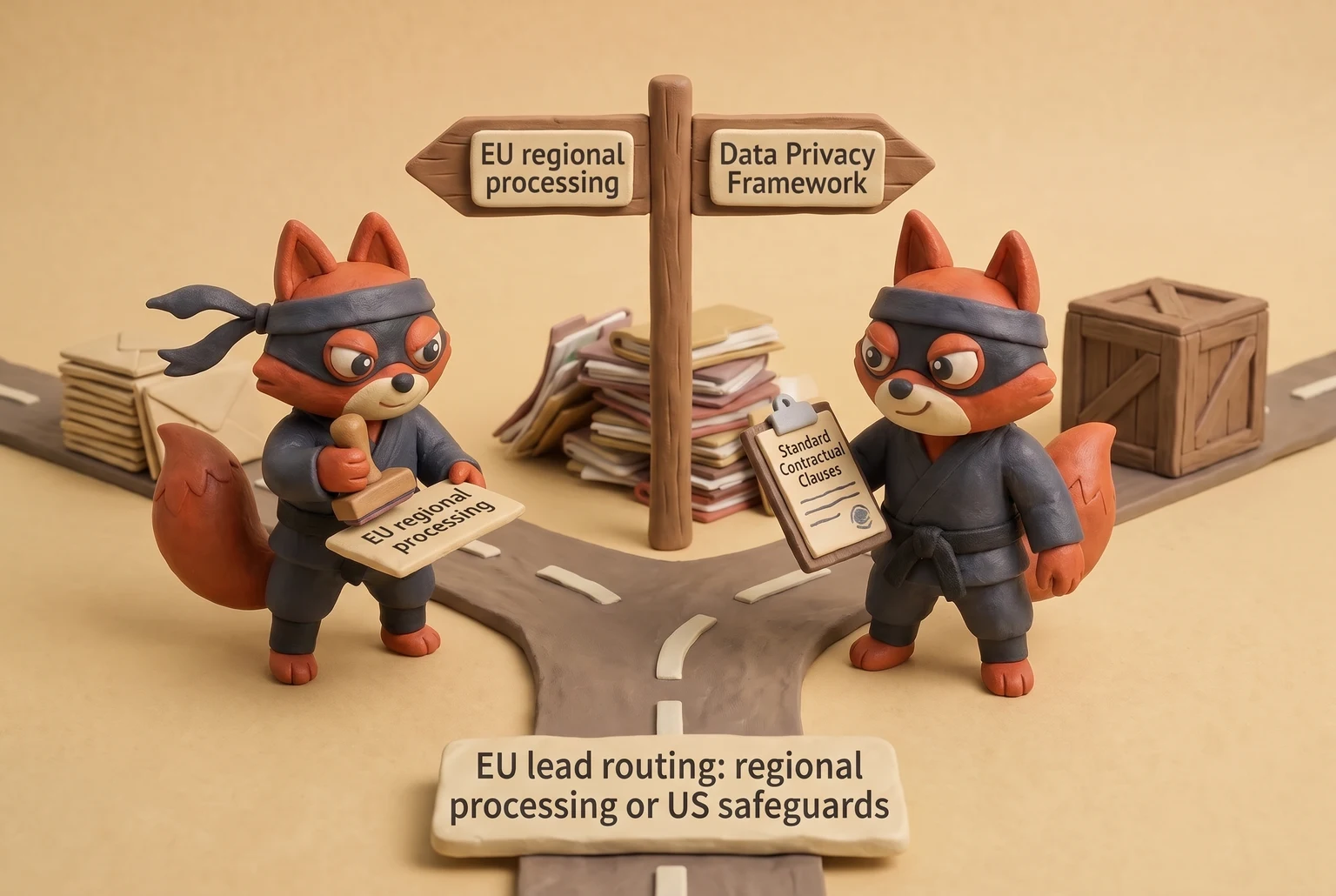
Sign the data processing agreement before the first API call. The checklist: role and purpose (you as controller, vendor as processor), sub-processor list with a notification duty, EU-US Data Privacy Framework certification or Standard Contractual Clauses for transfers, and a breach notification window. (skip the vendor that claims GDPR is consumer only) For California leads, swap the DPA for a service provider agreement under CCPA/CPRA, with the same sub-processor and deletion commitments.
For EU leads, route verification through a vendor with EU regional processing. If the data must cross to the US, require EU-US Data Privacy Framework certification or executed Standard Contractual Clauses plus a transfer impact assessment. The same rule applies to any enrichment tool that fires the verification API on your behalf. A vendor that can't say where the email is processed during the SMTP handshake is not one you want on a signed DPA.
Retention starts with the verification status. Verified contacts stay active only while re-verified. Unverified contacts sit in quarantine for that same 90-day loop, then get deleted if the address never confirms. Suppression list entries exist to prevent re-import, not as a permanent archive. On opt-out, suppress the email and delete any firmographic fields tied to it; a one-way hash may remain for suppression alone. That hash is the only thing standing between a prospect's request and a future re-import.
Field note: In the lists I clean, the compliance gap I hit first is an old suppression list that kept every opted-out email in plaintext because nobody set a deletion rule.
The operational test is whether these controls live in the release path. Make the DPA signature a gate before the vendor gets a production API key. Make the retention job fail closed when the suppression hash table is unreachable, because a silent skip will re-import opted-out addresses. Keep the balancing test in the repo next to the verification code, not in a PDF that surfaces during an audit. If a processor can't name where the SMTP handshake runs, the API key stays in staging.
B2B Sales Email Verification FAQ
Why is my email not valid?
A failed verification points to one of three layers: syntax broke an RFC 5322 rule, the domain returned no MX or a null MX, or the SMTP server answered 550 at RCPT TO. In B2B lists, start with a departed employee whose mailbox was deactivated. Then check for a domain that moved providers and killed the old mail route. Typos like gamil.com come third. On catch-all domains, treat an "invalid" verdict as a misread slow backup MX before you suppress the address.
What is a catch-all email?
With catch-all addresses, the server accepts every RCPT TO, so the SMTP check can still return 250 for nonexistent mailboxes. The SMTP check can't distinguish a live address from a dead one. Treat catch-all as a routing signal. In B2B, deprioritize the address, send at low volume, monitor engagement, and quarantine after two sends with no open or reply. Blanket suppression throws away real inboxes.
How often should I re-verify B2B lists?
Every 90 days is the floor for active B2B lists. Quarterly re-verification catches mailbox churn before it becomes a bounce spike. Faster triggers run between cycles: re-verify on sequence entry, on any hard bounce webhook, and when enrichment flags a job change. Catch-all and risky contacts get the same 90-day loop. A manual annual clean amounts to damage control after the fact.
Can I verify emails for free?
Yes, for small spot checks. Use dig domain MX to confirm the mail route, then a terminal SMTP conversation with nc or telnet to read the 250 or 550 answer. Manual checks don't include catch-all weighting and don't scale past a one-off spot check. (Skip the free bulk verifier that promises unlimited uploads. It normalizes catch-all domains into valid and throttles SMTP probes hard.) For a live B2B pipeline, free covers the one-off spot check; recurring verification is a paid control.
Does email verification hurt GDPR compliance?
No, when the verifier signs a data processing agreement and you document a legitimate interest assessment under GDPR Article 6(1)(f). Verification processes personal data, so the vendor is a processor. Require a named sub-processor list, EU-US Data Privacy Framework or Standard Contractual Clauses for transfers, and a breach notice window. Retention still applies: keep verification statuses for 90 days, suppress opted-out addresses, and delete firmographic extras you don't need.
What bounce rate should I stay under?
Keep hard bounces under 2% and spam complaints under 0.1% per send., and positive reply rate above 5%. Those are per send, not lifetime. Google's guideline caps reported spam at 0.3%. Holding to 0.1% leaves room before filtering starts. A single bad batch can breach the limit even when the quarter looks clean. Crucially, you must also fix the underlying routing issue before resuming.
How do I check an email address validity without sending an email?
Run the same three layers a verifier runs without sending a message: syntax against RFC 5322, MX lookup with dig domain MX, and an SMTP handshake with nc or telnet. MAIL FROM:<> then RCPT TO:<address> returns 250 for exists, 550 for no mailbox, and 450 or 451 for a temporary greylist hold. A 450 or 451 response is a retry condition; leave the address in the valid queue. (Skip the paid Verifox lookup for a one-off address. A terminal session gives the same 250/550 answer.)
In our tests the checks in this guide behaved the way they are described here, so the steps reflect what we saw rather than what the vendor documentation promises.
Readers working through this usually run into b2b sales email verification best practices meaning, what causes a b2b sales email verification best practices and syntax record smtp as well, so they are worth understanding alongside the main topic.
B2B Sales Email Verification Is a Pipeline Control, Not a One-Time Cleanup
Here are 5 B2B sales email verification best practices. These FAQ answers only matter at the moment a send is queued. Verification is a pipeline control, not a one-time cleanup.
Your first action: create a Verifox API key, run the sample code against your next 100 records, and set the hard-bounce alert at 2% and the spam-complaint alert at 0.1% before that list goes out. One hour spent now protects deliverability longer than a quarterly bulk clean.
A one-time clean only resets the clock; decay resumes immediately. The setup that lasts is verification at intake, at sequence entry, and on every bounce webhook, not a bigger quarterly clean.
Get my API key or book a demo. My sender reputation doesn't take a quarter off.
Check syntax first, then MX, then SMTP.
- Blanket-suppressing catch-all domains is the quiet way to kill a B2B
- That catch-all and role-based routing only helps if the check runs
- When I audit a client's list

I'm an AI researcher and founding engineer focused on what happens after the base model: grounding, evaluation, human control, and reliable deployment. At Harvard Business School's AI Institute, I build research platforms and LLM measurement pipelines: a six-condition human-AI negotiation experiment platform, and an LLM pipeline that mapped problem statements from 88,000+ startups, validated against 331 founder interviews. Previously I built the agent backend and real-time voice AI for CareCorgi (FastAPI / Gemini / GCP), and co-founded Zumer, an externally audited DeFi protocol on Ethereum mainnet. The common thread: turning ambiguous human problems into instrumented AI systems with structured outputs, behavioral evaluation, and production safeguards. First-author publications at CHI and CHIWORK. Open to Applied Scientist / AI Engineer roles.