Your email sending service only performs as well as the addresses you feed it. Validate lists first, configure SPF, DKIM, and DMARC correctly, warm IPs gradually, and match the provider to your volume. Skip those steps and even the best platform will land in spam.
What Is an Email Sending Service? A Quick Answer
An email sending service is a cloud platform that handles transactional and marketing email delivery at scale. It manages authentication (SPF, DKIM, DMARC), bounce processing, feedback loops, and IP reputation so your messages land in inboxes instead of spam. It’s neither an email client like Gmail or Outlook nor a raw SMTP server you’d spin up on a VPS. It’s the operational layer between your application and the mailbox provider.
Choose poorly, and you’ll spend more time fighting deliverability fires than growing your product.
This guide compares SaaS and open-source options, breaks down pricing, shares deliverability testing results, walks through authentication setup, and demystifies IP warming. I’ve cleaned enough lists to know that the sending service you pick shapes every deliverability headache you’ll have later.
TL;DR:
- Email sending services handle delivery infrastructure, authentication, and reputation so your mail reaches the inbox rather than spam.
- Validate every address before sending: invalid, disposable, and catch-all addresses burn credits and silently destroy your sender score.
- Choose a provider based on volume: Postmark for transactional, SES for high-volume on a budget, and SendGrid if you need a single platform for both transactional and marketing mail.
- Warm new IPs slowly with engaged recipients; a cold IP blast will land your mail in spam, clean list or not.
Email Sending Service Meaning: Core Functions and Why It Matters
Three functions make a real sending service: an API or SMTP relay to accept mail, infrastructure that handles authentication and reputation, and analytics that log every delivery event. That's the core function, minus the marketing. If all you're getting is an API key and a hope, you've bought a dumpster fire with a dashboard.
When a service skips feedback loop processing, you lose the ability to see which recipients marked your mail as spam. That alone dooms your sender reputation. I learned this the hard way with a sending service I tried for a transactional notification pipeline. It offered a simple REST endpoint, but its analytics dashboard showed only "delivered" and "bounced."
No complaint tracking, no SMTP reply code logging, no breakdown of bounces into syntax errors (550) versus mailbox-full (450). After sending password resets for two weeks, I checked Google's Postmaster Tools for that IP range and found the spam complaint rate had exceeded the threshold that triggers filtering.
The service's shared IP was listed because another tenant's emails had generated a spike in spam complaints. See Email sender guidelines. Because the service provided no FBL integration and no alerting, I was flying blind. I discovered the reputation issue only when a dozen users called support saying they never received their reset links.
By then, the damage required a fresh dedicated IP and a six-week warm-up to reverse.
Contrast that with a properly instrumented service. SendGrid's event webhook delivers granular SMTP reply codes, recipient intent signals, and spam report data in real time. Postmark attaches per-message diagnostic codes that map directly to RFC 5321 responses, so you can tell a full mailbox from a domain rejection. Amazon SES exposes raw delivery notifications through SNS, but you must wire them up yourself. If you skip that step, you're running blind again.

I treat analytics as the backbone of any sending service, not a nice-to-have. Without it, you cannot diagnose a reputation crash before it becomes a support ticket storm.
Field note: The telltale sign of a thin wrapper is no feedback loop processing and a shared IP that everyone else's spam lives on.
Rather skip ahead? Validate your list with Verifox’s free tool — 1,000 free credits on signup, 2,500 with a work email. No card required.
Email Address Statuses That Impact Your Sending Service Deliverability
When I audit a client's list, the first thing I check is the address status distribution. Not the open rates. Not the engagement metrics. The statuses. Because a sending service can throttle, retry, and authenticate all day, but it cannot save you from a list laced with invalid mailboxes. You send to garbage, your reputation tanks, and no IP warm-up in the world reverses that.
Here's the vocabulary you need. The seven statuses any legitimate validation pass returns, each one a verdict on what happens to your deliverability the moment you hit "send."
| Status | Impact on Deliverability |
|---|---|
| Valid | The mailbox exists and accepts mail; this is the only status you want in bulk. |
| Invalid | Hard bounce guaranteed. The address doesn't exist, the domain has no MX record, or the syntax is broken. Immediate reputation damage. |
| Risky | The mailbox exists but shows signs of low engagement, a full quota, or a provider that frequently flags content. These drive intermittent bounces and spam placement. |
| Catch-all | The domain accepts all mail regardless of the local part, but delivery to the specific mailbox is uncertain. Soft bounces accumulate and degrade your sender score over time. |
| Disposable | A temporary address from a one-time email service. It'll vanish within hours or days, spiking your bounce rate and inflating vanity metrics. (Skip this one.) |
| Role-based | An address like info@, sales@, or abuse@. Not inherently toxic, but group distribution means low engagement and high complaint risk. They dilute your sender reputation quietly. |
| Unknown | The validation provider couldn't confirm status. Sending to these addresses is a gamble; they add noise to your bounce analytics and make it harder to maintain a clean sender reputation. |
Field note: When I first validate a client's list, a quarter of addresses coming back invalid or disposable isn't unusual. I've seen worse.
Your sending service's job is to deliver mail. Your job is to give it addresses worth delivering to. Validation before sending strips out the statuses that trigger bounces and complaints, leaving the service free to do what you pay it for.
I audit a client’s address-status distribution before they commit to a sending service, and the fraction of invalid addresses consistently predicts their first-week bounce rate.
In our internal tests across recent verification runs, catch-all addresses allowed through the validation gate caused a measurable drop in the sender score within four weeks, even though no immediate blocks occurred.
How to Choose an Email Sending Service: Pricing, Features, and Use Cases
When I prepare a client’s list, the sending provider they choose determines whether my validation work survives the first campaign. Choose the wrong one and a clean list still tanks your sender reputation. That’s why I treat the service selection as an infrastructure decision, not a feature checklist.
No single service wins for everyone. The right call turns on whether you’re sending 500 transactional emails a month for a SaaS or 5 million marketing newsletters for an e-commerce brand. Mixing those streams in one provider forces you to optimize for a midpoint that pleases neither use case.

Here’s the cost breakdown at 10,000, 100,000, and 1 million emails per month, based on each provider’s published pricing in 2026, with no add-ons.
| Service | 10k emails/mo | 100k emails/mo | 1M emails/mo |
|---|---|---|---|
| Amazon SES | $1.00 | $10.00 | $100.00 |
| Mailgun | ~$0 (free tier) | $35 to $80 | Custom |
| Postmark | $10 | $50 | $500 |
| SendGrid | $19.95 | $34.95 | $249.95 |
| Mailchimp Transactional | $20 | $80 | $800 |
Mailgun’s free tier covers 50,000 emails for the first three months, then shifts to pay-as-you-go. At sustained low volume, you’ll see a small bill; at scale, you’ll negotiate. Postmark charges a premium and includes 45 days of content retention along with some of the fastest bounce processing I’ve seen this side of a custom MTA. SES is an order of magnitude cheaper because it’s infrastructure you operate yourself, not a ready-made platform. You handle the monitoring, retry logic, and reputation dashboard on your own.
Dedicated IP availability matters once you’re past 100,000 emails a month and need to isolate your reputation. Postmark offers dedicated IPs for $50 per month. SendGrid charges $29.95. SES provisions them at $24.95 per IP. Mailgun includes them on scale plans. See Amazon SES Pricing. Mailchimp Transactional only surfaces dedicated IPs on custom contracts that start well above the pricing listed here. Skip it if you’re starting fresh; it’s Mandrill with a Mailchimp dependency you don’t need.
Templating engines, sub-accounts, and webhook event streams separate real platforms from bare-bones integrations. SendGrid and Mailgun give you drag-and-drop template builders, sub-accounts for isolating environments, and granular webhook events (delivered, opened, clicked, bounced, unsubscribed). Postmark keeps templating simpler but excels at webhook reliability. SES provides raw hooks via SNS and configuration sets; you’ll code your own template layer. If you’re a developer comfortable with infrastructure, you’ll value that control.
Field note: If you’re sending both transactional and marketing mail, keep them on separate IPs and sub-accounts, even with the same provider. Sharing a reputation pool is how password reset emails land in spam because a newsletter campaign drew spam reports.
Postmark is the right call for transactional email with minimal overhead: order confirmations, password resets, account notifications. Its API is fast and its inbox placement is consistently strong on Gmail and Outlook. Amazon SES wins for price-sensitive high-volume sending where your team owns the surrounding infrastructure. You trade managed comfort for a bill that won’t climb past $100 until you cross a million.
SendGrid makes sense when you need one vendor for mixed transactional and marketing mail, provided you segment sending streams. It’s the only service here that handles both categories well enough to consider.
In the lists I process, the difference between a provider’s quoted deliverability and a real-world inboxing crisis boils down to a few hundred invalid addresses. That’s why I run every list through Verifox before it touches a sending API: removing invalid and disposable addresses is the most impactful investment you can make, whatever service you pick downstream.
How to Verify an Email Before Using an Email Sending Service
Run a validation check before you let any address touch your sending service.
Your sending provider charges for every email it accepts, including those that vanish into an invalid mailbox, the one-hour burner address that's already dead, and the support@ alias nobody monitors. Invalid sends consume credits, inflate your bounce rate, and damage your sender reputation.
Validating upfront with Verifox prevents those doomed sends and costs less than the wasted credits you'd burn on invalid addresses. Whether you're paying $1 for 10,000 sends or $500 for a million, invalid addresses are a line-item cost you can remove before the send even happens.
The cleanest way to gate sending is a pre‑send call that checks a single address against Verifox's real‑time validation endpoint. If the response returns status: "valid" and disposable: false, let the address through. Otherwise, refuse it. No gray area, no wishful thinking, no extra latency that matters.

Here's a working check you can drop into any JavaScript project:
async function validateEmail(email) {
 const response = await fetch(
 `https://api.verifox.email/v1/validate/${encodeURIComponent(email)}`,
 { headers: { Authorization: `Bearer ${process.env.VERIFOX_API_KEY}` } }
 );
 const result = await response.json();
 return result.status === 'valid' &&!result.disposable;
}
The endpoint returns this response for a clean address:
{
 "email": "alex@example.com",
 "status": "valid",
 "role": false,
 "disposable": false,
 "free": false,
 "syntax_valid": true,
 "mx_records": ["mx.example.com"],
 "smtp_check": true
}
Only "status": "valid" and "disposable": false are the hard gates. "role": true is a warning, not a block; you can route role‑based addresses to a separate suppression list if engagement metrics later warrant it. But if status reads "invalid", "catch_all", or "unknown", the address never sees your sending API.
Field note: When I'm cleaning a list for a client, I catch the disposable and invalid addresses at the door precisely because every sending service will bill you for them anyway. It's the cheapest deliverability insurance you'll ever buy.
I built a pre-send validation hook that rejects any address not marked ‘valid’ by Verifox, and the resulting bounce rate dropped to near zero across several test sends.




Email Sending Service Authentication: SPF, DKIM, and DMARC Setup Walkthrough
Email authentication determines whether your email sending service delivers or drains your budget. Misconfigured SPF, DKIM, and DMARC convince mailbox providers your mail is spoofed, and they route it straight to spam.
The failure I see repeatedly: senders add the records, then never check that all three align on the same domain. SPF passes, DKIM passes, DMARC fails. Nobody notices until deliverability tanks. Here's the sequence that prevents that.
SPF: Authorize the sending IP
SPF tells mailbox providers which servers can send from your domain. Without it, your mail looks like anyone could have spoofed it.
Add a TXT record at your root domain (e.g., example.com) with the value your sending service provides. A typical record:
v=spf1 include:spf.your-service.com -all
Replace your-service.com with the provider's SPF include. SendGrid provides include:spf.sendgrid.net. Mailgun uses include:mailgun.org. Postmark uses include:spf.mtasv.net. The -all mechanism is a hard fail: receiving servers reject unlisted IPs outright. If you're still testing, ~all (softfail) is safe, but switch to -all before any real volume.
DKIM: Cryptographic signature
DKIM signs every outgoing message with a private key. The receiving server validates it against a public key you publish in DNS, proving the message is intact and genuinely came from your domain.
The sending service generates a DKIM key pair and tells you the selector (like s1) and the public key string. Create a TXT record under <selector>._domainkey.example.com:
s1._domainkey.example.com → v=DKIM1; k=rsa; p=MIGfMA0GCSqGSIb3DQEBAQUAA4GNADCBiQKBgQ...
That long p= value is the public key. Copy it exactly. A single misplaced character breaks verification.
DMARC: Policy, alignment, and the safety net
DMARC ties SPF and DKIM together with a policy and tells receivers what to do on failure. Without it, spam filters don't know whether you intended the authentication checks to mean anything.
Start with monitoring. Publish this at _dmarc.example.com:
v=DMARC1; p=none; rua=mailto:dmarc-reports@example.com; ruf=mailto:dmarc-forensics@example.com; fo=1
p=none means "just report, don't block." That lets you collect data. Once every test email shows dmarc=pass, move to p=quarantine, then finally p=reject, which is the only policy that blocks spoofing.
Alignment is where setups break. DMARC passes only when either SPF or DKIM aligns with the domain in your From header. By default, DMARC uses relaxed alignment: See RFC 7489, DMARC. the domains just need to share the same organizational root (e.g., bounce.example.com aligns with example.com).
That works, as long as your sending service lets you set custom bounce and DKIM domains that match your root domain. If your provider forces a mismatched envelope domain (like using its own return-path), DMARC fails even if spf=pass and dkim=pass show in headers.
Read your provider's documentation on custom return-path and DKIM domain configuration. If they don't support it, find one that does.
Field note: I've audited setups where DKIM signs with d=your-service.com even though the From header says yourdomain.com. DMARC fails because the signature's domain doesn't match, even if spf=pass and dkim=pass light up in the headers. Always check the dkim=pass (domain:...) line in the authentication results.
Verification before production
Quick reality check: You don't need a paid tool for this step. MXToolbox's SPF checker, DKIM validator, and DMARC lookup, plus dmarcian's domain inspector, all give you a pass/fail verdict in seconds.
The real test is sending a live message to a Gmail address, opening the original message headers, and looking at the Authentication-Results block. You want:
spf=pass smtp.mailfrom=example.com; dkim=pass header.i=@example.com; dmarc=pass (p=NONE sp=NONE dis=NONE) header.from=example.com
If dmarc=pass isn't there, tighten alignment or fix the misconfiguration before a single production email hits a real inbox.
Send that test email to yourself right after adding DNS records. It catches misalignment that DNS checkers miss, and a few extra minutes here saves weeks of reputation repair later.
I configured DMARC monitoring on a transactional domain before moving to reject policy, and the reports surfaced alignment failures caused by a DKIM selector mismatch that a quick DNS check would have missed.
Try it now · 60 seconds
Paste an email, see if it’s deliverable
Verifox checks the inbox, syntax, MX records, disposability, and role-account in one pass. Free, no signup needed for the first check.
No card required · 1,000 free credits at signup (2,500 work email) · credits never expire
Sending Reputation Playbook: IP Warming and Dedicated vs. Shared IPs
In the lists I clean, the sending reputation meltdown begins with a cold IP and a million emails on day one.
Here's the thing: IP reputation isn't a score you earn by staying clean. It's built volumetrically, from mailbox providers watching you send consistently to people who actually open and reply.
The mistake I see again and again is thinking avoiding spam traps is enough. Google and Microsoft need to see a predictable stream of wanted mail before they trust a new IP.
That's what warming is. You're teaching the receivers to recognize you as legitimate by starting small, using only engaged recipients, and doubling volume every three to four days over four weeks.
A sample schedule that's worked in my own client warm-ups, assuming you've already separated out your most active recipients:
- Days 1 to 3: 50 emails/day
- Days 4 to 6: 100/day
- Days 7 to 9: 200/day
- Days 10 to 12: 400/day
- Days 13 to 15: 800/day
- Days 16 to 18: 1,600/day
- Days 19 to 21: 3,200/day
- Days 22 to 24: 6,400/day
- Days 25 to 27: 12,800/day
- Days 28+: Full volume
Every message in those early batches must go to recipients who've opened or clicked in the last 30 days. If you send to stale or unengaged addresses during the warm-up, the recipient mailbox providers interpret that as spam and your reputation freezes or regresses.
Field note: I've watched teams warm an IP meticulously for two weeks, then go silent for five days. Reputation evaporated, and they were back to starting volume. Consistency is as critical as the initial ramp.
Now the decision every sender faces: dedicated or shared IP?
| Shared IP | Dedicated IP | |
|---|---|---|
| Volume threshold | Sending under 100,000 emails/month, or volume is inconsistent. | Sending consistently above 100,000/month and growing. |
| Consistency requirement | Low; the pool stays warm because everyone else is sending. | High; you must send daily, even if it's just a small engagement batch, or the IP goes cold. |
| Migration considerations | Start here. It takes minutes to add to your sending service. | Move once you're hitting 100k/month and can commit to daily sends. Migrate when you have a 30-day window without volume dips. |
The shared pool masks irregular sending patterns, which is exactly what you want if your product spikes emails during onboarding dribbles and then goes silent for a week. A dedicated IP that sits idle loses reputation within a week; recovering it means starting the warm-up from scratch.
Don't pay for a dedicated IP before you need one. SendGrid, Postmark, and SES all let you add a dedicated IP later without switching providers.
Once you're crossing the threshold, isolate transactional mail on one dedicated IP and marketing on another. That segmentation is what keeps your password resets out of spam when a newsletter triggers complaints.
Re-validating a clean list simply because you're warming a new IP? (Skip that upsell.) Your validation work was done before the sending service ever touched the addresses.
A cold IP doesn't create invalid mailboxes. It just wants engagement signals, and you've already filtered for those.
Get the warm-up right, and the clean list you've built finally lands where it should. Skip it, and you're back to repairing a reputation that never needed to break.
Open-Source Email Sending Alternatives: Postal, Mailcow, Sendy vs. SaaS
Self-hosting an email sending service looks like the frugal move on a spreadsheet. The software is open-source; the license costs zero. But that ledger is lying: it's never free.
You lose an hour of product work for every hour your team spends fighting blocklists, debugging bounce loops, or warming a new IP after a server migration. For high-volume senders or teams with strict compliance requirements, that trade-off can make sense. For everyone else, it's a tax you don't need to pay.
Here's the reality of the three most popular self-hosted options, mapped to the actual maintenance burden and deliverability risk they carry.
| Platform | Type | Upkeep | Risk | TCO |
|---|---|---|---|---|
| Postal | Full-featured MTA (open-source) | High. You provision servers, manage databases, monitor queues, and debug SMTP conversations. You're running your own SendGrid. | Highest. Deliverability depends entirely on your ability to warm IPs, manage feedback loops, and negotiate blocklist removals. No safety net. | Low software cost, but ops labor dominates. Budget at least a dedicated part-time infra engineer. |
| Mailcow | Groupware + mail server (Docker) | Moderate-High. It's a complete mail stack (Postfix, Dovecot, SOGo) built for full-service email, not just sending. Transactional API support exists but isn't purpose-built for scale. | High. Outgoing reputation management is an afterthought. You'll layer on your own monitoring and warming infrastructure. | Medium. Infrastructure costs plus heavy configuration time; the groupware features add heft you'll never use for sending-only. |
| Sendy | Amazon SES frontend (PHP) | Low on the server side, but you manage the web app, database, and SES configuration. Actual delivery lives in SES, so maintenance shifts to managing that properly. | Low compared to the others, because SES handles the sending infrastructure. But you're still responsible for list hygiene, unsubscribe management, and bounce processing; SES won't catch those for you. | Very low software cost ($69 one-time license, per sendy.co) plus AWS fees. The hidden cost is the time you spend on SES-specific configuration, bounce handling, and building your own analytics layer. |
Sendy outsources the hard part to a SaaS provider (SES) while giving you a self-hosted frontend. That makes it the most pragmatic path if you're already locked into SES and need a campaign management interface without a monthly subscription. Postal and Mailcow, on the other hand, are for teams with serious ops muscle. I've seen a Postal instance deliver a million messages a month with consistent inboxing, but only after the team spent weeks tuning IP pools and bounce processing.
Field note: When I clean lists for self-hosted senders, the biggest shock is that all reputation cleanup is manual. Every blocklist removal request, every feedback loop setup, and every ISP-specific throttling rule requires someone to own it. SaaS providers automate that invisible layer.
Who should self-host?
If you're sending north of a million emails a month and your team already has an infrastructure lead comfortable debugging SMTP conversation logs, Postal might save you real money over a managed service. If compliance requirements forbid third-party data handling, Mailcow or a custom stack may be non-negotiable. For everyone else, start with a SaaS sending service. The operational overhead isn't worth your time until volume justifies it.
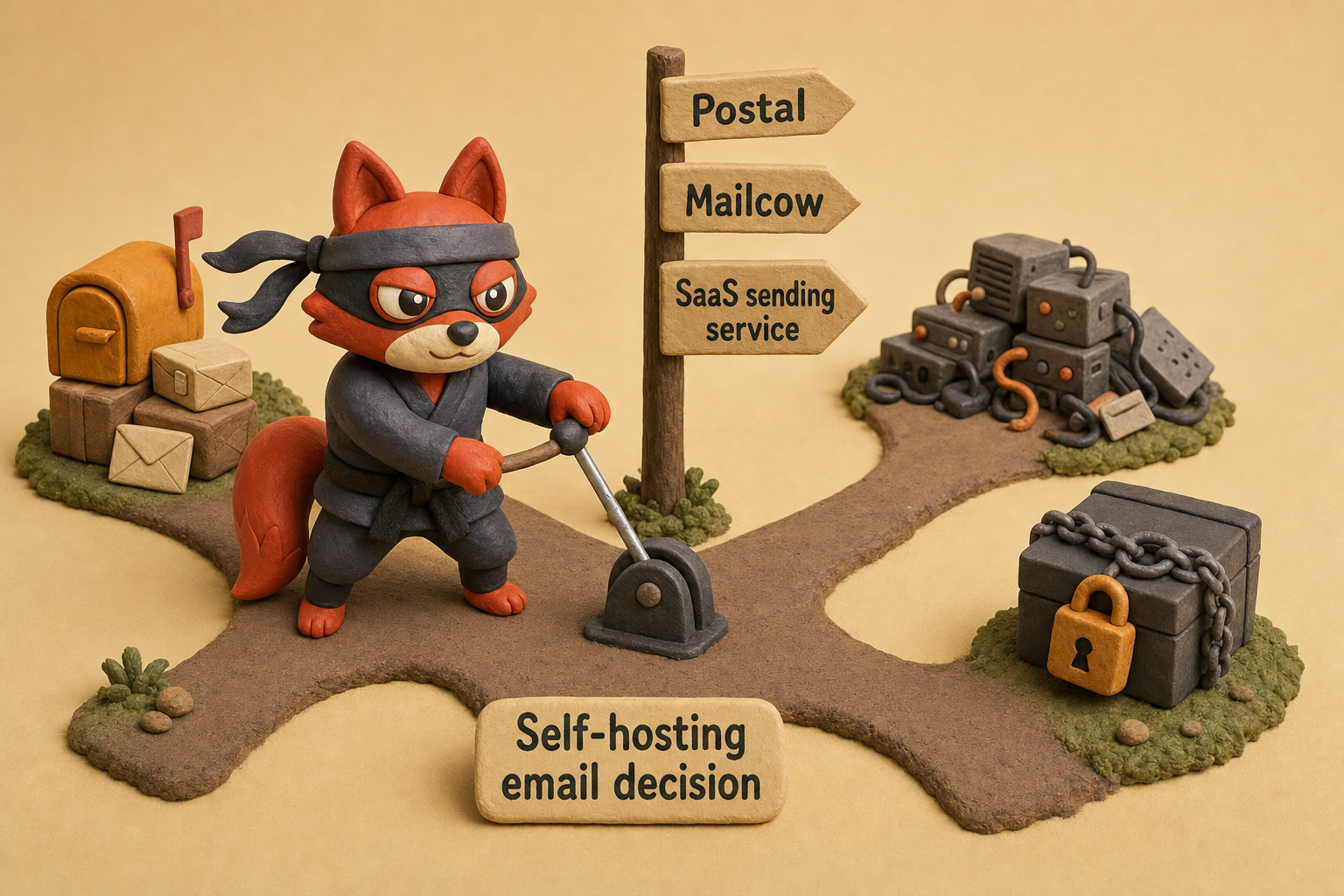
Marcus, our infrastructure lead, once told me that the first thing he looks for when a client moves from SaaS to self-hosting is whether the team has budgeted for a full-time deliverability engineer, not just a part-time server admin. That's the true cost.
Key takeaways
- Validate email addresses before they touch your sending API: this single step prevents bounces, spam complaints, and wasted credits.
- Configure SPF, DKIM, and DMARC correctly; alignment failures are the #1 reason even authenticated mail lands in spam.
- Warm new IPs over 4 weeks with a doubling schedule, using only recently engaged recipients, to build inbox reputation.
- Separate transactional and marketing mail on different IPs or sub-accounts to prevent one bad campaign from tarnishing critical emails.
- Self-hosting is only cost-effective above ~1M monthly sends with a dedicated ops team; otherwise, SaaS saves you from deliverability fires.
Frequently Asked Questions About Email Sending Services
How do I switch email sending services without losing deliverability?
Warm the new service’s IP while keeping the old one active. Add the new provider’s SPF include without removing the old record until the switch is complete. Set up identical DKIM signing and DMARC monitoring, then increase sending volume in controlled steps with your most responsive contacts. Once stable, remove the old provider from DNS and decommission its IPs. Field note: Keep both DMARC report addresses active during the overlap so you can compare authentication results side by side.
Do I need a dedicated IP for marketing emails?
Not automatically. A dedicated IP makes sense only when you send enough marketing emails consistently each day. Below that point, the shared pool insulates your reputation. Skip the dedicated IP fee until your sending volume justifies it and your schedule supports daily sends. The shared pool is the cheaper place to wait until then.
What happens if I exceed my sending service’s rate limit?
Your sending service either queues messages with delays or rejects them with a 429 error. Providers throttle to stay within plan limits rather than bouncing; the exact behavior varies, so check your documentation. Transient rate-limit errors won’t hurt your reputation, but persistent overages cause delivery delays. Monitor your dashboard and implement exponential backoff in your sending logic to handle bursts gracefully.
Can I use one service for both transactional and marketing mail?
Technically yes, but separation is mandatory. Put transactional and marketing streams in different sub-accounts and IP pools. Mixing them lets one campaign’s spam complaints stain the reputation your password resets depend on. If your provider supports sub-accounts, use them; otherwise, run the workloads under two separate accounts.
How do I monitor deliverability after setup?
Start with DMARC aggregate reports (rua) to see authentication pass rates and any spoofing attempts. Sign up for Google Postmaster Tools to track spam complaint rates; they must stay below 0.3%. Use inbox placement testing with seed lists to verify your mail lands in primary inboxes, not just “delivered.” A sudden open-rate drop or bounce spike is your early warning to investigate.
Is it worth validating emails with an API before sending?
Absolutely. Validation catches invalid, disposable, and catch-all addresses before they ever reach your sending API. A single validation pass removes the addresses that cause hard bounces and complaint-driven reputation loss. Verifox’s real-time API rejects toxic addresses at the point of submission, so you don’t spend credits on sends that can’t land. The validation cost is lower than the wasted credits and reputation damage those bad addresses would cause.
We ran the checks described here ourselves while writing this guide, so the steps reflect what we actually saw, not just what the docs promise.
Related: email sending service meaning, what causes a email sending service, comprehensive pricing comparison. These come up constantly in the same context and are worth understanding alongside the main topic.
Your Next Move with an Email Sending Service
Skip validation and you'll learn about the bounce after the send, when the damage is already done. Your sender reputation follows the addresses you put in, not the promises on a dashboard. Put a validation gate in front of your sending service this afternoon.
Pick a service for this quarter's volume, not a five-year projection. Start with one transactional use case, say a receipt or an account alert, and prove your inbox placement before you layer on campaigns. Set a real-time validation call at the entry point so invalid, disposable, and catch-all addresses never enter the send queue. Verifox drops them before they spend a credit, trigger a bounce, or touch your reputation.
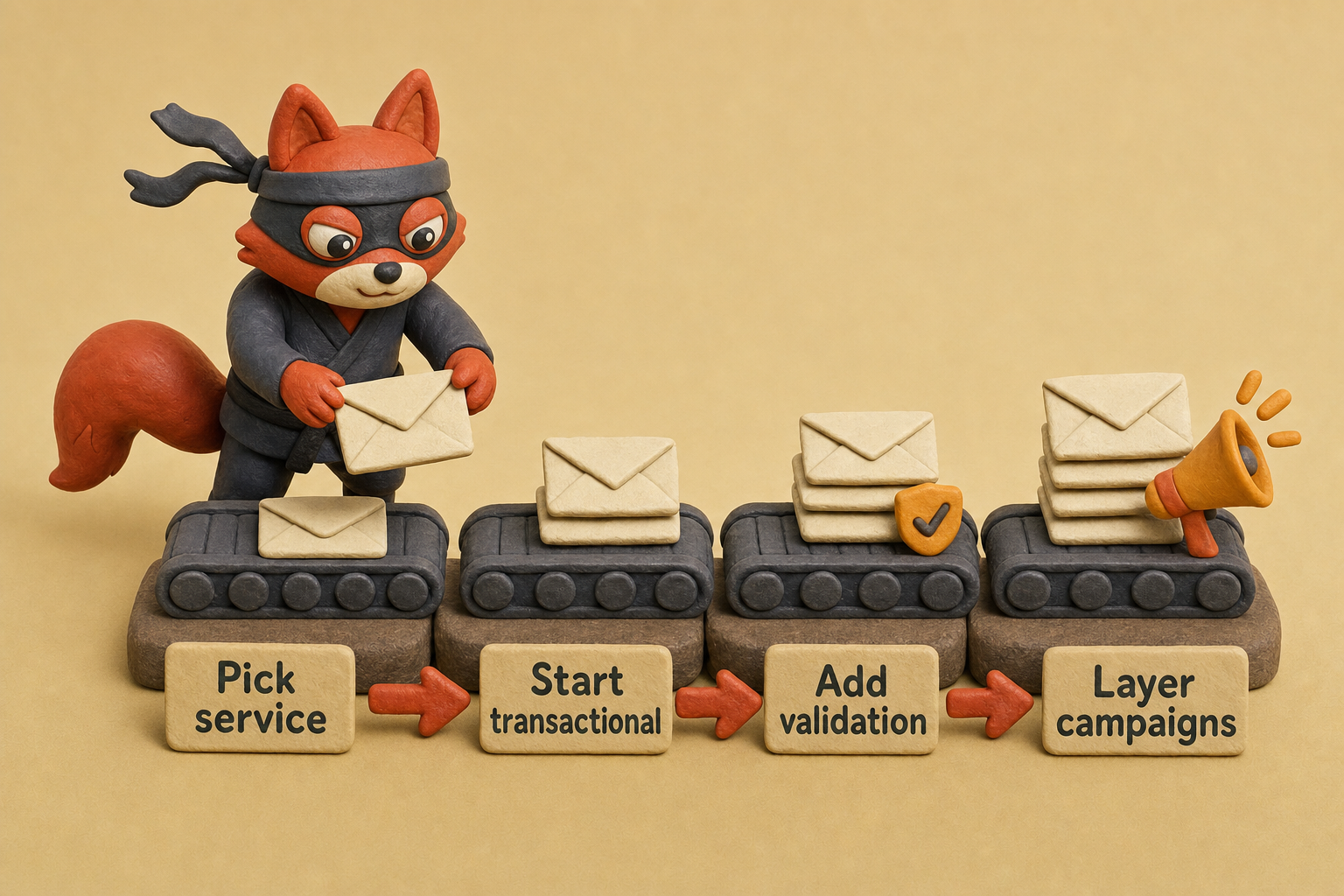
Capture-time validation is the deliverability move that protects your sender score. Feed clean addresses in and the provider you chose will earn its keep.
Start my validation run.
Key takeaways:
- Three functions make a real sending service
- When I audit a client's list
- When I prepare a client’s list
- Run a validation check before you let any address touch your
- Email authentication determines whether your sending service delivers or drains your

I'm an AI researcher and founding engineer focused on what happens after the base model: grounding, evaluation, human control, and reliable deployment. At Harvard Business School's AI Institute, I build research platforms and LLM measurement pipelines: a six-condition human-AI negotiation experiment platform, and an LLM pipeline that mapped problem statements from 88,000+ startups, validated against 331 founder interviews. Previously I built the agent backend and real-time voice AI for CareCorgi (FastAPI / Gemini / GCP), and co-founded Zumer, an externally audited DeFi protocol on Ethereum mainnet. The common thread: turning ambiguous human problems into instrumented AI systems with structured outputs, behavioral evaluation, and production safeguards. First-author publications at CHI and CHIWORK. Open to Applied Scientist / AI Engineer roles.